
1. Введение
The Longer Laser B1 30W Laser Engraver Cutter is a versatile tool designed for precision engraving and cutting across various materials. This manual provides essential information for safe operation, setup, and maintenance to ensure optimal performance and longevity of your device.
Key features include a powerful 36W laser output capable of cutting through 25mm basswood and 50mm acrylic, a high working speed of up to 36,000 mm/min, and a large working area of 450 x 440 mm. It supports colorful engraving on mirrored stainless steel and integrates an automatic air-assist pump for enhanced precision and quality.
2. Информация по технике безопасности
ВНИМАНИЕ: Лазерное излучение может вызвать повреждение глаз и ожоги кожи. Всегда используйте соответствующие средства защиты глаз и обеспечьте надлежащую вентиляцию во время работы.
The Laser B1 is equipped with eight major safety features to protect users and prevent accidents:
- Move Detection: Stops operation if the machine is moved unexpectedly.
- Детектор пламени: Triggers an alarm and stops the laser if a flame is detected.
- Offline Protection: Halts operation if connection is lost.
- Motionless Protection: Automatically stops if the laser module remains stationary for too long while active.
- Замок безопасности: Предотвращает несанкционированное использование.
- Защита глаз: The laser module features panoramic light filtering glass to block blue light and filter 97% of ultraviolet light.
- Кнопка аварийной остановки: Immediately cuts power to the laser in case of an emergency.
- Сброс нуля: Ensures safe homing of the laser module.

Image: Longer Laser B1 with visual indicators for flame detection and position movement protection.
3. Продукт закончилсяview
The Longer Laser B1 is designed for precision and efficiency. Understanding its components and capabilities is key to effective use.
3.1 Основные характеристики
- Powerful Laser Output: 36W output power, capable of cutting 25mm basswood and 50mm acrylic.
- Высокая скорость работы: Engraving speed up to 36,000 mm/min.
- Большая рабочая зона: 450 x 440 mm (17.72 x 17.32 inches).
- Автоматическая система помощи при движении: Controlled via Lightburn software for cleaner cuts and engravings.
- Colorful Engraving: Direct engraving of colorful patterns on mirrored stainless steel.
- Связь: Supports USB, TF card, Wi-Fi, and APP control.
- Совместимость программного обеспечения: Works with LaserGRBL (Windows XP/7/8/10) and Lightburn (Windows, macOS, Linux).
3.2 Компоненты
The main components of the Longer Laser B1 include the laser module, frame, control unit, and various accessories. Refer to the packaging for a complete list of included items.
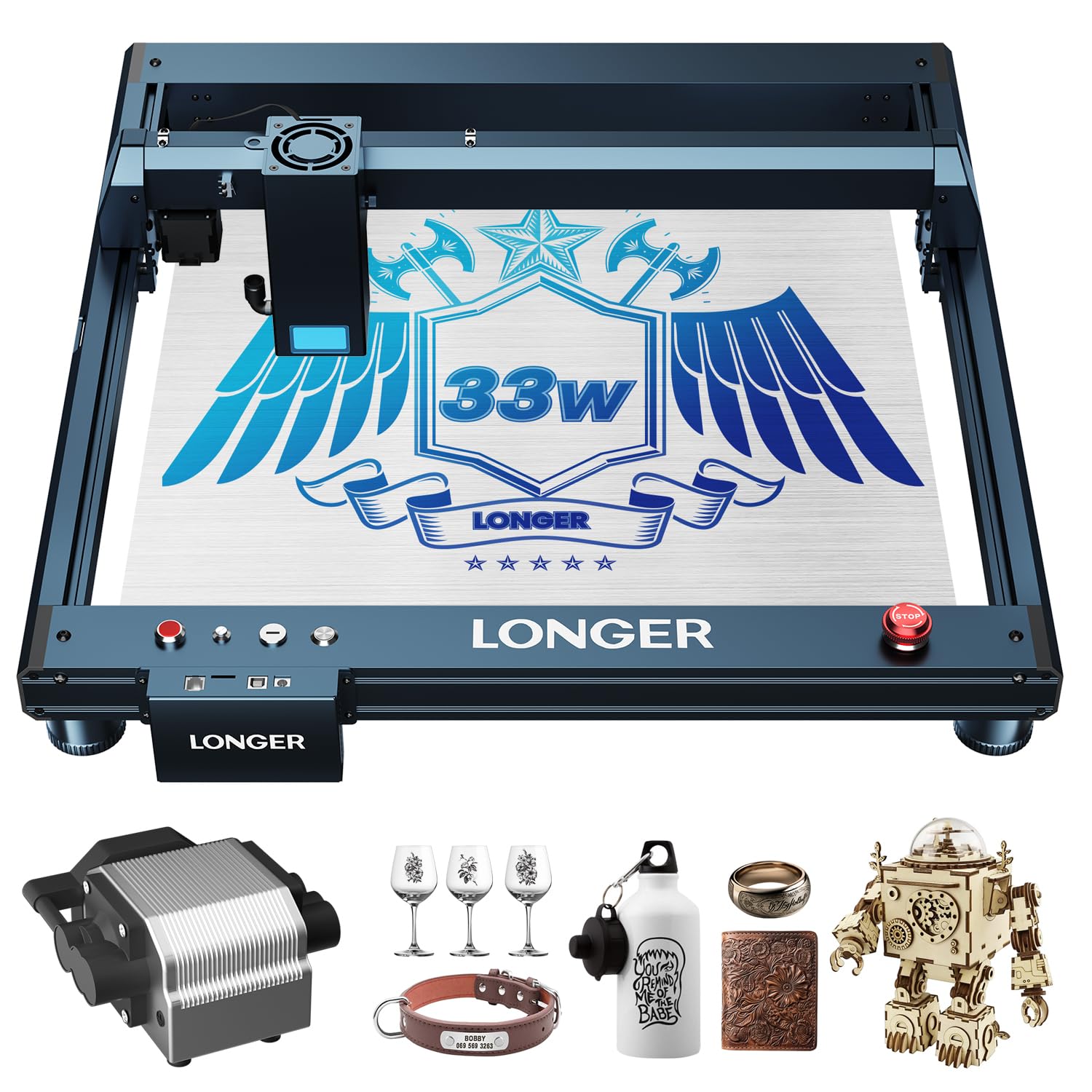
Image: The Longer Laser B1 30W Laser Engraver Cutter.
4. Настройка
Follow these general steps for assembling and preparing your Longer Laser B1 for operation. Detailed assembly instructions are typically provided in a separate guide included with your product.
- Распаковка: Осторожно извлеките все компоненты из упаковки. Убедитесь, что все детали присутствуют в соответствии с упаковочным листом.
- Сборка рамы: Assemble the main frame of the laser engraver. Ensure all screws are tightened securely.
- Установка лазерного модуля: Установите лазерный модуль на портал. Подключите необходимые кабели.
- Air Assist Connection (if applicable): If your model includes an automatic air assist pump, connect it to the laser module and the control unit as per the specific instructions.
- Подключение питания: Connect the power adapter to the control unit and then to a suitable power outlet.
- Установка программного обеспечения: Install the recommended software (Lightburn or LaserGRBL) on your computer. Drivers may be required for USB connection.
- Подключение к приложению: For mobile control, download the dedicated LaserBurn APP and follow the in-app instructions for Wi-Fi network distribution and connection.

Image: Initial setup of the laser engraver.
5. Инструкция по эксплуатации
Operating the Longer Laser B1 involves preparing your design, setting parameters, and executing the engraving or cutting process.
5.1 Программное обеспечение и возможности подключения
The Laser B1 supports multiple connection methods and software:
- Программное обеспечение: Lightburn (recommended for advanced users, compatible with Windows, macOS, Linux) and LaserGRBL (free, compatible with Windows XP/7/8/10).
- Методы подключения: USB cable, TF card, Wi-Fi, and dedicated mobile APP.

Image: Software and connectivity options for the Laser B1.

Image: The LaserBurn mobile application for controlling the engraver.
5.2 Подготовка материала и гравировка/резка
- Размещение материала: Place your material securely on the working area. Ensure it is flat and stable.
- Регулировка фокуса: Настройте фокус лазера в соответствии с толщиной материала.
- Design Import and Parameter Settings: Import your design into the software. Set appropriate parameters for engraving or cutting, including speed, power, and passes, based on the material type and desired outcome.
- Активация системы воздушной поддержки: If using the automatic air assist, ensure it is enabled in your software settings for optimal results, especially when cutting.
- Начать операцию: Запустите процесс гравировки или резки. Следите за работой станка во время его эксплуатации.

Image: The automatic air assist pump improves engraving and cutting quality by removing smoke and debris.
5.3 Возможности гравировки и резки
The Longer Laser B1 excels in various applications:
- Wood Engraving: Achieve detailed and precise designs on wood.
- Гравюра на металле: Create intricate patterns on metal surfaces, including colorful engraving on mirrored stainless steel.
- Acrylic Cutting: Capable of cutting thick acrylic sheets with clean edges.
- Другие материалы: Suitable for paper, glass, leather, and more.
Video: Demonstration of color acrylic engraving and cutting with the Longer Laser B1.
Video: Creating a jewelry box using the Longer Laser B1 engraver.
6. Техническое обслуживание
Регулярное техническое обслуживание обеспечит долговечность и оптимальную производительность вашего лазерного гравера.
- Очистка объектива: Для поддержания качества гравировки периодически очищайте линзу лазера мягкой безворсовой тканью, смоченной специальным раствором для чистки линз.
- Уборка рабочей зоны: Remove debris and dust from the honeycomb working area after each use.
- Смазка: Apply a small amount of lubricant to the guide rails and lead screws as recommended in the detailed product manual to ensure smooth movement.
- Проверка кабеля: Регулярно проверяйте все кабели на износ или повреждения. Немедленно заменяйте любые поврежденные кабели.
- Обновления прошивки: Keep the device firmware and software updated to benefit from performance improvements and new features.
7. Поиск Неисправностей
This section addresses common issues you might encounter. For more complex problems, refer to the official Longer support resources.
| Проблема | Возможная причина | Решение |
|---|---|---|
| Лазер не работает или имеет слабую выходную мощность. | Ненадежное кабельное соединение, загрязнение линзы, неправильные настройки мощности, неисправность лазерного модуля. | Проверьте все кабельные соединения. Очистите лазерную линзу. Проверьте настройки питания в программном обеспечении. Если проблема не исчезнет, обратитесь в службу поддержки. |
| Гравировка/резка выполнена неточно или искаженно. | Loose belts, incorrect focus, material not flat, machine movement during operation. | Ensure belts are properly tensioned. Adjust laser focus. Secure material firmly. Check for any obstructions preventing smooth movement. |
| Устройство не подключается к компьютеру/приложению. | Incorrect drivers, Wi-Fi issues, faulty USB cable, software conflict. | Install/update drivers. Check Wi-Fi connection and network settings. Try a different USB port/cable. Restart software and machine. |
| Smoke/fumes excessive during operation. | Insufficient ventilation, air assist not active, incorrect power settings. | Ensure adequate ventilation. Activate air assist in software. Reduce laser power if possible for the material. |
8. Технические характеристики
| Особенность | Деталь |
|---|---|
| Бренд | Длиннее |
| Номер модели | B1 |
| Выходная мощность лазера | 36 Вт |
| Рабочая скорость | До 36,000 мм/мин |
| Рабочая зона | 450 x 440 мм (17.72 x 17.32 дюйма) |
| Размеры продукта | 17.31 x 4.9 x 17.72 дюйма |
| Вес товара | 21.5 фунта |
| Режим работы | Автоматический |
| Совместимость материалов | Wood, Metal, Paper, Acrylic, Glass, Leather |
9. Гарантия и поддержка
The Longer Laser B1 comes with a standard warranty. Please refer to the warranty card included in your product packaging for specific terms and conditions. For technical assistance, troubleshooting, or warranty claims, please contact Longer3d Official Store customer support.
Контактная информация:
- Продавец: Longer3d Official Store
- Ссылка на магазин Amazon: Longer Official Store on Amazon