
1. Введение
Thank you for choosing the Zeblaze Crystal 3 Smartwatch. This manual provides essential information for setting up, operating, maintaining, and troubleshooting your device. Please read it carefully to ensure proper use and optimal performance.
2. Продукт закончилсяview
The Zeblaze Crystal 3 is a versatile smartwatch designed for fitness tracking and daily use. It features a vibrant HD color display and high-precision sensors to monitor various health metrics.
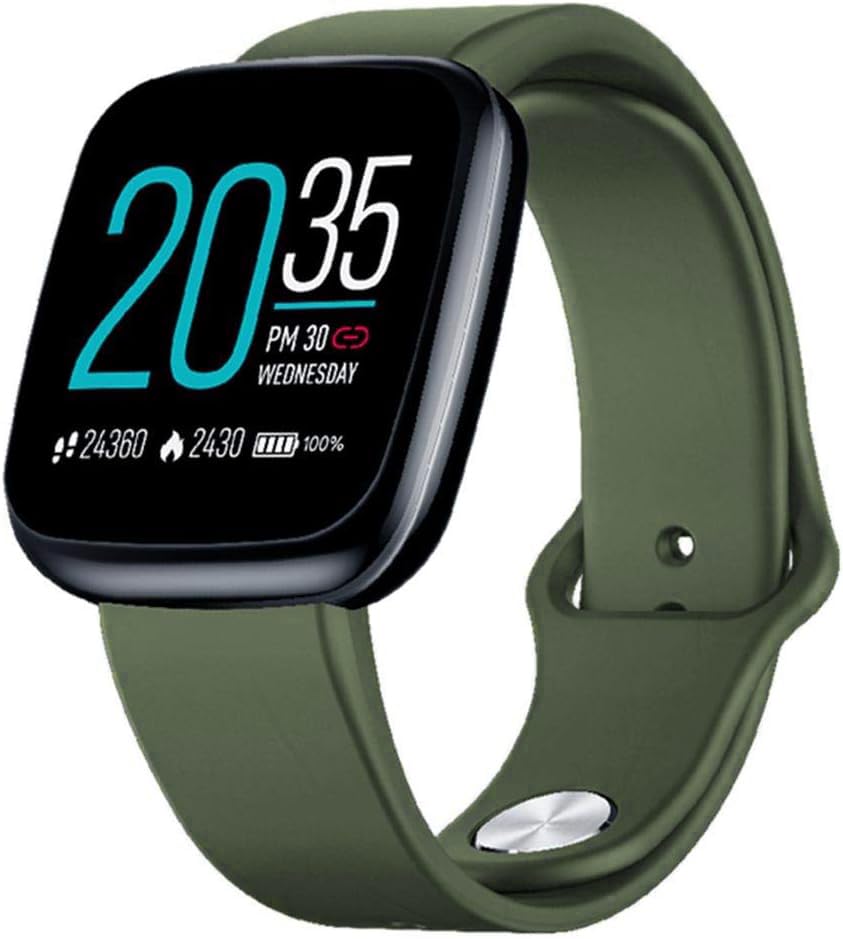
Image: Zeblaze Crystal 3 Smartwatch, showing the main display and green strap.
Основные характеристики:
- 1.3-inch HD Color Screen: A vibrant IPS display with 240x240 pixel resolution for clear visuals.
- Высокоточные датчики: Equipped with a heart rate sensor, proximity sensor, and accelerometer for accurate data collection.
- Водонепроницаемость IP67: Designed to withstand daily water exposure, such as splashes and rain.
- Длительный срок службы батареи: Up to 7 days of use on a single 2-hour charge, thanks to its 200 mAh battery.
- Отслеживание активности: Monitors steps, distance, calories burned, and supports various sports modes.
- Мониторинг здоровья: Includes heart rate and sleep tracking.
- Совместимость со смартфоном: Works with Android 4.4 or newer and iOS 8.0 or newer devices.
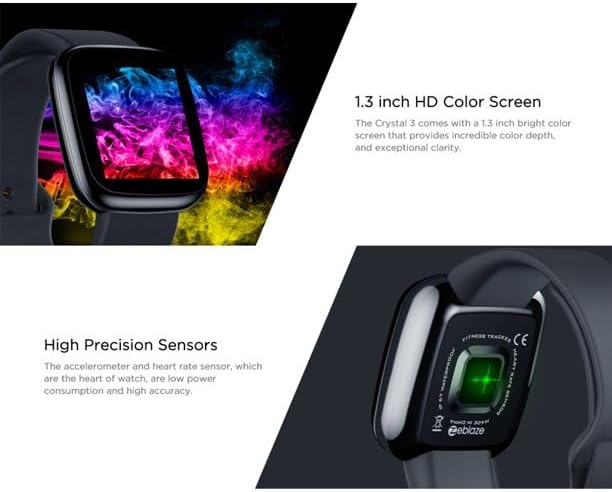
Image: Close-up of the 1.3-inch HD color screen and the high-precision heart rate sensor on the back of the watch.
3. Настройка
3.1 Зарядка умных часов
Before first use, fully charge your Zeblaze Crystal 3. Connect the charging cable to the watch's charging port and a USB power source (e.g., computer USB port or a 5V/1A USB adapter). A full charge typically takes about 2 hours.
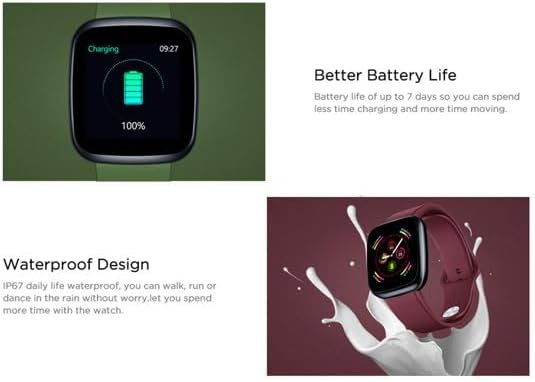
Image: Illustration showing how to connect the smartwatch to a USB port for charging.
3.2 Установка и сопряжение приложения
- Загрузите приложение: Искать the official Zeblaze companion app on your smartphone's app store (Google Play Store for Android or Apple App Store for iOS).
- Зарегистрироваться: Откройте приложение и следуйте инструкциям на экране, чтобы создать учетную запись или войти в систему.
- Пара устройств: Ensure Bluetooth is enabled on your smartphone. In the app, navigate to the device pairing section and select "Zeblaze Crystal 3" from the list of available devices. Confirm the pairing request on both your phone and the smartwatch.
- Профиfile Настраивать: Завершите свой личный планfile within the app to ensure accurate tracking of health and fitness data.
4. Инструкция по эксплуатации
4.1 Базовая навигация
- Экран пробуждения: Поднимите запястье или нажмите боковую кнопку, чтобы включить экран.
- Проведите пальцем вверх/вниз: Доступ к уведомлениям и быстрым настройкам.
- Проведите пальцем влево/вправо: Navigate through different functions and widgets (e.g., heart rate, activity data, weather).
- Кран: Выберите элемент или подтвердите действие.
- Длительное нажатие: On the main watch face, long press to change watch faces.
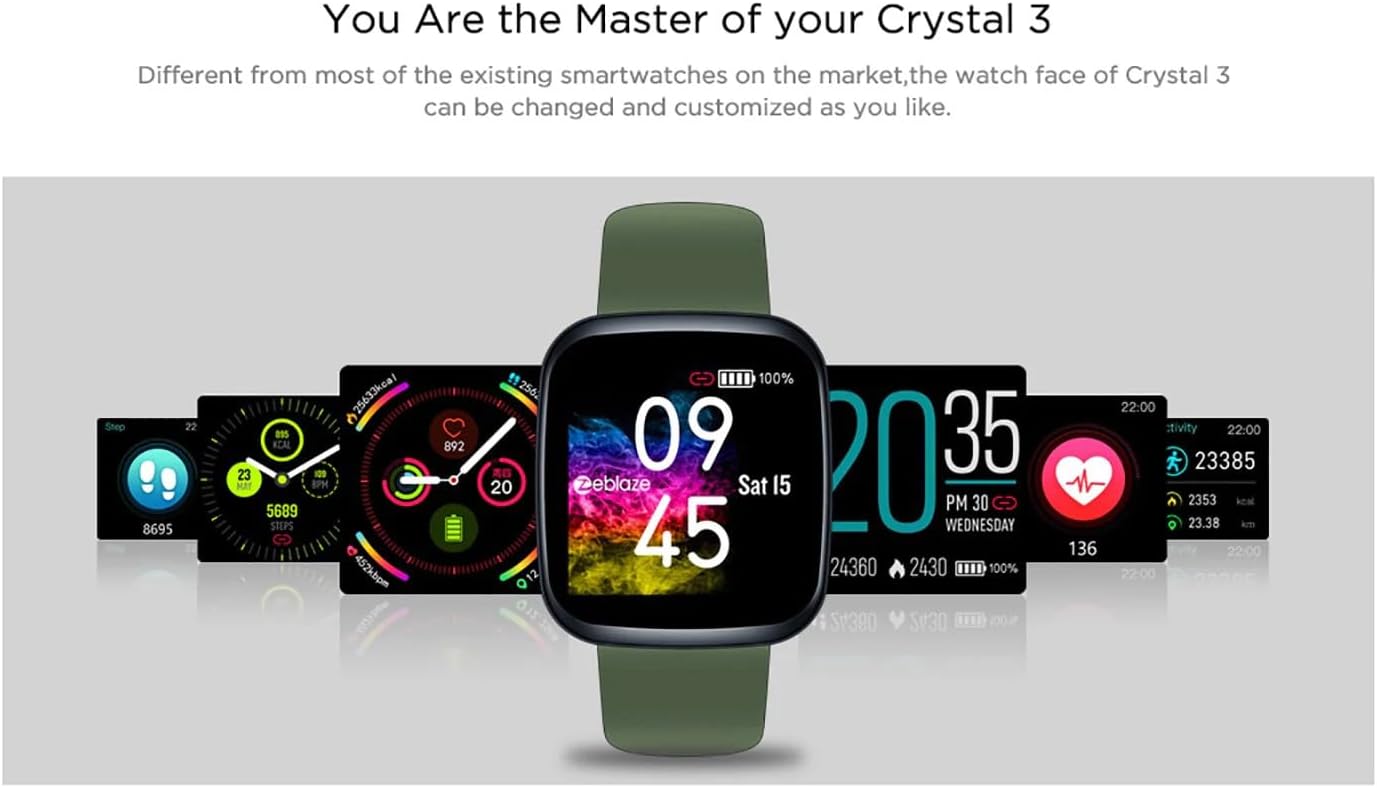
Image: The Zeblaze Crystal 3 displaying different customizable watch faces and data screens.
4.2 Отслеживание активности
Умные часы автоматически отслеживают количество шагов, пройденное расстояние и сожженные калории за день. Вы можете view this data directly on the watch or in more detail within the companion app.
4.3 Мониторинг сердечного ритма
The built-in heart rate sensor continuously monitors your heart rate. Ensure the watch is worn snugly on your wrist for accurate readings. View your current and historical heart rate data in the app.
4.4 Мониторинг сна
Wear the smartwatch to bed to track your sleep patterns. The device records sleep duration and quality, which can be reviewed in the app to help you understand and improve your sleep habits.
5. Техническое обслуживание
5.1 Очистка устройства
Регулярно чистите смарт-часы и ремешок, чтобы предотвратить раздражение кожи и сохранить их функциональность. Используйте мягкую, гладкую тряпку.amp Ткань для протирки экрана и ремешка. Избегайте использования едких химикатов и абразивных материалов.
5.2 Водонепроницаемость (IP67)
The Zeblaze Crystal 3 is IP67 water-resistant, meaning it is protected against dust and can withstand immersion in water up to 1 meter for up to 30 minutes. It is suitable for daily use, such as washing hands, rain, or light splashes. Не рекомендуется плавать, принимать горячий душ или нырять.

Image: Illustration highlighting the waterproof design of the Zeblaze Crystal 3 Smartwatch.
5.3 Уход за аккумулятором
- Избегайте экстремальных температур, которые могут сократить срок службы батареи.
- Не оставляйте устройство полностью разряженным на длительное время.
- Используйте только прилагаемый зарядный кабель или сертифицированный эквивалент.
6. Поиск Неисправностей
6.1 Устройство не включается
- Убедитесь, что устройство полностью заряжено. Подключите его к зарядному устройству как минимум на 30 минут.
- Попробуйте нажать и удерживать боковую кнопку в течение 10–15 секунд, чтобы принудительно перезагрузить устройство.
6.2 Невозможно подключиться к смартфону
- Make sure Bluetooth is enabled on your phone and the smartwatch is within range.
- Перезагрузите смартфон и умные часы.
- Проверьте, обновлено ли приложение до последней версии.
- Forget the device from your phone's Bluetooth settings and try pairing again through the app.
6.3 Inaccurate Heart Rate/Activity Data
- Убедитесь, что часы плотно прилегают к запястью, не слишком туго и не слишком свободно.
- Очистите датчик на задней панели часов.
- Update the smartwatch firmware via the companion app if an update is available.
7. Технические характеристики
| Особенность | Деталь |
|---|---|
| Бренд | Зеблэйз |
| Название модели | Кристалл 3 |
| Отображать | 1.3-дюймовый цветной IPS-экран |
| Разрешение | 240*240 пикселей |
| Датчики | Heart Rate Sensor, Proximity Sensor, Accelerometer |
| Водостойкость | IP67 |
| Емкость аккумулятора | 200 мАч |
| Время зарядки | Приблизительно 2 часов |
| Срок службы батареи | До 7 дней |
| Совместимость | Android 4.4+ / iOS 8.0+ |
| Размеры | 4.05 x 3.55 x 1.2 см (1.59 x 1.39 x 0.47 дюймов) |
| Масса | 27 грамма (0.95 унции) |
| Связность | Bluetooth (for app pairing), USB (for charging) |
| Особые возможности | Activity Tracker, Heart Rate Monitor, Sleep Monitor |
8. Гарантия и поддержка
For warranty information and customer support, please refer to the documentation included with your purchase or visit the official Zeblaze website. If you encounter any issues not covered in this manual, please contact Zeblaze customer service for assistance.