
KALEVOL EM3390A
Руководство пользователя профессиональной метеостанции KALEVOL EM3390A
Model: EM3390A | Brand: KALEVOL
1. Введение
The KALEVOL Professional Weather Station EM3390A is a comprehensive system designed to monitor various environmental conditions. This wireless indoor and outdoor weather station provides real-time data on temperature, humidity, rainfall, wind speed, and wind direction. It features a color display and an atomic clock function, offering accurate weather forecasts and time synchronization to assist with daily planning.
2.Основные характеристики
- WWVB Radio Control Time Function for automatic time synchronization.
- Daily Alarm and Automatic Snooze Function with Calendar display.
- Integrated Rain Gauge for accurate rainfall measurement.
- Wind Monitor for real-time wind speed and direction data.
- Indoor and Outdoor Temperature and Humidity Display.
- Weather Forecasting Function for 12-24 hour predictions.
- Wireless Outdoor Sensor with a transmission range of up to 100 meters (330 feet) in open areas.
- Configurable Alerts for temperature, humidity, wind speed, and rainfall.
- USB Port for charging mobile devices.
- Color Display with 4-fold adjustable backlight for enhanced readability.
3. Содержимое упаковки
Пожалуйста, убедитесь, что все предметы присутствуют при распаковке:
- Main Display Unit (Color Display)
- Multi-combination Wireless Remote Sensor (Outdoor Sensor Assembly)
- Power Cord (for Main Display Unit)
- Руководство пользователя (этот документ)
- Крепежные винты
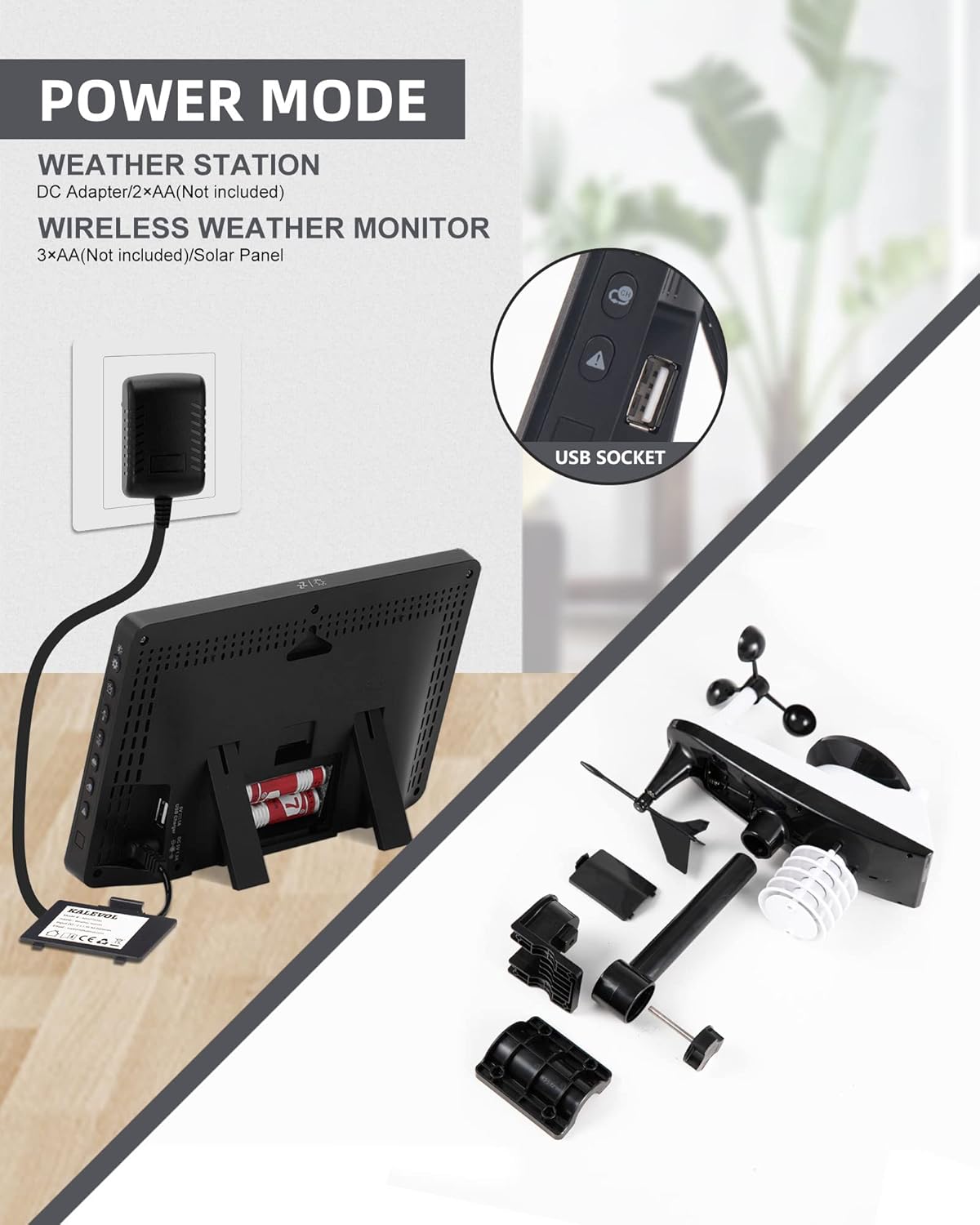
Изображение: Оверview of the main display unit's power options and the disassembled outdoor sensor components, including the USB charging port.
4. Настройка
4.1 Источник питания
- Основной дисплейный блок: Power using the included DC5V 1.2A adapter. For backup, insert 2 x LR6 AA batteries (not included).
- Наружный датчик: Insert 3 x LR6 AA batteries (not included).
4.2 Initial Connection and Placement
- Before initial use, place the main display unit and the outdoor sensor in close proximity to each other.
- Ensure both devices are powered on. Confirm successful connection between the two units.
- Once connected, position the outdoor sensor in a suitable outdoor location. Recommended areas include farms, fields, rooftops, or gardens, ensuring it is exposed to the elements for accurate readings.
4.3 WWVB Signal Synchronization
Upon plugging in or after a reset, the main display unit will automatically search for the WWVB signal at 1:00 AM, 2:00 AM, and 3:00 AM. During this search, the screen may temporarily darken for approximately 7 minutes. This is normal behavior for atomic clock synchronization.

Image: The KALEVOL main display unit and the multi-combination wireless outdoor sensor, illustrating their relative sizes and design.
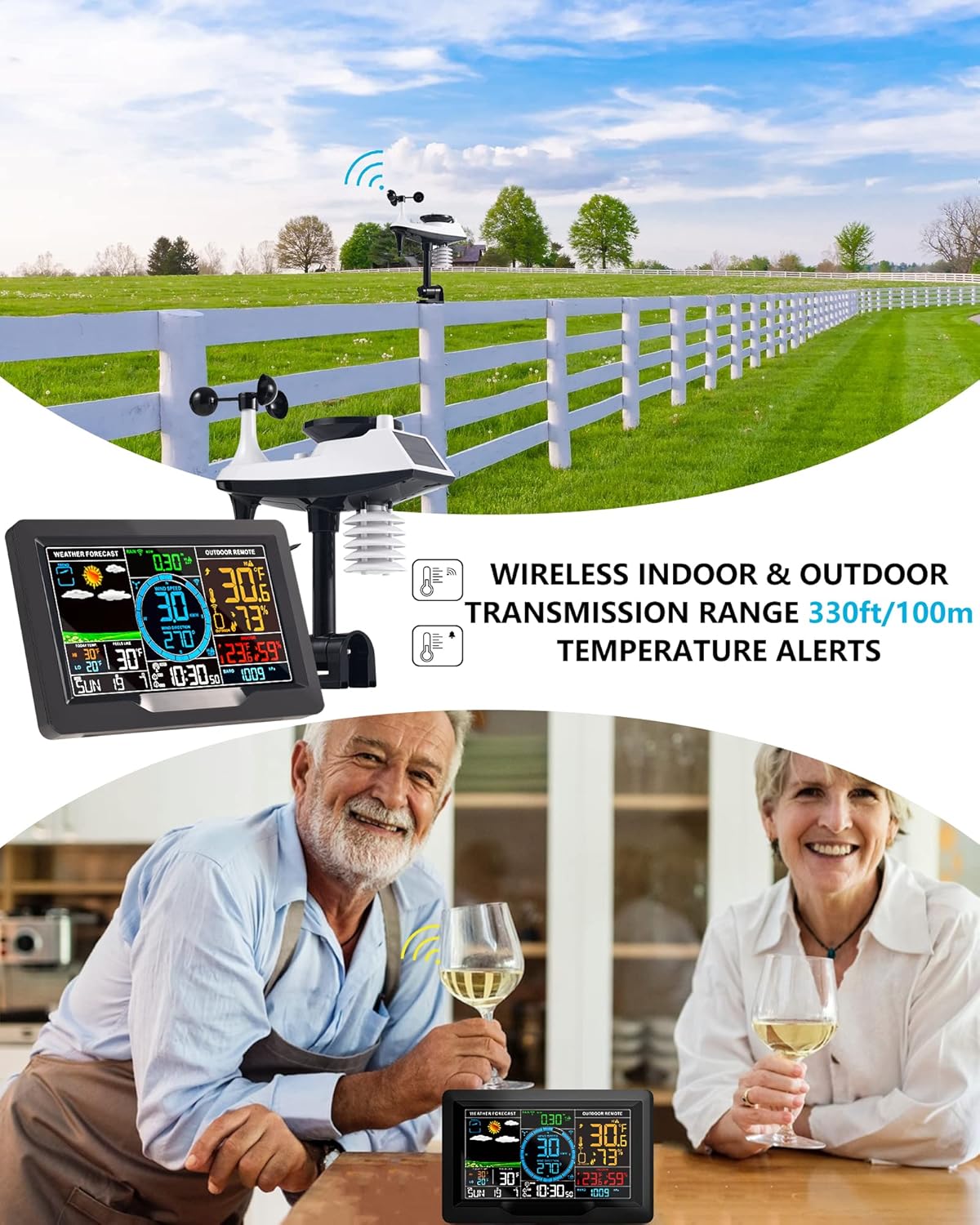
Image: The main display unit and outdoor sensor positioned in an open outdoor environment, demonstrating the wireless indoor and outdoor transmission capability.
5. Инструкция по эксплуатации
5.1 Отображение поверхview
Цветной дисплей обеспечивает всестороннее отображение информации.view of all monitored weather data. Key sections include weather forecast icons, indoor and outdoor temperature/humidity, wind speed and direction, rainfall data, barometric pressure, and atomic clock time/date.
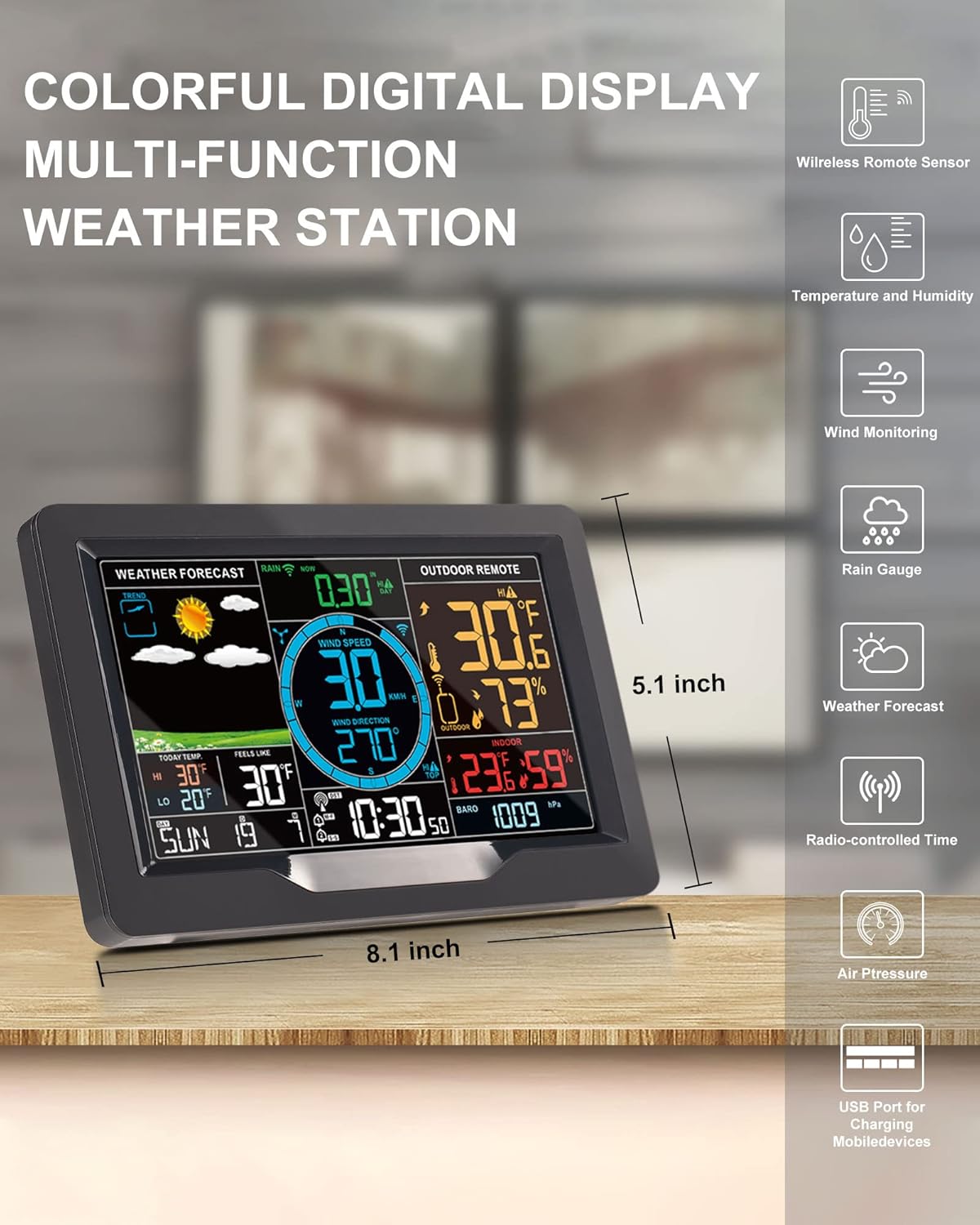
Image: A close-up of the KALEVOL weather station's colorful digital display, showing various weather parameters and dimensions.
5.2 Настройки времени и даты
The integrated wireless atomic clock automatically synchronizes the time and date based on WWVB signals and your selected time zone/DST settings. This ensures accurate timekeeping without manual adjustments. The display also features a daily alarm and automatic snooze function, which can be configured through the unit's controls.
5.3 Функция прогноза погоды
The weather station predicts the weather for the next 12-24 hours. A 7 to 10-day calibration period helps ensure the accuracy of these personal weather forecasts. The display uses intuitive icons to represent conditions such as sunny, cloudy, rainy, heavy rain, and snowy.
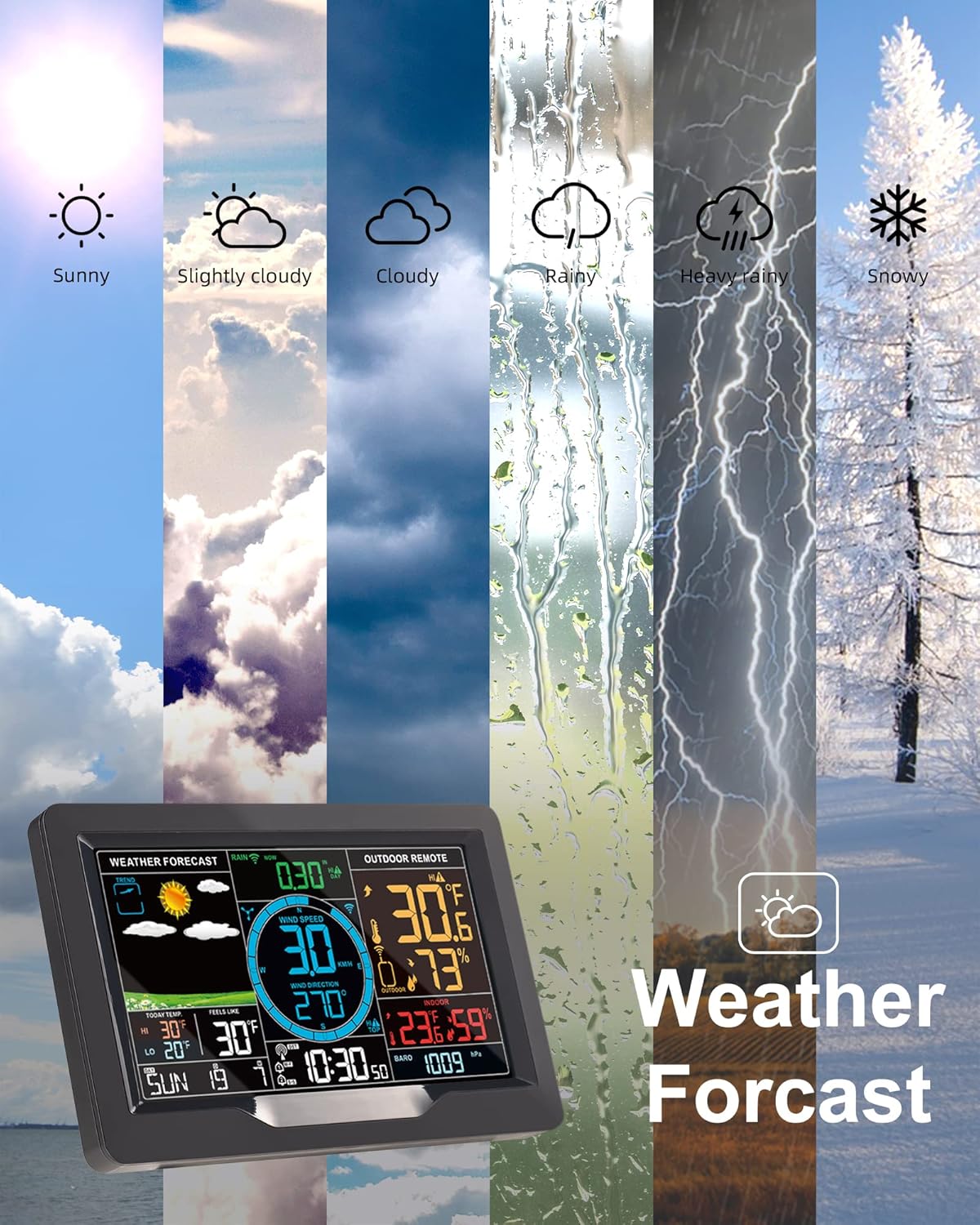
Image: The KALEVOL weather station display showing various weather forecast icons, including sunny, cloudy, rainy, heavy rain, and snowy conditions.
5.4 Rainfall Monitoring
The professional rainfall detection module accurately monitors real-time rainfall changes. You can access historical records to review current, past hours/days/weeks/months/years of rainfall data.
5.5 Wind Speed and Direction Monitoring
The wind detection module records current wind speed and direction. Similar to rainfall, historical data for maximum wind speed can be reviewed, aiding in understanding wind patterns over time.
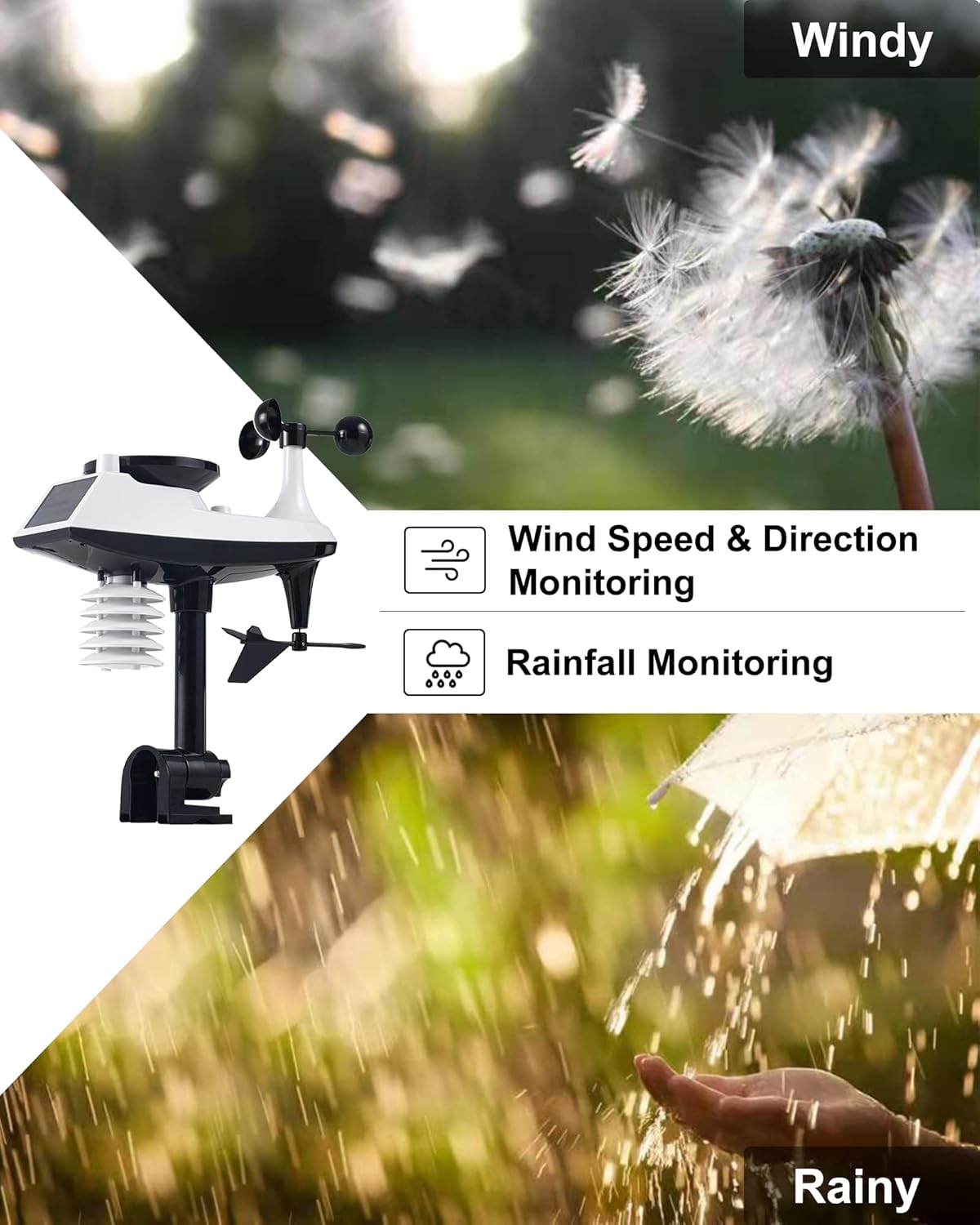
Image: The outdoor sensor alongside visual representations of windy conditions (dandelion seeds blowing) and rainy conditions (hand catching raindrops), highlighting wind and rainfall monitoring capabilities.
5.6 Мониторинг температуры и влажности
The station continuously monitors both indoor and outdoor temperature and humidity levels, providing essential environmental data.
5.7 Функции оповещения
The device allows you to set customizable alerts for temperature, humidity, wind speed, and rainfall. When a set threshold is exceeded, the station will provide a notification.
5.8 Регулировка подсветки
The color display features a 4-fold adjustable backlight. This allows you to customize the brightness to your preference for clear readability in various lighting conditions.
5.9 USB-порт для зарядки
A convenient USB port is integrated into the main display unit, allowing you to charge compatible mobile devices.
6. Техническое обслуживание
6.1. Замена батареи
- Основной дисплейный блок: Replace 2 x LR6 AA batteries when the low battery indicator appears on the display.
- Наружный датчик: Replace 3 x LR6 AA batteries when the low battery indicator appears. Ensure proper polarity during installation.
6.2 Очистка
Протрите основной дисплейный блок и наружный датчик мягкой тканью.amp cloth. Avoid using abrasive cleaners or solvents, as these can damage the surfaces or electronic components. Regularly check the outdoor sensor for any debris that might obstruct the rain gauge or wind sensors.
7. Поиск Неисправностей
- Screen Does Not Stay On: If the screen does not remain illuminated after searching for the WWVB signal, press the brightness adjustment button located on the side of the main display unit.
- Данные с наружного датчика отсутствуют: Ensure the outdoor sensor is within the 100-meter (330-foot) transmission range of the main unit and that there are no significant obstructions. Verify that the outdoor sensor has fresh batteries and that the main unit and sensor were initially paired in close proximity.
- Неточные показания: Ensure the outdoor sensor is placed in an open area, away from direct heat sources, reflective surfaces, or obstructions that could affect wind or rain measurements. Allow time for the sensor to acclimate to its environment.
8. Технические характеристики
| Особенность | Спецификация |
|---|---|
| Rain Range | 0-393.6 дюймов |
| Диапазон скорости ветра | 0-111 миль/ч (0-180 км/ч) |
| Диапазон направления ветра | 0-359 градусов |
| Barometric Range | 17.72inHg-32.48inHg (600hPa/mb-1100hPa/mb) |
| Диапазон влажности | 20%-95% ОВ |
| Диапазон температур в помещении | 32℉-122℉ (0℃-50℃) |
| Диапазон наружных температур | -40℉-158℉ (-40℃-+70℃) |
| Точность температуры | +/- 1℃ |
| Частота беспроводной передачи | 433.92MHz RF |
| Диапазон беспроводной передачи | 330 feet / 100 meters (in open area) |
| Блок питания основного блока | DC5V 1.2A Adapter, 2 x LR6 AA Batteries |
| Источник питания для наружного датчика | 3 батарейки LR6 AA |
| Сенсорная техника | Ультразвуковой |
| Особые возможности | Large display, adjustable brightness, alarm clock, clock, rain detection, wind direction and wind speed detection |
9. Гарантия и поддержка
KALEVOL weather stations are covered by Amazon’s 30-day return policy. Additionally, we provide an extra 12-month warranty and lifetime technical support for this product. Should you require assistance or have any inquiries, please contact our support team. We aim to respond to all queries within 24 hours.
Ask a question about this manual
Ask about setup, troubleshooting, compatibility, parts, safety, or missing instructions. Manuals+ will review the question and use this page’s manual context to help answer it.