
1. Введение
Thank you for choosing the SAMA ARMOR 650W 80 Plus Gold ATX Power Supply. This power supply unit (PSU) is designed to provide stable and efficient power to your desktop computer system. It features 80 PLUS Gold certified efficiency, a quiet FDB fan, and robust protection mechanisms to ensure reliable operation. This manual provides essential information for proper installation, operation, and maintenance of your new power supply.
2. Информация по технике безопасности
Please read and follow all safety instructions carefully before installing or using this product. Failure to do so may result in damage to the product, personal injury, or electric shock.
- Не вскрывайте блок питания. Высокий уровень громкости.tages are present inside, and opening the casing аннулирует гарантию.
- Перед установкой или техническим обслуживанием убедитесь, что источник питания отключен от основной розетки.
- Устанавливайте блок питания в хорошо проветриваемом помещении, вдали от источников тепла и влаги.
- This power supply incorporates industrial-level protection features including Over Voltage Protection (OVP), Over Current Protection (OCP), Over Power Protection (OPP), Over Temperature Protection (OTP), Short Circuit Protection (SCP), and Under Voltage Protection (UVP).
- Используйте только кабели, входящие в комплект поставки блока питания.
3. Особенности продукта
3.1. 80 PLUS Gold Certified Efficiency
The SAMA ARMOR 650W PSU is 80 PLUS Gold certified, ensuring up to 92% operational efficiency. This reduces energy waste, generates less heat, and lowers your electricity costs.

Image: The SAMA ARMOR 650W Power Supply highlighting its 80 PLUS Gold certification and ultra-silent 120mm FDB fan with intelligent temperature control.
3.2. FDB Low Noise 12cm Fan
Equipped with a 12cm Fluid Dynamic Bearing (FDB) fan, this power supply operates quietly, maintaining a low-noise environment. The PWM control ensures optimal cooling while minimizing fan noise and extending fan lifespan.
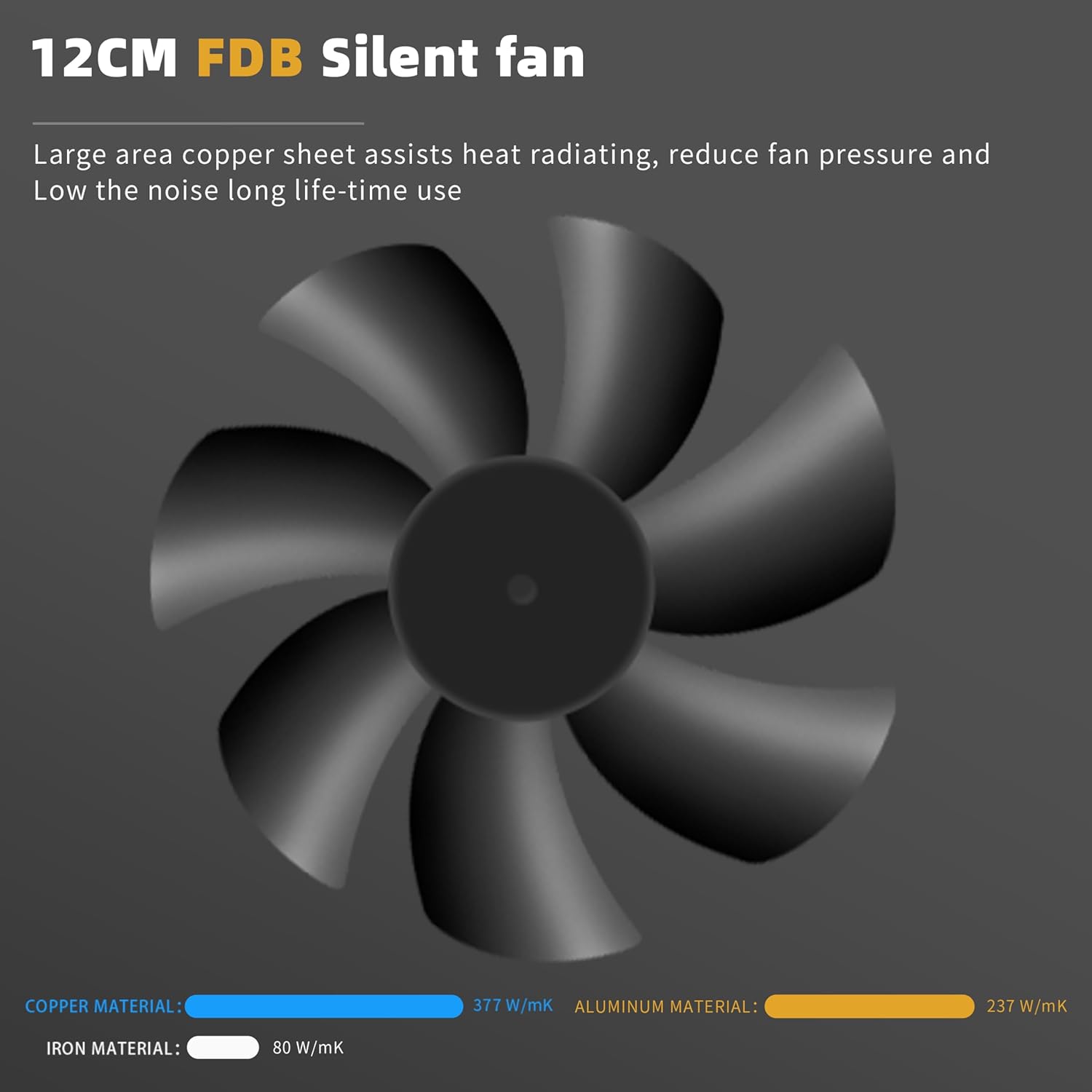
Image: A diagram illustrating the 12cm FDB silent fan, emphasizing its large copper sheet for heat dissipation, reduced fan pressure, and low noise operation. It also shows a comparison of thermal conductivity for copper, aluminum, and iron materials.
3.3. ATX 3.0 & PCIe 5.1 Ready
This power supply is designed to meet ATX 3.0 standards, capable of handling up to 200% total power excursion and 300% GPU power excursion, making it suitable for modern graphics cards and high-performance systems.
3.4. Japanese Capacitors & LLC+DC To DC Circuit Design
Built with 100% Japanese capacitors and an LLC+DC To DC Circuit Design structure, the power supply provides very stable voltage output, enhancing reliability and longevity.

Изображение: Внутренний view of the power supply's circuit board, illustrating the LLC+DC To DC circuit design and the use of Japanese capacitors for stable voltagе вывод.
3.5. Широкий AmpLitude Voltagе (100–240 В)
The power supply supports a wide input voltage range of 100-240V, allowing it to operate reliably in various electrical environments.

Изображение: Задний план view of the SAMA ARMOR 650W Power Supply, displaying the power input and on/off switch. The image highlights its compatibility with a wide ampдолгота объемtagДиапазон 100-240В.
3.6. +12V MTLR Voltage Выход
The power supply features accurate +12V voltage output control within 0.5% tolerance load adjustment, ensuring stable power delivery to critical components.
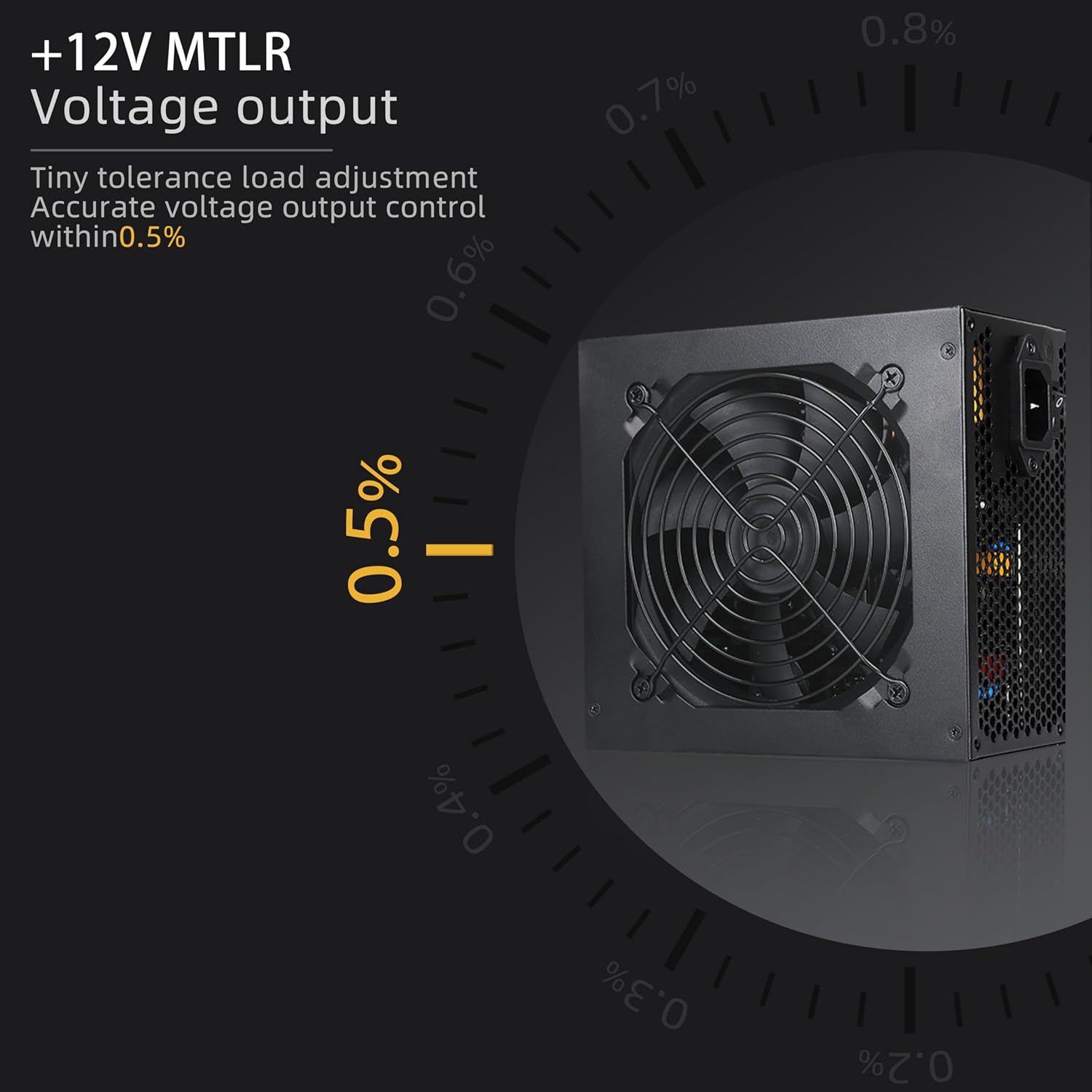
Image: The SAMA ARMOR 650W Power Supply with a graphic overlay demonstrating its +12V MTLR voltage output accuracy, maintaining control within 0.5% tolerance load adjustment.
4. Установка
Before beginning installation, ensure your computer is powered off and unplugged from the wall outlet. Refer to your computer case manual for specific installation instructions.
4.1. Установка блока питания
- Найдите место крепления блока питания в корпусе компьютера.
- Gently slide the SAMA ARMOR 650W PSU into the designated slot.
- Secure the power supply to the case using the provided screws.
4.2. Соединительные кабели
Connect the necessary cables to your motherboard, graphics card, and other components. Ensure all connections are firm and correctly oriented.

Image: A detailed diagram illustrating the types and quantities of cables included with the SAMA ARMOR 650W Power Supply, such as the 20+4PIN Mainboard Power Connector, 8PIN (4+4PIN) CPU Power Connector, 6+2PIN PCI-E Connector, Molex Peripheral Connector, and SATA Connectors, along with their respective lengths.

Изображение: Диаграмма, показывающаяasing the embossed cables of the power supply, detailing their lengths and quantities for various connectors like 20+4PIN, SATA, IDE, and PCI-E, designed for easier organization.
- 24-Pin Mainboard Power Connector: Connect to the motherboard's 24-pin ATX power socket.
- CPU Power Connector (4+4 Pin): Connect to the motherboard's CPU power socket.
- PCI-E Power Connector (6+2 Pin): Подключитесь к вашей видеокарте (видеокартам).
- Разъемы питания SATA: Подключайтесь к устройствам SATA, таким как SSD, HDD и оптические приводы.
- Molex Peripheral Connectors: При необходимости подключитесь к более старым периферийным устройствам.
After all connections are made, organize the cables using the included cable ties to improve airflow and aesthetics within your case.
5. Операция
Once installed and connected, plug the power supply into a wall outlet and flip the main power switch on the back of the PSU to the 'ON' position. The power supply will then be ready to power your system.
5.1. ECO Mode (if applicable)
This power supply features an ECO mode for silent operation at low loads. In ECO mode, the fan may stop spinning when the power supply is under light load, reducing noise. The fan will automatically start spinning when the load increases to maintain optimal temperatures.
6. Техническое обслуживание
To ensure the longevity and optimal performance of your SAMA ARMOR 650W Power Supply, follow these maintenance guidelines:
- Keep the power supply's fan intake and exhaust vents clear of obstructions to ensure proper airflow.
- Periodically clean the power supply and its fan grille with compressed air to remove dust buildup. Ensure the power supply is unplugged before cleaning.
- Не подвергайте источник питания воздействию экстремальных температур или влажности.
7. Поиск Неисправностей
Если у вас возникли проблемы с блоком питания, выполните следующие основные действия по устранению неполадок:
- Нет питания: Ensure the power cable is securely plugged into both the power supply and the wall outlet. Check that the main power switch on the PSU is in the 'ON' position. Verify that the wall outlet is functional.
- Нестабильность системы/сбои: Check all power cable connections to the motherboard, CPU, and graphics card to ensure they are firmly seated. Ensure your system's power requirements do not exceed the 650W capacity of the PSU.
- Вентилятор не вращается: If the fan is not spinning at low loads, it may be operating in ECO mode, which is normal. If the fan does not spin even under load, or if the system overheats, contact support.
- Необычные шумы: If you hear unusual noises (e.g., grinding, buzzing), immediately power off your system and disconnect the power supply. Contact support.
If these steps do not resolve the issue, please contact SAMA customer support for further assistance.
8. Технические характеристики
Detailed technical specifications for the SAMA ARMOR 650W Power Supply:
| Особенность | Спецификация |
|---|---|
| Название модели | ARMOR 650W (Black) |
| Бренд | САМА |
| Совместимые устройства | Рабочий стол |
| Тип разъема | АТХ |
| Выход Втtage | 650 Вт |
| Форм-фактор | АТХ |
| Метод охлаждения | Воздух |
| Размеры изделия (Д x Ш x В) | 13 x 7.99 x 5 дюйма |
| Конструкция блока питания | Немодульный |
| Количество болельщиков | 1 |
| Размер вентилятора | 12 сантиметра |
| Максимальный входной объемtage | 100 Вольт |
| Минимальная входная громкостьtage | 100 Вольт |
| Верхний температурный рейтинг | 105 градусов по Цельсию |
| System Bus Connector Type | 24 Штифт |
| СКП | 732262573687 |
9. Гарантия и поддержка
The SAMA ARMOR 650W Power Supply comes with a Гарантия 10 год, covering defects in materials and workmanship under normal use. For warranty claims or technical support, please contact SAMA customer service through their official webна сайте или у вашего продавца.