
Введение
This manual provides detailed instructions for the setup, operation, and maintenance of your Prechen 10.1 inch Portable Touchscreen Monitor, Model HD-101. Please read this manual thoroughly before using the device to ensure proper functionality and to prevent damage.
Характеристики продукта
- Portable Touchscreen: This 10.1-inch monitor is compact and lightweight, designed for portability. The touchscreen functionality allows for intuitive navigation and interaction, enhancing productivity on the go.
- High-Resolution IPS Display: Features a 1920x1200 resolution with a 16:10 aspect ratio, delivering clear and vibrant visuals. IPS technology provides wide viewing angles and accurate color reproduction, suitable for various applications.
- Универсальные возможности подключения: Equipped with HDMI and USB-C ports, offering flexible connection options. It can be easily connected to Windows PCs, laptops, and gaming consoles like Xbox. Note: USB-C is for touch functionality and power.
- Встроенные динамики: Built-in speakers provide clear and dynamic audio, eliminating the need for external speakers during media consumption, gaming, or virtual meetings.
- Совместимость с креплением VESA: The monitor supports VESA mounting standards, allowing for attachment to compatible stands or arms for customized workspace setups and comfortable viewуглы.
Настраивать
Содержимое упаковки
Проверьте наличие всех предметов в упаковке:
- Prechen 10.1 inch Portable Touchscreen Monitor
- HDMI-кабель
- Кабель USB-C-USB-C
- USB-A to USB-C Cable (for power/touch)
- Адаптер питания
- Руководство пользователя (этот документ)
Подключение монитора
- Подключение питания: Connect the provided power adapter to the DC Power Port on the monitor and plug it into a power outlet. Alternatively, if your device supports power delivery, connect a USB-C to USB-C cable to the USB-C (Power & Touch) port for both power and signal.
- Видео соединение:
- HDMI: Connect one end of the HDMI cable to the HDMI port on the monitor and the other end to the HDMI output of your computer or device.
- USB-C (DisplayPort Alternate Mode): If your device supports DisplayPort Alternate Mode over USB-C, connect a USB-C to USB-C cable to the USB-C (Power & Touch) port on the monitor and your device. This single cable can provide video, power, and touch functionality.
- Сенсорная функциональность: For touch functionality, ensure the USB-C (Power & Touch) port is connected to your device. If using HDMI for video, you will also need to connect a USB-A to USB-C cable from your device's USB-A port to the monitor's USB-C (Power & Touch) port.
- Аудиовыход: If you wish to use external headphones or speakers, connect them to the 3.5mm Audio Port on the monitor.
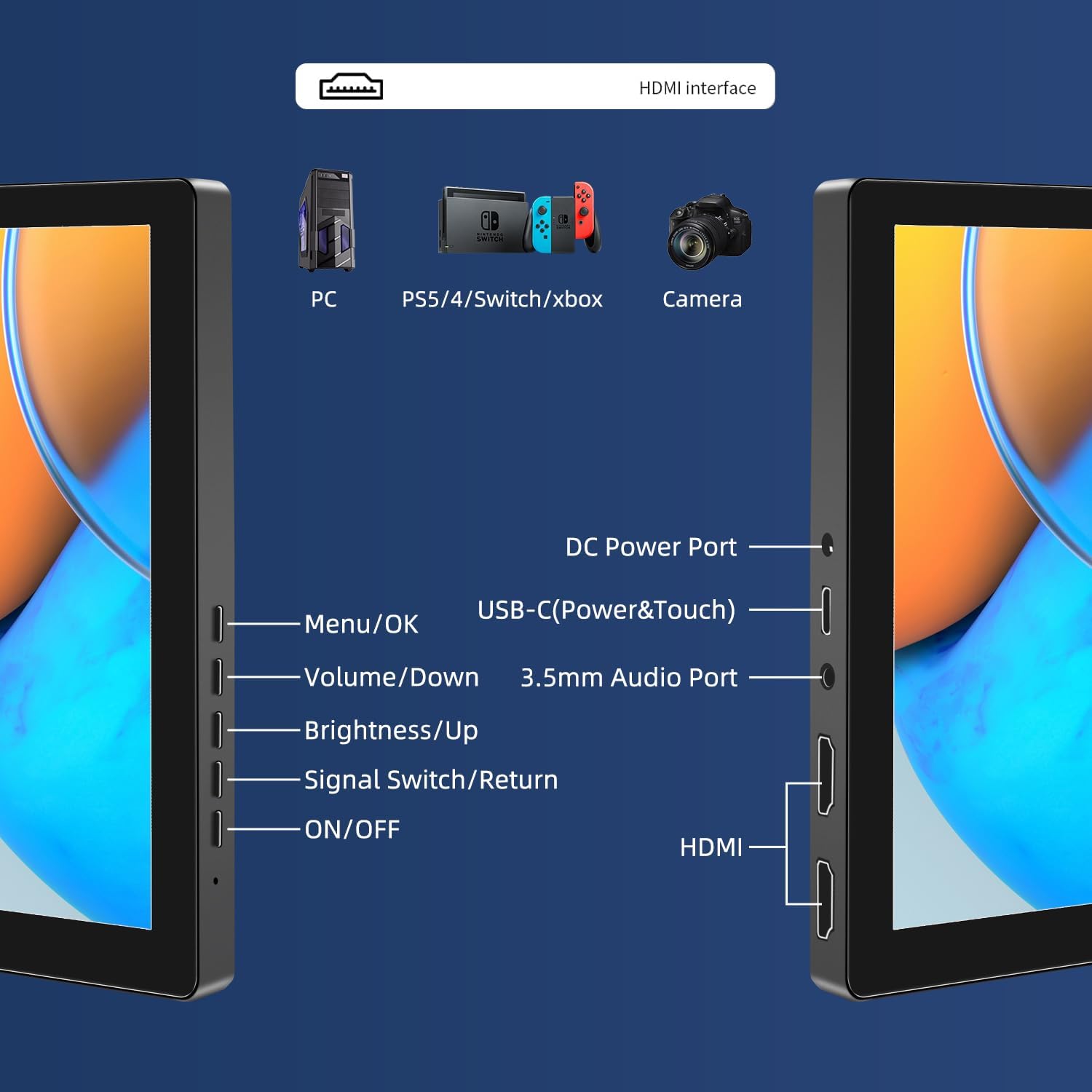
Изображение: Оверview of the monitor's ports including DC Power, USB-C (Power & Touch), 3.5mm Audio, HDMI, and control buttons.
Инструкция по эксплуатации
Включение/выключение питания
- Чтобы включить монитор, нажмите кнопку. ВКЛ/ВЫКЛ кнопка.
- Чтобы выключить, нажмите и удерживайте ВКЛ/ВЫКЛ Нажмите и удерживайте кнопку несколько секунд, пока экран не выключится.
Использование экранного меню (OSD)
Экранное меню позволяет настраивать различные параметры дисплея.
- Нажмите Меню / ОК кнопка для открытия экранного меню.
- Используйте Звук тише и Яркость / вверх кнопки для навигации по пунктам меню.
- Нажимать Меню / ОК выбрать опцию или подтвердить настройку.
- Нажмите Signal Switch/Return кнопка для возврата в предыдущее меню или выхода из экранного меню.
Adjusting Display Modes
The monitor supports multiple display modes when connected to a computer:
- Дублированный режим: Displays the same content on both your primary screen and the portable monitor.
- Расширенный режим: Расширяет рабочий стол на оба экрана, обеспечивая больше рабочего пространства.
- Режим второго экрана: В качестве дисплея используется только переносной монитор.
These modes are typically configured through your operating system's display settings (e.g., Windows Display Settings, macOS System Preferences).
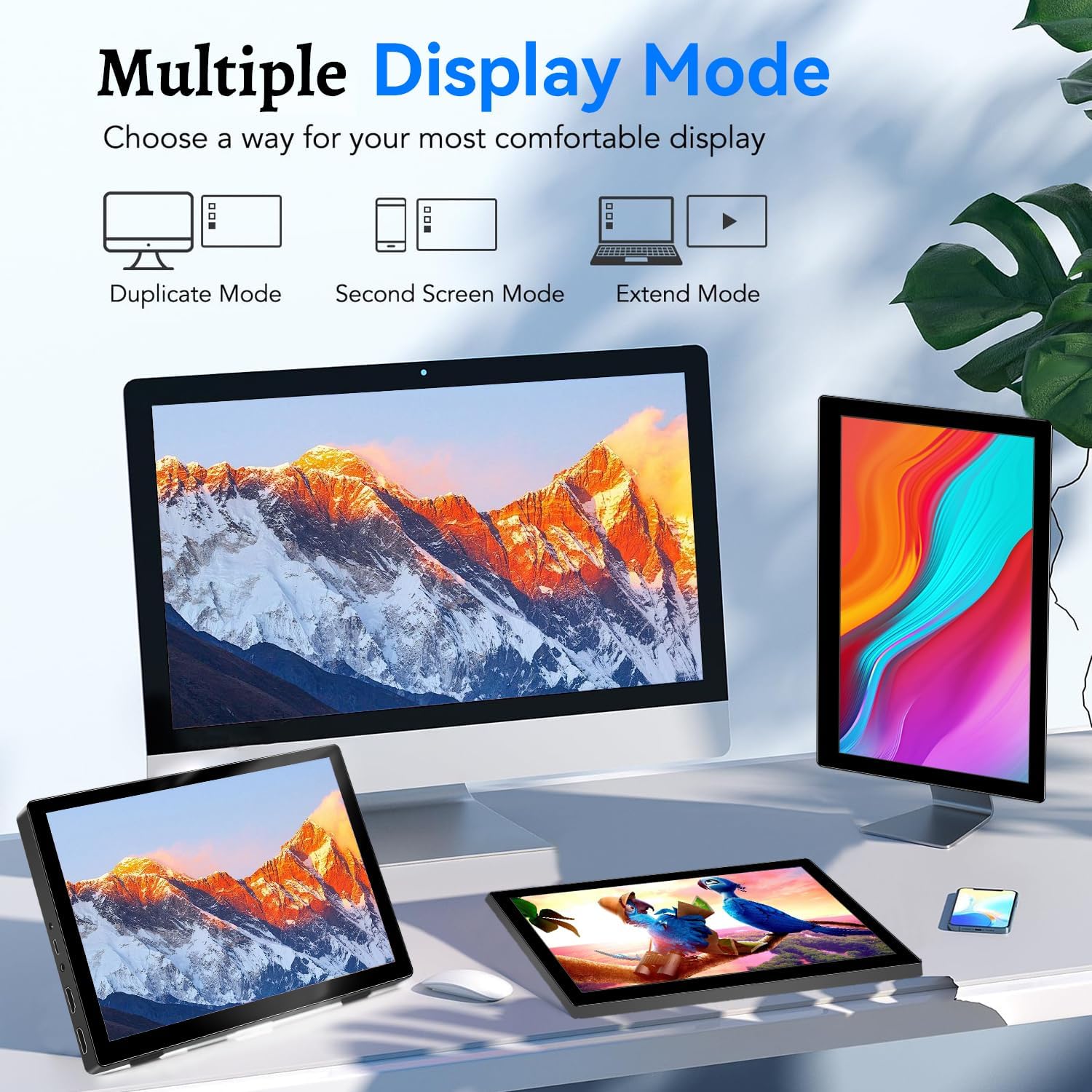
Image: Visual representation of Duplicate, Second Screen, and Extend display modes.
Using Touchscreen Functionality
The monitor supports 10-point touchscreen technology. Ensure the USB-C (Power & Touch) port is correctly connected to your device for touch input to function.

Изображение: Бывшийamples of 10-point touchscreen gestures for interaction.
Обслуживание
- Очистка экрана: Используйте мягкую, безворсовую ткань, слегкаampened with water or a non-abrasive screen cleaner. Do not spray cleaner directly onto the screen.
- Очистка Casing: Протрите монитор casinпротрите мягкой сухой тканью. Избегайте использования сильнодействующих моющих средств или растворителей.
- Хранилище: Когда монитор не используется, храните его в прохладном, сухом месте, вдали от прямых солнечных лучей и экстремальных температур.
- Умение обращаться: Избегайте падений и сильных ударов монитора. Не ставьте на монитор тяжелые предметы.
Поиск неисправностей
| Проблема | Возможная причина | Решение |
|---|---|---|
| Нет изображения/Черный экран |
|
|
| Сенсорный экран не отвечает |
|
|
| Звук из динамиков отсутствует |
|
|
| Проблемы с качеством изображения (размытое, искаженное). |
|
|
Технические характеристики
| Особенность | Деталь |
|---|---|
| Бренд | Прехен |
| Номер модели | HD-101 |
| Размер экрана | 10.1 дюймов |
| Разрешение | 1920 x 1200 (UXGA Wide) |
| Соотношение сторон | 16:10 |
| Тип панели | ИПС |
| Частота обновления | 60 Гц |
| Время отклика | 1 мс |
| Связность | 1x HDMI, 1x USB-C (Power & Touch), 1x 3.5mm Audio Jack, 1x DC Power Port |
| Размеры (Д x Ш x В) | 21.8 х 15.8 х 1.4 см |
| Масса | 990 грамм |
| Производитель | Shenzhen Kenowa Electronics Co., LTD |
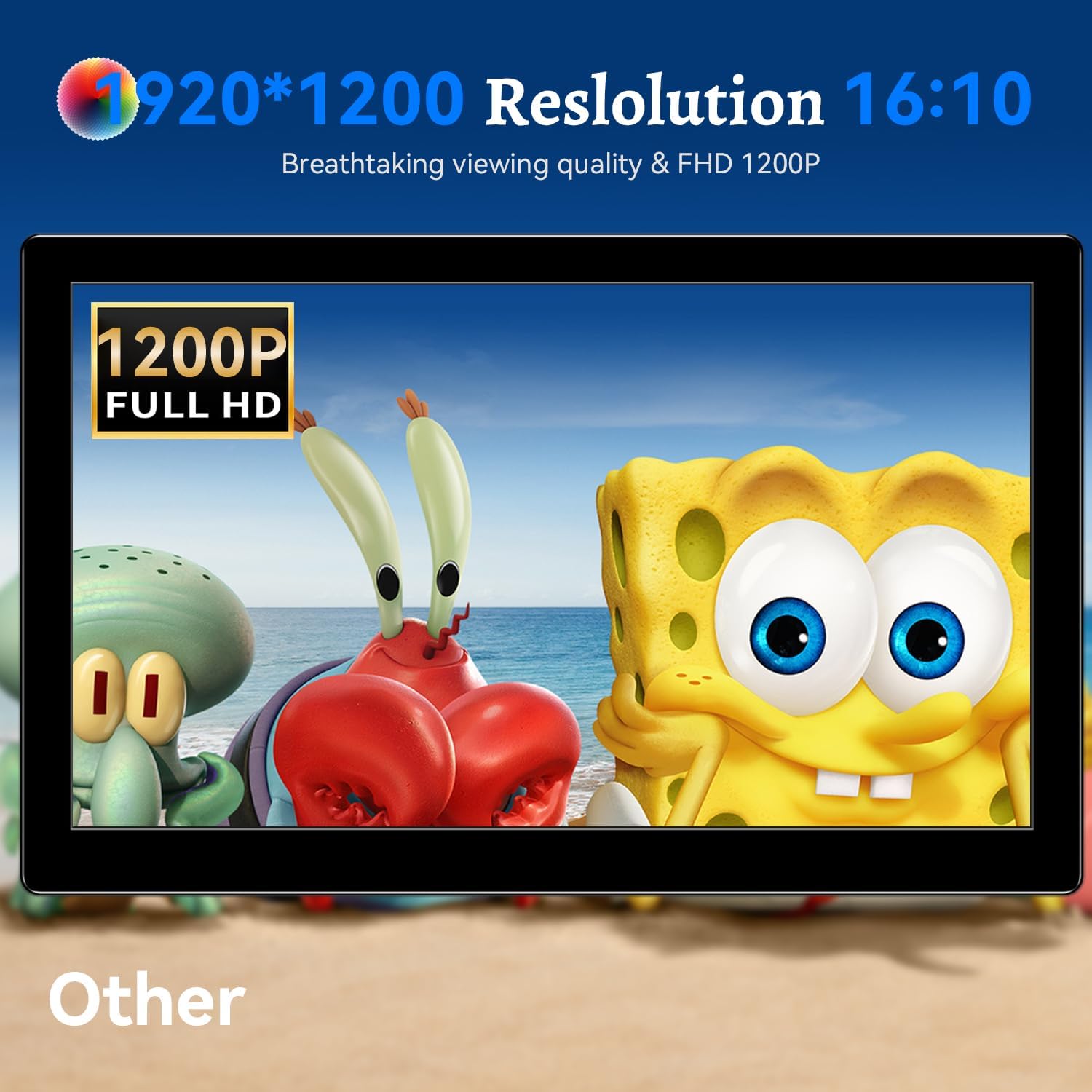
Изображение: Монитор показываетasing its 1920x1200 Full HD resolution.

Image: The monitor's IPS panel offering wide viewing angles and rich colors.
Гарантия и поддержка
For warranty information and technical support, please refer to the warranty card included with your product or contact Prechen customer service through their official website. Please have your model number (HD-101) and purchase details ready when contacting support.