
Введение
The FiiO KA11 is a compact and powerful Lightning to 3.5mm audio adapter designed to enhance your audio experience. It features a high-performance DAC (Digital-to-Analog Converter) chip, supporting high-resolution audio up to 32bit/384KHz. This device allows you to connect 3.5mm headphones to your Lightning-enabled devices, delivering high-fidelity sound for music, gaming, and communication.
The KA11 is compatible with a wide range of operating systems, including iOS, Android, Windows, and Mac, offering versatility for various devices.
Содержимое упаковки
- FiiO KA11 Lightning to 3.5mm Audio Adapter
- Руководство пользователя (этот документ)
Настраивать
Подключение KA11
- Подключитесь к своему устройству: Insert the Lightning connector of the FiiO KA11 into the Lightning port of your iOS device (e.g., iPhone, iPad).
- Connect your headphones: Plug your 3.5mm headphones or earphones into the 3.5mm audio jack of the FiiO KA11.
- Автоматическое распознавание: The device should automatically recognize the KA11 as an audio output device. No additional drivers are typically required for basic audio playback.

Image: The FiiO KA11 adapter connected to a smartphone, with headphones plugged into the adapter's 3.5mm jack.
FiiO Control App (Android Only)
For Android devices, the FiiO Control app allows for advanced settings such as UAC1.0 mode switching, RGB lighting control, and digital filters. This app is not available for iOS devices.
Инструкция по эксплуатации
Воспроизведение аудио
Once connected, your device will route audio through the FiiO KA11. Adjust the volume directly on your connected device. The KA11 features a high-performance DAC chip (CS43131) and op-amp for high-fidelity sound reproduction.
Светодиодный индикатор
The FiiO KA11 includes an LED indicator that displays the current audio sampскорость:
- Синий свет: PCM ≤ 48kHz
- Желтый свет: PCM > 48kHz
- Зеленый свет: DSD аудио

Image: The FiiO KA11 adapter showing its LED indicator, which changes color based on the audio sampling rate (Blue for PCM ≤ 48kHz, Yellow for PCM > 48kHz, Green for DSD).
UAC1.0 Mode for Gaming
The KA11 supports UAC1.0 mode, which is beneficial for devices like Nintendo Switch and PlayStation 5. This mode enables plug-and-play functionality and a low-latency gaming experience with rich sound effects. To activate UAC1.0 mode, use the FiiO Control app (Android only).

Image: The FiiO KA11 adapter connected to a Nintendo Switch console, demonstrating its use for an immersive gaming experience.
Выходная мощность
The KA11 provides significant power output to drive most headphones:
- 245mW at 16Ω load
- 200mW at 32Ω load
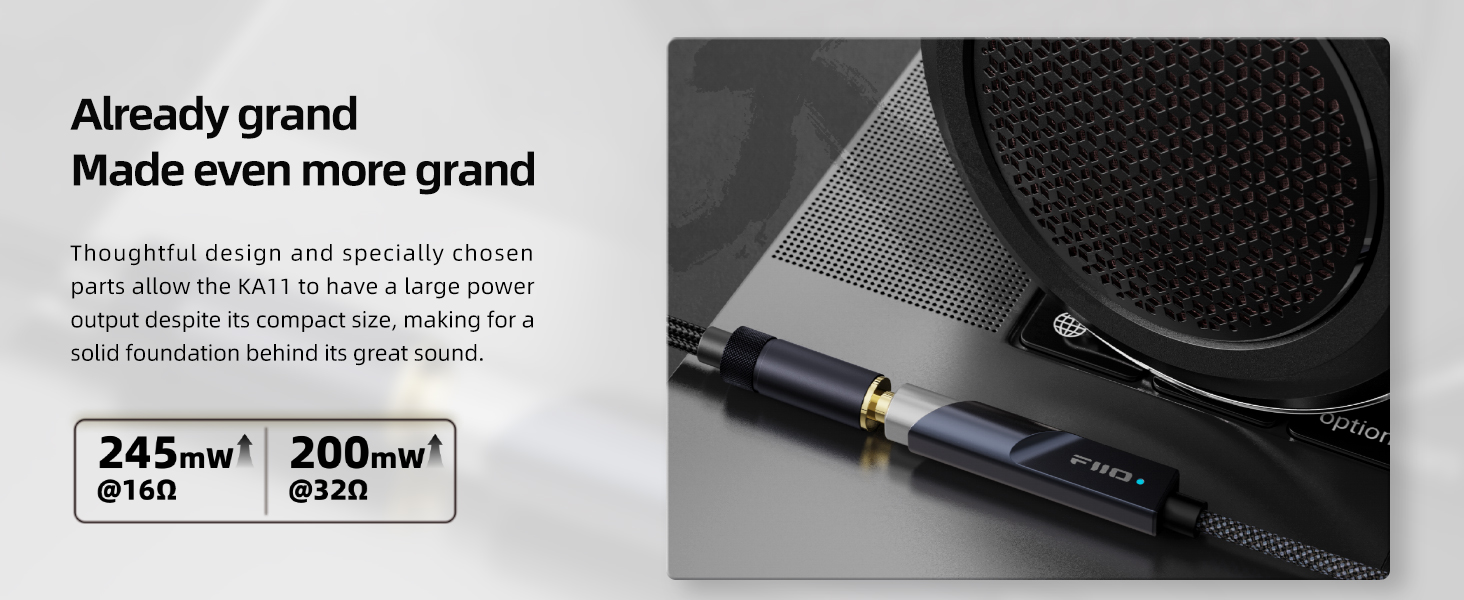
Image: A graphic illustrating the power output capabilities of the FiiO KA11, showing 245mW at 16Ω and 200mW at 32Ω.
Обслуживание
- Уборка: Use a soft, dry cloth to clean the exterior of the KA11. Avoid using harsh chemicals or abrasive materials.
- Хранилище: Храните устройство в прохладном, сухом месте, вдали от прямых солнечных лучей и экстремальных температур.
- Умение обращаться: Handle the adapter with care. Avoid bending or twisting the cable excessively, especially near the connectors, to prevent damage.
- Нагревать: It is normal for the KA11 to become slightly warm during extended use. If it becomes excessively hot, disconnect it and allow it to cool down.
Поиск неисправностей
Нет звука или низкая громкость
- Ensure both the Lightning connector and the 3.5mm headphone jack are fully inserted.
- Проверьте уровень громкости на подключенном устройстве.
- Проверьте с разными наушниками, чтобы исключить проблемы с наушниками.
- Ensure your device's audio output is set to the FiiO KA11 if multiple options are available.
"Accessory requires too much power" Error (iOS)
- This error may occur if the iOS device detects excessive power draw.
- Убедитесь, что на вашем устройстве iOS установлена последняя версия программного обеспечения.
- Try disconnecting and reconnecting the KA11.
- If the issue persists, contact FiiO support for potential firmware updates or further assistance.
Audio Imbalance or Distortion
- Ensure the 3.5mm headphone jack is securely connected.
- Протестируйте с разными вариантами звука. files or streaming services to determine if the issue is source-related.
- Reduce the volume on your device to see if distortion decreases.
No Microphone or In-line Control Functionality
- The FiiO KA11 is designed primarily for audio output. It does not support microphone input or in-line remote controls (play/pause, volume up/down) from connected headphones.
Технические характеристики
| Особенность | Спецификация |
|---|---|
| Модель | КА11 |
| Чип ЦАП | CS43131 |
| Макс Сampскорость | 32bit/384KHz, DSD256 |
| Тип разъема | Lightning to 3.5mm |
| Совместимые устройства | iOS, Android, Windows, Mac |
| Выходная мощность (16 Ом) | 245мВт |
| Выходная мощность (32 Ом) | 200мВт |
| КНИ+Ш | <0.0006% |
| SNR | 125дБ |
| Шум | <1.7 мкВ |
| Размеры (Д x Ш x В) | 44 x 9.7 x 10.5mm (1.73 x 0.41 x 0.04 дюймов) |
| Масса | Примерно 8.5 г |

Image: A graphic detailing the technical specifications of the FiiO KA11, including its CS43131 DAC, 245mW output, Hi-Res Audio certification, and compatibility with various operating systems.
Гарантия
The FiiO KA11 Lightning to 3.5mm Audio Adapter comes with a Ограниченная гарантия сроком на 1 год с даты покупки. Данная гарантия распространяется на производственные дефекты и неисправности, возникшие при нормальном использовании. Она не распространяется на повреждения, вызванные неправильным использованием, несчастными случаями, несанкционированными модификациями или естественным износом.
For warranty claims or service, please retain your proof of purchase and contact FiiO customer support or your authorized dealer.
Поддерживать
For further assistance, technical support, or to download the FiiO Control app (for Android), please visit the official FiiO webсайт:
You may also contact your local FiiO distributor or retailer for support.
Видеоролик о продукте
Video: A quick review of the FiiO KA11, highlighting its features and what you need to know about the product.


