
XNANO X3 Max
Руководство пользователя уличного мини-проектора XNANO
Модель: X3 Max
Portable Smart Movie Projector with 5G WiFi and Bluetooth
Введение
The XNANO X3 Max is a versatile and portable mini projector designed for both indoor and outdoor use. Featuring a built-in rechargeable battery, 4K video decode support, 5G WiFi, and Bluetooth connectivity, it offers a comprehensive entertainment solution. This manual provides essential information for setting up, operating, and maintaining your projector to ensure optimal performance and longevity.
Что в коробке?
- XNANO X3 Max Mini Projector
- Rechargeable Battery Base (15Ah)
- Пульт дистанционного управления (батарейки в комплект не входят)
- HDMI-кабель
- Адаптер переменного тока
- Руководство пользователя (этот документ)
Характеристики продукта
Portable Design with Rechargeable Battery
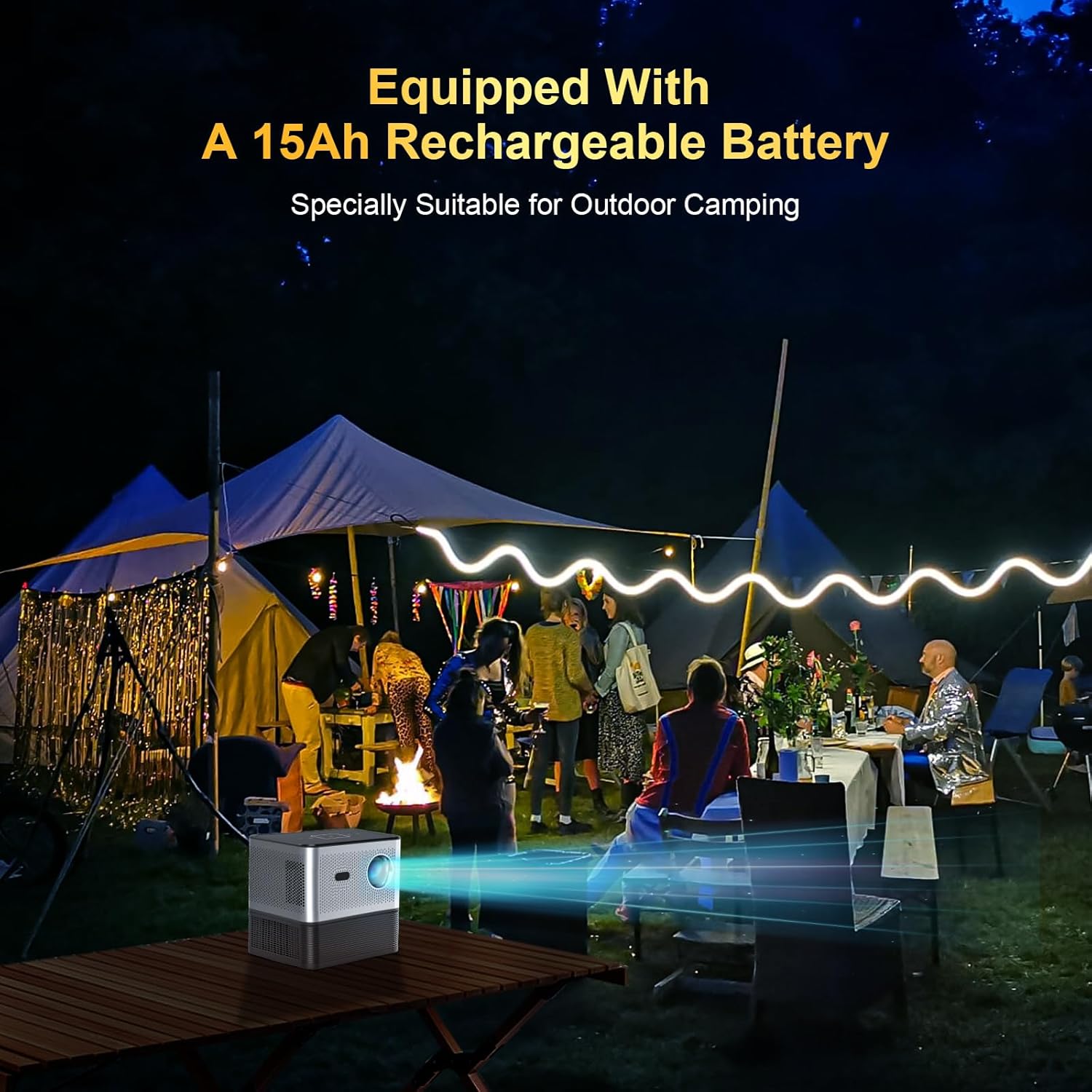
The XNANO X3 Max features a built-in 15Ah rechargeable battery, making it ideal for outdoor use such as camping or backyard movie nights. The battery base attaches securely to the projector. For extended indoor use, the projector can be powered directly via the AC adapter. If storing the projector for a long period, it is recommended to separate the battery from the projector.
Charging time for the battery is approximately 6 hours.
Smart Home Theater Experience with Built-in Apps

This projector comes pre-installed with popular streaming applications such as Netflix, YouTube, and access to the Play Store, allowing for direct streaming of movies, TV shows, and music without the need for external devices. This greatly enhances convenience and entertainment options.
Electric Focus, Voice Remote, and Touch Keys

Achieve a clear image effortlessly with the electric focus function, adjustable via the remote control's F+/- buttons. The remote also supports voice commands when connected via Bluetooth, enabling hands-free operation of many projector functions. For direct control, the projector's top panel features responsive touch keys.
High Brightness, 4K Video Decode Support, and Integrated Speaker

Equipped with an upgraded LCD technology and a high-performance chip, the XNANO X3 Max delivers 300 ANSI lumens brightness and supports 4K video decoding for a vibrant viewing experience. For best results, use in dark environments. The projector includes a 5W speaker for integrated audio. It also features HDMI, USB, Audio, LAN, and Type-C ports for versatile connectivity.
Быстрое и стабильное соединение

Enjoy seamless online streaming with ultra-fast dual 2.4G/5G WiFi. Bluetooth connectivity allows for easy pairing with external Bluetooth speakers or headphones, providing enhanced audio quality and volume without the need for wired connections.
Эффективная система охлаждения
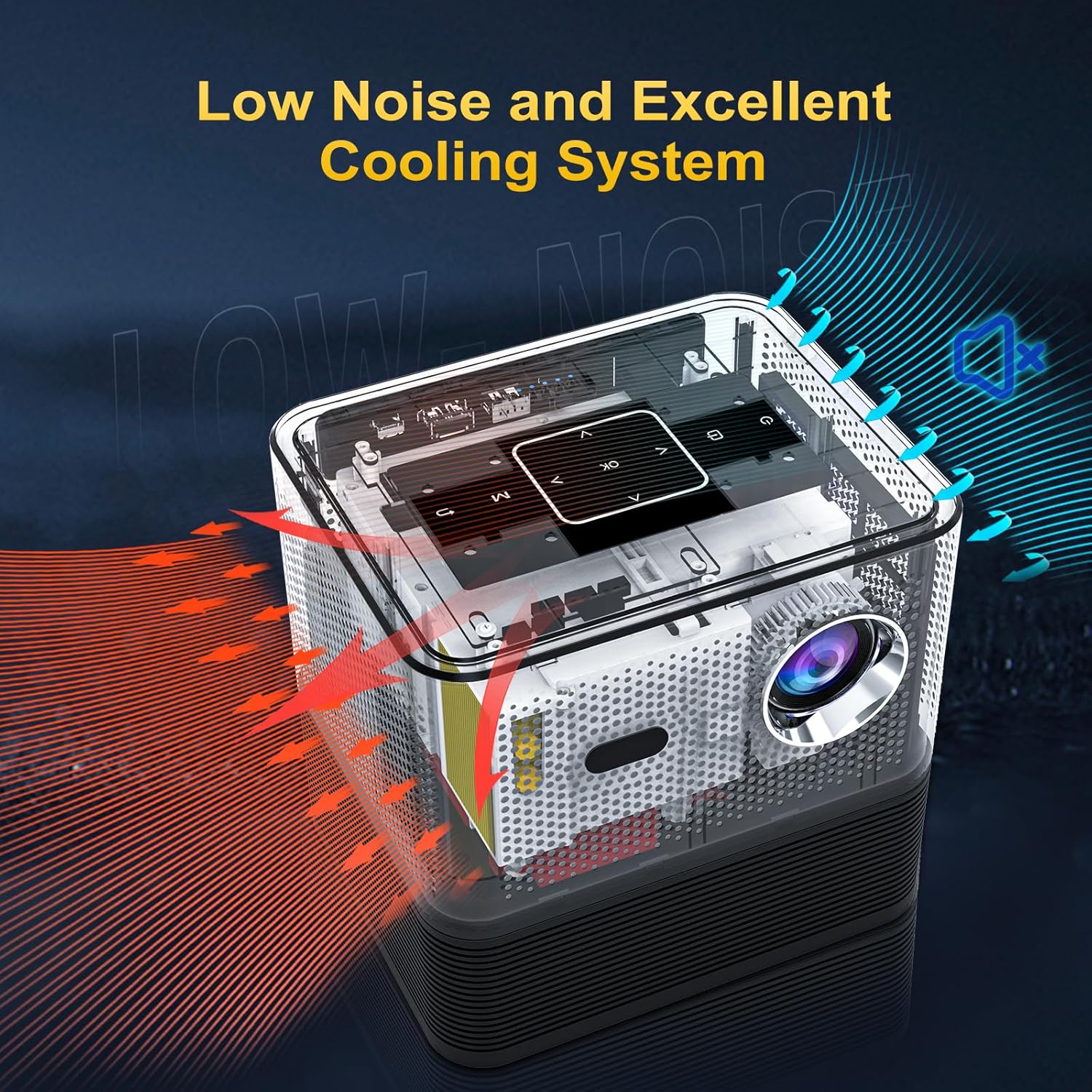
The projector incorporates an excellent cooling system designed to maintain optimal operating temperatures and minimize fan noise, ensuring a comfortable viewопыт.
Продукт болееview Видео
Это видео дает исчерпывающую информациюview of the XNANO Outdoor Projector, demonstrating its key features such as portability, smart functions, and ease of use in various settings. It highlights the electric focus, screen mirroring, and the detachable battery base.
Руководство по настройке
- Распаковка и осмотр: Аккуратно извлеките все компоненты из упаковки. Осмотрите их на наличие видимых повреждений.
- Attach Battery Base: Align the projector with the battery base and gently press down until the magnetic connectors engage. Ensure a secure connection.
- Подключение питания:
- For initial use or charging, connect the AC power adapter to the projector's DC port and plug it into a power outlet.
- The battery can be charged while attached to the projector.
- Настройка удаленного управления: Вставьте две батарейки типа ААА (не входят в комплект) в пульт дистанционного управления.
- Включение питания: Нажмите кнопку питания на проекторе или пульте дистанционного управления, чтобы включить устройство.
- Мастер первоначальной настройки: Follow the on-screen instructions to select your language, connect to a Wi-Fi network (2.4G or 5G), and complete basic system configurations.
- Размещение: Position the projector on a stable, flat surface. Ensure there are no obstructions to the lens or ventilation ports. For optimal viewing, project onto a flat, light-colored surface or a projector screen in a dark environment.
Инструкция по эксплуатации
- Регулировка фокуса: Use the F+/- buttons on the remote control to adjust the electric focus until the image is sharp and clear.
- Коррекция трапецеидальных искажений: If the projected image appears trapezoidal, navigate to the "Settings" menu on the projector's UI to adjust keystone correction (manual or automatic, if available) to achieve a rectangular image.
- Navigating the User Interface:
- Use the arrow keys and OK button on the remote to navigate through the home screen and built-in applications (Netflix, YouTube, Play Store, etc.).
- Touch keys on the projector's top panel can also be used for basic navigation.
- Зеркалирование экрана:
- Ensure your mobile device (iOS/Android) or Windows PC is connected to the same Wi-Fi network as the projector.
- Select the "Screen Adjust" or "Screen Mirroring" app on the projector's home screen.
- Follow the specific instructions displayed on the projector screen for connecting your device.
- Подключение внешних устройств:
- HDMI: Connect a device (e.g., laptop, game console, TV stick) to the HDMI port. Select the HDMI input source from the projector's input menu.
- USB: Вставьте USB-накопитель в USB-порт для воспроизведения медиафайлов. files.
- Type-C: Connect compatible devices via the Type-C port.
- Аудио выход: Для улучшения качества звука подключите внешние колонки или наушники через 3.5-мм аудиоразъем.
- LAN: Подключите кабель Ethernet для проводного подключения к Интернету.
- Bluetooth Audio:
- Go to Bluetooth settings in the projector's menu.
- Включите Bluetooth и выполните поиск доступных устройств.
- Выберите Bluetooth-колонку или наушники для сопряжения.
- Голосовое управление: Once the remote is paired via Bluetooth, press the voice control button on the remote and speak your commands (e.g., "Open Netflix," "Check the weather").
Обслуживание
- Очистка объектива: Используйте мягкую безворсовую ткань, специально предназначенную для оптических линз. Не используйте абразивные чистящие средства и не применяйте чрезмерную силу.
- Cleaning Ventilation Ports: Regularly check and clean the air vents to prevent dust buildup, which can affect cooling performance. Use a soft brush or compressed air.
- Уход батареи:
- Избегайте частой полной разрядки аккумулятора.
- If not using the projector for an extended period, charge the battery to about 50-60% and store it separately from the projector in a cool, dry place.
- Recharge the battery every 3-6 months to prevent deep discharge.
- Обновления программного обеспечения: Periodically check for system software updates through the projector's settings menu to ensure optimal performance and access to new features.
Поиск неисправностей
| Проблема | Возможная причина | Решение |
|---|---|---|
| No image or dim image | Power off/disconnected, input source incorrect, lens cap on, ambient light too high. | Ensure power is connected and unit is on. Select correct input source. Remove lens cap. Use in a darker environment. |
| Размытое изображение | Out of focus, incorrect keystone correction, dirty lens. | Adjust electric focus using remote. Adjust keystone correction in settings. Clean the projector lens. |
| Нет звука или низкая громкость | Volume too low, external audio device not connected/paired, audio format not supported. | Increase projector volume. Ensure Bluetooth device is paired or wired audio is connected. Check audio settings on source device. |
| Аккумулятор не заряжается или имеет короткий срок службы. | Adapter issue, battery not properly connected, battery degradation. | Ensure AC adapter is securely connected. Verify battery base is firmly attached. If issue persists, contact customer support. |
| Проектор неожиданно выключился. | Перегрев, низкий заряд батареи. | Ensure ventilation ports are clear. Allow projector to cool down. Charge the battery if low. |
| Slight audio delay (when streaming internally) | Software processing, network latency. | Try restarting the projector and the streaming app. Ensure a stable Wi-Fi connection. Using an external streaming device via HDMI might resolve this. |
Технические характеристики
| Особенность | Деталь |
|---|---|
| Бренд | КСНАНО |
| Номер модели | X3 Макс. |
| Разрешение дисплея | 1920 x 1080 (Supports 4K video decode) |
| Яркость | 300 ANSI Lumens |
| Технология связи | Bluetooth, Wi-Fi (2.4G/5G) |
| Порты | HDMI, USB, Audio, LAN, Type-C |
| Встроенный динамик | 5W |
| Аккумулятор | 15Ah Lithium Ion (included) |
| Вес товара | 6.56 фунта |
| Размеры продукта | 7.06 x 5.65 x 6.81 дюйма |
| Рекомендуемое использование | В помещении/на открытом воздухе |
Гарантия и поддержка
XNANO is committed to providing high-quality products and excellent customer service. Your XNANO X3 Max projector comes with a гарантийный период — один год с даты покупки.
- Обслуживание клиентов: We offer professional technical support for the lifetime of the product.
- Время ответа: На ваши запросы мы ответим в течение 24 часов.
- Политика возврата: Воспользуйтесь 30-дневным сроком возврата товара без объяснения причин.
For any questions, technical assistance, or warranty claims, please contact XNANO customer support through the vendor's contact information provided at the point of purchase or on the official XNANO webсайт.
Ask a question about this manual
Ask about setup, troubleshooting, compatibility, parts, safety, or missing instructions. Manuals+ will review the question and use this page’s manual context to help answer it.