
1. Введение
This manual provides detailed instructions for the installation, operation, and maintenance of your Hikvision 2-Wire Video Intercom Kit, Model 38084. This system is designed for single-family homes, offering enhanced security and convenience through its 7-inch touchscreen monitor, FullHD outdoor camera, and seamless integration with the Hik-Connect mobile application. Please read this manual thoroughly before installation and use to ensure proper functioning and safety.
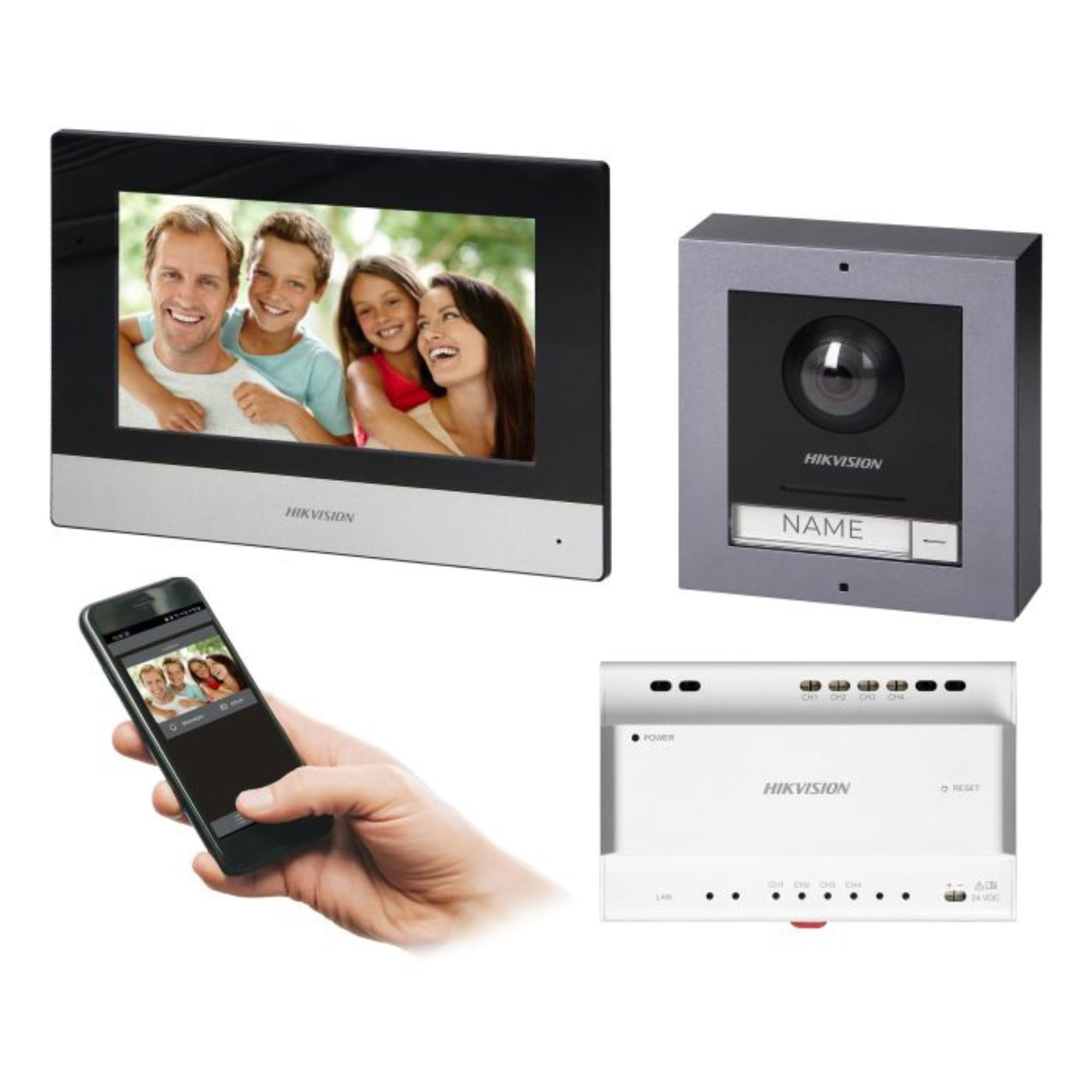
Figure 1: Hikvision 7-inch Video Intercom Monitor (Front View)
The image displays the front view of the Hikvision 7-inch video intercom monitor, featuring a large screen and the Hikvision logo at the bottom.
2. Информация по технике безопасности
Всегда соблюдайте основные меры предосторожности, чтобы снизить риск возникновения пожара, поражения электрическим током и травмирования людей.
- Электробезопасность: Installation must be performed by qualified personnel in accordance with all local electrical codes. Disconnect power before installation or servicing.
- Вода и влага: Do not expose the indoor monitor to rain or moisture. The outdoor panel is IP65 rated for weather resistance but should not be submerged.
- Температура: Эксплуатируйте устройство в указанном диапазоне температур.
- Уборка: Для чистки используйте мягкую сухую ткань. Не используйте жидкие или аэрозольные чистящие средства.
- Вмешательство: Avoid installing near sources of strong electromagnetic interference.
3. Содержимое упаковки
Убедитесь, что в упаковке присутствуют все компоненты:
- 7-inch Indoor Monitor (with WiFi)
- FullHD Outdoor Panel (with Camera and Night Vision)
- 4-Channel Distributor
- Монтажные принадлежности (винты, дюбели)
- Руководство пользователя (этот документ)
- 16 GB MicroSD Card (pre-installed or included for video storage)

Figure 2: Hikvision Outdoor Panel and Mounting Accessories
This image shows the Hikvision outdoor panel alongside its rain shield and a flush-mount box, illustrating the various mounting options available.
4. Настройка и установка
The Hikvision video intercom system utilizes a 2-wire installation method, simplifying wiring. Both the indoor monitor and outdoor panel are designed for surface mounting.
4.1 Установка наружной панели
- Выберите место: Select a suitable location near the entrance, ensuring the camera has a clear view of visitors. The panel is IP65 rated for outdoor use.
- Монтаж: Use the provided mounting bracket to mark drill holes on the wall. Drill holes, insert wall plugs, and secure the bracket.
- Проводка: Connect the 2-wire cable from the distributor to the outdoor panel terminals. Ensure correct polarity.
- Безопасная панель: Attach the outdoor panel to the mounting bracket.

Figure 3: Hikvision Outdoor Panel (Front View)
This image shows the front of the Hikvision outdoor panel, featuring the FullHD camera, speaker grille, call button, and nameplate area.
4.2 Установка внутреннего монитора
- Выберите место: Select an indoor location where the monitor is easily accessible and visible.
- Монтаж: Use the provided mounting plate to mark and drill holes. Secure the mounting plate to the wall.
- Проводка: Connect the 2-wire cable from the distributor to the indoor monitor terminals.
- Подключение питания: Connect the monitor to a power source (mains electricity).
- Безопасный монитор: Attach the indoor monitor to the mounting plate.

Figure 4: Hikvision Indoor Monitor (Back View) and Mounting Plate
The image displays the rear of the Hikvision indoor monitor, showing its connection ports and the separate mounting plate used for installation.
4.3 Схема подключения системы (общая)
The 2-wire system connects the outdoor panel, indoor monitor, and the 4-channel distributor. The distributor manages power and data communication between the devices.
- Connect the outdoor panel to the distributor using a 2-wire cable.
- Connect the indoor monitor to the distributor using a 2-wire cable.
- Ensure the distributor is powered.
- For electric lock control, additional power may be required for the lock itself, connected via the outdoor panel.
4.4 Wi-Fi-соединение
After physical installation, power on the monitor. Navigate to the network settings on the 7-inch touchscreen to connect to your 2.4 GHz Wi-Fi network (802.11 b/g/n standard). This enables smartphone communication via the Hik-Connect app.
5. Инструкция по эксплуатации
5.1 Indoor Monitor Functions
- Сенсорный экран: Navigate menus and control functions using the 7-inch touch screen.
- Функция внутренней связи: Communicate with visitors at the outdoor panel or other indoor monitors (if expanded).
- Функция памяти: The monitor supports a memory function, likely for capturing images or short video clips of visitors.
- Устройство чтения SD-карт: A 16GB MicroSD card is included for storing recorded video streams.
- Ringtone Management: Choose from 3 available ringtones. Adjust volume or mute the ringtone as needed.
- Управление дверью: Use the monitor to remotely open an electric lock connected to the system.
- CCTV Camera Integration: The system can be expanded to integrate up to 16 CCTV cameras.
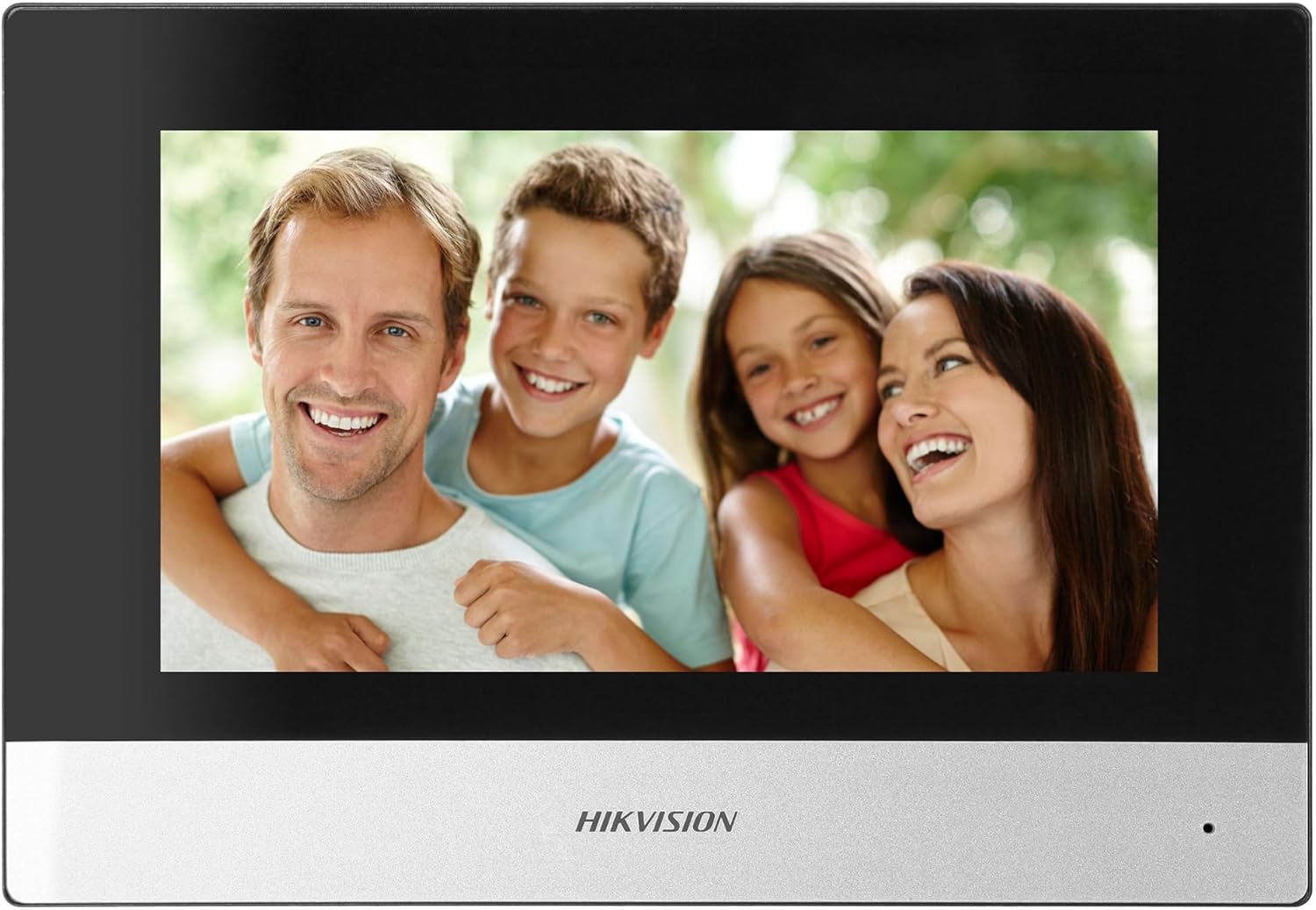
Figure 5: Hikvision Indoor Monitor (Front View)
This image shows the Hikvision 7-inch indoor monitor from the front, highlighting its sleek design and large display area.
5.2 Outdoor Panel Operation
- Кнопка вызова: Visitors press the single call button to initiate a call to the indoor monitor.
- FullHD Camera: Provides a 2MP (1920x1080p) video feed with a wide viewing angle (96°/180°).
- Ночное видение: Integrated IR illumination ensures clear visibility even in low-light conditions.
- Паспортная табличка: A space is provided for a nameplate or label.

Figure 6: Hikvision Outdoor Panel (Angled View)
Угловой view of the Hikvision outdoor panel, showcasing its robust construction and integrated camera and call button.
5.3 Hik-Connect Mobile Application
Download the Hik-Connect app from your smartphone's app store. Once installed and configured with your system, you can:
- Receive calls from the outdoor panel on your smartphone.
- View live video from the outdoor camera.
- Remotely open the door.
- Доступ к записанному видео фуtage.
6. Техническое обслуживание
Регулярное техническое обслуживание обеспечивает долговечность и оптимальную работу вашей домофонной системы.
- Уборка: Wipe the monitor screen and outdoor panel with a soft, damp ткань. Избегайте абразивных чистящих средств.
- Обновления прошивки: Периодически проверяйте наличие обновлений прошивки через приложение Hik-Connect или официальный сайт Hikvision. webПосетите этот сайт, чтобы убедиться, что ваша система имеет последние функции и обновления безопасности.
- Проверка кабеля: Periodically inspect all wiring for any signs of wear or damage.
- Outdoor Panel Lens: Keep the camera lens on the outdoor panel clean for clear video quality.
7. Поиск Неисправностей
Если у вас возникли проблемы, воспользуйтесь следующими общими шагами по устранению неполадок:
- Нет питания: Check all power connections and ensure the distributor is receiving power.
- Нет видео/аудио: Verify the 2-wire connections between the outdoor panel, monitor, and distributor. Ensure correct polarity.
- Проблемы с подключением к Wi-Fi: Ensure your router is operating on 2.4 GHz. Re-enter WiFi credentials on the monitor. Check signal strength.
- Дверной замок не открывается: Confirm the electric lock has its own power supply if required. Check wiring from the outdoor panel to the lock.
- Плохое ночное зрение: Убедитесь, что объектив уличной камеры чистый и не имеет препятствий.
8. Технические характеристики
| Тип | Single-family |
| Функция видео | Да |
| Источник питания | Сети электроэнергии |
| Тип трансмиссии | Проводной (2-проводной) |
| Smartphone Communication | Yes (via Hik-Connect app) |
| Частота Wi-Fi | 2.4 ГГц |
| Wi-Fi Стандартный | 802.11b/g/n |
| Метод установки | 2-wire, Surface Mount |
| Max. Monitors | Расширяется до 3 |
| Max. Outdoor Panels | Расширяется до 1 |
| Max. CCTV Cameras | Расширяется до 16 |
| Управление электрическим замком | Yes (requires additional power for lock) |
| День / Ночь | Да |
| Метод монтажа | Поверхностный монтаж |
| Hands-free System | Да |
| Диагональ экрана | 7 дюймов |
| Разрешение | 1024 х 600 |
| Сенсорный экран | Да |
| Видеосистема | PAL, Color |
| Функция памяти | Да |
| Устройство чтения SD-карт | Yes (16GB card included) |
| Функция внутренней связи | Да |
| Рингтоны | 3 |
| Материал | Пластик |
| Цвет | Черный |
| Размеры (Ш x В x Г) | 140 мм x 200 мм x 15 мм |
| Кнопки вызова | 1 |
| Метод монтажа | Поверхностный монтаж |
| Разрешение камеры | 2MP, 1920x1080 (FullHD) |
| Камера Viewугол наклона | 96°/180° |
| Ночное освещение | ИК (инфракрасный) |
| Функция PTZ | Нет |
| Считыватель бесконтактных карт | Нет |
| Nameplate Space | Да |
| Антивандальный | Нет |
| Рейтинг защиты | IP65 |
| Материал | Сталь |
| Цвет | Серебро |
| Размеры (Ш x В x Г) | 98 мм x 99.8 мм x 43.9 мм |
| Размеры продукта | 20 х 15 х 10 см |
| Вес товара | 1 кг |
| Номер модели | 38084 |
9. Гарантия и поддержка
За информацией о гарантии и технической поддержкой обращайтесь на официальный сайт Hikvision. webили обратитесь к местному дистрибьютору. Сохраните чек о покупке для предъявления гарантийных претензий.
- Онлайн поддержка: Посещать www.hikvision.com for product documentation, FAQs, and support resources.
- Обслуживание клиентов: Contact your retailer or authorized Hikvision service center for assistance.


