
Введение
This manual provides instructions for the proper use and maintenance of your BoxWave AllReader SD Card Reader. Please read this manual thoroughly before using the device to ensure optimal performance and longevity. The AllReader SD Card Reader is designed to facilitate easy file transfer between various devices and SD/microSD cards.
Продукт болееview
The BoxWave AllReader SD Card Reader is a compact device featuring multiple interfaces for broad compatibility with various electronic devices. It supports both standard SD cards and microSD cards.
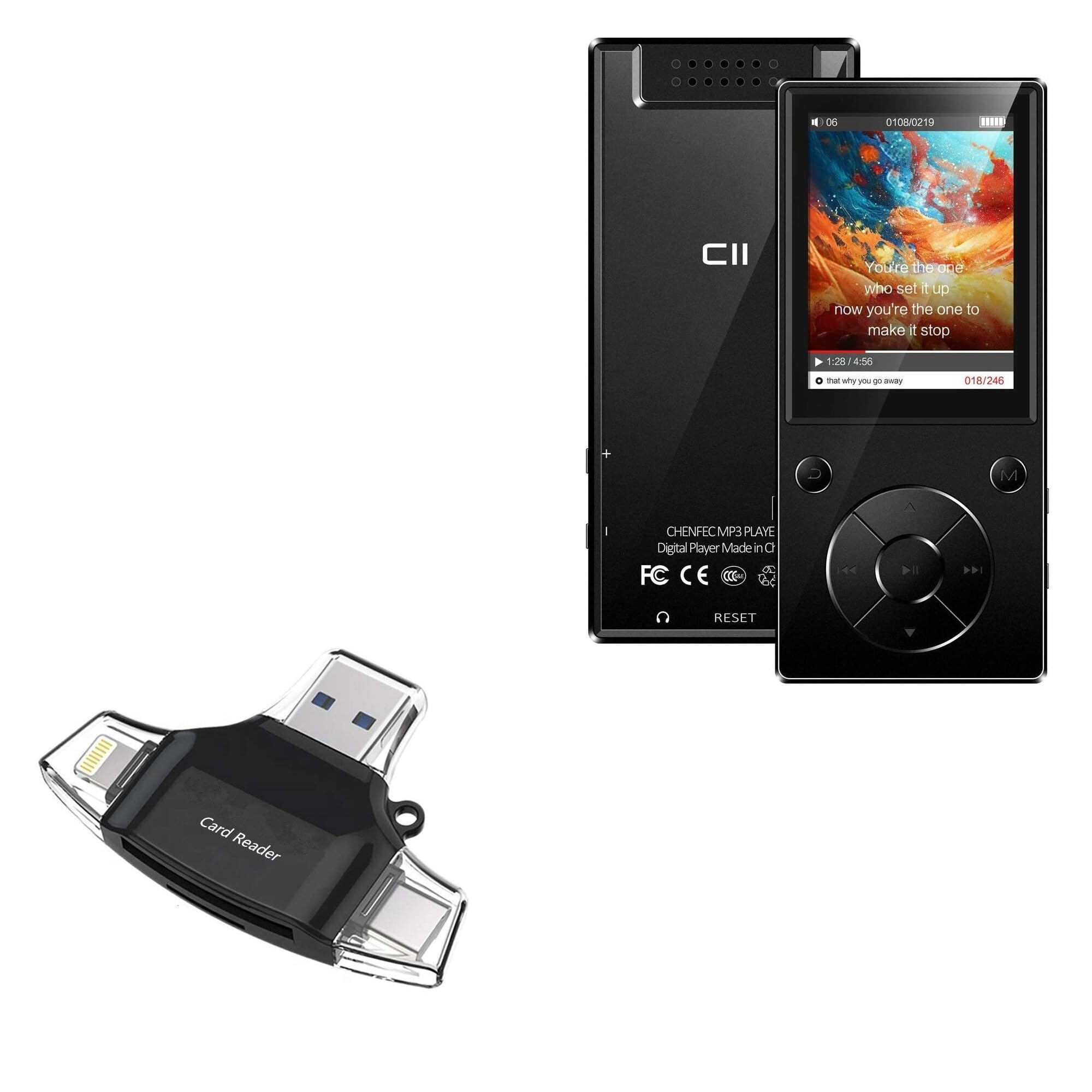
Image: The BoxWave AllReader SD Card Reader, showing its compact design and various connectors.
Основные характеристики:
- Four Interfaces: Equipped with USB-C, USB-A, Micro-USB, and Apple (Lightning) connectors for wide device compatibility.
- Легкий File Перемещение: Enables direct transfer of files between memory cards and connected devices.
- Подключи и работай: Для большинства операционных систем не требуется установка драйверов или программного обеспечения.
- Компактный дизайн: Small and portable for convenient use on the go.
- Поддержка карт памяти: Compatible with both SD and microSD card formats.

Изображение: подробное view of the four integrated interfaces: USB-A, USB-C, Apple (Lightning), and Flip-out Micro USB.
Настраивать
- Вставьте карту памяти: Gently insert your SD or microSD card into the appropriate slot on the AllReader SD Card Reader until it clicks into place. Ensure the card is inserted in the correct orientation.
- Подключиться к устройству: Select the appropriate connector (USB-C, USB-A, Micro-USB, or Apple Lightning) for your host device (e.g., smartphone, tablet, laptop, desktop PC). Plug the AllReader into your device's port.
- Распознавание устройства: Your device should automatically detect the card reader and the inserted memory card. A notification or file browser window may appear, indicating that the storage is ready for access.
Примечание: For some mobile devices, you may need to use a file management application to browse the contents of the connected memory card.

Image: The AllReader with an SD card inserted, connected to a tablet, illustrating the setup for file перевод.
Инструкция по эксплуатации
Передача Files:
- Ensure the AllReader is properly connected to your device and the memory card is inserted.
- Откройте ваше устройство file manager or photo gallery application.
- Locate the external storage device, typically labeled as "USB Storage," "SD Card," or similar.
- Browse to the desired fileна карте памяти.
- Выберите fileвы хотите перенести.
- Use the "Copy" or "Move" function within your device's file менеджер по передаче files to your device's internal storage or another connected storage.
- Для передачи files from your device to the memory card, reverse the process: select files from your device's storage and copy/move them to the external storage (memory card).

Image: The AllReader connected to various devices including smartphones, tablets, laptops, and desktop PCs, demonstrating its versatility for file перевод.
Safely Removing the Device:
Before disconnecting the AllReader from your computer, always safely eject the device through your operating system's options (e.g., "Safely Remove Hardware" on Windows, "Eject" on macOS). For mobile devices, ensure no file transfers are active before unplugging.
Обслуживание
- Уборка: Для очистки внешней поверхности картридера используйте мягкую сухую ткань. Не используйте жидкие чистящие средства или растворители.
- Хранилище: Store the AllReader in a cool, dry place away from direct sunlight and extreme temperatures.
- Умение обращаться: Avoid dropping the device or subjecting it to strong impacts. Do not force memory cards or connectors into slots.
- Уход за разъемом: Keep the connectors free from dust and debris. If necessary, use a soft brush or compressed air to clean them.
Поиск неисправностей
| Проблема | Возможное решение |
|---|---|
| Устройство не распознано. |
|
| Невозможно получить доступ fileна карте памяти. |
|
| Медленный file скорости передачи. |
|
Технические характеристики
- Название модели: AllReader SD Card Reader
- Бренд: BoxWave
- Интерфейсы: USB-C, USB-A, Micro-USB, Apple (Lightning)
- Совместимость карт: SD, микроSD
- Цвет: Черный как смоль
- Вес товара: 6 унции
- ASIN: B0CNSDX7WD
- Дата первой доступности: 13 ноября 2023 г.
Гарантия и поддержка
For warranty information and technical support, please refer to the official BoxWave webили обратитесь в службу поддержки напрямую. Сохраните чек о покупке для предъявления гарантийных претензий.
BoxWave Customer Service: www.boxwave.com/support