
1. Продукт закончилсяview
The TP-Link Deco X1500 is a Wi-Fi 6 Mesh System designed to provide seamless, whole-home Wi-Fi coverage. This 3-pack system utilizes advanced Wi-Fi 6 technologies to deliver faster speeds, connect more devices, and reduce latency for a superior network experience. It creates a unified network that automatically selects the best connection as you move throughout your home.

Image: A single TP-Link Deco X1500 Mesh WiFi 6 unit, showcasing its compact white cylindrical design.
Основные характеристики:
- Faster Connections: Wi-Fi 6 achieves speeds up to 1,500 Mbps: 1,201 Mbps on 5 GHz and 300 Mbps on 2.4 GHz.
- Подключите больше устройств: OFDMA and MU-MIMO technologies quadruple capacity for simultaneous transmission to multiple devices.
- Enhanced Seamless Coverage: Achieve perfect whole-home coverage with a clearer and stronger Wi-Fi signal generated by Wi-Fi 6.
- Сверхнизкая задержка: Reduced latency enables more responsive gaming and video chats.
- Единая сеть: Multiple units form a whole-home network that automatically selects the best connection as you move around your home.
- Robust Parental Controls: Ограничьте время в сети и заблокируйте неуместное websites based on unique profileсоздается для каждого члена семьи.
- Упрощенная настройка: The Deco app guides you step-by-step through the setup process.
2. Содержимое упаковки
Проверьте наличие всех предметов в посылке:
- 3 x блока Deco X1500
- 1 кабель Ethernet RJ45
- 3 адаптера питания
- 1 х Краткое руководство по установке
3. Инструкции по настройке
Setting up your Deco X1500 Mesh System is straightforward using the TP-Link Deco app. Follow these steps for initial installation:
- Загрузите приложение Deco: Искать 'TP-Link Deco' in the App Store (iOS) or Google Play Store (Android) and download the application.
- Sign Up or Log In: Open the Deco app and sign up for a TP-Link ID. If you already have one, log in.
- Подключите основной декоративный блок:
- Выключите модем.
- Подключите одно устройство Deco к модему с помощью прилагаемого кабеля Ethernet.
- Включите модем, затем включите устройство Deco.
- Следуйте инструкциям в приложении: The Deco app will automatically detect your Deco unit and guide you through the process of creating your Wi-Fi network name and password.
- Добавить дополнительные декоративные элементы: Once the main Deco is set up, the app will prompt you to add the remaining Deco units. Place them strategically throughout your home for optimal coverage. The app will provide guidance on ideal placement.
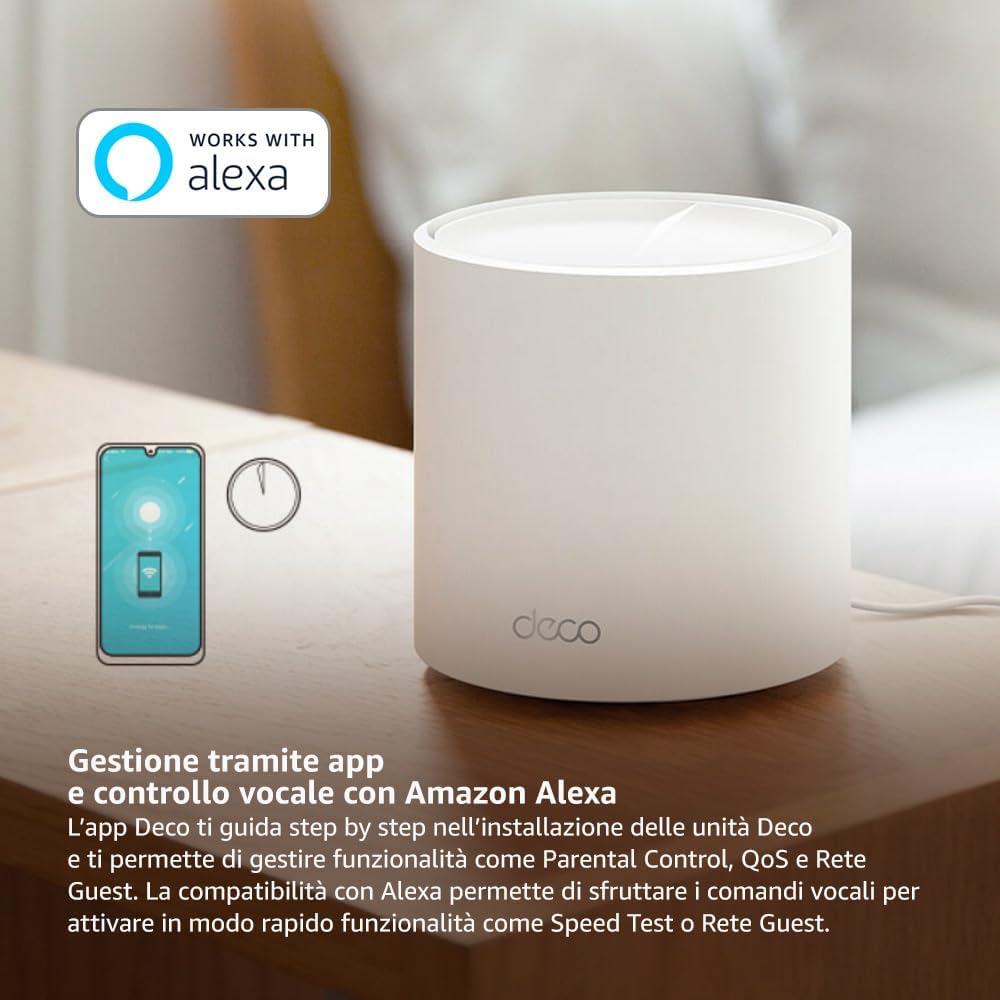
Image: A smartphone screen displaying the TP-Link Deco app, illustrating the step-by-step setup process for the mesh system.
4. Инструкция по эксплуатации
The Deco X1500 system is managed primarily through the TP-Link Deco app, offering various features to control and optimize your home network.
Использование приложения Deco:
- Управление сетью: View connected devices, monitor network status, and manage Wi-Fi settings.
- Родительский контроль: Создать профиfiles for family members, set time limits, and block inappropriate content.
- Качество обслуживания (QoS): Определите приоритетность устройств или действий для достижения оптимальной производительности.
- Гостевая сеть: Создайте отдельную сеть Wi-Fi для гостей, обеспечив безопасность основной сети.
- Антивирус: Utilize built-in HomeShield features for network protection.
Голосовое управление с помощью Amazon Alexa:
The Deco X1500 is compatible with Amazon Alexa. Link your TP-Link Deco account to your Alexa account to use voice commands for network functions, such as:
- Enabling or disabling the Guest Network.
- Running a speed test.
- Pausing Wi-Fi for specific profiles.

Изображение: Вид сзади view of a Deco X1500 unit, showing two Gigabit LAN/WAN auto-sensing Ethernet ports and the power input.
5. Техническое обслуживание
Regular maintenance ensures optimal performance and longevity of your Deco X1500 system.
Обновления прошивки:
- The Deco app will notify you of available firmware updates. It is recommended to keep your Deco units updated to the latest firmware for improved performance, security, and new features.
- Follow the in-app instructions to perform firmware updates. Do not power off the units during an update.
Очистка и размещение:
- Clean the Deco units with a soft, dry cloth. Do not use liquid cleaners or aerosols.
- Place Deco units in open areas, away from obstructions like large metal objects, thick walls, or other electronic devices that may cause interference.
- Ensure adequate ventilation around each unit to prevent overheating.
6. Поиск Неисправностей
If you encounter issues with your Deco X1500 system, refer to the following common troubleshooting steps.
Нет соединения с интернетом:
- Проверьте модем: Убедитесь, что ваш модем включен и имеет активное подключение к интернету.
- Кабельные соединения: Убедитесь, что кабель Ethernet, соединяющий основной блок Deco с модемом, надежно подключен.
- Перезагрузите устройства: Power cycle your modem and all Deco units. Wait a few minutes for them to restart and re-establish connections.
- Статус приложения Deco: Check the Deco app for network status and any error messages.
Слабый сигнал Wi-Fi или мертвые зоны:
- Размещение единицы измерения: Adjust the placement of your Deco units. Try to place them equidistant from each other and the main Deco, avoiding physical obstructions.
- Вмешательство: Move Deco units away from other electronics (microwaves, cordless phones, Bluetooth devices) that might cause wireless interference.
- Добавить больше единиц: For very large homes or those with multiple floors, consider adding more Deco units to expand coverage.
Device Cannot Connect to Wi-Fi:
- Правильный пароль: Убедитесь, что вы вводите правильный пароль Wi-Fi.
- Совместимость с устройством: Verify that your device supports the Wi-Fi standards used by the Deco system (802.11ax/ac/n/a/g/b).
- Перезагрузите устройство: Перезагрузите устройство и попытайтесь подключиться.
- Check Blacklist: Ensure the device has not been accidentally blacklisted in the Deco app.
7. Технические характеристики
| Особенность | Спецификация |
|---|---|
| Бренд | TP-Link |
| Название модели | Деко Х1500 |
| Специальная характеристика | Wi-Fi 6 |
| Класс диапазона частот | Двухдиапазонный |
| Стандарт беспроводной связи | 802.11ax |
| Совместимые устройства | ПК, смартфон, планшет |
| Рекомендуемое использование | Дом |
| Технология связи | RJ45 |
| Цвет | Белый |
| Протокол безопасности | WPA3 |
| Number of Ports (per unit) | 2 x Gigabit LAN/WAN (auto-sensing) |
| Метод контроля | Приложение |
| Скорость передачи данных | 1500 мегабита в секунду |
| Пропускная способность порта LAN | 1000 Мбит/с |
| Томtage | 110.0В |
| Max Upstream Data Transfer Rate | 1201 мегабита в секунду |
| Количество антенн | Внутренний |
| Совместимость с умным домом | Да |
| Генерация Wi-Fi | Wi-Fi 6 |
| Покрытие (3 упаковки) | До 520 квадратных метров |
| Вес товара | 1.8 Килограмма |
8. Информация о гарантии
The TP-Link Deco X1500 Mesh System comes with a 3-летняя гарантия на продукцию. This warranty covers defects in materials and workmanship under normal use. For specific terms and conditions, please refer to the warranty card included in your package or visit the official TP-Link webсайт.
9 Поддержка
For further assistance, technical support, or to access additional resources, please visit the official TP-Link support webсайт:
You can also find FAQs, updated manuals, and community forums on the support page.