
1. Введение
The Walfront QPM11 Normally Open Pressure Switch is designed for precise pressure monitoring and control in air-based systems. This device features a G1/8" adjustable bearing for installation and operates within a pressure range of 0.02 to 0.1 MPa. It is built to function reliably in temperatures from -5°C to 60°C, offering a high insulation voltage of 1500V and an IP54 rating for protection against dust and splashing water. With a maximum pulse rate of 200 cycles per minute and a lifespan of 1,000,000 cycles, the QPM11 provides consistent performance for industrial and scientific applications.
2. Продукт закончилсяview
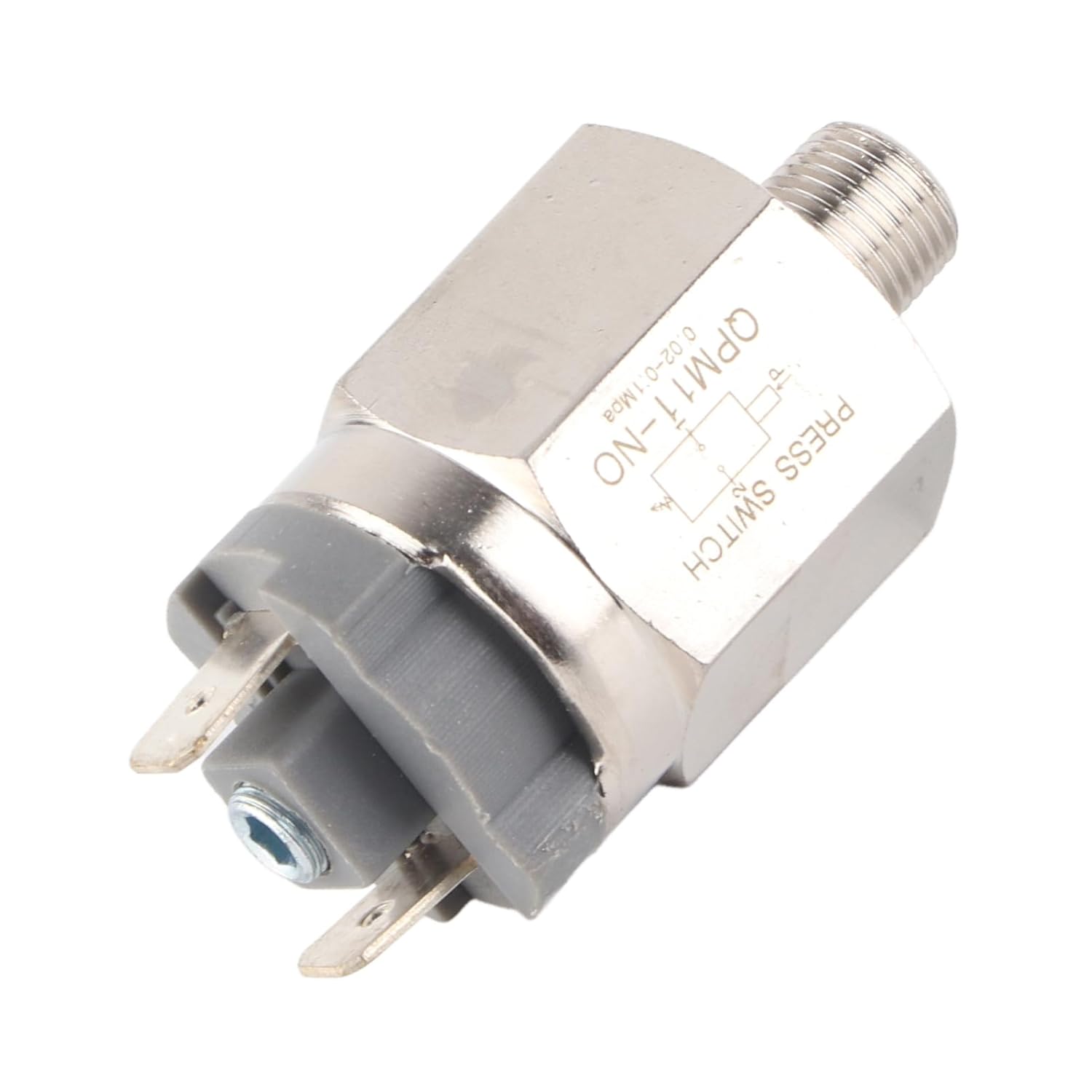
Рисунок 1: Общий view of the pressure switch, showing its compact design and main components.

Рисунок 2: Сторона view of the pressure switch, highlighting the G1/8" threaded connection for system integration.

Рисунок 3: Крупный план view of the electrical terminals, where control circuit wiring is connected.

Рисунок 4: The pressure switch featuring a black protective cap, potentially covering the pressure adjustment mechanism.
3. Настройка и установка
Proper installation is crucial for the safe and accurate operation of the pressure switch.
- Безопасность прежде всего: Before installation, ensure that the power supply to the system is disconnected and the pressure in the air line is fully released.
- Монтаж: Securely install the pressure switch into the G1/8" threaded port of your air system. Use appropriate sealing tape or compound to ensure a leak-free connection.
- Электрическое подключение: Connect the electrical terminals of the switch to your control circuit. This is a Normally Open (NO) switch, meaning the circuit is open when pressure is below the set point and closes when pressure rises above it. Ensure connections are made according to your system's wiring diagram and compatible with the specified operating voltages (AC220V, 48V/AC, DC).
- Регулировка давления: If your model includes an adjustable bearing, carefully rotate the adjustment mechanism to set the desired pressure threshold. Refer to any markings on the device for guidance.
- Проверка: After installation, slowly restore pressure to the system and power to the control circuit. Observe the switch's operation to confirm it activates and deactivates at the intended pressure levels.
4. Инструкция по эксплуатации
The Walfront QPM11 is a Normally Open (NO) pressure switch.
- Нормальное состояние: When the air pressure in the system is below the set threshold, the switch contacts remain open, preventing current flow through the connected circuit.
- Активация: As the air pressure rises and exceeds the pre-set threshold, the internal mechanism of the switch actuates, causing the contacts to close. This completes the electrical circuit, triggering the connected device or signal.
- Деактивация: When the air pressure drops below the set threshold, the switch contacts return to their open state, breaking the electrical circuit.
This functionality makes it suitable for applications requiring a signal or action when a specific pressure level is reached or exceeded.
5. Техническое обслуживание
Regular maintenance helps ensure the longevity and reliability of your pressure switch.
- Периодическая проверка: Visually inspect the switch and its connections regularly for any signs of physical damage, corrosion, or loose wiring.
- Чистота: Keep the switch free from dust, dirt, and debris. A clean, dry cloth can be used for external cleaning. Avoid using harsh chemicals or abrasive materials.
- Проверка на герметичность: Periodically check the threaded connection for any air leaks, which can affect the accuracy of pressure readings.
- Условия окружающей среды: Для предотвращения преждевременного износа или неисправности необходимо поддерживать рабочую среду в пределах заданных температурных и влажностных диапазонов.
6. Поиск Неисправностей
If the pressure switch is not functioning as expected, consider the following troubleshooting steps:
- Переключатель не активируется:
- Verify that the system pressure is reaching and exceeding the switch's set point.
- Check all electrical connections for proper wiring and continuity.
- Ensure the power supply to the control circuit is active and within the specified voltagе диапазон.
- If adjustable, confirm the pressure threshold is set correctly.
- Switch Not Deactivating:
- Confirm that the system pressure is dropping below the switch's set point.
- Inspect the switch mechanism for any obstructions or sticking.
- Check for any residual pressure in the line that might be preventing the switch from resetting.
- Нестабильная работа:
- Check for significant pressure fluctuations or pulsations in the air system.
- Ensure the switch is securely mounted and not subject to excessive vibration.
- Verify that environmental conditions (temperature, humidity) are within the specified operating range.
If issues persist after these checks, contact qualified personnel for further assistance.
7. Технические характеристики
| Особенность | Спецификация |
|---|---|
| Тип товара | Реле давления |
| Применимый носитель | Воздух |
| Диапазон рабочего давления | 0.02~0.1 МПа |
| Environment & Average Temperature | -5~60℃ |
| Рабочий Путь | Регулируемое давление |
| Измерять | G1/8" |
| Рабочий объемtage | AC220V, 48V/AC, DC |
| Максимальный рабочий ток | 500мА |
| Максимальная мощность | 100VA, 24VA |
| Изоляция Томtage | 1500В, 500В |
| Maximum Number of Pulses | 200 circles/min |
| Продолжительность жизни | 1,000,000 круга |
| Рейтинг IP | IP54 |
| Производитель | WALFRONT |
| Страна происхождения | США |
| Номер модели | WALFRONTghts07ab6y |