
Введение
Спасибо за покупкуasing the Emerson EPD-1001 Portable 10-inch DVD Player. This manual provides essential information for setting up, operating, and maintaining your device. Please read these instructions carefully before use to ensure proper functionality and to maximize your viewопыт.
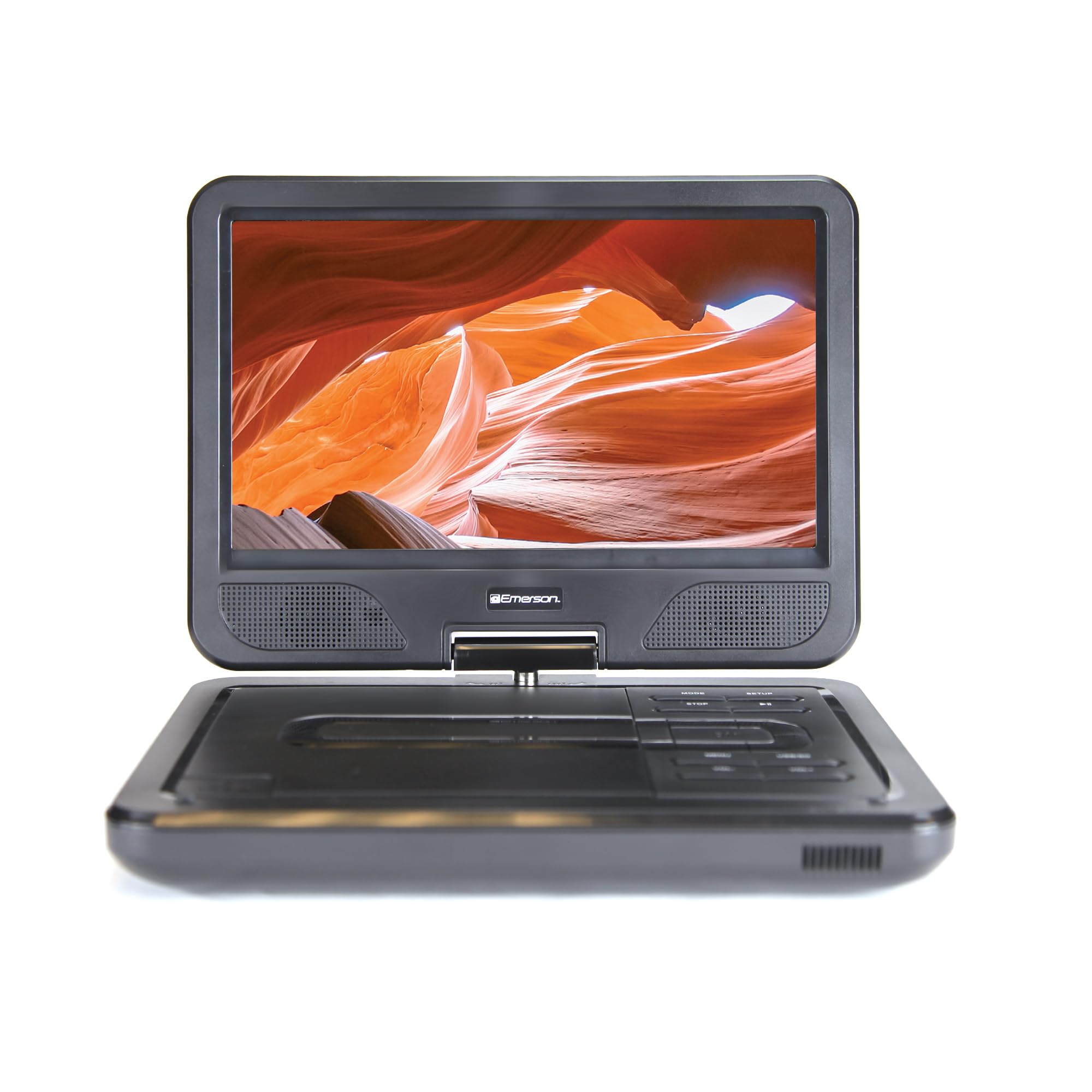
Image: The Emerson EPD-1001 Portable 10-inch DVD Player shown with its screen open, displaying a vibrant image.
Что в коробке?
Проверьте наличие всех предметов в упаковке:
- Emerson EPD-1001 Portable 10-inch DVD Player
- Дистанционное управление
- Адаптер переменного тока
- Автомобильный кабель постоянного тока
- AV-кабель
- Руководство пользователя (этот документ)
- Гарантийный талон

Image: The Emerson EPD-1001 Portable 10-inch DVD Player displayed alongside its remote control.
Характеристики продукта
- 10-дюймовый поворотный экран: The large 10-inch screen swivels 180 degrees, allowing for flexible viewуглы.
- Встроенный динамик: Integrated speaker provides clear audio for an immersive experience.
- Аккумуляторная батарея: Enjoy portable viewing with the built-in rechargeable battery, offering hours of playback.
- Дистанционное управление: Navigate menus and control playback effortlessly with the included remote.
- Компактный дизайн: Lightweight and compact for easy transport during travel.
- Совместимость с различными форматами: Supports a wide range of DVD formats, as well as media from USB flash drives and SD cards.
Видео: 360-градусный обзор продукта.view of the Emerson EPD-1001 Portable DVD Player, showcasinРассмотрите его дизайн и особенности с разных ракурсов.
Настраивать
- Распаковка: Аккуратно извлеките все компоненты из упаковки. Сохраните упаковку для дальнейшего хранения или транспортировки.
- Зарядка аккумулятора: Before first use, fully charge the internal rechargeable battery. Connect the AC power adapter to the DC IN 9-12V port on the DVD player and plug it into a standard wall outlet. The charging indicator light will illuminate. A full charge typically takes several hours.
- Car Power (Optional): For in-car use, connect the DC car cord to the DC IN 9-12V port and plug the other end into your vehicle's 12V accessory socket.
- External Display Connection (Optional): To connect to an external display (e.g., TV), use the provided AV cable. Connect the AV OUT port on the DVD player to the corresponding AV IN ports on your television.

Image: A hand plugging a 12V car adapter into a vehicle's power outlet, demonstrating how to power the DVD player on the go.
Инструкция по эксплуатации
Включение/выключение питания
- Чтобы включить, нажмите и удерживайте ВЛАСТЬ Нажимайте кнопку, пока не загорится экран.
- Чтобы выключить, нажмите и удерживайте ВЛАСТЬ кнопку еще раз, пока экран не погаснет.
Inserting and Playing a DVD
- Open the disc cover by gently lifting the ОТКРЫТЬ защелка.
- Place a DVD disc onto the spindle with the label side facing up. Gently press the center of the disc to secure it.
- Закройте крышку диска.
- Плеер автоматически обнаружит диск и начнет воспроизведение. Если этого не произойдет, нажмите кнопку. ВОСПРОИЗВЕДЕНИЕ/ПАУЗА кнопка.
Using the Swivel Screen
The screen can be rotated up to 180 degrees. Gently swivel the screen to your desired viewing angle. You can also fold the screen flat against the base for a tablet-like viewопыт.

Image: A woman using the Emerson EPD-1001 Portable DVD Player, demonstrating the swivel screen feature for comfortable viewинж.
Воспроизведение мультимедиа (USB/SD-карта)
- Вставьте USB-накопитель в USB вставьте порт или SD-карту. SD CARD слот.
- Используйте РЕЖИМ button on the player or remote to select the appropriate input (USB or SD).
- Навигация по вашим медиа files using the arrow buttons and press ВХОДИТЬ играть.

Image: A hand inserting a USB flash drive into the side port of the portable DVD player, illustrating media playback from external storage.
Использование пульта дистанционного управления
Point the remote control directly at the infrared sensor on the DVD player. The remote allows access to functions such as Play, Pause, Stop, Fast Forward, Rewind, Chapter Skip, Volume Control, Menu Navigation, and Input Selection.
Аудиовыход
- Встроенные динамики: Audio will play automatically through the integrated speakers. Adjust volume using the ГРОМКОСТЬ+ и VOL- кнопки.
- Порт для наушников: Для прослушивания в приватном режиме подключите стандартные наушники с разъемом 3.5 мм к... НАУШНИКИ jack. This will mute the built-in speakers.
Обслуживание
- Уборка: Use a soft, dry cloth to clean the exterior of the DVD player. For the screen, use a soft, lint-free cloth specifically designed for electronics screens. Do not use liquid cleaners or abrasive materials.
- Уход за дисками: Handle discs by their edges. Keep discs clean and free of scratches. Use a soft, lint-free cloth to wipe discs from the center outwards if cleaning is necessary.
- Уход батареи: To prolong battery life, avoid fully discharging the battery frequently. If storing the device for an extended period, charge the battery to approximately 50% and store in a cool, dry place. Recharge every few months to prevent deep discharge.
- Хранилище: Store the DVD player in a cool, dry environment away from direct sunlight, extreme temperatures, and excessive dust.
Поиск неисправностей
| Проблема | Возможная причина | Решение |
|---|---|---|
| Плеер не включается. | Батарея разряжена или адаптер питания не подключен. | Connect the AC power adapter and allow the battery to charge. Ensure the power button is pressed and held. |
| Нет изображения на экране. | Disc is dirty/scratched, incorrect input selected, or screen is folded incorrectly. | Clean the disc. Ensure the screen is properly opened and swiveled. If connected to an external display, verify AV cable connections and TV input selection. |
| Ни звука. | Volume is too low, headphones are connected, or disc has no audio track. | Increase the volume. Disconnect headphones if using built-in speakers. Check disc for audio content. |
| Диск не воспроизводится или пропускает воспроизведение. | Диск загрязнен, поцарапан или имеет несовместимый формат. | Clean the disc thoroughly. Try a different disc. Ensure the disc format is supported by the player. |
| Пульт дистанционного управления не работает. | Batteries are dead or remote is not pointed at sensor. | Replace remote control batteries. Ensure direct line of sight to the player's IR sensor. |
Технические характеристики
| Особенность | Деталь |
|---|---|
| Бренд | Эмерсон |
| Номер модели | ЭПД-1001 |
| Размер экрана | 10 дюйма |
| Тип дисплея | ЖК-дисплей |
| Собственное разрешение | 1280x720 |
| Технология связи | USB |
| Совместимые устройства | Mobile Phone, Television (via AV out) |
| Тип носителя | DVD, CD, MP3, USB, SD Card |
| Размеры изделия (Д x Ш x В) | 10"Д x 1.8"Ш x 7.35"В |
| Вес товара | 2.2 фунта |
| Цвет | Черный |
| Параметры питания | Built-in rechargeable battery, AC adapter, 12V car adapter |

Image: A diagram illustrating the dimensions (length, width, height) and weight of the Emerson EPD-1001 Portable DVD Player.
Гарантия и поддержка
The Emerson EPD-1001 Portable 10-inch DVD Player comes with a warranty covering 1 Year for Parts и 90 Days for Labor с даты покупки.
For technical support, warranty claims, or service inquiries, please contact the manufacturer, Naxa Electronics, Inc. Refer to the warranty card included in your product packaging for specific contact details and procedures.
Сохраните чек о покупке для подтверждения гарантии.