
1. Введение и окончаниеview
The INKBIRDPLUS PTH-10C Portable CO2 Detector is designed to monitor carbon dioxide levels in various indoor environments. It features an advanced Non-Dispersive Infrared (NDIR) sensor for high-precision detection, a large color LCD screen for clear readings, and an audible alarm system. Its compact and portable design, coupled with a long-lasting rechargeable battery, makes it suitable for use in homes, offices, grow tents, greenhouses, and other spaces where air quality monitoring is essential.

Image: The INKBIRDPLUS PTH-10C Portable CO2 Detector on a desk, displaying CO2 levels.
2. Особенности продукта
- High-Precision NDIR Sensor: Utilizes advanced infrared technology for accurate CO2 detection.
- Двойная функция сигнализации: Features visual (tri-color indicator) and audible alarms with customizable thresholds.
- Портативная и прочная конструкция: Compact size with an included lanyard for easy carrying.
- Большой цветной ЖК-экран: Provides clear and easy-to-read CO2 concentration values.
- Экономичный режим энергосбережения ECO: Automatically turns off the screen after 5 minutes of inactivity to conserve battery.
- Длительный срок службы аккумулятора: Built-in 1000mAh lithium battery offers up to 72 hours of operation.
- USB-C перезаряжаемый: Convenient charging via a standard USB-C port.
- Automatic and Manual Calibration: Ensures measurement accuracy over time.
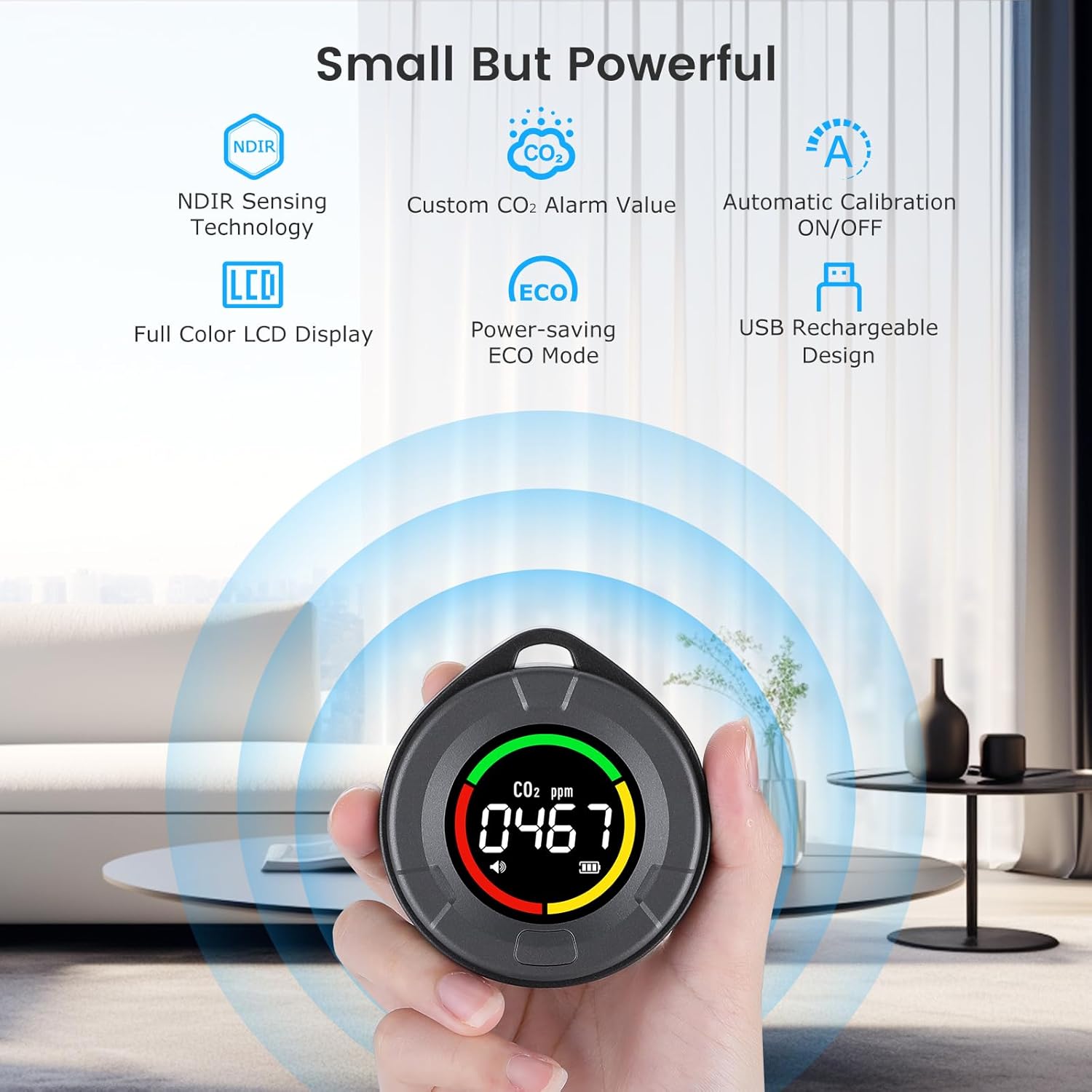
Изображение: Оверview of the detector's main features, including NDIR sensor, LCD, alarm, ECO mode, calibration, and USB charging.
3. Содержимое упаковки
Проверьте комплектацию на наличие следующих предметов:
- 1 x INKBIRDPLUS PTH-10C Portable CO2 Detector
- Зарядный кабель 1 x USB-C
- 1 х шнурок
- 1 х Руководство пользователя
4. Компоновка устройства
The device features a simple and intuitive design. The main display shows CO2 concentration, battery status, and alarm indicators. A single multi-function button controls various settings and calibration.

Изображение: Спереди view of the INKBIRDPLUS CO2 detector highlighting its main features.
5. Настройка
- Начальная зарядка: Before first use, fully charge the device using the provided USB-C cable and a compatible 5V USB power adapter. The battery indicator on the screen will show charging status. A full charge typically takes about 3 hours.
- Калибровка перед первым использованием: For optimal accuracy, it is highly recommended to perform a manual calibration in an open, unpopulated environment with fresh air (e.g., outdoors) during the first use. Refer to Section 7 for calibration instructions.
6. Операция
6.1 Включение/выключение питания
Press and hold the multi-function button for approximately 3 seconds to power the device on or off.
6.2 Чтение показаний дисплея
The large color LCD screen displays the current CO2 concentration in parts per million (ppm). The device also features a tri-color indication light system around the display to quickly assess air quality:
- Зеленый свет: 400-699 ppm (Good concentration)
- Желтый свет: 700-1499 ppm (Medium concentration)
- Красный свет: 1499-5000 ppm (Dangerous concentration)

Image: Explanation of the tri-color CO2 indication light system.
6.3 ECO Power-Saving Mode
To conserve battery, the device automatically enters ECO power-saving mode after 5 minutes of inactivity, turning off the screen. The device continues to monitor CO2 levels in the background. Press any button to reactivate the display.
7. Калибровка
Calibration ensures the accuracy of your CO2 detector. The device supports both automatic and manual calibration.
7.1 Автоматическая калибровка
Automatic calibration is enabled by default. The device will periodically self-calibrate in environments with stable CO2 levels. You can manually toggle automatic calibration on or off.

Image: Instructions for toggling automatic calibration (C-ON/C-OF).
7.2 Ручная калибровка
Чтобы выполнить ручную калибровку:
- Place the device in an open, unpopulated environment with fresh air (e.g., outdoors) for at least 10-15 minutes to allow CO2 levels to stabilize.
- Long press the multi-function button. The screen will display "CAL" and initiate a 200-second countdown.
- Keep the device in the fresh air environment until the countdown completes. The device will then be calibrated.

Image: Steps for initiating manual calibration.
8. Настройки будильника
The device is equipped with an audible alarm that activates when the CO2 concentration exceeds a set threshold. The default alarm threshold is 1500 ppm.
8.1 Customizing the Alarm Value
To adjust the alarm threshold:
- Long press the multi-function button for approximately 5 seconds until the alarm value starts flashing.
- Press the button once to increment the flashing digit.
- Press the button twice quickly to move to the next digit.
- Once the desired alarm value is set, wait a few seconds for the device to save the setting automatically.
8.2 Deactivating the Alarm
The audible alarm function can be deactivated if desired. Follow the steps for customizing the alarm value and set it to 'OFF' or a similar indicator if available, or set the threshold to its maximum value (5000 ppm) to effectively disable it for typical indoor use.

Image: Illustration of the smart CO2 alarm in action.
9. Управление энергопотреблением
The PTH-10C is powered by a built-in 1000mAh lithium-polymer battery.
9.1 Срок службы батареи
A fully charged battery provides up to 72 hours of continuous operation. Actual battery life may vary depending on usage patterns and environmental conditions.

Image: Illustration of the 1000mAh lithium battery and its 72-hour endurance.
9.2 Зарядка
Connect the device to a 5V USB power source using the provided USB-C cable. The battery icon on the display will indicate charging status. The device can be used while charging.
10. Техническое обслуживание
- Уборка: Wipe the device with a soft, dry cloth. Do not use liquid cleaners, abrasive materials, or solvents, as these can damage the sensor or casing.
- Хранилище: Store the device in a cool, dry place away from direct sunlight, extreme temperatures, and high humidity when not in use for extended periods.
- Калибровка: Regular calibration (as described in Section 7) is recommended to maintain measurement accuracy.
11. Поиск Неисправностей
| Проблема | Возможная причина | Решение |
|---|---|---|
| Неточные показания CO2 | Sensor drift; device not calibrated; sensor obstructed. | Perform a manual calibration in a fresh air environment. Ensure the sensor opening is clear. |
| Устройство не включается | Батарея разряжена. | Зарядите устройство с помощью кабеля USB-C. |
| Будильник не звучит | Alarm function deactivated; alarm threshold set too high. | Check alarm settings (Section 8) and ensure it is enabled and the threshold is appropriate. |
| Короткое время работы батареи | Battery not fully charged; frequent screen activation. | Ensure the device is fully charged. Utilize ECO power-saving mode. |
12. Технические характеристики
| Параметр | Ценить |
|---|---|
| Номер модели | ПТН-10С |
| Производитель | ИНКБЕРДПЛЮС |
| Размеры (Д x Ш x В) | 7 x 7 x 2.5 см (2.75 x 2.75 x 0.98 дюймов) |
| Масса | 20 грамм (0.7 унций) |
| Тип батареи | 1000mAh Lithium-polymer (included) |
| Источник питания | Battery powered, USB-C rechargeable |
| Томtage | 5 Вольт |
| Материал | Пластик |
| Тип датчика | Недисперсионное инфракрасное излучение (NDIR) |
| Тип сигнала тревоги | Слышимый |
| Диапазон обнаружения CO2 | 400-5000 частей на миллион |
| Время зарядки | Примерно 3 часа |
| Время работы | До 72 часов |
13. Информация по технике безопасности
- Не подвергайте устройство воздействию воды или чрезмерной влажности.
- Do not disassemble or attempt to repair the device. Unauthorized repairs will void the warranty.
- Хранить в недоступном для детей месте.
- Для зарядки используйте только прилагаемый или сертифицированный кабель USB-C.
- This device is intended for general air quality monitoring and should not be used as a substitute for professional medical advice or certified safety equipment in critical environments.
- Avoid placing the device in direct sunlight or near heat sources, as this may affect sensor accuracy.
14. Гарантия и поддержка
For detailed warranty information, technical support, or customer service inquiries, please visit the official INKBIRDPLUS website or contact their customer support team directly. Please have your model number (PTH-10C) and purchase information ready when contacting support.