1. Введение
Welcome to the comprehensive user manual for your new anyloop Smart Watch. This guide provides detailed instructions on setting up, operating, and maintaining your device to ensure you get the most out of its advanced features. Please read this manual thoroughly before using your smart watch.
2. Продукт закончилсяview
The anyloop Smart Watch is designed to enhance your daily life with its blend of style, functionality, and advanced health and fitness tracking capabilities. It features a vibrant AMOLED display, robust connectivity, and a durable, waterproof design.
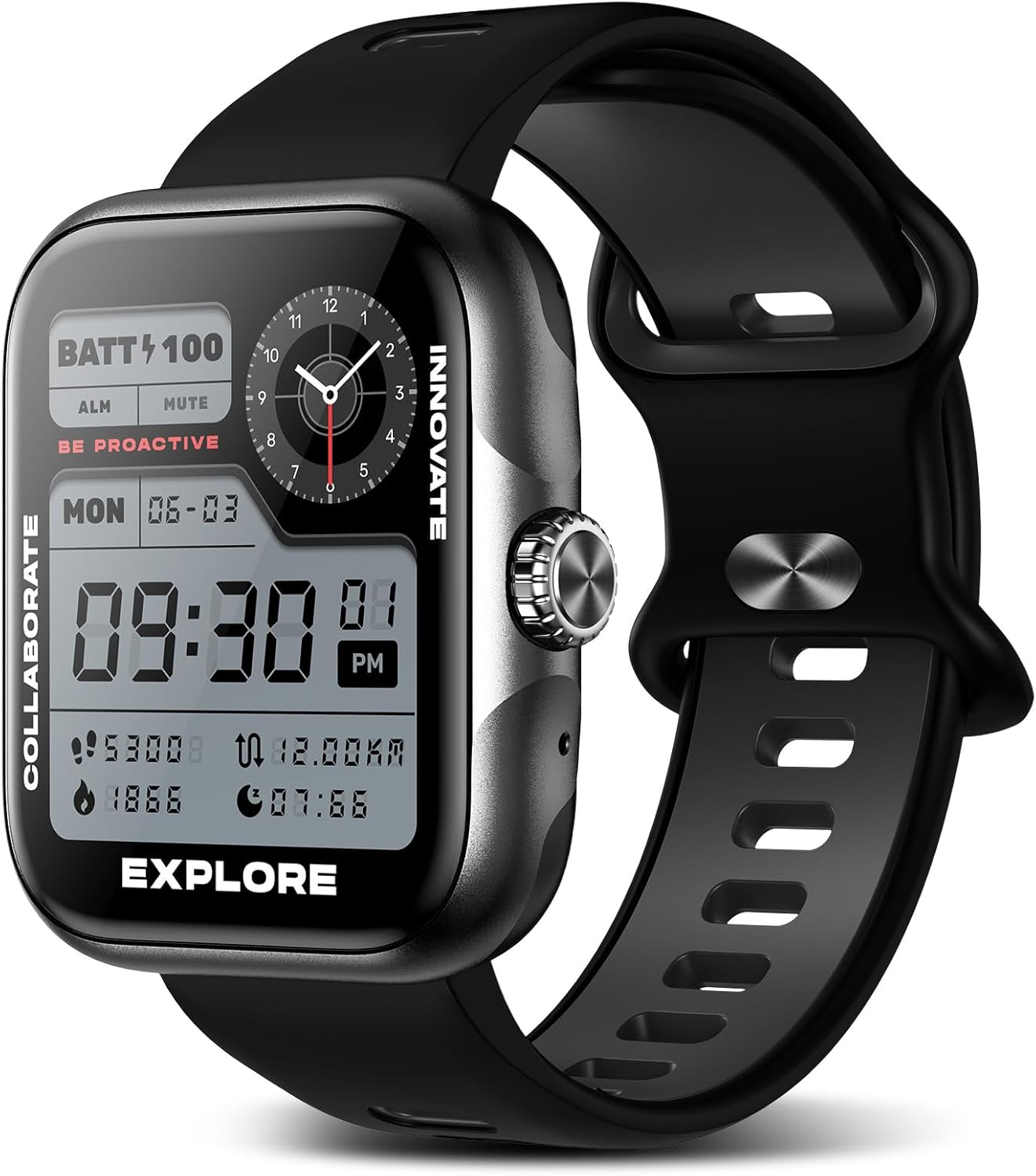
Рисунок 2.1: Главное view of the anyloop Smart Watch.
Основные характеристики:
- 1.78'' AMOLED Customizable Display: Experience superior visuals with a 368x448 resolution and 60 FPS refresh rate.
- Монитор здоровья: Real-time heart rate and automatic sleep monitoring (awake, light, deep, REM stagэ).
- Built-in GPS Fitness Tracker: Track heart rate, calories, steps, distance, and exercise routes with precision.
- 3ATM Водонепроницаемый: Suitable for activities up to 30 meters underwater, including swimming.
- Bluetooth Call & Notifications: Получайте звонки, сообщения и уведомления от приложений прямо на запястье.
- Долговечный аккумулятор: 350mAh battery provides 5-12 days of use on a 2-hour charge.
- Настраиваемые циферблаты: Choose from a wide range of dials or customize with your own photos.

Рисунок 2.2: Подробная информация view of the 1.78" AMOLED screen and 350mAh high-capacity battery information.
3. Настройка
3.1 Зарядка устройства
Before first use, fully charge your anyloop Smart Watch. Connect the magnetic charging cable to the charging contacts on the back of the watch and plug the USB end into a power adapter (not included) or a computer USB port. A full charge typically takes approximately 2 hours.
3.2 Загрузка и установка приложения
To unlock the full potential of your smart watch, download the dedicated Подходящее существование приложение из магазина приложений вашего смартфона (доступно для iOS и Android). Искать "Fitbeing" and install the application.
3.3 Сопряжение со смартфоном
- Убедитесь, что ваши умные часы заряжены и включены.
- Включите Bluetooth на вашем смартфоне.
- Open the Fitbeing app and follow the on-screen instructions to search for and connect to your anyloop Smart Watch.
- Подтвердите запрос на сопряжение на часах и смартфоне.
3.4 Настройка завершенаview Видео
Видео 3.1: Оверview of the anyloop smartwatch, demonstrating its features and basic operation.
4. Эксплуатация умных часов
4.1 Базовая навигация
- Сенсорный экран: Для навигации по меню и экранам проведите пальцем влево, вправо, вверх или вниз. Коснитесь экрана, чтобы выбрать нужные параметры.
- Боковая кнопка/корона: Press the side button to return to the home screen or wake the device. Rotate the optical crown to scroll through lists or adjust settings.
4.2 Bluetooth Calls and SMS Notifications
Once paired with your smartphone, you can manage calls and view notifications directly from your wrist. The watch supports hands-free calling and displays incoming messages and app alerts.
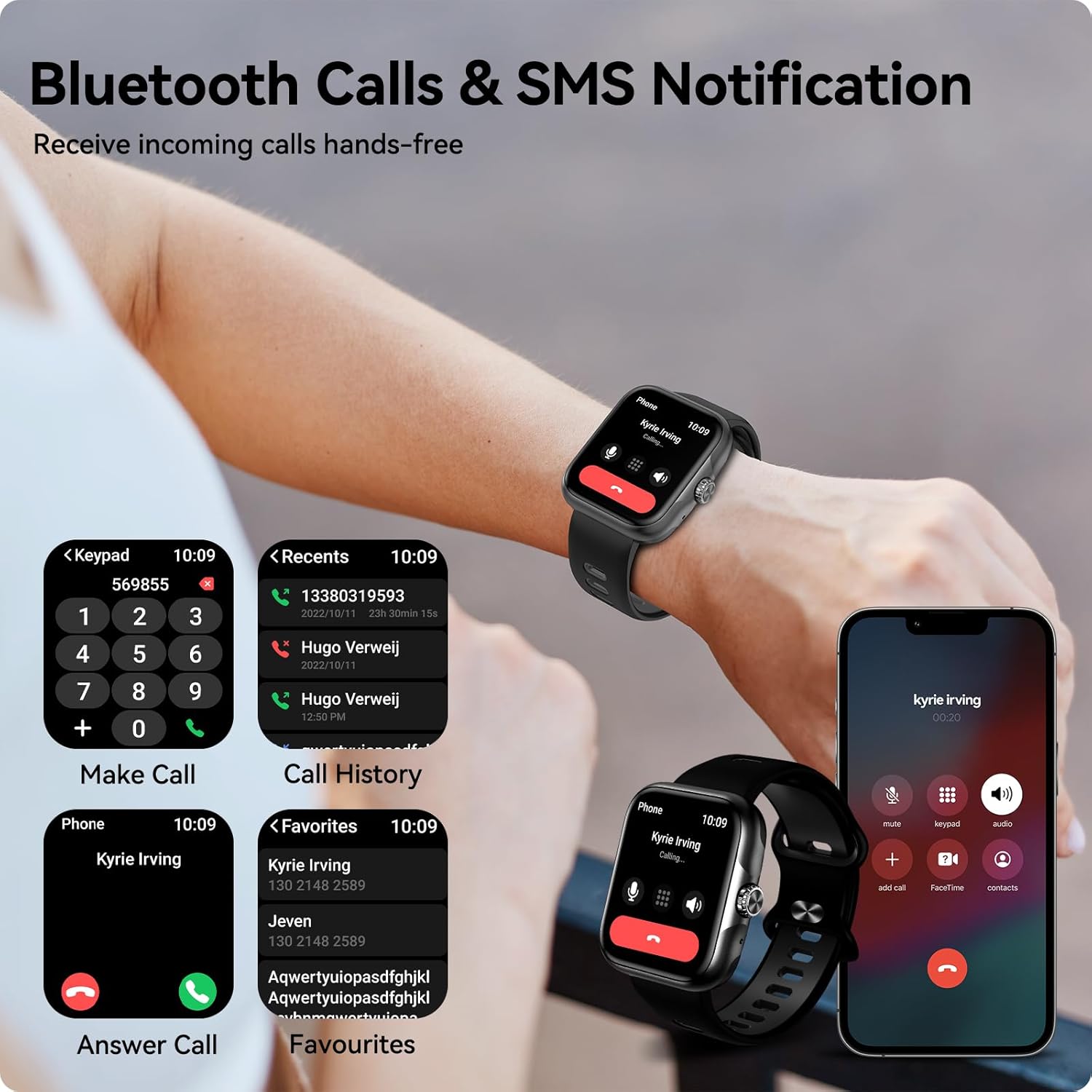
Figure 4.1: Illustration of the smart watch's capability to handle Bluetooth calls and display SMS notifications.
5. Мониторинг здоровья
The anyloop Smart Watch is equipped with advanced sensors to help you monitor key health metrics.

Рисунок 5.1: Болееview of health monitoring features, including menstrual health tracking, heart rate detection, and blood oxygen concentration measurement.
5.1 Мониторинг сердечного ритма
The watch provides real-time heart rate monitoring. You can view your current heart rate on the watch face or through the Fitbeing app for historical data and analysis.
5.2 Отслеживание сна
Wear your watch to bed for automatic sleep monitoring. The Fitbeing app provides a comprehensive analysis of your sleep patterns, including awake time, light sleep, deep sleep, and REM sleep, helping you understand and improve your sleep quality.
5.3 Мониторинг уровня кислорода в крови
Measure your blood oxygen saturation (SpO2) levels directly from your wrist. This feature provides insights into your respiratory health.
5.4 Menstrual Health Tracking
For female users, the watch offers features to predict menstrual periods, ovulation dates, and log menstruation, providing a convenient way to track your cycle.
6. Отслеживание фитнеса
Achieve your fitness goals with the smart watch's comprehensive activity tracking features.

Figure 6.1: Display showing real-time workout data including steps, running distance, calories burned, and exercise time.
6.1 Встроенный GPS
The integrated GPS allows for precise tracking of your outdoor activities without needing your phone. It records your route, distance, and pace for various sports.

Figure 6.2: Visual representation of the 30+ sport modes, built-in GPS tracking, and 30M waterproof capability.
6.2 спортивных режима
Choose from over 30 sports modes to accurately track your workouts. The watch monitors metrics such as heart rate, calories burned, steps taken, and distance covered specific to your chosen activity.
6.3 GPS Tracking Demonstration
Video 6.1: A demonstration of the anyloop Smart Watch Ultra's built-in GPS tracking capabilities.
7.Настройка
Personalize your smart watch to match your style and preferences.

Figure 7.1: A selection of over 100 gorgeous dials available, including the option to customize with your own photos.
7.1 Циферблаты
The Fitbeing app offers a library of over 100 watch faces to choose from. You can also upload your favorite photos to create personalized watch dials.
7.2 ALWAYS-ON Display
The watch supports an ALWAYS-ON display mode, allowing you to see the time and essential information at a glance without needing to activate the screen.
8. Техническое обслуживание
8.1 Гидроизоляция
The anyloop Smart Watch has a 3ATM waterproof rating, meaning it can withstand splashes, rain, and brief immersion in water up to 30 meters. It is suitable for showering and swimming. However, avoid hot water, steam, or prolonged immersion in deep water.
8.2 Очистка
To clean your watch, wipe the screen and strap with a soft, damp Ткань. Избегайте использования едких химикатов и абразивных материалов, которые могут повредить устройство.
9. Поиск Неисправностей
If you encounter any issues with your anyloop Smart Watch, please refer to the following common solutions:
- Часы не включаются: Убедитесь, что часы полностью заряжены. Подключите их к зарядному устройству и подождите несколько минут, прежде чем пытаться включить.
- Невозможно подключиться к телефону: Ensure Bluetooth is enabled on your phone and the watch is within range. Restart both the watch and your phone, then try pairing again through the Fitbeing app.
- Неточные данные: Ensure the watch is worn snugly on your wrist. For GPS tracking, ensure you are in an open area with clear sky visibility.
- Уведомления не получены: Check notification settings in the Fitbeing app and your phone's system settings to ensure permissions are granted for the app to access notifications.
- Короткое время автономной работы: Reduce screen brightness, disable unnecessary features like continuous heart rate monitoring if not needed, and limit frequent screen activations.
If the problem persists, please contact anyloop customer support for further assistance.
10. Технические характеристики
| Особенность | Спецификация |
|---|---|
| Размеры продукта | 1.55 x 1.8 x 0.48 дюйма |
| Вес товара | 1.6 унции |
| Номер модели | CW01 |
| Технология отображения | AMOLED |
| Размер экрана | 1.78 дюйма |
| Разрешение | 368 х 448 |
| Емкость аккумулятора | 350 мАч литий-полимерн. |
| Связность | Bluetooth, встроенный GPS |
| Водостойкость | 3 атмосфер (до 30 метров) |
| Ввод через человеческий интерфейс | Сенсорный экран, кнопки |
| Емкость памяти | 128 МБ |
| Цвет | Черный |
11. Гарантия и поддержка
For information regarding warranty coverage, returns, or technical support, please refer to the official anyloop website or contact their customer service directly. Contact details can typically be found on the product packaging or the brand's official online presence.