
BoxWave DirectSync PD Cable (3ft)
BoxWave DirectSync PD Cable User Manual
Model: DirectSync PD Cable (3ft)
Введение
The BoxWave DirectSync PD Cable is designed to provide efficient power delivery and high-speed data transfer for your USB-C compatible devices. This 3-foot braided cable supports up to 100W Power Delivery, making it suitable for charging a wide range of devices, including laptops, and ensures fast data synchronization.
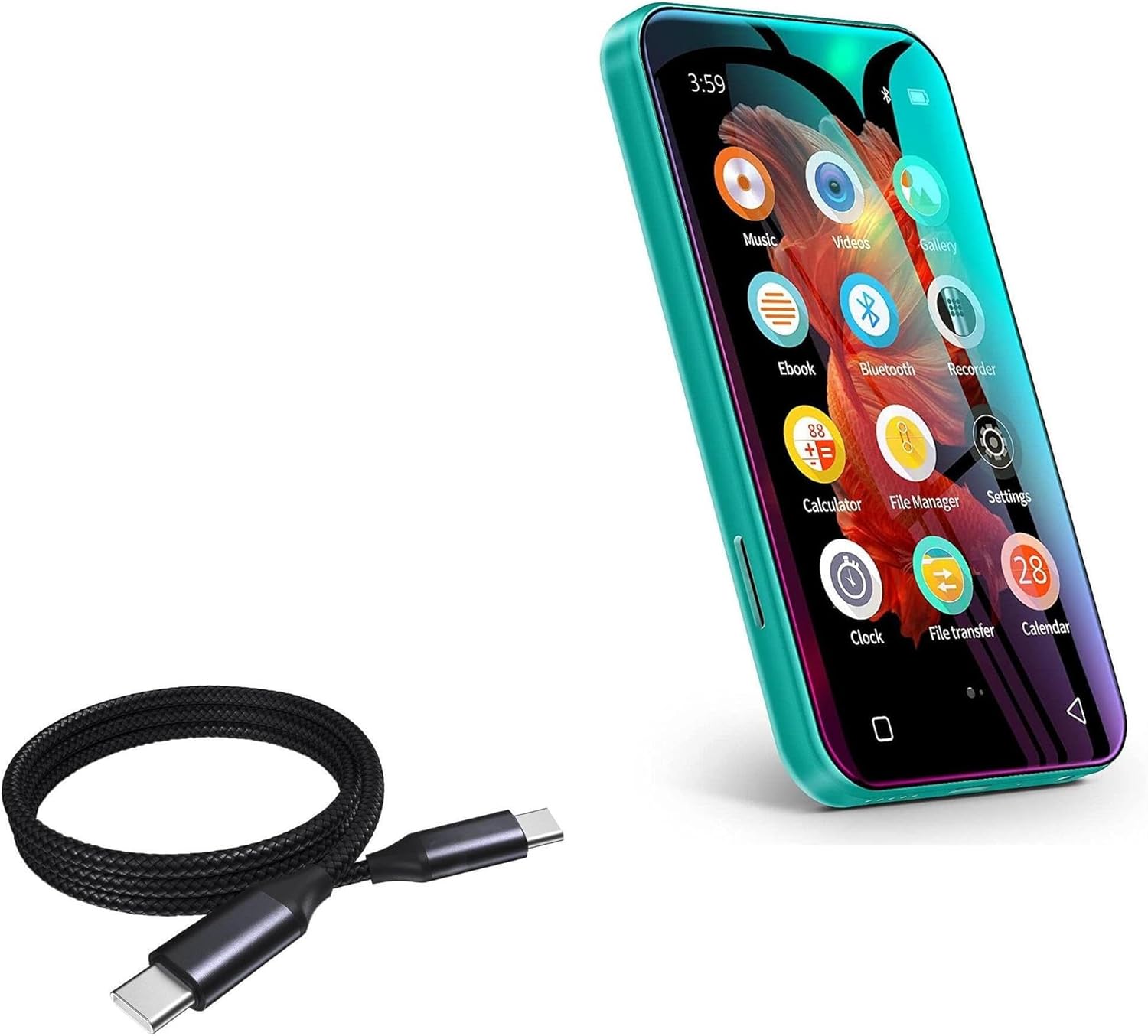
Image: The BoxWave DirectSync PD Cable shown alongside a TIMMKOO Q3E MP3 Player, illustrating its compatibility and primary use case.
Настраивать
Setting up your DirectSync PD Cable is straightforward. Follow these steps to begin using your cable for charging or data transfer.
- Определить порты: Ensure your device and power source (e.g., wall adapter, computer) have compatible USB-C ports.
- Подключение к источнику питания: Insert one end of the DirectSync PD Cable into a USB-C power adapter or a USB-C port on your computer.
- Подключиться к устройству: Insert the other end of the cable into the USB-C port of your device (e.g., smartphone, tablet, laptop, MP3 player).
- Проверить соединение: Убедитесь, что ваше устройство показывает, что оно заряжается или подключено для передачи данных.

Image: The DirectSync PD Cable facilitating simultaneous charging and data synchronization between a laptop and a smartphone, demonstrating its dual functionality.
Инструкция по эксплуатации
Зарядка вашего устройства
The DirectSync PD Cable supports up to 100W Power Delivery, allowing for rapid charging of compatible devices.
- Подключите кабель, как описано в разделе «Настройка».
- For optimal charging speed, use a power adapter that supports USB Power Delivery (PD) and matches your device's power requirements.
- The cable will automatically negotiate the appropriate power output with your connected device and power source.

Image: The DirectSync PD Cable connected to a laptop, illustrating its capability for high-wattage power delivery, indicated by a visual representation of energy flow.
Передача данных
Utilize the DirectSync PD Cable for high-speed data transfers between your devices and computer.
- Connect your device to your computer using the DirectSync PD Cable.
- На вашем устройстве может потребоваться выбрать "File Transfer" or "MTP" (Media Transfer Protocol) option if prompted.
- Получите доступ к хранилищу вашего устройства с компьютера. file explorer (Windows) or Finder (macOS) to transfer files.
- The cable supports 480Mbps data transfer speeds.
Обслуживание
Proper care will extend the life of your BoxWave DirectSync PD Cable.
- Уборка: Протрите кабель и разъемы мягкой сухой тканью. Избегайте использования агрессивных химикатов или абразивных материалов.
- Хранилище: Храните кабель в прохладном, сухом месте, вдали от прямых солнечных лучей и экстремальных температур. Избегайте сильного скручивания или изгибания кабеля под острыми углами, чтобы предотвратить повреждение внутренних проводов и оплетки.
- Умение обращаться: Always grasp the connector head when plugging or unplugging the cable, rather than pulling on the cable itself, to prevent strain on the connection points. The cable features reinforced strain reliefs for added durability.

Изображение: Подробный view of the cable's nylon braided exterior, highlighting its durable construction designed to resist tangles and fraying.

Image: A close-up showing the rubberized, reinforced strain relief at the connector end of the cable, designed to prevent kinking and tearing.
Поиск неисправностей
If you encounter issues with your DirectSync PD Cable, refer to the following common problems and solutions.
| Проблема | Возможная причина | Решение |
|---|---|---|
| Устройство не заряжается. | Loose connection, incompatible power adapter, or device issue. | Ensure both ends of the cable are securely plugged in. Try a different USB-C power adapter. Test the cable with another device to rule out a device-specific issue. |
| Медленная скорость зарядки. | Power adapter does not support PD, or device is not PD compatible. | Use a USB-C Power Delivery (PD) compatible wall charger with sufficient wattage (up to 100W). Ensure your device supports fast charging protocols. |
| Computer does not recognize the device for data transfer. | Device not set to file transfer mode, driver issue, or port issue. | On your device, check notifications and select "File Transfer" or "MTP" mode. Try a different USB-C port on your computer. Ensure your computer's drivers are up to date. Restart both devices. |
| Кабель, похоже, поврежден. | Физический износ. | Discontinue use immediately. Contact BoxWave support for assistance. |
Технические характеристики
| Особенность | Деталь |
|---|---|
| Бренд | BoxWave |
| Модель | DirectSync PD Cable |
| Тип разъема | USB Type-C на USB Type-C |
| Длина кабеля | 3 футов (100 см) |
| Подача питания (ПД) | До 100 Вт |
| Скорость передачи данных | 480 Мбит/с |
| Материал | High-grade Nylon Braided Cable with Rubberized Strain Reliefs |
| Цвет | Черный как смоль |
Гарантия и поддержка
Specific warranty information for the BoxWave DirectSync PD Cable is not provided within this manual. For details regarding warranty coverage, technical support, or to contact customer service, please visit the official BoxWave webсайт или обратитесь к упаковке продукта.
Для получения дополнительной помощи вы также можете обратиться к информации о продавце на платформе, где был приобретен товар.