
Введение
This manual provides detailed instructions for the UGREEN HDMI Switch 5 in 1 Out, Model CM568. This device allows you to connect up to five HDMI source devices to a single HDMI display, offering seamless switching between inputs. It supports high-resolution video up to 4K@60Hz, including 3D, CEC, HDR, and HDCP2.2, ensuring a high-quality visual and audio experience.
Содержимое упаковки
- 1 x UGREEN HDMI Switch (Model CM568)
- 1 х пульт дистанционного управления
- Кабель питания 1 x USB
- 1 х Руководство пользователя
Продукт болееview

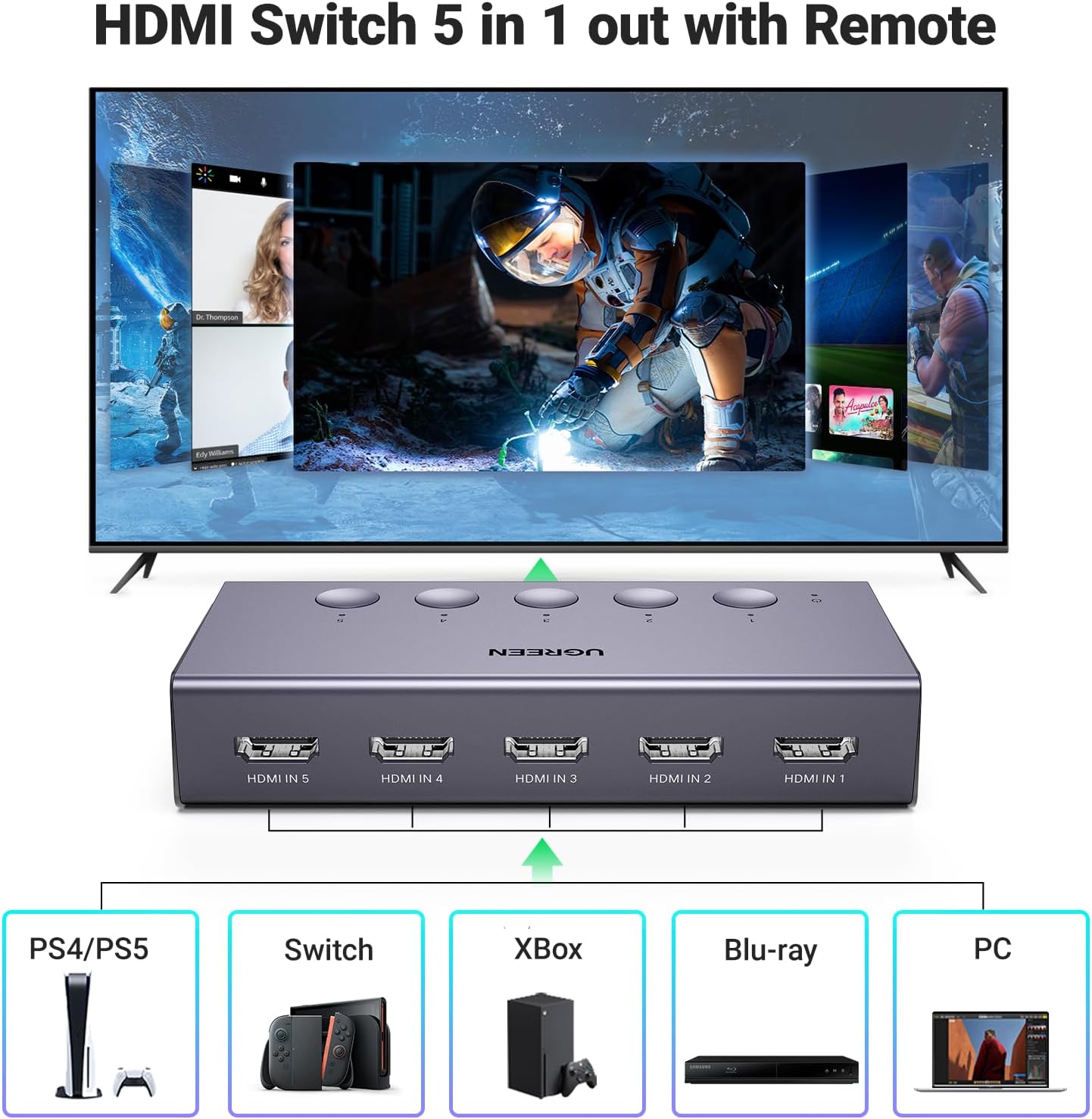
Функции продукта в действии
Это видео дает болееview of the UGREEN HDMI Switch 5 in 1 Out 4K@60Hz, demonstrating its design and functionality.
Характеристики продукта
- 5-in-1 HDMI Switching: Connect up to five HDMI source devices (e.g., PS5, Xbox, Nintendo Switch, Blu-ray players, Fire TV stick, PC, laptop) to a single HDMI display.
- Разрешение 4K@60Hz: Supports resolutions up to 4K@60Hz, with backward compatibility for 4K@30Hz, 2560*1440@120Hz, and 1920*1080@240Hz.
- Передовые видеотехнологии: Compatible with HDMI 2.0/1.4, HDCP2.2/1.4, VRR, Dynamic HDR, 3D, and CEC.
- Высокая пропускная способность: Supports 18Gbps data transmission for fast and stable video.
- Питание от USB: Ensures stable video transmission and better performance. A USB power cable is included (power adapter not included).
- Двойные методы переключения: Switch inputs using either the manual buttons on the device or the included remote control.
- Светодиодные индикаторы: Five LED indicators clearly show which input port is currently active.


Инструкции по установке
- Подключение источников HDMI: Plug your HDMI source devices (e.g., gaming consoles, Blu-ray players, streaming sticks) into the HDMI IN 1-5 ports on the UGREEN HDMI Switch.
- Подключиться к дисплею: Connect one end of an HDMI cable to the HDMI OUT port on the switch and the other end to an HDMI input port on your TV or monitor.
- Обеспечьте электропитание: Connect the included USB power cable to the USB-C Power Port on the switch and plug the other end into a USB power source (e.g., a USB wall adapter, TV USB port). Ensure the switch is connected to a power source for proper operation.

Видео-демонстрация настройки
This video demonstrates the physical setup and connection process for the UGREEN HDMI Switch 5 in 1 Out.
Инструкция по эксплуатации
Переключение входов
The UGREEN HDMI Switch offers two convenient methods for switching between your connected HDMI devices:
- Ручной кнопочный переключатель: Press the corresponding numbered button (1-5) on the top of the switch to select your desired input. The LED indicator above the button will light up to show the active input.
- Дистанционное управление: Use the included remote control to switch inputs from a distance. Press the numbered buttons (1-5) to directly select an input, or use the 'Next' button to cycle through the inputs sequentially.
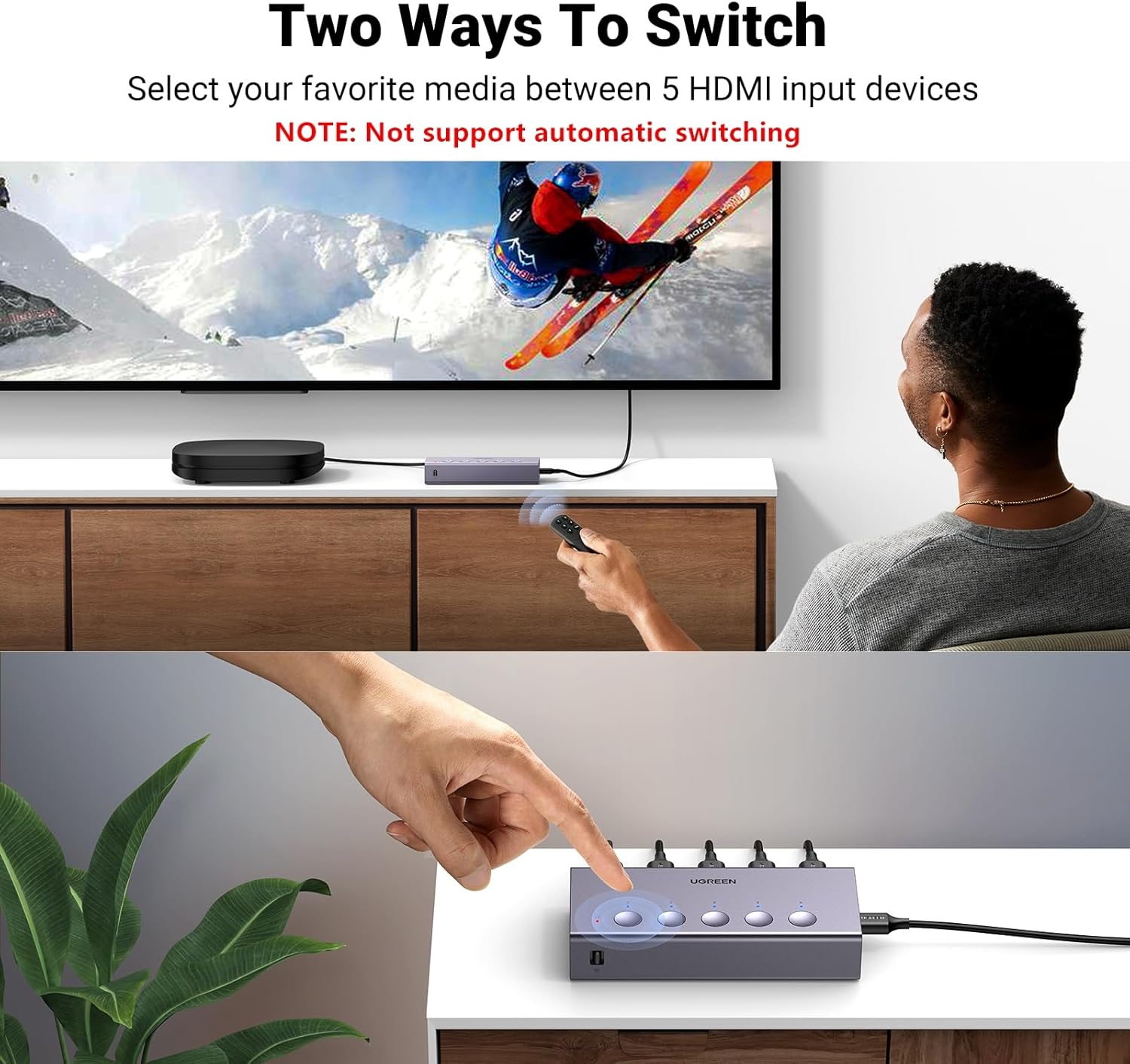
Использование дистанционного управления
For optimal performance, ensure the remote control is used within a 55-degree angle of the switch's IR receiver. The effective control range is within 33 feet (10 meters).

Operating the Switch with Remote
This video demonstrates how to operate the UGREEN HDMI Switch using the remote control to switch between connected devices.
Технические характеристики
| Особенность | Описание |
|---|---|
| Номер модели | CM568 |
| Цвет | Серый |
| Тип разъема | HDMI-HDMI |
| Количество портов | 5 входа, 1 выхода |
| Максимальное разрешение | 4К@60Гц |
| Обратная совместимость | 4K@30Hz, 2560*1440@120Hz, 1920*1080@240Hz |
| Стандарты HDMI | HDMI 2.0/1.4, HDCP2.2/1.4 |
| Поддерживаемые технологии | VRR, Dynamic HDR, 3D, CEC |
| Пропускная способность передачи данных | 18 Гбит/с |
| Источник питания | USB Powered (USB power cable included, adapter not included) |
| Размеры товара (Д x Ш x В) | 4.98"Д x 2.31"Ш x 0.96"В |
Recommended HDMI Cable Specifications

Поиск неисправностей
- Нет вывода 4K@60Hz: Ensure that both the input and output HDMI cables are within 3 meters (9 feet) and are AWG30 standard. Longer or lower-quality cables may not support 4K@60Hz.
- Отсутствие сигнала/Прерывистый сигнал: Verify that the HDMI switch is properly connected to a power source using the provided USB power cable. A stable power supply is crucial for optimal performance.
- No Audio Return Channel (ARC/eARC) Support: This HDMI switch does not support ARC or eARC functionalities. If you require ARC/eARC, please ensure your setup bypasses the switch for these features.
- Автоматическое переключение отсутствует: The UGREEN HDMI Switch does not support automatic input switching. Inputs must be selected manually using either the physical buttons on the device or the remote control.
Гарантия и поддержка
The UGREEN HDMI Switch (Model CM568) comes with a Гарантия 24 месяца. For any technical support or warranty claims, please contact UGREEN customer service through their official channels or the retailer where the product was purchased.