
1. Введение
The Re-Flix Superior Light 4-in-1 Universal Remote Control (Model 747516) is designed to simplify your home entertainment experience. This remote is pre-programmed for the ECCO 132786 TV, allowing for immediate use upon battery insertion. It offers control over multiple devices, functioning as a versatile replacement for your original remote controls.
Важный: Please ensure that the model designation of your device or original remote control matches the model designation specified in this manual for optimal compatibility.
2. Настройка
2.1. Установка аккумулятора
- Найдите батарейный отсек на задней стороне пульта дистанционного управления.
- Откройте крышку батарейного отсека.
- Insert two (2) 1.5V AAA batteries, ensuring correct polarity (+ and -). Batteries are not included.
- Плотно закройте крышку батарейного отсека.

Рисунок 1: Назад view пульта дистанционного управления с изображением отсека для батареек.
This image displays the rear of the Re-Flix Superior Light remote control. The battery compartment cover is clearly visible, indicating where to insert the two AAA batteries. The model number and manufacturer details are also present on a label.
2.2. Первое использование (предварительно запрограммированное)
This remote control is pre-programmed for the ECCO 132786 TV. After inserting the batteries, it is ready for immediate use with the specified device. No code entry or additional programming steps are required for this primary function.
Примечание: Data will not be lost even if the batteries are removed or run out.
2.3. Programming for Other Devices (Optional)
To program this remote control for other devices beyond the pre-programmed ECCO 132786 TV, a separate USB programmer is required. This USB programmer is not included with the remote control.
3. Инструкция по эксплуатации
The Re-Flix Superior Light remote control features a comprehensive layout for intuitive operation. Below is a general overview Основные кнопки и их функции.

Рисунок 2: Передняя часть view пульт дистанционного управления со всеми кнопками.
This image shows the front face of the Re-Flix Superior Light remote control, displaying its full array of buttons. These include power, device selection (TV, SAT, DVD, AUX), number pad, navigation cluster (OK, arrow keys), volume and channel controls, and dedicated smart TV/app buttons.
3.1. Device Selection Buttons
- ТВ/Цифровое ТВ: Switches the remote to control the television.
- TV, SAT, DVD, AUX: Selects the device to be controlled by the remote. Press the corresponding button to switch control to your TV, Satellite receiver, DVD player, or Auxiliary device.
3.2. Основные функции
- МОЩНОСТЬ (⏻): Включает или выключает выбранное устройство.
- Цифровые кнопки (0-9): Используется для прямого выбора канала или ввода чисел.
- ИСТОЧНИК: Cycles through input sources on your TV.
- МЕНЮ: Opens the menu of the selected device.
- OK / Navigation Arrows (◄ ▲ ► ▼): Используется для навигации по меню и подтверждения выбора.
- EXIT: Выход из текущего меню или функции.
- НАЗАД: Возврат к предыдущему экрану или меню.
- Громкость+ / Громкость-: Увеличивает или уменьшает громкость.
- СН+ / СН-: Переключает канал вверх или вниз.
- НЕМОЙ: Отключает или включает звук.
3.3. Расширенные функции
- СПАТЬ: Активирует функцию таймера сна на совместимых устройствах.
- Избранное: Доступ к любимым каналам.
- СДВИГ: May alter the function of other buttons (refer to device manual if applicable).
- РАЗМЕР: Adjusts screen size/aspect ratio.
- НАСТРОИТЬ: Accesses setup menus.
- СУБТИТРЫ: Включает/выключает субтитры.
- ИНФОРМАЦИЯ: Отображает информацию о программе.
- NET TV, SMART TUBE, SMART VIDEO, EPG: Dedicated buttons for smart TV applications and Electronic Program Guide.
4. Техническое обслуживание
4.1. Уборка
To clean the remote control, use a soft, dry cloth. Do not use abrasive cleaners, solvents, or chemical agents, as these may damage the surface or internal components.
4.2. Замена батареи
Replace batteries when the remote's performance degrades or it stops responding. Always replace both batteries simultaneously with new 1.5V AAA batteries. Dispose of old batteries responsibly according to local regulations.
4.3. Хранение
Store the remote control in a cool, dry place away from direct sunlight, extreme temperatures, and high humidity. If storing for an extended period, it is recommended to remove the batteries to prevent leakage.
5. Поиск Неисправностей
- Пульт не отвечает:
- Проверьте правильность установки батареек и соблюдение полярности.
- Замените старые батарейки на новые.
- Ensure there is a clear line of sight between the remote control and the device's infrared receiver.
- Verify that the correct device mode (TV, SAT, DVD, AUX) is selected.
- Remote not controlling the intended device:
- Confirm that the remote is pre-programmed for your specific device model (e.g., ECCO 132786 TV).
- If attempting to control a different device, ensure it has been correctly programmed using a separate USB programmer (not included).
- Refer to the original device's manual for its remote control compatibility and IR receiver location.
- Кнопки не работают:
- Clean the remote control surface and buttons to remove any dirt or debris that might be obstructing button presses.
- If only specific buttons are not working, it might indicate a hardware issue.
6. Технические характеристики
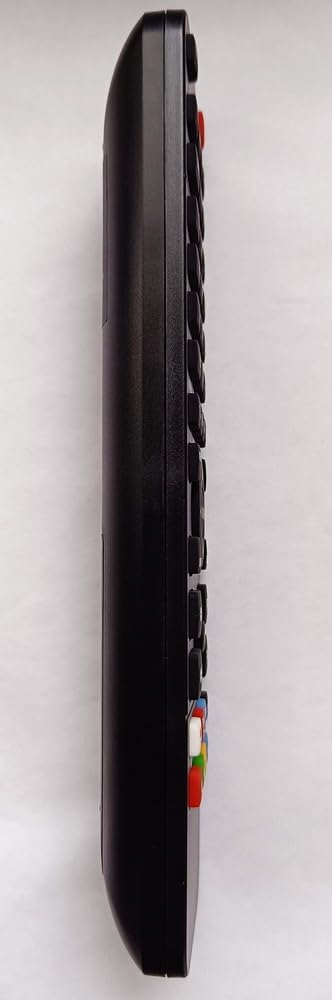
Рисунок 3: Боковая проекцияfile пульта дистанционного управления.
На этом изображении показана сторона. view of the Re-Flix Superior Light remote control, highlighting its ergonomic and slim design. The contours and button placement along the side are visible.
| Особенность | Деталь |
|---|---|
| Бренд | Re-Flix |
| Номер модели | 747516 |
| Совместимые устройства | Television (pre-programmed for ECCO 132786) |
| Технология связи | Инфракрасный |
| Количество поддерживаемых устройств | 1 (4-in-1 universal capability with external programmer) |
| Количество кнопок | 50 |
| Максимальный диапазон | 10 метра |
| Требуются батареи | 2 x 1.5 В AAA (не входят в комплект) |
| Масса | 89 г |
| Размеры (Д x Ш x В) | 21 х 4.7 х 2 см |
| Наличие запасных частей | Информация недоступна |
| Обновления программного обеспечения гарантированы до | Информация недоступна. |
7. Гарантия и поддержка
Specific warranty information for the Re-Flix Superior Light 4-in-1 Universal Remote Control is not provided in the product details. For warranty claims or technical support, please contact the seller or manufacturer directly. Keep your purchase receipt as proof of purchase.
For additional programming of other devices, please note that a separate USB programmer is required and is not included with this product. Support for programming other devices may require consulting the documentation for the USB programmer.