
Введение
This manual provides essential information for the proper use and maintenance of your AGM PAD P1 Rugged Android Tablet. Please read this manual thoroughly before operating the device to ensure optimal performance and longevity. The AGM PAD P1 is designed for durability, featuring waterproof, dustproof, and drop-proof capabilities, making it suitable for various environments.
Что в коробке?
Upon unboxing your AGM PAD P1, verify that all the following items are included:
- AGM PAD P1 Rugged Android Tablet
- USB-кабель
- Адаптер питания
- Защитный чехол
- Руководство пользователя (этот документ)
- Наклейки AGM
Продукт болееview
The AGM PAD P1 features a robust design with a 10.36-inch display and integrated cameras. Familiarize yourself with the device's physical components.

Image: The AGM PAD P1 tablet highlighting its waterproof and drop-proof design, shown submerged in water and on rough terrain with its protective case.
The tablet is equipped with an 8MP main camera on the rear and a 5MP front camera for video calls and selfies.
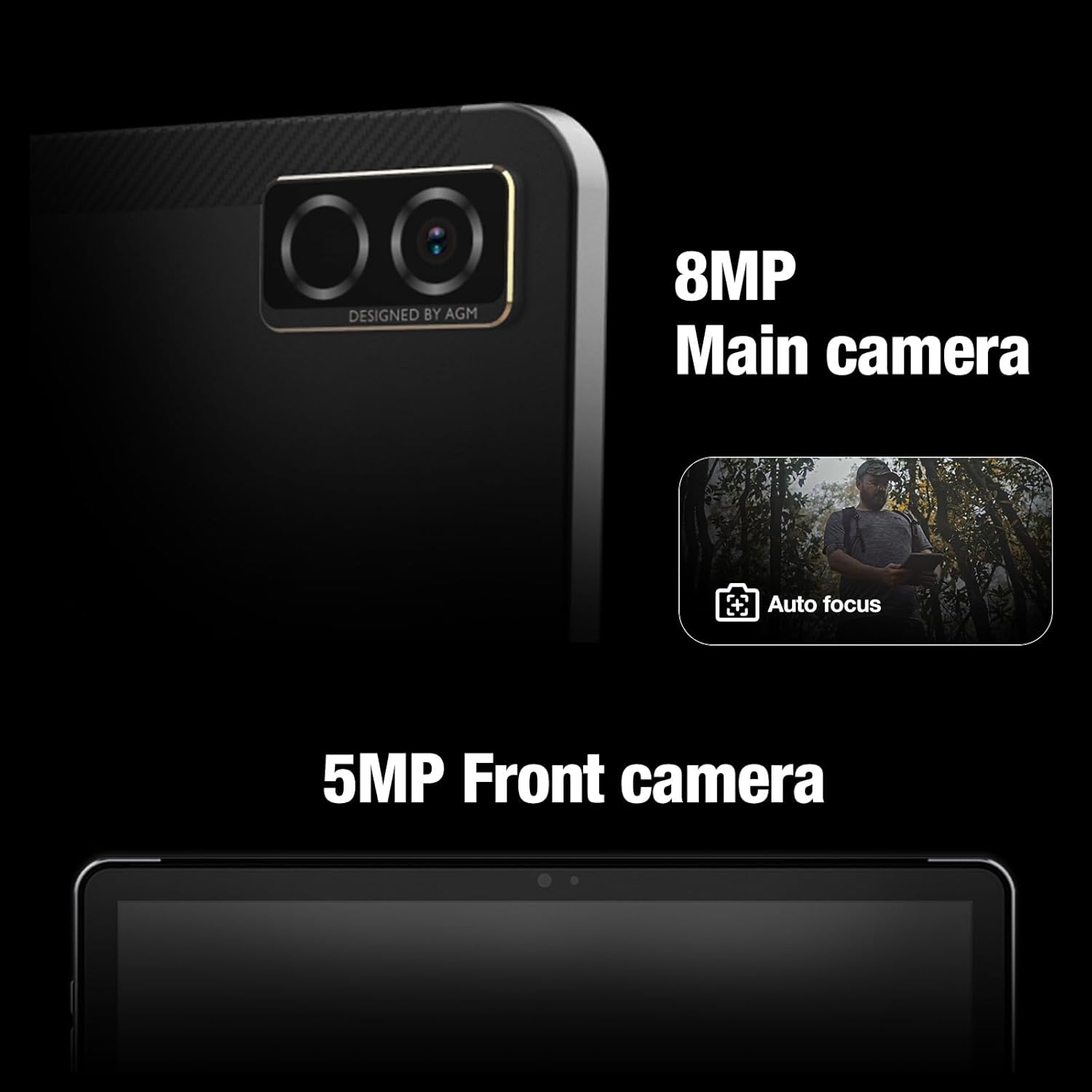
Изображение: Крупный план view of the AGM PAD P1's rear 8MP main camera with autofocus and the 5MP front camera.
Настраивать
1. Зарядка устройства
Before initial use, fully charge the AGM PAD P1 using the provided USB cable and power adapter. Connect the USB cable to the tablet's charging port and the adapter to a power outlet. The battery indicator on the screen will show charging progress.
2. Включение и выключение
- Для включения: Press and hold the Power button until the AGM logo appears on the screen.
- Чтобы выключить: Нажмите и удерживайте кнопку питания, пока не появится меню параметров питания. Выберите «Выключить» и подтвердите выбор.
3. Мастер первоначальной настройки
При первом включении планшет проведет вас через процесс первоначальной настройки. Это включает в себя выбор языка, подключение к сети Wi-Fi, настройку учетной записи Google и определение основных параметров устройства.
4. Установка карты microSD
The AGM PAD P1 supports expandable storage via a microSD card (up to 2TB). Locate the card slot on the side of the tablet, open the protective cover, and carefully insert the microSD card with the gold contacts facing down until it clicks into place. Close the protective cover securely to maintain water and dust resistance.
Инструкция по эксплуатации
Дисплей и интерфейс
The tablet features a 10.36-inch 2K (1200 x 2000 pixels) display with a 120Hz refresh rate, providing a clear and smooth visual experience. Navigate the Android 13 operating system using touch gestures.

Image: The AGM PAD P1 tablet displaying vibrant content on its 10.36-inch 2K screen.
Производительность
Powered by the MediaTek G99 Octa-core processor (up to 2.2 GHz) and 8GB of RAM, the AGM PAD P1 delivers efficient performance for multitasking, gaming, and media consumption. It runs on Android 13, offering the latest features and security updates.

Image: The AGM PAD P1 tablet showcasing its MediaTek Helio G99 processor for high performance.
Хранилище
The tablet comes with 256GB of internal storage, which can be expanded up to 2TB using a microSD card. This provides ampдостаточно места для приложений, фотографий, видео и документов.

Image: The AGM PAD P1 tablet illustrating its 256GB built-in memory and the option to expand storage up to 2TB with an SD card.
Срок службы батареи
Equipped with a 7000mAh Lithium-Ion battery, the AGM PAD P1 offers extended usage time. Battery life varies based on usage patterns and settings.
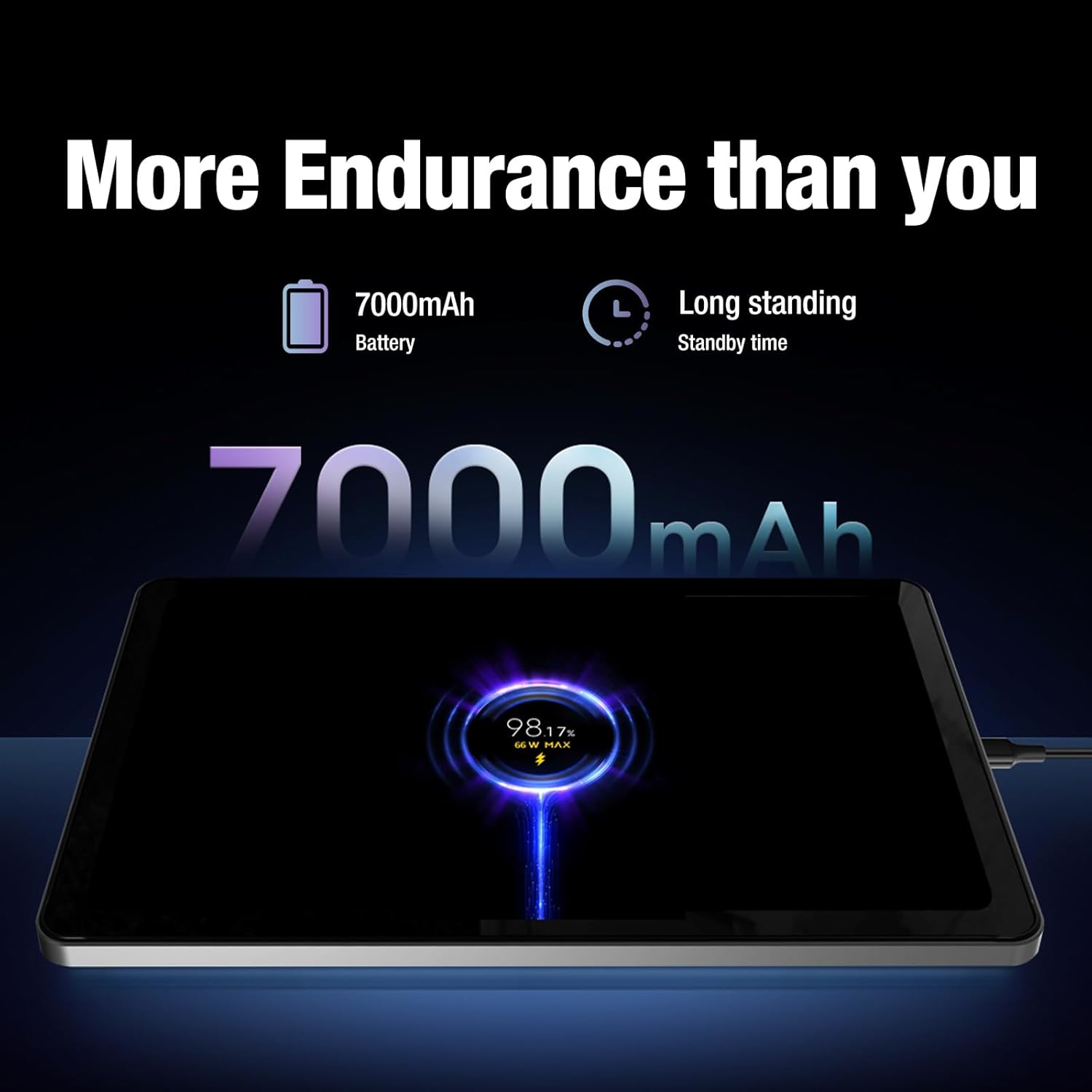
Image: The AGM PAD P1 tablet connected to a charger, indicating its 7000mAh battery capacity and long standby time.
Аудио
Experience immersive sound with the dual box stereo speakers. The tablet supports various audio formats including MP3, AAC, WAV, and OPUS.
Связность
The AGM PAD P1 supports Wi-Fi (802.11a/b/g), Bluetooth, and 4G cellular technology for internet access and peripheral connections. It also includes GPS for navigation.
Характеристики долговечности
The AGM PAD P1 is built to withstand challenging environments with its rugged design and IP68/IP69K ratings.
- Водонепроницаемость (IP68/IP69K): The tablet is protected against continuous immersion in water up to 1.5 meters for 30 minutes (IP68) and against high-pressure, high-temperature water jets (IP69K). Ensure all port covers are securely closed before exposure to water.
- Ударопрочный: Designed to endure accidental drops, the tablet's robust construction and included protective case offer enhanced shock resistance.
- пылезащитный: The device is fully protected against dust ingress, making it suitable for dusty environments.
Video: An underwater unboxing of the AGM PAD P1, demonstrating its waterproof capabilities and initial boot-up sequence while submerged.
Video: A demonstration of the AGM PAD P1's ruggedness and waterproof features, showcasing its suitability for outdoor and challenging conditions.
Обслуживание
- Уборка: Используйте мягкий, damp cloth to clean the tablet's surface. Avoid harsh chemicals or abrasive materials. Ensure all port covers are sealed before cleaning with liquids.
- Обновления программного обеспечения: Regularly check for and install system updates to ensure your device has the latest features, security patches, and performance improvements. Go to Settings > System > System update.
- Уход батареи: Чтобы продлить срок службы батареи, избегайте воздействия на планшет экстремальных температур. Не допускайте частой полной разрядки батареи.
Поиск неисправностей
| Проблема | Решение |
|---|---|
| Устройство не включается | Убедитесь, что батарея заряжена. Подключите планшет к зарядному устройству как минимум на 30 минут, затем попробуйте включить его снова. |
| Сенсорный экран не реагирует | Restart the device by holding the Power button for 10-15 seconds. If the issue persists, perform a factory reset (data will be lost). |
| Проблемы с подключением Wi-Fi | Проверьте, включён ли Wi-Fi в настройках. Перезагрузите роутер и планшет. Забудьте сеть и подключитесь заново. |
| Приложения вылетают или работают медленно | Закройте фоновые приложения. Очистите кэш приложения (Настройки > Приложения > [Название приложения] > Хранилище > Очистить кэш). Перезагрузите планшет. |
For further assistance, refer to the official AGM support resources.
Технические характеристики
| Особенность | Деталь |
|---|---|
| Бренд | Годовое общее собрание акционеров |
| Название модели | AGM PAD P1 |
| Операционная система | Андроид 13 |
| Процессор | MediaTek Helio G99 Octa-core (up to 2.2 GHz) |
| БАРАН | 8 ГБ |
| Внутреннее хранилище | 256 ГБ |
| Расширяемое хранилище | microSD до 2 ТБ |
| Размер экрана | 10.36 дюйма |
| Разрешение дисплея | 1200 x 2000 пикселей (2K) |
| Частота обновления дисплея | 120 Гц |
| Задняя камера | 8 МП |
| Передняя камера | 5 МП |
| Емкость аккумулятора | 7000 мАч литий-ион. |
| Связность | Wi-Fi (802.11a/b/g), Bluetooth, 4G, GPS |
| Прочность | IP68/IP69K Waterproof, Drop-Proof, Dustproof |
| Габариты (Д x Ш x Толщина) | 9.84 дюйма (Д) x 6.29 дюйма (Ш) x 0.35 дюйма (Т) |
| Вес товара | 0.94 Килограмма |
Гарантия и поддержка
The AGM PAD P1 comes with a 1-year manufacturer's limited warranty. For warranty claims or technical support, please contact AGM Mobile directly. Keep your proof of purchase for warranty validation.
Manufacturer: AGM Mobile
For additional support and resources, visit the official AGM webсайт или свяжитесь с их службой поддержки.