
Введение
The Hama C-Rotate Pro is a versatile and robust flash drive designed for convenient data storage and transfer. Featuring both USB-C 3.0 and USB 3.0/3.1 (Gen. 1) Type-A connectors, it offers broad compatibility with various devices. Its rotating mechanism protects the connectors, making it ideal for on-the-go use. This manual provides essential information for setting up, operating, maintaining, and troubleshooting your device.
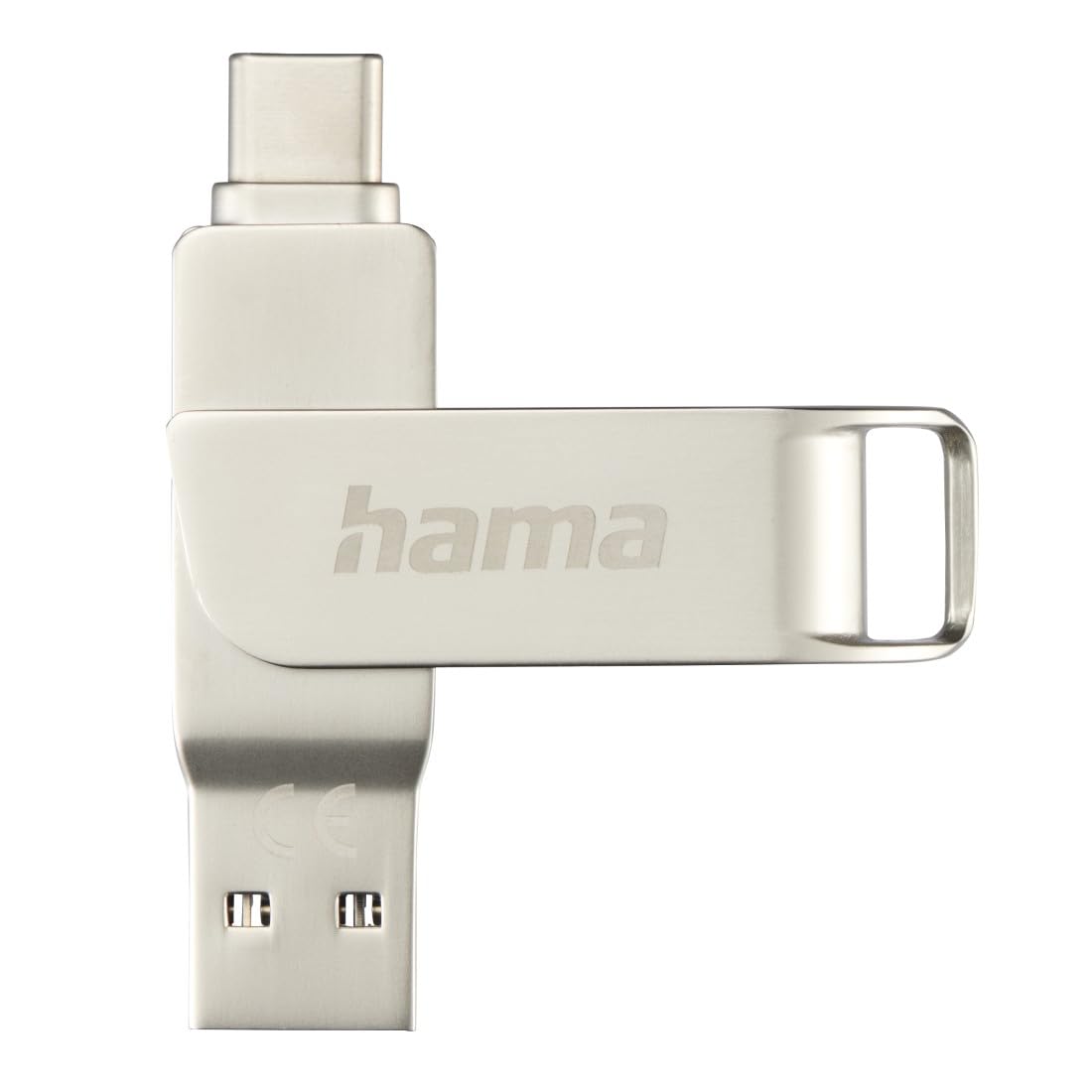
Image: The Hama C-Rotate Pro flash drive, showcasing its dual USB-A and USB-C connectors and the protective rotating metal casing.
Настраивать
The Hama C-Rotate Pro flash drive is designed for plug-and-play functionality, requiring no special driver installation for most operating systems.
- Укажите правильный порт: Determine whether your device has a USB-C port or a standard USB-A port.
- Rotate the connector: Gently rotate the metal casing to expose either the USB-C or the USB-A connector.
- Insert the flash drive: Plug the appropriate connector into the corresponding port on your computer, smartphone, or other compatible device.
- Распознавание устройства: Your operating system (Windows 10/8/7, MacOS 9.x or higher) should automatically recognize the flash drive as a removable storage device.
Important Note: Never attempt to use both the USB-C and USB-A connectors simultaneously. Only one connector should be exposed and connected at a time.
Инструкция по эксплуатации
Once connected, the Hama C-Rotate Pro functions like any standard removable storage device.
- Доступ Files: Откройте свой компьютер file explorer (Windows) or Finder (macOS) and locate the drive, typically labeled as a removable disk.
- Передача Files: Перетащите и отпустите files to and from the flash drive. For optimal speed, ensure you are using a USB 3.0/3.1 (Gen. 1) or USB-C 3.0 port.
- Full HD Video Playback/Recording: The drive supports direct recording and playback of Full HD videos, provided your device and software support this functionality.
- Безопасное удаление: Always safely eject the flash drive from your operating system before physically removing it to prevent data corruption.

Image: The Hama C-Rotate Pro with its USB-C connector ready for use.

Image: The Hama C-Rotate Pro with its USB-A connector ready for use.
Обслуживание
The Hama C-Rotate Pro is designed with a robust metal casing for durability. Minimal maintenance is required.
- Уборка: Use a soft, dry cloth to wipe the exterior of the flash drive. Avoid liquid cleaners or abrasive materials.
- Хранилище: When not in use, rotate the casing to protect both connectors from dust and physical damage. Store in a cool, dry place.
- Умение обращаться: Avoid dropping the device or subjecting it to excessive force.
Поиск неисправностей
- Issue: Flash drive not recognized by the device.
- Решение:
- Убедитесь, что флеш-накопитель полностью вставлен в USB-порт.
- Попробуйте использовать другой USB-порт на вашем устройстве.
- Ensure only one connector (USB-C or USB-A) is exposed and connected at a time.
- Перезагрузите компьютер или устройство.
- Check if your operating system is compatible (Windows 10/8/7, MacOS 9.x or higher).
- Проблема: низкая скорость передачи данных.
- Решение:
- Ensure you are connecting the flash drive to a USB 3.0/3.1 (Gen. 1) or USB-C 3.0 port on your device. Connecting to a USB 2.0 port will result in significantly slower speeds.
- Убедитесь, что files being transferred are not excessively fragmented or corrupted.
- Закройте другие приложения, которые могут использовать системные ресурсы или выполнять дисковые операции.
- Issue: Data corruption or loss.
- Решение:
- Always use the "Safely Remove Hardware" or "Eject" option in your operating system before physically disconnecting the flash drive.
- Избегайте отключения накопителя во время активной передачи данных.
Технические характеристики
| Название модели | C-Rotate Pro |
| Номер модели | ham_n17_00182490 |
| Емкость хранилища | 64 ГБ |
| Интерфейс | USB-C 3.0, USB 3.0/3.1 (Gen. 1) Type-A |
| Скорость чтения | Up to 70 MB/s (with USB 3.0/3.1 Gen. 1 or USB-C 3.0 interface) |
| Материал | Металл |
| Размеры (Д x Ш x В) | 62.2 мм x 14 мм x 8.9 мм |
| Масса | 16.34 грамм |
| Совместимость с операционными системами | Windows 10/8/7, MacOS 9.x or higher |
| Особые возможности | Rotating mechanism, OTG (On-The-Go) functionality |
Информация о поддержке
For further assistance or to access the official product page and additional resources, please visit the Hama webсайт.
- Онлайн-руководство: The user manual for the Hama C-Rotate Pro USB stick can be found on www.hama.com under item number 00182490.
- Производитель Webсайт: For general product information and support, visit www.hama.com.
Информация о гарантии обычно предоставляется вместе с упаковкой товара или доступна на официальном сайте производителя. website. Please refer to those resources for details regarding your product's warranty.