
1. Введение
This manual provides detailed instructions for the setup, operation, maintenance, and troubleshooting of your Cosmic Byte ARES Wired Controller for PC. Designed for an enhanced gaming experience, this controller features Hall Effect joysticks and triggers, dual vibration, and customizable Turbo functions.
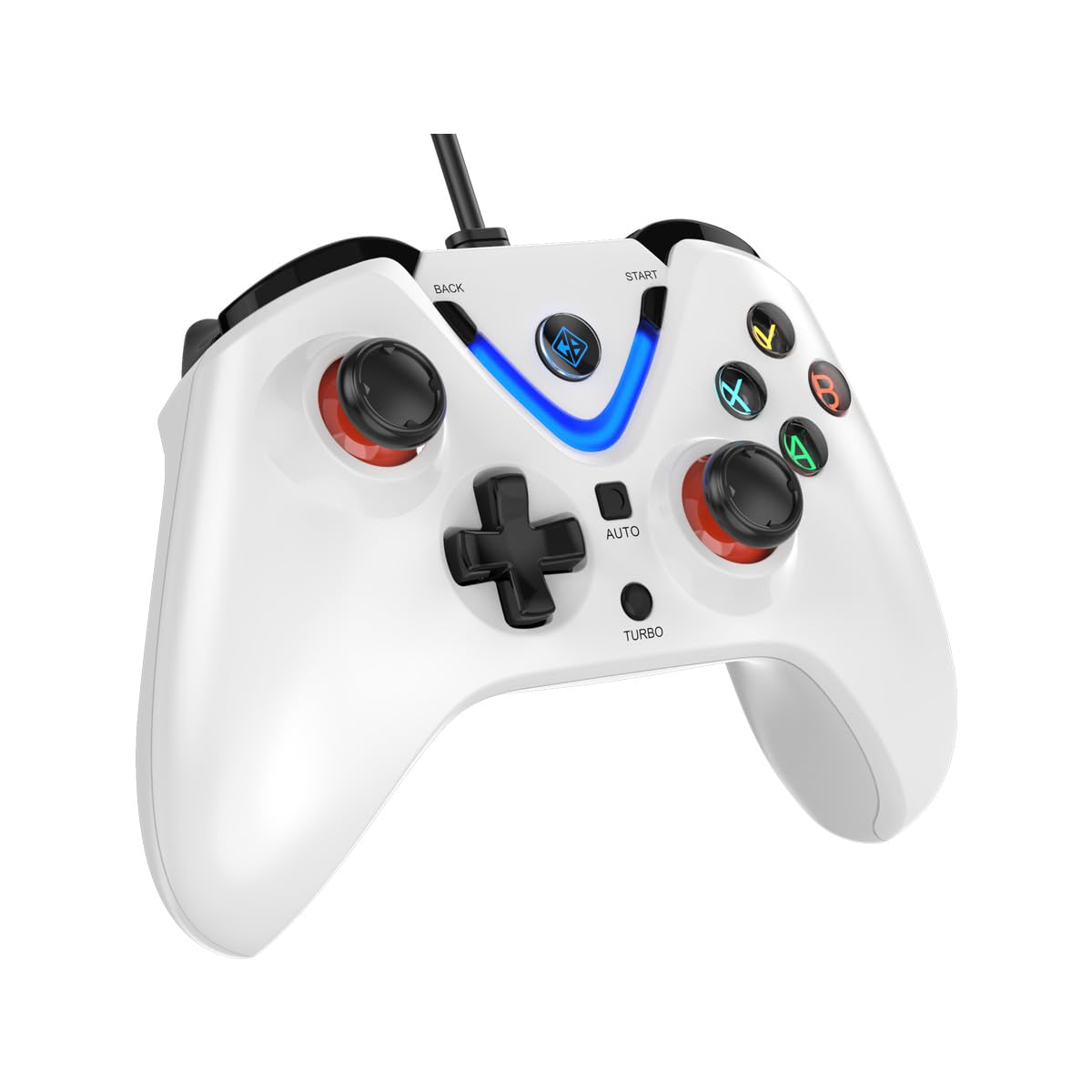
Image 1: The Cosmic Byte ARES Wired Controller in white, showcasinг его эргономичный дизайн.
2. Инструкции по настройке
2.1 Подключение к ПК
- Убедитесь, что ваш компьютер включен.
- Найдите свободный порт USB на вашем компьютере.
- Plug the USB connector of the Cosmic Byte ARES Wired Controller into the USB port.
- Операционная система автоматически обнаружит и установит необходимые драйверы. Этот процесс может занять несколько минут.
- После завершения установки контроллер готов к использованию.

Image 2: The controller connected via its wired USB connection, ensuring fast response.
3. Инструкция по эксплуатации
3.1 Основные элементы управления
The Cosmic Byte ARES controller features standard gamepad layouts, including:
- Left and Right Analog Joysticks: Для точного перемещения и управления камерой.
- Крестовина: Для ввода направления, часто используется в меню или для выполнения определенных игровых действий.
- Кнопки действий (A, B, X, Y): For primary game interactions.
- Кнопки на плечах (L1, R1) и триггеры (L2, R2): For various in-game functions like shooting, aiming, or accelerating.
- Кнопки «Пуск» и «Назад»: Для приостановки игр, доступа к меню или выполнения определенных внутриигровых команд.
- Кнопка Турбо: Для активации функций скорострельной стрельбы.
- Кнопка Авто: For activating automatic rapid-fire functions.
3.2 Джойстики и триггеры на эффекте Холла
The controller is equipped with Hall Effect joysticks and triggers, which use magnetic sensors instead of physical contacts. This technology provides:
- Повышенная точность: More accurate and responsive input.
- Повышенная прочность: Reduces wear and tear, preventing stick drift over time.
- Плавная работа: Consistent and linear response for triggers, allowing for nuanced control in games.

Изображение 3: Взорванный view illustrating the Hall Effect joystick mechanism and the Hall Effect triggers.
3.3 Двойная вибрационная обратная связь
The controller features dual vibration motors that provide tactile feedback during gameplay, enhancing immersion by simulating in-game events such as impacts, explosions, or engine rumbling.
3.4 Backlit LED Buttons
The action buttons (A, B, X, Y) and the central V-shaped indicator feature LED backlighting, providing visibility in low-light conditions and adding to the controller's aesthetic.

Image 4: The controller with its LED buttons illuminated and visual representation of vibration effects.
3.5 Turbo and Auto Turbo Functions
The Turbo and Auto Turbo functions allow for rapid, repeated input of a button press without continuously pressing the button.
- Активация Турбо: Press and hold the desired action button (e.g., A) and then press the Турбо button. The button will now rapidly repeat its input as long as you hold it down.
- Activating Auto Turbo: Press and hold the desired action button (e.g., A) and then press the Авто button. The button will now rapidly repeat its input automatically without needing to be held down.
- Deactivating Turbo/Auto Turbo: To deactivate, repeat the activation steps for the specific button, or press the Прозрачный button (if available) or disconnect and reconnect the controller.

Image 5: Close-up of the controller showing the Turbo and Auto function buttons.
4. Техническое обслуживание
- Уборка: Для очистки контроллера используйте мягкую сухую ткань. Для удаления стойких загрязнений используйте слегка мягкую ткань.amp cloth can be used, ensuring no liquid enters the controller. Avoid harsh chemicals or abrasive cleaners.
- Хранилище: Храните контроллер в прохладном, сухом месте, вдали от прямых солнечных лучей и экстремальных температур. Избегайте размещения на контроллере тяжелых предметов.
- Уход за кабелем: Do not sharply bend or pull the USB cable. Always grasp the plug when disconnecting from the PC.
5. Поиск Неисправностей
- Контроллер не распознан:
- Убедитесь, что USB-кабель надежно подключен как к контроллеру, так и к компьютеру.
- Попробуйте подключить контроллер к другому USB-порту.
- Перезагрузите компьютер.
- Check Device Manager on Windows to see if the controller is listed and if there are any driver issues.
- Кнопки/джойстики не отвечают:
- Verify the controller is recognized by your PC (see above).
- Test the controller in a different game or a controller testing utility to rule out game-specific issues.
- Убедитесь, что никакие другие устройства ввода не мешают работе.
- Вибрация не работает:
- Проверьте внутриигровые настройки, чтобы убедиться, что виброотдача включена.
- Some games may not support vibration or may have limited vibration effects.
6. Технические характеристики
| Особенность | Деталь |
|---|---|
| Бренд | Космический байт |
| Название модели | Арес |
| Совместимые устройства | PC |
| Тип контроллера | Геймпад |
| Технология связи | USB |
| Характеристики продукта | Эргономичный |
| Количество кнопок | 16 |
| Аппаратная платформа | PC |
| Тип источника питания | Проводной электрический, USB-кабель |
| Вес товара | 220 грамм |
| Размеры товара | 6 x 10 x 4 сантиметров |
| Цвет | Белый |
| Страна происхождения | Китай |

Image 6: A comparison table highlighting features of different ARES controller models.
7. Гарантия и поддержка
7.1 Информация о гарантии
The Cosmic Byte ARES Wired Controller comes with a Гарантия 1 год на производственные дефекты С даты покупки. Сохраните чек на случай предъявления гарантийных претензий.
7.2 Контактная информация производителя
For support, service, or warranty inquiries, please contact:
Космический байтPrakash Warehousing, S. No.163, Hissa No 1-2-3-4-5A-5B/2/1,
Phursungi, Pune 412308, Maharashtra, India
For further assistance, please visit the official Cosmic Byte webсайт или свяжитесь с их службой поддержки.