
1. Введение
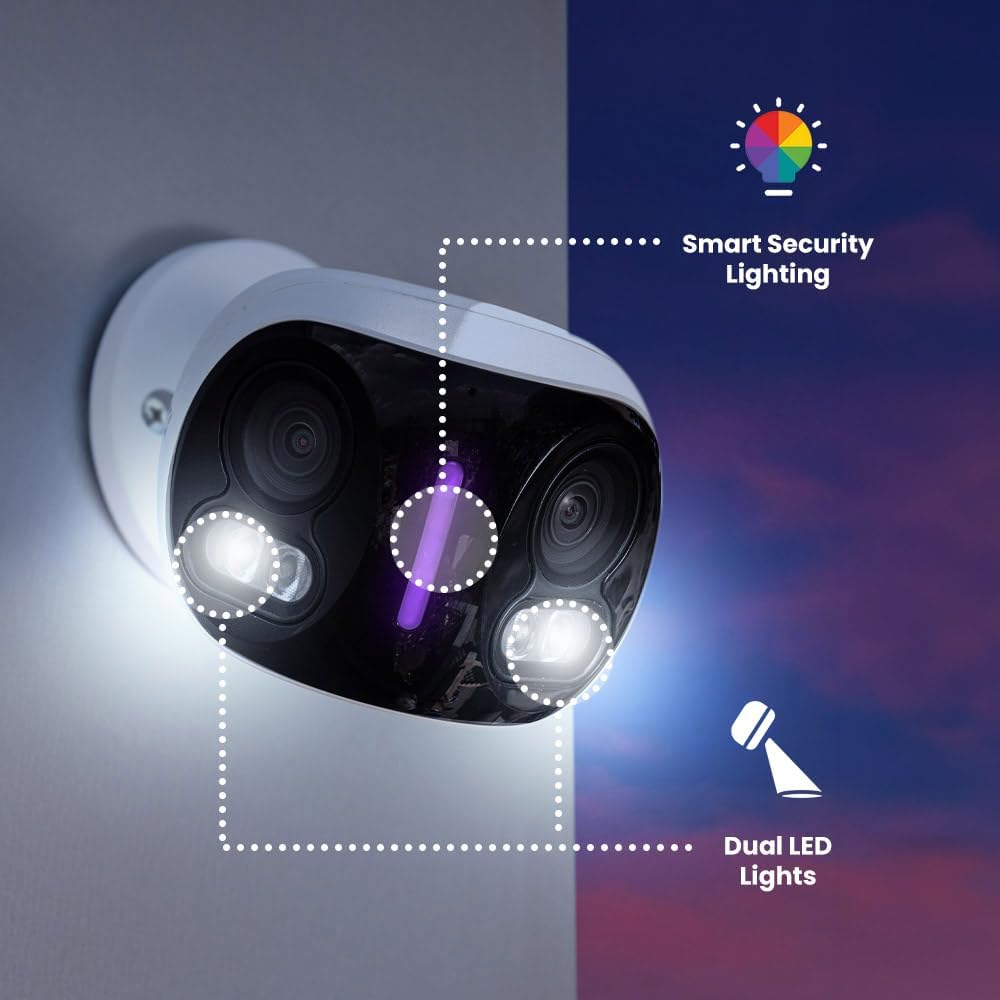
This manual provides detailed instructions for the installation, operation, and maintenance of your Lorex 4K 8MP IP Wired Dual-Lens Add-On Outdoor Security Camera. Designed for comprehensive outdoor surveillance, this camera features dual lenses for a 180-degree panoramic view, advanced color night vision, and smart security lighting to enhance your property's security.

2.Основные характеристики
- 4K Panoramic View: The dual-lens system combines two adjacent scenes to create a continuous 180-degree panoramic view, allowing you to monitor larger areas with fewer cameras.
- Цветное ночное видение: Experience enhanced clarity and detail in low-light conditions with Color Night Vision (requires ambient lighting). In complete darkness, the camera automatically switches to Infrared Night Vision for clear black and white video.
- Proactive Prevention: Deter unwanted visitors with motion-activated warning lights and an integrated siren, designed to stop incidents before they escalate.
- Интеллектуальное охранное освещение: Personalize your security lighting with over 16 million color options. Assign specific colors for motion events or camera modes, providing a visual deterrent.
- Умные оповещения: Receive detailed notifications for specific types of motion, including Person, Vehicle, Animal, and Package Detection. Customize alerts to focus on what matters most.
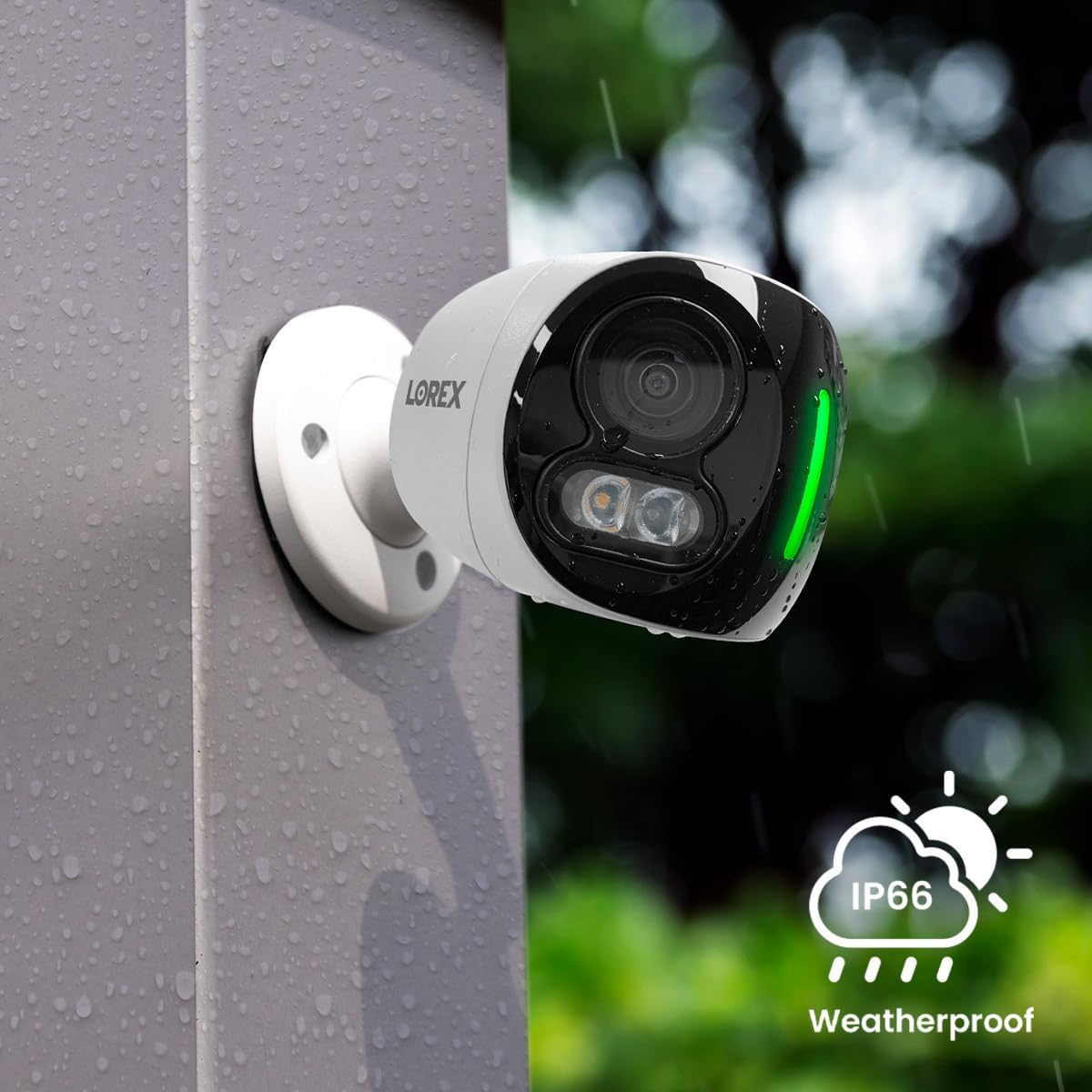
- Year-Round Durability: Built with durable, all-metal housing and an IP67 weatherproof rating, this camera is designed to withstand harsh weather conditions, from -22°F (-30°C) to 131°F (55°C).
- Двусторонний разговор: Communicate directly through the camera using the built-in microphone and speaker. Utilize Quick Response messages for convenient, pre-recorded replies.
- Requires Recorder: This is an add-on camera compatible with Lorex N845/N846/N847/N864/N910-series recorders. It must be connected to one of these recorders to operate.



3. Руководство по установке
3.1. Что в коробке
- Lorex 4K 8MP IP Wired Dual-Lens Add-On Outdoor Security Camera (Model E871AB)
3.2. Прежде чем начать
Ensure you have a compatible Lorex N845/N846/N847/N864/N910-series recorder. This camera is designed as an add-on and requires a recorder for full functionality, including power, video recording, and network connectivity.
3.3. Этапы установки
- Выберите местоположение: Select an outdoor location that provides the desired panoramic view and is within reach of your Lorex recorder's cabling. Ensure the mounting surface is sturdy.
- Установите камеру: Use the provided mounting hardware to securely attach the camera to the chosen surface. Drill pilot holes if necessary.
- Connect to Recorder: Connect the camera's Ethernet cable to an available PoE (Power over Ethernet) port on your compatible Lorex recorder. This provides both power and video transmission.
- Настройка через приложение: Once connected, follow the instructions in your Lorex recorder's manual or the Lorex Home app to add and configure the new camera.

4. Инструкция по эксплуатации
4.1. Доступ к прямой трансляции View
Access the live video feed from your camera through the Lorex Home mobile application or directly from your Lorex recorder's interface. The 180-degree panoramic view will be displayed, providing a wide field of vision.
4.2. Using 2-Way Talk
Из живого view in the Lorex Home app, tap the microphone icon to speak through the camera's speaker. Tap again to end. You can also select pre-recorded Quick Response messages for common interactions.
4.3. Customizing Smart Security Lighting
Navigate to the camera settings in the Lorex Home app to customize the smart security lighting. You can choose from millions of colors, set brightness levels, and configure the lights to activate based on motion detection or specific schedules.
4.4. Managing Smart Alerts
In the app, configure your smart alert preferences. You can enable or disable detection for persons, vehicles, animals, and packages. Adjust sensitivity and define specific motion detection zones to minimize false alarms.
4.5. Реviewing записи
Записаноtage is stored on your Lorex recorder. Use the Lorex Home app or the recorder's interface to review playback, search for specific events, and export video clips.
5. Техническое обслуживание
5.1. Чистка камеры
Периодически очищайте объективы и корпус камеры мягкой тряпкой.amp cloth. Avoid using harsh chemicals or abrasive cleaners, as these can damage the camera's finish or optical components.
5.2. Обновления прошивки
Regularly check for firmware updates through the Lorex Home app or the Lorex support website. Keeping your camera's firmware updated ensures optimal performance, security, and access to new features.
5.3. Забота об окружающей среде
While the camera is IP67 weatherproof, ensure its mounting location does not allow water to pool around connections. Clear any debris, such as leaves or snow, that might obstruct the camera's view или вентиляция.
6. Поиск Неисправностей
6.1. No Power / No Video
- Ensure the Ethernet cable is securely connected to both the camera and a powered PoE port on your Lorex recorder.
- Verify that your Lorex recorder is powered on and functioning correctly.
- Check the network cable for any damage.
6.2. Плохое качество изображения
- Clean the camera lenses to remove any dirt, dust, or smudges.
- Ensure there is sufficient ambient light for Color Night Vision to activate.
- Проверьте наличие препятствий в поле зрения камеры. view.
6.3. Проблемы с обнаружением движения
- Adjust the motion detection sensitivity settings in the Lorex Home app.
- Review and reconfigure your motion detection zones to cover desired areas.
- Убедитесь, что камера view не заслоняется движущимися объектами, такими как ветви деревьев.
6.4. 2-Way Talk Problems
- Verify that the microphone and speaker settings are enabled in the Lorex Home app.
- Check your mobile device's volume and microphone permissions for the app.
6.5. Recorder Compatibility
This camera is only compatible with Lorex N845/N846/N847/N864/N910-series recorders. Ensure your recorder model is listed as compatible.
7. Технические характеристики
| Особенность | Спецификация |
|---|---|
| Название модели | Е871АБ |
| Использование внутри и снаружи помещений | На открытом воздухе |
| Разрешение видеозахвата | 4K (эффективное разрешение фото 8 МП) |
| Цвет | Доступно в различных цветах |
| Количество предметов | 1 |
| Включенные компоненты | Camera unit with built-in dual lenses |
| Количество каналов | 2 |
| Технология беспроводной связи | Ethernet (Wired) |
| Форм-фактор | Башня |
| Верхний температурный рейтинг | 55 градусов Цельсия (131°F) |
| Частота кадров | 15 кадров в секунду |
| Материал | Алюминиевый сплав + пластик |
| Ватtage | 8 Вт |
| Размеры товара Д x Ш x В | 16.2 x 8.3 x 6.6 дюйма |
| Уровень водонепроницаемости | Водонепроницаемый (IP67) |
| Вес товара | 1.75 фунта |
| Поле View | 180 градусов |
| Тип предупреждения | Motion Only (Person, Vehicle, Animal, Package Detection) |
| Тип комнаты | На открытом воздухе |
| Конкретные области применения продукта | Outdoor Surveillance, Wide Area Monitoring |
| Международный рейтинг защиты | IP67 |
| СКП | 695529051413 |
| Производитель | Lorex |
| Бренд | Lorex |
8. Гарантия и поддержка
8.1. Гарантия на продукцию
For detailed information regarding the product warranty, please refer to the official Lorex webили на гарантийном талоне, прилагаемом к вашей покупке. Условия гарантии могут отличаться.
8.2. Поддержка клиентов
If you encounter any issues or have questions about your Lorex camera, please visit the official Lorex support webСайт с часто задаваемыми вопросами, руководствами по устранению неполадок и контактной информацией службы поддержки клиентов.
Более подробную информацию и ресурсы поддержки можно найти на сайте Магазин Lorex на Amazon.