
1. Введение
This manual provides comprehensive instructions for the setup, operation, and maintenance of your XTUGA UH-300 UHF Rechargeable Wireless Karaoke Microphone System. Please read this manual thoroughly before using the product to ensure optimal performance and longevity.
2. Содержимое упаковки
Убедитесь, что все перечисленные ниже предметы входят в комплект. Если какие-либо предметы отсутствуют или повреждены, обратитесь в службу поддержки клиентов.
- 1 беспроводной УВЧ-приемник
- 2 беспроводных УВЧ-микрофона
- 1 x Адаптер питания (постоянный ток 5 В)
- 1 аудиокабель 3.5 мм на 3.5 мм
- 1 аудиокабель 3.5 мм - RCA
- 1 х USB-кабель для зарядки
- 1 х Руководство пользователя

Изображение: XTUGA UH-300 system components, including the receiver, two microphones, power adapter, and various audio cables.
3. Продукт закончилсяview
3.1 Receiver Controls and Features

Изображение: Передний view of the XTUGA UH-300 receiver with two wireless microphones. The receiver features various knobs and a display screen.
- ВЛАСТЬ: On/Off switch for the receiver.
- A-RF-B Indicator: Lights indicate signal reception for Microphone A and B.
- Индикатор автофокусировки: Lights indicate audio signal presence.
- MIC VOL A/B: Independent volume controls for Microphone A and Microphone B.
- ЭХО: Knob to adjust the echo effect level.
- МУЗЫКА: Knob to adjust the volume of background music input (e.g., via Bluetooth or AUX).
- MIC (1/4" Jack): Input for an additional wired or wireless microphone.
- Экран дисплея: Shows channel information for both microphones.

Изображение: Подробный view of the receiver's front panel, highlighting the 1/4" MIC jack, individual volume controls for microphones, echo control, and Bluetooth music control.
3.2 Характеристики микрофона
- UHF Wireless: Operates on UHF frequencies for stable signal transmission.
- Аккумуляторная батарея: Built-in lithium battery provides 3-8 hours of operation on a 2-3 hour charge.
- Светодиодный дисплей: Shows battery level and selected channel (e.g., CH01-CH30).
- Светодиодное кольцо: A cool design feature that illuminates during use.
- Порт зарядки постоянного тока 5 В: USB port for convenient charging.
- Кнопка частоты: Allows selection of operating channels.

Изображение: Close-up of the rechargeable wireless microphones, showing the LED display with channel information, and the DC5V charging port with a frequency button.
4. Настройка
4.1 Подключение приемника
- Connect the power adapter to the DC 5V input on the receiver and plug it into a power outlet.
- Connect the receiver's audio output to your speaker system, amplifier, or soundbar. You can use either the 1/4" (6.35mm) output or the 1/8" (3.5mm) output, depending on your audio device's input. Use the provided 3.5mm to 3.5mm or 3.5mm to RCA cables as needed.
- Ensure your speaker system is powered on and set to the correct input source.

Изображение: Diagram illustrating various input and output connection options for the XTUGA UH-300 system, including connections to smartphones, laptops, karaoke speakers, soundbars, and home theater systems.
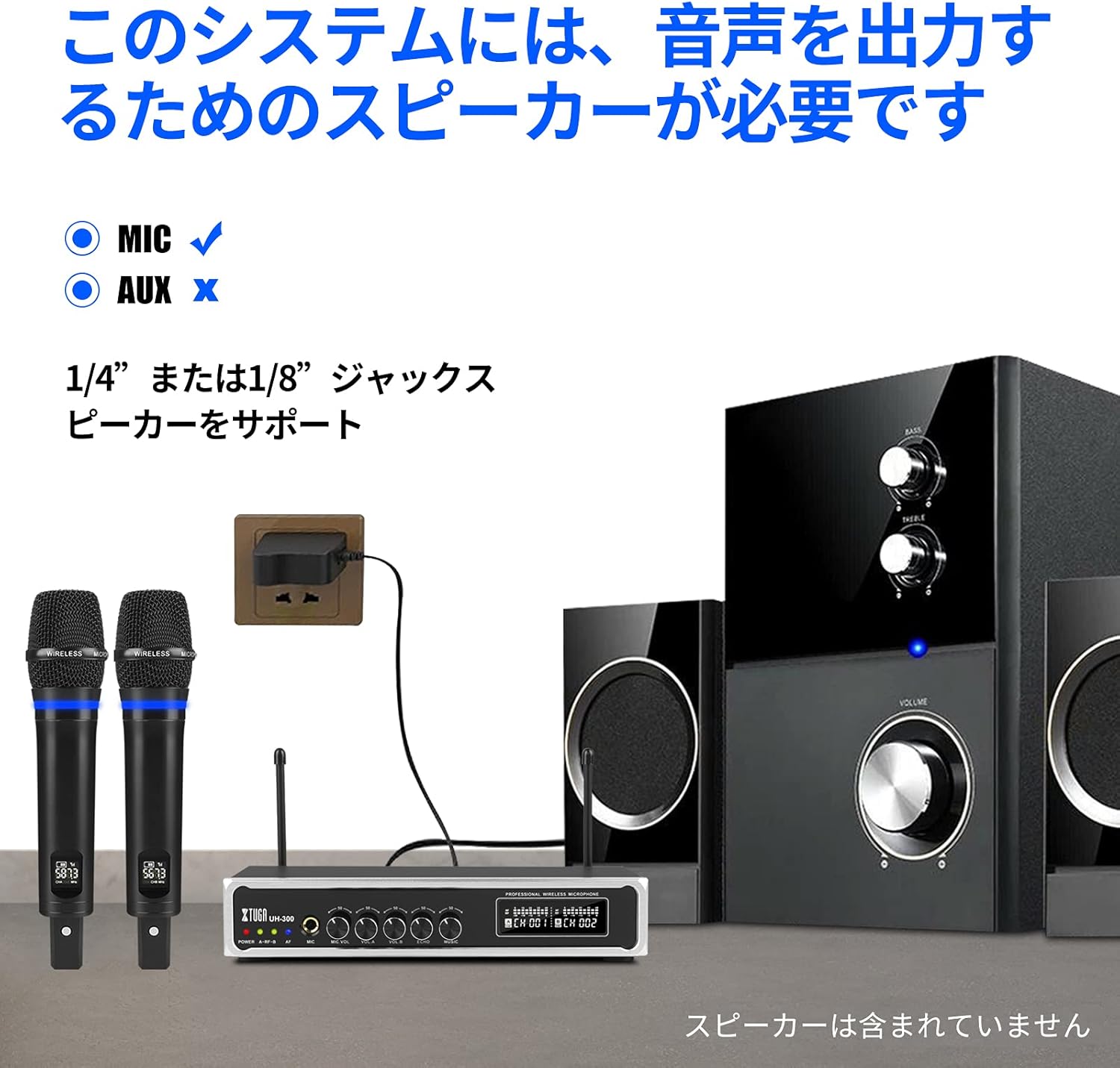
Изображение: The XTUGA UH-300 receiver and microphones connected to a speaker system. Note that a speaker is required for audio output and is not included with the system.
4.2 Зарядка микрофонов
The microphones have built-in rechargeable lithium batteries. Before first use, fully charge both microphones.
- Connect the USB charging cable to the DC 5V charging port on each microphone.
- Plug the other end of the USB cable into a USB power source (e.g., a USB wall adapter, computer USB port).
- Charging typically takes 2-3 hours. The microphone's display may indicate charging status.

Изображение: A wireless microphone being charged via its USB port, illustrating the charging process and indicating typical charging and usage times.
4.3 Microphone Pairing and Channel Selection
The microphones are typically pre-paired with the receiver. If you experience connection issues or wish to change channels:
- Turn on the receiver and the microphone.
- Press the 'SET' or 'Frequency' button on the microphone to cycle through the 50 available UHF channels (CH01-CH50).
- Select a channel that is free from interference. The receiver's display will show the corresponding channel for each microphone.
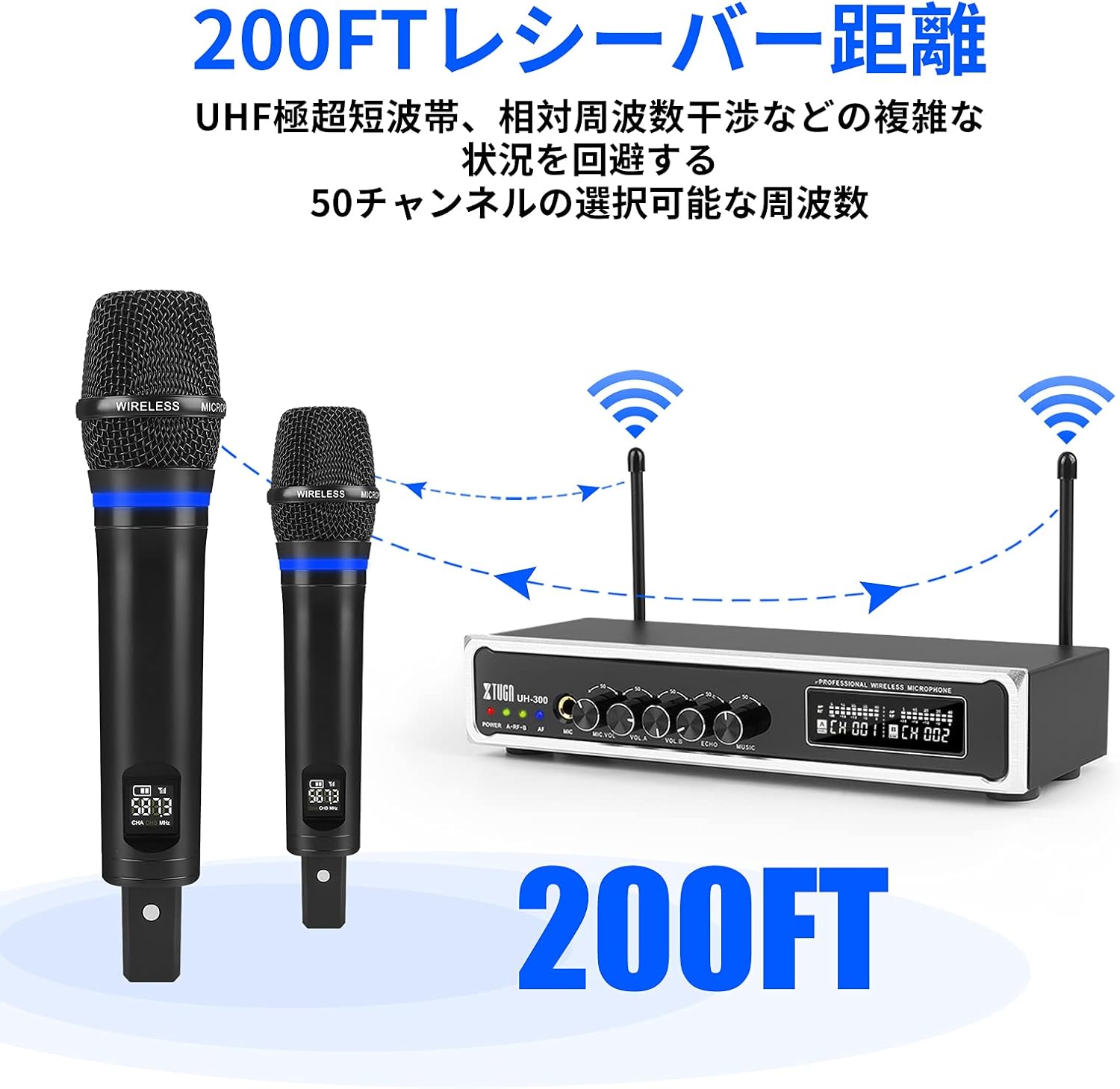
Изображение: Illustration of the XTUGA UH-300's wireless range (up to 200 feet) and the availability of 50 selectable channels to avoid interference.
5. Инструкция по эксплуатации
5.1 Основные операции
- Power on the receiver using the POWER switch.
- Power on the wireless microphones. The A-RF-B indicators on the receiver should light up, confirming connection.
- Speak into the microphones. The AF indicators on the receiver should light up, indicating audio signal presence.
- Adjust the MIC VOL A and MIC VOL B knobs on the receiver to set the desired volume for each microphone.
- Adjust the ECHO knob to add or reduce the echo effect to your vocals.

Изображение: Close-up of the receiver's controls, showing the independent volume knobs for Microphone A and Microphone B, and the adjustable echo effect knob.
5.2 Using Bluetooth Input
The system features built-in Bluetooth for playing background music from your smart devices.
- Turn on the Bluetooth function on your smartphone, tablet, or other smart device.
- Искать Выберите устройство Bluetooth и выберите "X168" из списка.
- Once connected, play music from your device. The audio will be routed through the UH-300 receiver.
- Adjust the MUSIC knob on the receiver to control the background music volume.

Изображение: Step-by-step guide for connecting a smartphone or iPad to the XTUGA UH-300 via Bluetooth, showing the device name "X168" and the Bluetooth music volume control.

Изображение: Illustrates the Bluetooth receiver functionality for playing background music, indicating a range of approximately 32 feet and the connection process.
5.3 Using the 1/4" MIC Input
The receiver includes a 1/4" (6.35mm) jack for connecting an additional microphone, allowing for a third vocalist.
- Connect a wired microphone or the receiver of a third wireless microphone (not included) to the 1/4" MIC input jack on the receiver.
- Adjust the MIC VOL knob (if available for the 1/4" input) or the overall system volume to balance the sound.

Изображение: Close-up of the 1/4-inch microphone input jack on the receiver, indicating its function for an additional microphone.
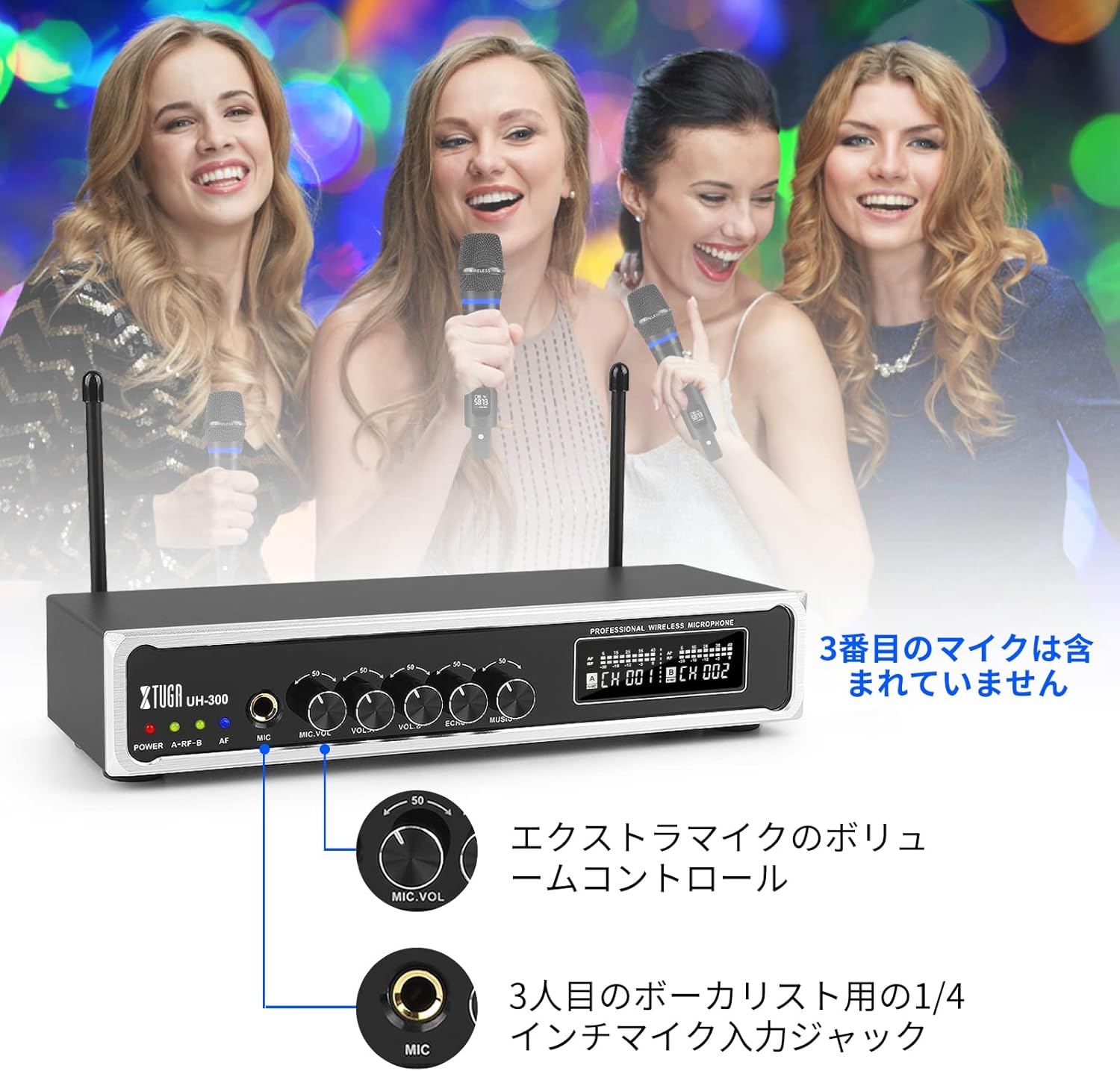
Изображение: Depicts a scenario with three vocalists, highlighting the 1/4-inch input jack for an additional microphone. The third microphone is not included.
6. Техническое обслуживание
- Уборка: Для очистки приемника и микрофонов используйте мягкую сухую ткань. Не используйте жидкие чистящие средства или абразивные материалы.
- Хранилище: Когда система не используется, храните ее в прохладном, сухом месте, вдали от прямых солнечных лучей и экстремальных температур.
- Уход батареи: For optimal battery life, fully charge the microphones before long periods of storage and recharge them every 3-6 months.
- Избегайте попадания влаги: Keep the system away from water and high humidity to prevent damage.
7. Поиск Неисправностей
| Проблема | Возможная причина | Решение |
|---|---|---|
| Нет звука из микрофонов | Microphones not powered on; Receiver not powered on; Microphones not paired; Volume too low; Speaker not connected or off. | Ensure microphones and receiver are on; Check microphone battery; Re-pair microphones if necessary; Increase MIC VOL A/B; Verify speaker connection and power. |
| Помехи или статический шум | Other wireless devices nearby; Operating on a crowded frequency; Distance too far. | Change microphone channel using the frequency button; Move closer to the receiver; Turn off other wireless devices. |
| Bluetooth не подключается | Bluetooth not enabled on device; Incorrect device selected; Device too far. | Ensure Bluetooth is on and search for "X168"; Move device closer to the receiver; Restart Bluetooth on your device. |
| Батарея микрофона быстро разряжается. | Аккумулятор не полностью заряжен; старый аккумулятор. | Ensure full charge (2-3 hours); If battery life significantly degrades, contact support. |
8. Технические характеристики
| Особенность | Деталь |
|---|---|
| Бренд | ХТУГА |
| Модель | УХ-300 |
| Технология связи | UHF Wireless, Bluetooth, AUX, USB |
| Частота беспроводной связи | 50 selectable UHF channels |
| Дальность беспроводной связи | До 262 футов (80 метров) |
| Диапазон Bluetooth | До 32 футов (10 метров) |
| Аккумулятор микрофона | Встроенный перезаряжаемый литиевый аккумулятор |
| Время зарядки микрофона | Approx. 2-3 hours (DC 5V) |
| Microphone Operating Time | Приблизительно 3-8 часа |
| Аудио входы | 1/8" (3.5mm) Jack, Bluetooth |
| Входы микрофона | 2 x UHF Wireless, 1 x 1/4" (6.35mm) Jack |
| Аудио выходы | Разъем 1/4" (6.35 мм), разъем 1/8" (3.5 мм) |
9. Гарантия и поддержка
XTUGA products are designed for reliability and performance. For warranty information, technical support, or service inquiries, please refer to the contact information provided with your purchase or visit the official XTUGA webСохраните чек о покупке для предъявления гарантийных претензий.