
1. Продукт закончилсяview
The Amazon Echo Show 8 (3rd Generation) is a smart display designed to enhance your daily life with immersive entertainment, smart home control, and seamless communication. Featuring an 8-inch HD touchscreen and spatial audio, it offers a rich visual and auditory experience. The device integrates a built-in smart home hub for simplified control of compatible devices and a 13 MP camera for clear video calls.
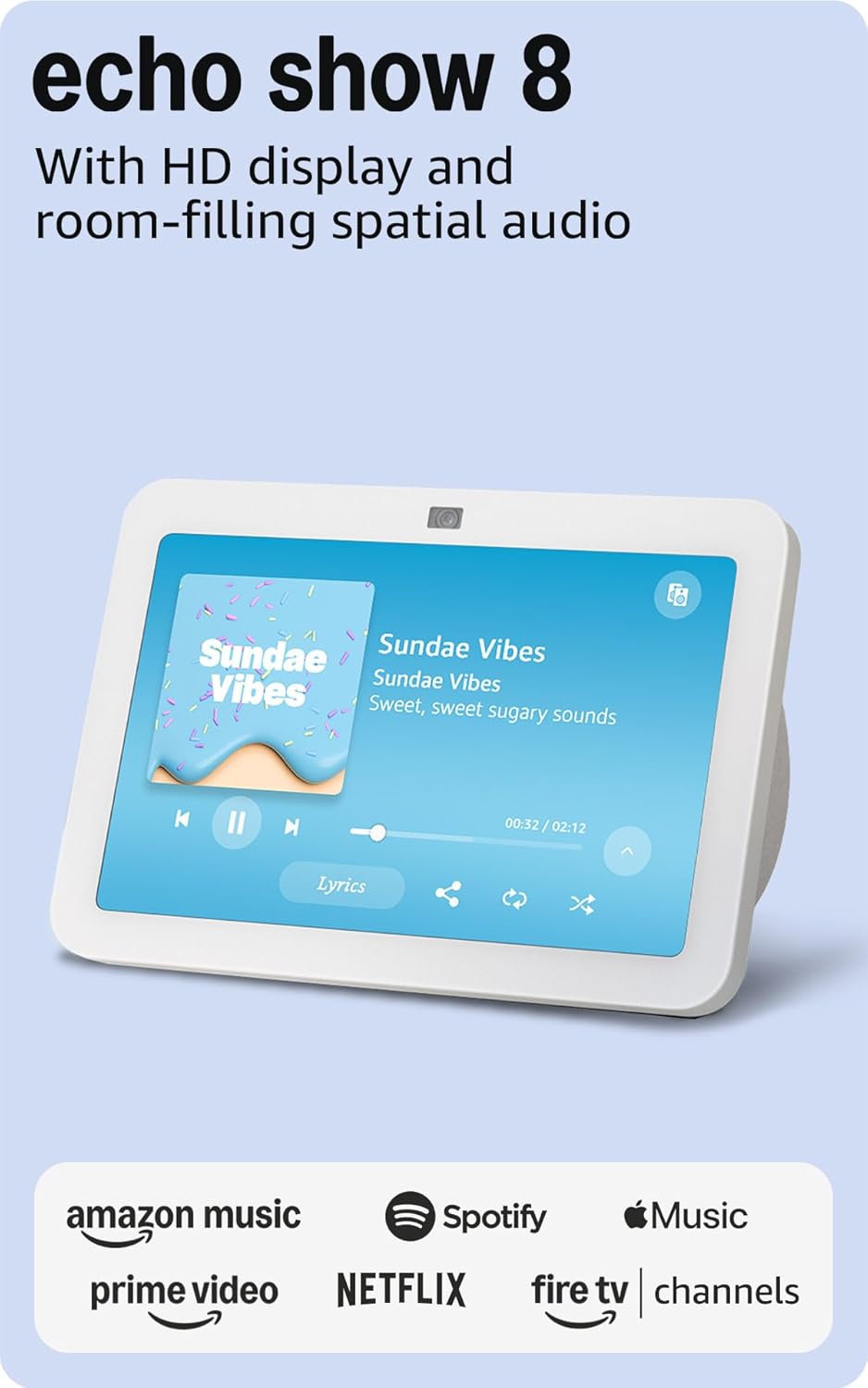
Изображение: Спереди view of the Amazon Echo Show 8 (3rd Gen) in Glacier White, displaying a music interface.
2. Что в коробке
- Устройство Echo Show 8 (3-го поколения)
- Glacier White power adapter (30W) with 4.9 ft. cable
- Краткое руководство пользователя
3. Руководство по установке
3.1 Первоначальное включение питания
- Подключите адаптер питания к Echo Show 8 и вставьте его в розетку.
- The device will power on automatically and display the Amazon logo.
Сетевое подключение 3.2
- Follow the on-screen instructions to select your language and connect to your Wi-Fi network. The Echo Show 8 supports dual-band Wi-Fi (802.11a/b/g/n/ac).
- For simplified setup, Amazon Wi-Fi simple setup allows compatible devices to connect to your Wi-Fi network in a few easy steps.
3.3 Amazon Account Login
- Sign in with your Amazon account credentials. An Amazon account is required for full functionality.
- If you do not have an Amazon account, you can create one at amazon.com.
НЕ персонализация
Follow the prompts to personalize your device, including setting up Visual ID for personalized greetings and content display based on who is near the device. Alexa processes images on the device to recognize you.
4. Инструкция по эксплуатации
4.1 Voice Commands with Alexa
The Echo Show 8 is primarily voice-controlled. Simply say "Alexa" followed by your command or question. ExampВключая:
- "Алекса, включи музыку."
- «Алекса, какая погода?»
- «Алекса, поставь таймер на 10 минут».
- «Алекса, покажи мне камеру у входной двери».
4.2 Сенсорная навигация
The 8-inch HD touchscreen allows for intuitive navigation and control:
- Swipe down from the top: Access quick settings like Home, Settings, Do Not Disturb, Brightness, Notifications, Alarms, Photo Frame, Communicate, Music, Smart Home, Video, and Routines.
- Swipe left from the right edge: View adaptive content such as calendar, reminders, news, and suggested activities.
- Tap icons: Interact with on-screen elements, select options, or open applications.
Image: Amazon Echo Show 8 (3rd Gen) on a kitchen counter, displaying weather information.
4.3 жеста
The Echo Show 8 supports gestures for quick actions:
- Hold your palm towards the camera: Dismiss timers and alarms.
5.Основные характеристики
5.1 Spatial Audio and HD Display
Experience immersive entertainment with room-filling spatial audio and an 8-inch HD touchscreen. The device features 2 x 2" full range neodymium drivers with a passive bass radiator for rich sound. Room adaptation technology automatically analyzes acoustics for optimal sound.
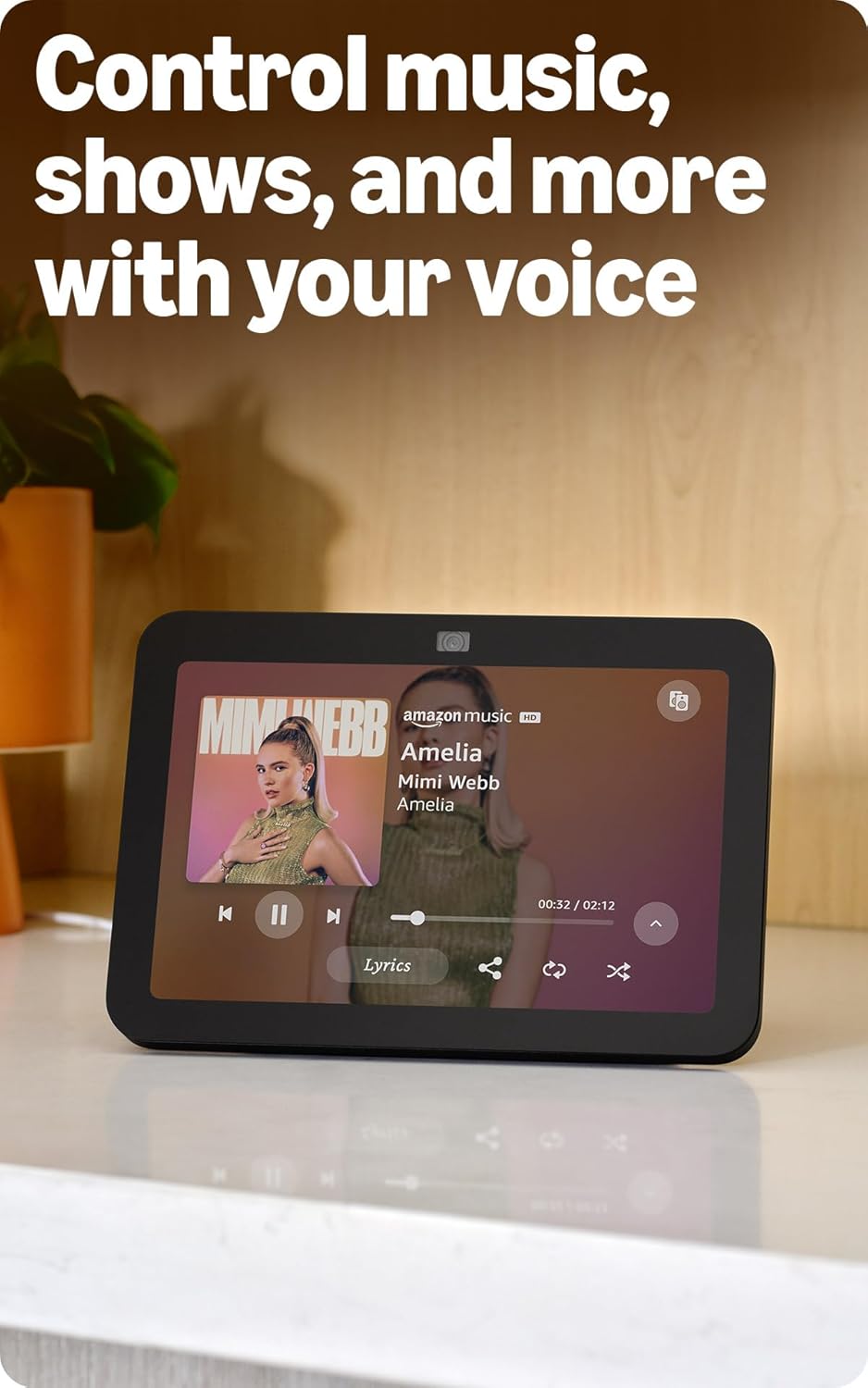
Image: Amazon Echo Show 8 (3rd Gen) showing music playback with lyrics on screen.
5.2 Enhanced Camera for Video Calls
The 13 MP centered camera with auto-framing and noise reduction technology ensures crisper video calls. The camera can keep you centered in the frame as you move. A built-in camera shutter provides privacy when needed.
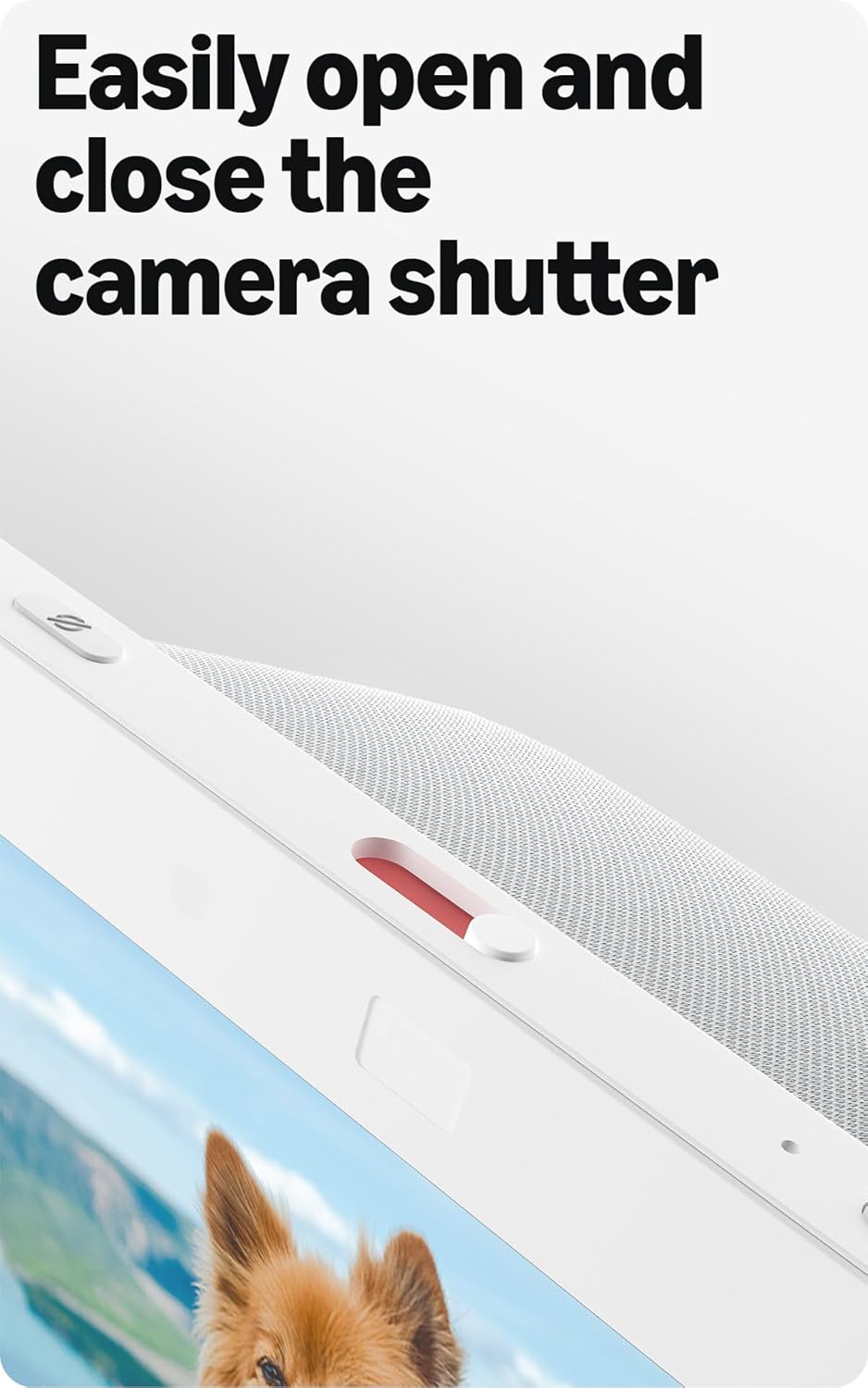
Image: Close-up of the top of the Echo Show 8 (3rd Gen) showing the physical camera shutter control.
5.3 Built-in Smart Home Hub
The Echo Show 8 includes a built-in smart home hub compatible with Zigbee, Matter, and Thread Border Router protocols. This allows you to pair and control a wide range of smart devices directly from your Echo Show 8 without needing a separate hub. Manage cameras, lights, and more using the display or your voice.
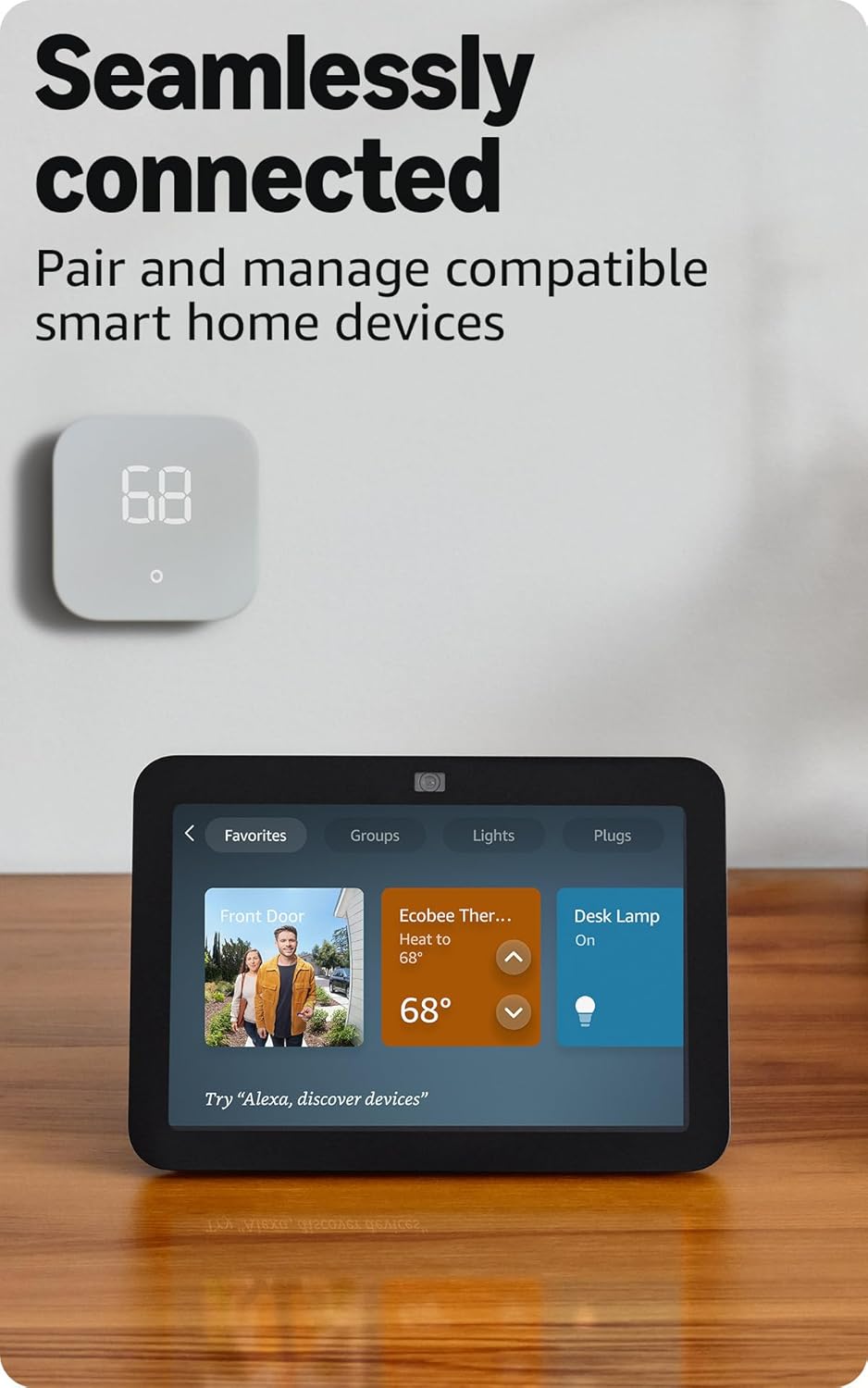
Image: Amazon Echo Show 8 (3rd Gen) screen showing smart home device controls for lights and thermostats.
5.4 Adaptive Content
Adaptive Content adjusts the information displayed on the screen based on your proximity. Glance at your calendar or reminders from afar, or see more detailed content when you're nearby. Shortcut icons on the home screen provide easy access to frequently used widgets.
6. Функции конфиденциальности
Amazon Echo Show 8 is designed with multiple layers of privacy controls:
- Технология Wake Word: The device only begins listening after detecting the wake word ("Alexa").
- Индикаторы потоковой передачи: Visual indicators confirm when audio or video is being streamed to the cloud.
- Кнопка выключения микрофона/камеры: Физическая кнопка позволяет электронно отключить микрофоны и камеру.
- Встроенный затвор камеры: A physical slider covers the camera lens for complete visual privacy.
- Голосовые записи: У вас есть возможность view и удалите свои голосовые записи.
7. Технические характеристики
| Особенность | Деталь |
|---|---|
| Размер | 7.9” x 5.5” x 4.2” (200 мм x 139 мм x 106 мм) |
| Масса | 36.6 унций (1034 граммов) |
| Отображать | 8.0-дюймовый сенсорный HD-экран |
| Камера | Центральная камера 13 МП со встроенным затвором |
| Wi-Fi-подключение | Dual-band Wi-Fi (802.11a/b/g/n/ac) |
| Умный Дом Хаб | Zigbee + Matter + Thread Border Router |
| Bluetooth-подключение | Поддержка A2DP и AVRCP |
| Аудио | 2 x 2-дюймовых полнодиапазонных неодимовых динамика с пассивным басовым радиатором |
| Процессор | Восьмиядерный SoC с нейронной сетью Amazon AZ2 |
| Поколение | Echo Show 8 (3-го поколения) — выпуск 2023 года |
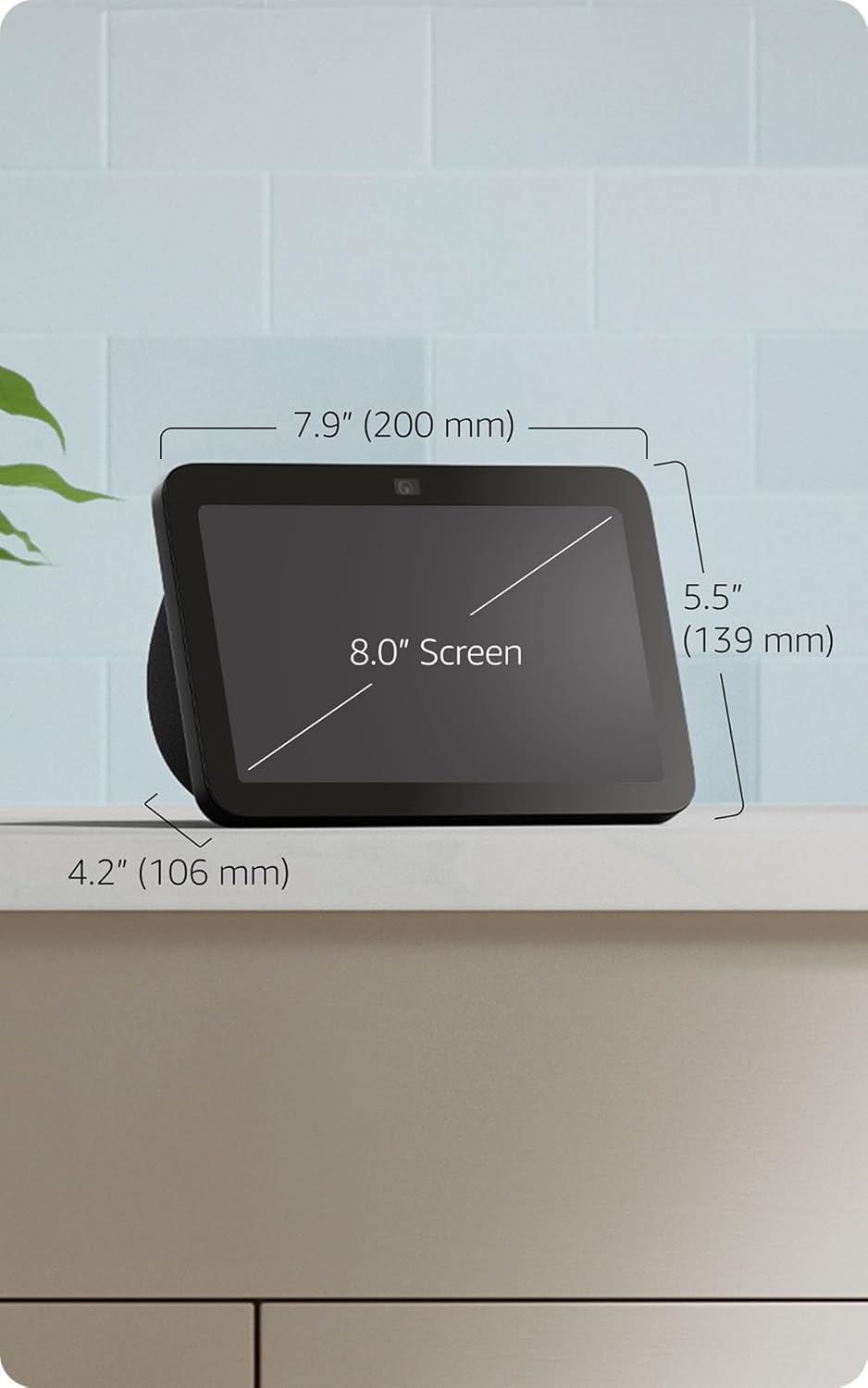
Image: Amazon Echo Show 8 (3rd Gen) with key dimensions labeled.
8. Поиск Неисправностей
8.1 Устройство не отвечает
- Ensure the device is plugged in and the power adapter is securely connected.
- Проверьте подключение к Интернету.
- Verify that the microphone is not muted (red light on top indicates mute).
- Перезагрузите устройство, отключив его на 30 секунд и снова подключив.
8.2 Проблемы с подключением Wi-Fi
- Убедитесь, что ваш пароль от Wi-Fi указан правильно.
- Переместите Echo Show 8 ближе к вашему Wi-Fi-роутеру.
- Перезагрузите Wi-Fi-роутер и модем.
8.3 Камера не работает
- Ensure the camera shutter is open.
- Check that the camera is not disabled in the device settings or Alexa app.
9. Техническое обслуживание
- Уборка: Для очистки экрана и корпуса устройства используйте мягкую безворсовую ткань. Избегайте использования абразивных чистящих средств и спреев.
- Обновления программного обеспечения: The device automatically receives software security updates. Ensure it is connected to Wi-Fi for updates.
- Размещение: Place the device on a stable surface, away from heat sources, direct sunlight, and liquids.
10. Функции доступности
The Echo Show 8 includes various accessibility features:
- Нажмите, чтобы активировать Alexa: Управляйте Alexa с помощью сенсорного экрана, используя экранные плитки, или с помощью клавиатуры.
- Адаптивное прослушивание: Дает больше времени, чтобы закончить говорить, прежде чем Alexa ответит.
- Предпочтительная скорость речи: Управляйте скоростью речи Alexa.
- Субтитры Alexa, субтитры звонков, скрытые субтитры: Предоставьте текстовые субтитры для поддерживаемого контента.
- Покажи и расскажи: Helps blind or visually impaired users identify products by saying "Alexa, what am I holding."
- ГолосView Читатель экрана: Enables access for blind or visually impaired users.
- Экранная лупа: Увеличение/уменьшение масштаба и панорамирование по экрану.
- Уведомлять о приближении: Воспроизводит звуковые уведомления при обнаружении устройства вблизи него.
- Kindle Чтение вслух: Алекса читает вслух книги Kindle.
- Текст в реальном времени: Вводите текст в режиме реального времени во время видеозвонка.
- Дополнительные настройки для инверсии цвета, цветокоррекции, запроса звука и многого другого.
To enable these features, go to Настройки → Специальные возможности на вашем устройстве.
11. Гарантия и поддержка
The Amazon Echo Show 8 (3rd Gen) includes a 1-year limited warranty and service. Optional 1-year, 2-year, and 3-year extended warranties are available for U.S. customers and sold separately. Use of Echo Show 8 is subject to these terms.
Для получения дополнительной помощи посетите страницу поддержки Amazon. webсайт или свяжитесь со службой поддержки клиентов.