
keenetic KN-3710-01-EU
Keenetic Sprinter AX1800 Mesh Wi-Fi 6 Router/Extender User Manual
Model: KN-3710-01-EU | Brand: Keenetic
1. Введение
The Keenetic Sprinter AX1800 is a high-performance Mesh Wi-Fi 6 Router/Extender designed to provide fast, reliable, and secure internet connectivity for your home or office. This device supports Wi-Fi 6 (802.11ax) technology, offering dual-band operation (2.4 GHz and 5 GHz) with speeds up to 1800 Mbps. It features four Gigabit Ethernet ports for stable wired connections and can seamlessly switch between router and extender modes. This manual provides essential information for setting up, operating, maintaining, and troubleshooting your Keenetic Sprinter AX1800.
2. Информация по технике безопасности
- Используйте только адаптер питания, поставляемый с устройством.
- Do not expose the device to water, fire, high humidity, or extreme temperatures.
- Не размещайте устройство рядом с источниками тепла или под прямыми солнечными лучами.
- Обеспечьте надлежащую вентиляцию вокруг устройства во избежание перегрева.
- Не пытайтесь разбирать или ремонтировать устройство самостоятельно. По всем вопросам обслуживания обращайтесь к квалифицированному персоналу.
3. Содержимое упаковки
Проверьте наличие всех предметов в посылке:
- Keenetic Sprinter AX1800 Device
- Адаптер питания
- Ethernet-кабель
- Telephone Cable (if applicable)
- DSL Splitter (if applicable)
- Multi-language Quick Start Guide
4. Продукт закончилсяview
Familiarize yourself with the physical components of your Keenetic Sprinter AX1800.

Рисунок 4.1: Передняя часть view of the Keenetic Sprinter AX1800 router, showing the LED indicators for power, internet, Wi-Fi, and network activity.
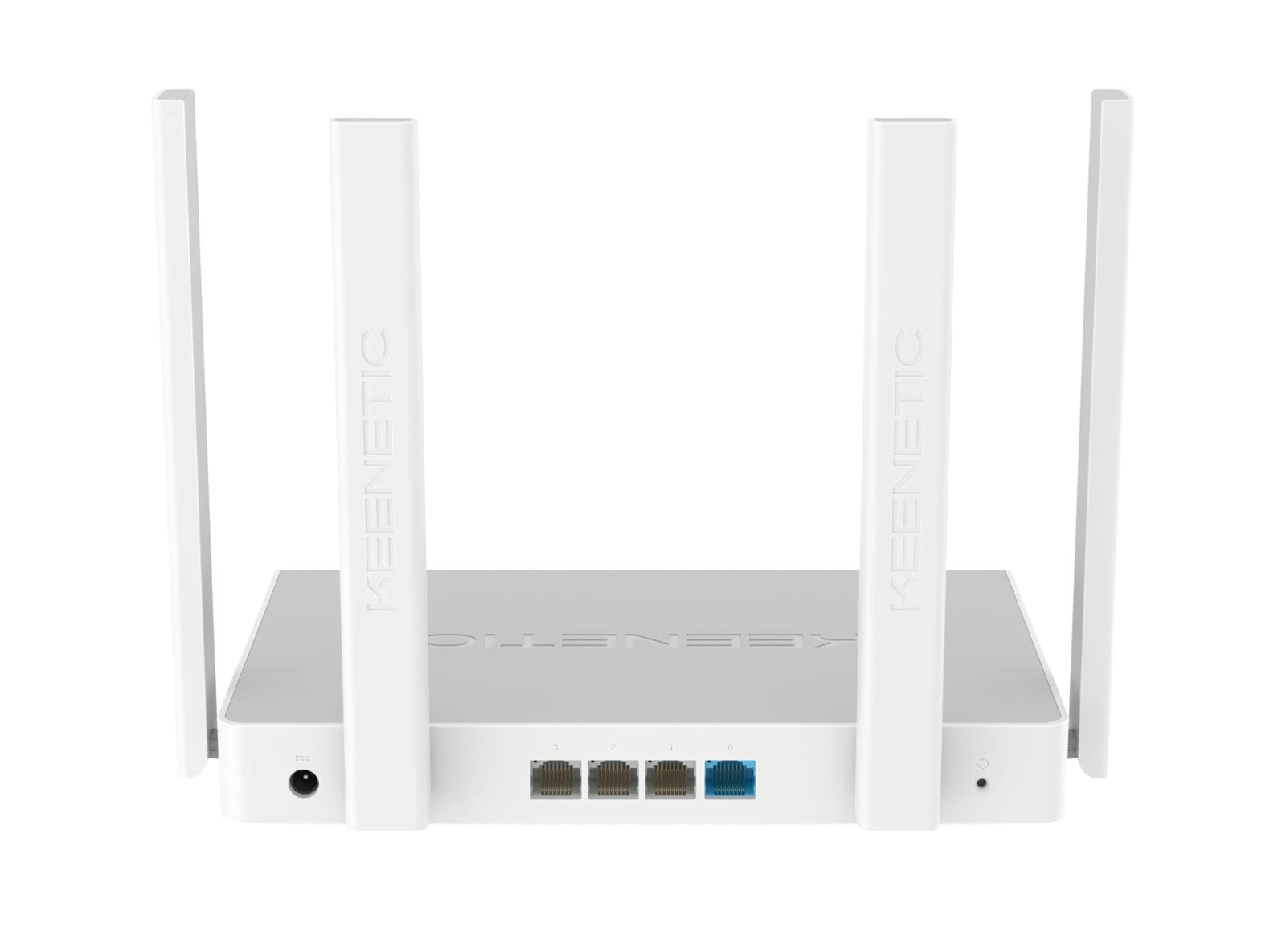
Рисунок 4.2: Сзади view of the Keenetic Sprinter AX1800 router, highlighting the power input, four Gigabit Ethernet ports (one blue for WAN/LAN, three yellow for LAN), and the reset button.
Светодиодные индикаторы:
- Светодиод питания: Указывает состояние питания.
- Индикатор Интернета: Показывает состояние подключения к Интернету.
- Индикатор Wi-Fi: Отображает активность Wi-Fi.
- Индикаторы локальной сети: Отобразите активность на соответствующих портах Ethernet.
Порты и кнопки:
- Потребляемая мощность: Подключается к адаптеру питания.
- Gigabit Ethernet Ports (4): One port can function as WAN or LAN, others are LAN.
- Кнопка сброса: Используется для восстановления заводских настроек.
- Переключатель режимов: Physical switch to toggle between Router and Extender modes.
5. Настройка
5.1 Первоначальное подключение
- Включение питания: Connect the power adapter to the router's power input and plug it into a power outlet. Wait for the Power LED to stabilize.
- Интернет-соединение: Connect your modem's Ethernet cable to the blue WAN/LAN port on the router.
- Проводные устройства (опционально): Connect your computer or other wired devices to any of the yellow LAN ports using an Ethernet cable.
- Беспроводные устройства: Locate the default Wi-Fi network name (SSID) and password printed on the label at the bottom of the router. Connect your wireless devices to this network.
5.2 Configuration (Web Interface / Mobile App)
You can configure your router using either the web interface or the Keenetic mobile app.
Web Интерфейс:
- Откройте web браузер на подключенном устройстве.
- Входить
my.keenetic.netor192.168.1.1в адресной строке и нажмите Enter. - Follow the on-screen instructions to complete the initial setup, including setting up your administrator password and Wi-Fi network details.
Мобильное приложение:
- Download the free Keenetic app from your device's app store (Android/iOS).
- Open the app and follow the instructions to discover and set up your Keenetic device.
5.3 Router/Extender Mode Switching
The Keenetic Sprinter AX1800 features a physical switch to easily change its operating mode:
- Режим маршрутизатора: The device acts as the primary internet gateway for your network.
- Режим расширителя: The device extends an existing Wi-Fi network, providing broader coverage.
To switch modes, locate the physical switch on the device and move it to the desired position. The device will reboot and apply the new settings.
6. Операционная
6.1 Wi-Fi 6 AX1800 Dual-Band Connectivity
The router supports the latest Wi-Fi 6 standard, providing enhanced speeds and efficiency for multiple devices simultaneously. It operates on two frequency bands:
- 2.4 ГГц: Up to 574 Mbps, ideal for wider coverage and older devices.
- 5 ГГц: Up to 1201 Mbps, ideal for high-bandwidth activities like 4K streaming and online gaming.
6.2 гигабитных порта Ethernet
The four Gigabit Ethernet ports provide stable and high-speed wired connections for devices such as PCs, smart TVs, gaming consoles, and network-attached storage (NAS) devices. These ports ensure minimal latency and maximum throughput for critical connections.
6.3 дополнительных функций
- VPN and Multi-WAN: Supports OpenVPN, WireGuard, L2TP/IPsec, and Multi-WAN for load balancing and automatic failover, enhancing network flexibility and reliability.
- IntelliQoS Bandwidth Control: Automatically prioritizes network traffic for applications like streaming, gaming, and video conferencing to prevent interruptions.
- Integrated Security Features: Includes SPI Firewall, SafeDNS parental controls, and AdGuard ad blocker for comprehensive network protection.
- Guest Network with Captive Portal: Provides a separate, secure network for guests with customizable access options.
- Удаленное управление: Manage your router remotely via the Keenetic mobile app or a secure web interface (HTTPS), including KeenDNS support.
7. Техническое обслуживание
7.1 обновлений прошивки
Regularly update your router's firmware to ensure optimal performance, security, and access to new features. Firmware updates can be performed via the web interface or the Keenetic mobile app.
7.2 Очистка
To clean the device, use a soft, dry cloth. Do not use liquid cleaners or aerosol sprays. Ensure the device is powered off and unplugged before cleaning.
7.3 Размещение
Optimal placement of your router is crucial for Wi-Fi performance. Place the router in a central location, away from obstructions and sources of interference (e.g., microwaves, cordless phones).
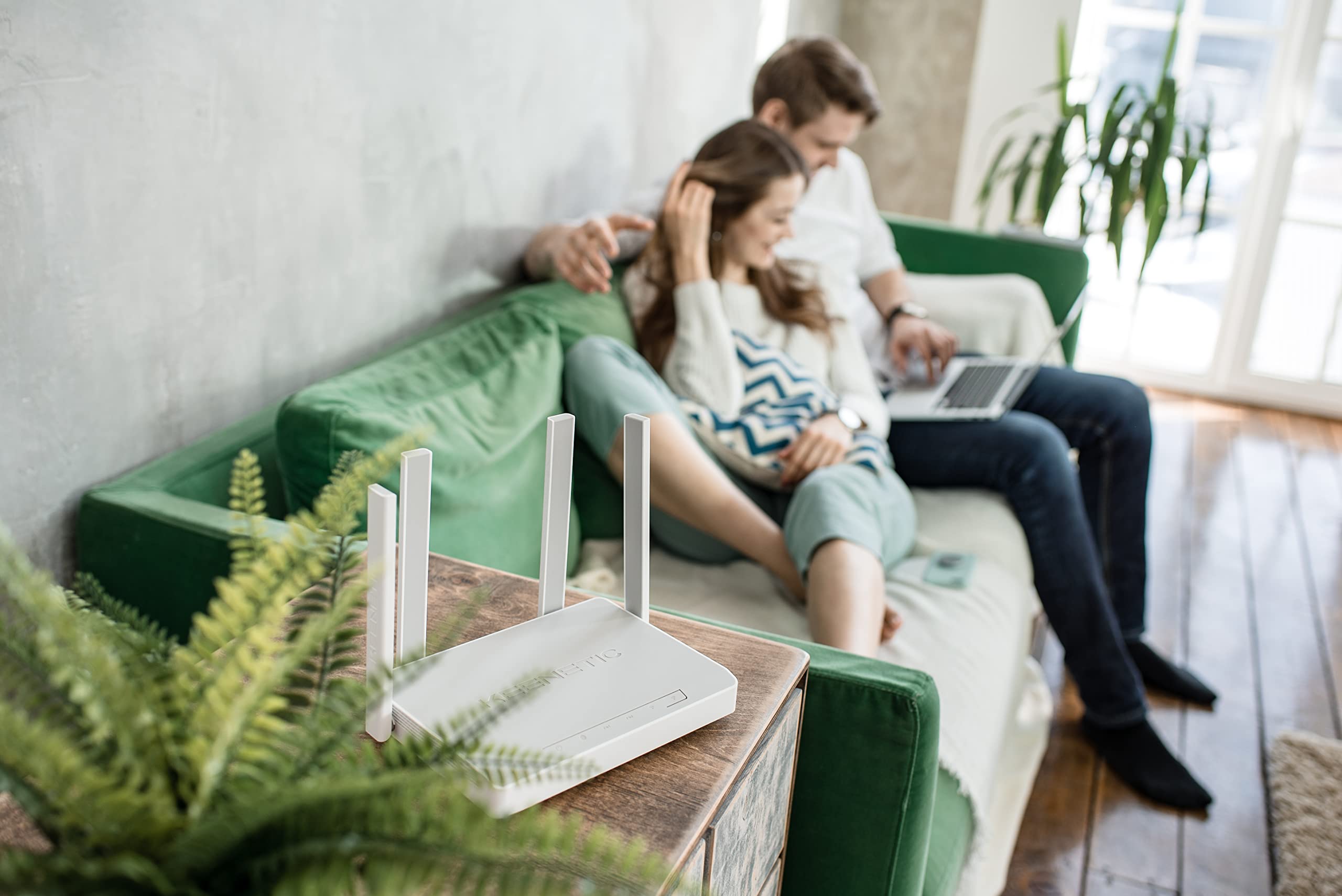
Рисунок 7.1: Example of the Keenetic Sprinter AX1800 router mounted vertically on a wall, demonstrating flexible placement options.

Рисунок 7.2: Example of the Keenetic Sprinter AX1800 router placed horizontally on a table, illustrating typical desktop placement.
8. Поиск Неисправностей
Распространенные проблемы и решения:
- Нет соединения с интернетом:
- Check if the Internet LED is lit.
- Ensure the Ethernet cable from your modem is securely connected to the blue WAN/LAN port.
- Перезагрузите модем и маршрутизатор.
- Проверьте настройки вашего интернет-провайдера (ISP) в маршрутизаторе. web интерфейс.
- Слабый сигнал Wi-Fi:
- Переместите маршрутизатор в более центральное положение.
- Избегайте размещения маршрутизатора рядом с крупными металлическими предметами или электронными устройствами, которые могут создавать помехи.
- Consider using the device in Extender mode or adding another Keenetic device for a Mesh Wi-Fi system.
- Невозможно получить доступ Web Интерфейс:
- Убедитесь, что ваше устройство подключено к сети маршрутизатора (проводной или беспроводной).
- Попробуйте очистить кэш браузера или использовать другой браузер.
- Проверьте IP-адрес маршрутизатора (по умолчанию 192.168.1.1).
- Забыли пароль администратора?
- Perform a factory reset by pressing and holding the Reset button for 10 seconds while the device is powered on. Note that this will erase all custom settings.
9. Технические характеристики
| Особенность | Описание |
|---|---|
| Название модели | КН-3710 |
| Беспроводной стандарт | 802.11ax (Wi-Fi 6) |
| Класс диапазона частот | Dual-band (2.4 GHz & 5 GHz) |
| Максимальная скорость беспроводной связи | AX1800 (574 Мбит/с на 2.4 ГГц, 1201 Мбит/с на 5 ГГц) |
| Ethernet-порты | 4 x 10/100/1000M Gigabit Ethernet (1 WAN/LAN, 3 LAN) |
| Антенны | 4 внешние антенны |
| Особые возможности | QoS, VPN, Multi-WAN, Mesh Support, Guest Network, Parental Control |
| Размеры продукта | 24 х 69 х 2.5 см |
| Вес товара | 400 грамм |
| Производитель | Keenetic Limited |
10. Гарантия и поддержка
For warranty information and technical support, please refer to the official Keenetic webили обратитесь в службу поддержки клиентов. Сохраните чек о покупке в качестве подтверждения покупки для предъявления гарантийных претензий.
Интернет-ресурсы: Visit the Keenetic support page for FAQs, firmware downloads, and additional documentation.
Связаться со службой поддержки: Refer to the contact information provided in your Quick Start Guide or on the Keenetic official webсайт.
Ask a question about this manual
Ask about setup, troubleshooting, compatibility, parts, safety, or missing instructions. Manuals+ will review the question and use this page’s manual context to help answer it.