
1. Продукт закончилсяview
The Inateck KU8212 is a high-performance USB PCIe expansion card designed to provide additional USB connectivity and charging capabilities to your computer. It features 8 USB ports, including 2 USB-C ports with Power Delivery (PD) and 6 USB-A ports with BC 1.2 charging protocol. This card offers a total bandwidth of 16 Gbps, with individual ports capable of up to 10 Gbps data transfer when used solely.
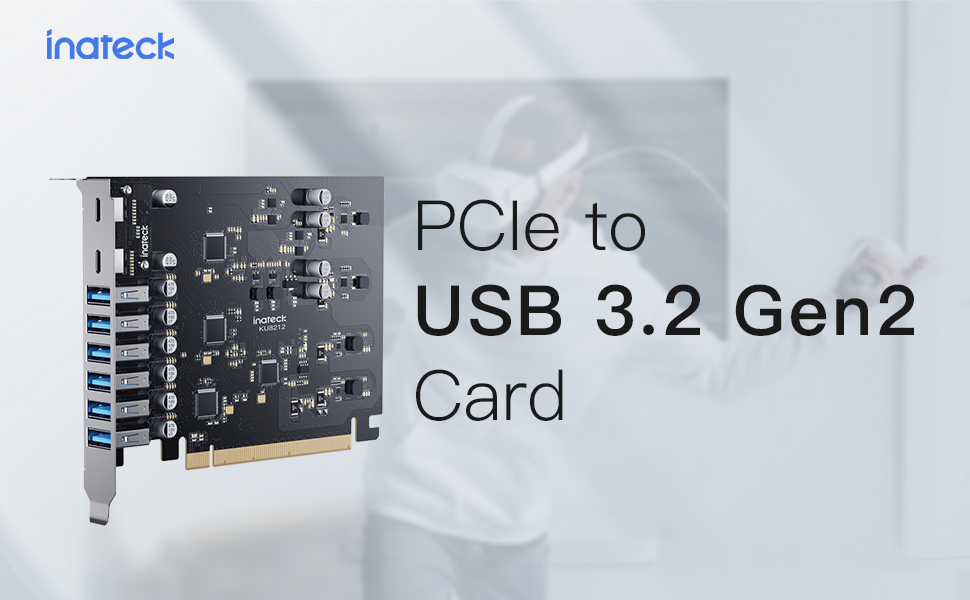
Image 1: Inateck KU8212 USB PCIe Card, showcasing its design and multiple ports.
The card is powered directly by the PCIe interface, eliminating the need for an external power supply. It incorporates overcurrent and ESD protection for enhanced device safety.
2. Содержимое упаковки
Пожалуйста, проверьте наличие всех предметов в упаковке:
- Inateck KU8212 USB PCIe Card
- Руководство по эксплуатации
- Mounting Screws (typically included for PCIe card installation)
Видео 1: Оверview of the Inateck Power Supply USB PCIe Card KU8212, demonstrating its features and components.
3. Системные требования
Для корректной работы системы убедитесь, что она соответствует следующим требованиям:
- Совместимые устройства: Personal Computers, Laptops, Servers with an available PCIe slot.
- Операционная система: Windows 7/8/10/11, Linux, Mac OS 10.8.2 and later.
- Слот PCIe: Compatible with PCIe 2.0, 3.0, and 4.0 slots.
- Власть: The card is powered by the PCIe slot. For optimal performance, especially when utilizing the full 100W charging power (if applicable to your specific setup), ensure your chassis power supply can handle the additional power consumption.
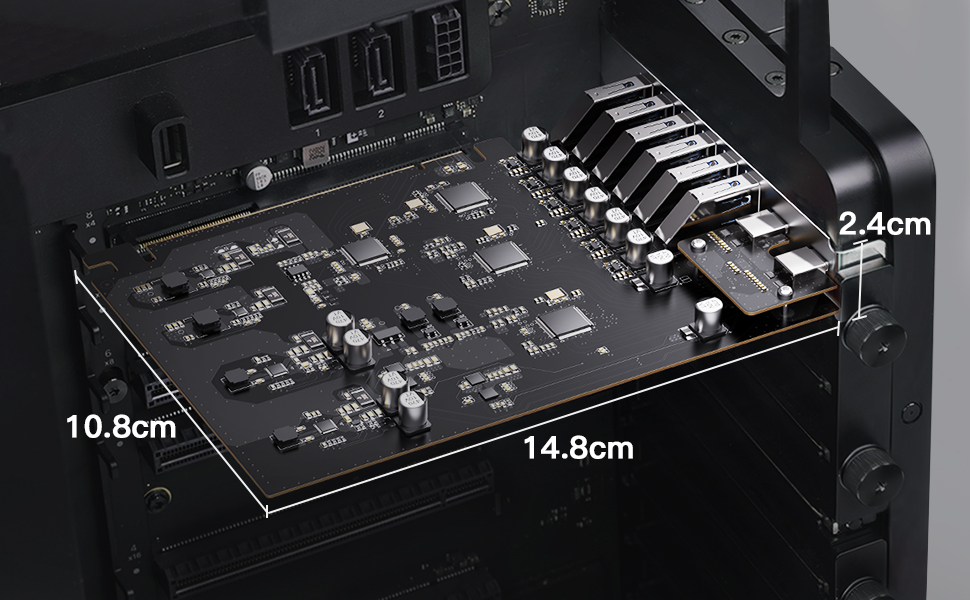
Image 2: Illustration of compatible operating systems: Windows 7/8/10/11, Mac OS 10.8.2 and later, and Linux.
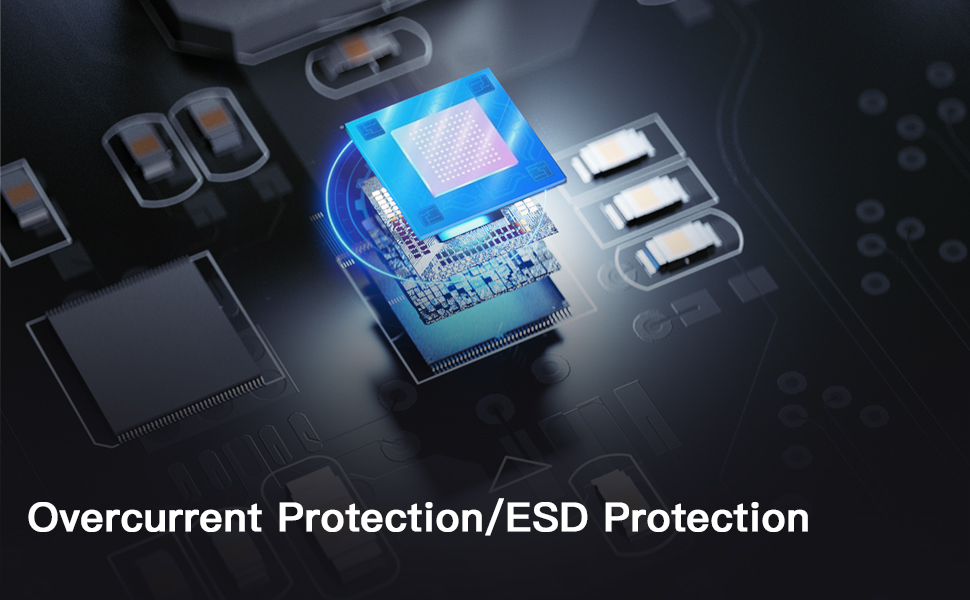
Image 3: Details on PCIe compatibility (2.0, 3.0, 4.0) and important notes regarding bandwidth allocation and power supply considerations.
4. Руководство по установке
4.1 Меры предосторожности
- Always power off your computer and unplug it from the power source before opening the case or installing any internal components.
- Discharge any static electricity by touching a grounded metal object (e.g., the computer chassis) before handling the card.
- Держите карту PCIe за края, чтобы избежать контакта с позолоченными разъемами или компонентами.
4.2 Этапы установки
- Подготовьте свой компьютер: Полностью выключите компьютер и отсоедините все кабели. Откройте корпус компьютера.
- Найдите доступный слот PCIe: Identify an empty PCIe x16, x8, or x4 slot on your motherboard. The card is designed to fit various slot sizes.
- Снимите крышку слота: Снимите металлическую крышку соответствующего слота PCIe на задней панели корпуса компьютера.
- Вставьте карту PCIe: Carefully align the gold connectors of the Inateck KU8212 card with the chosen PCIe slot. Apply even, firm pressure to push the card straight down into the slot until it is fully seated. Ensure the retention clip (if present on your motherboard) locks the card in place.
- Защитите карту: Use a screw to secure the metal bracket of the PCIe card to the computer case.
- Закройте обращение и подключитесь заново: Закройте корпус компьютера, подключите все кабели и включите компьютер.
- Установка драйвера (при необходимости): For most modern operating systems (Windows 10/11, recent Linux distributions, Mac OS), drivers should install automatically. If the card is not recognized, check the Inateck webСайт для загрузки драйверов, специально предназначенных для вашей операционной системы.

Image 4: The Inateck KU8212 PCIe card correctly installed within a computer's PCIe slot.

Image 5: Detail showing the elevated design of the USB-C ports, preventing obstruction by chassis baffles.
5. Операция
5.1 Передача данных
The Inateck KU8212 card supports USB 3.2 Gen 2 standard, offering high-speed data transfer. Each port can achieve up to 10 Gbps transfer rate when used individually. The 8 USB ports share a total bandwidth of 16 Gbps. For optimal performance, avoid simultaneously transferring large files on all ports if maximum speed is required for a specific device.
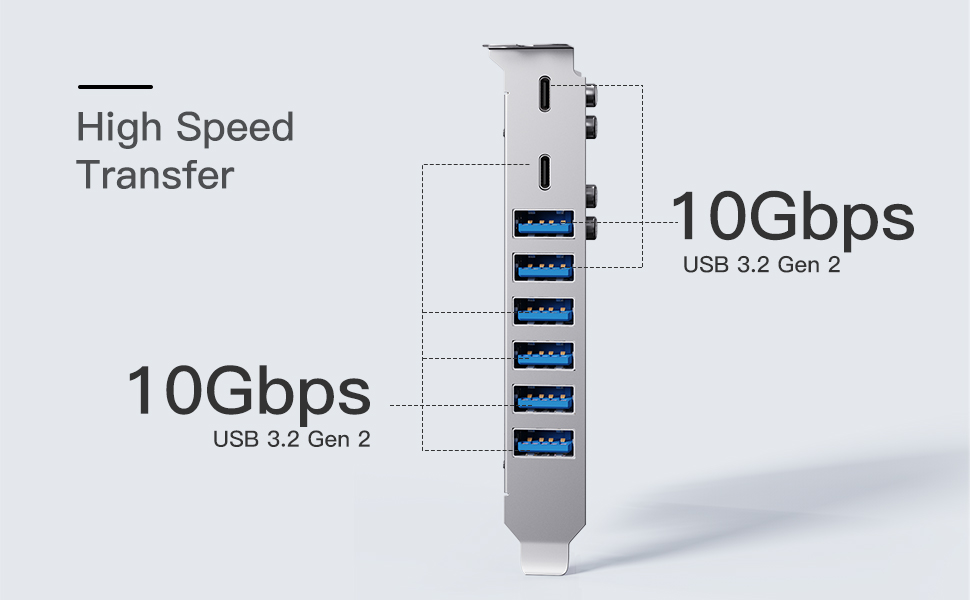
Image 6: Diagram illustrating the 10 Gbps data transfer rate per port and shared 16 Gbps bandwidth for USB 3.2 Gen 2.
5.2 Возможности зарядки
The card provides robust charging capabilities:
- Порты USB-C (x2): Support Power Delivery (PD) protocol, providing up to 30W charging power per port. Suitable for recharging phones, tablets, and even some laptops.
- Порты USB-A (x6): Support BC 1.2 protocol, providing up to 7.5W charging power per port. Ideal for charging smartphones and other standard USB devices.
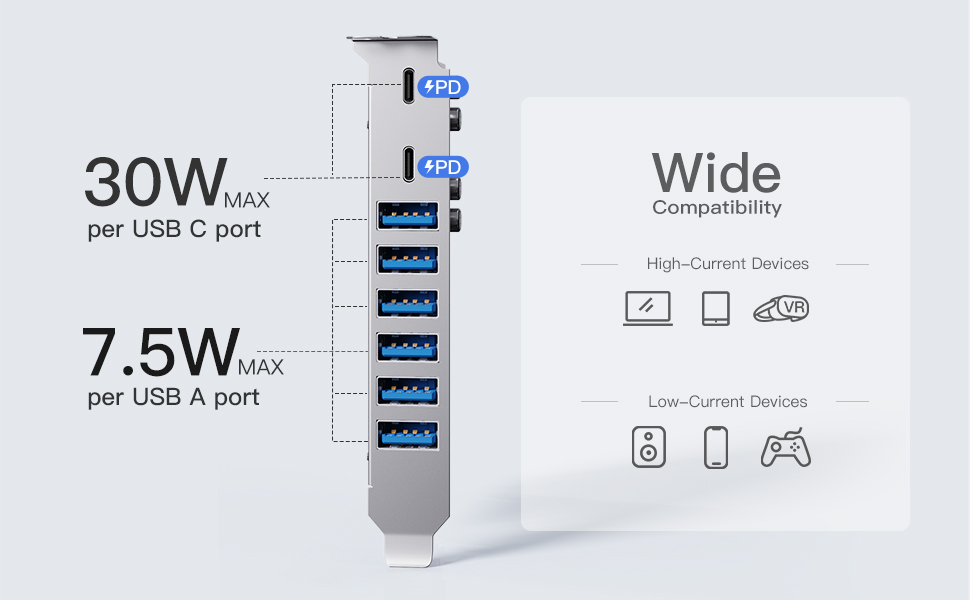
Image 7: Visual representation of charging capabilities: 30W Max per USB-C port and 7.5W Max per USB-A port.

Image 8: Demonstrates wide compatibility with both high-current devices (laptops, tablets, VR headsets) and low-current devices (speakers, phones, game controllers).
6. Техническое обслуживание
To ensure the longevity and optimal performance of your Inateck KU8212 PCIe card, follow these maintenance guidelines:
- Содержать в чистоте: Periodically open your computer case and gently clean any dust accumulation on the card using compressed air. Ensure the computer is powered off and unplugged before cleaning.
- Избегайте физического урона: Handle the card with care. Avoid bending or dropping it.
- Условия окружающей среды: Operate the card within standard computer operating temperatures and humidity levels.
7. Поиск Неисправностей
7.1 Общие проблемы и решения
- Карта не обнаружена:
- Убедитесь, что карта полностью вставлена в слот PCIe.
- Попробуйте использовать другой слот PCIe, если он доступен.
- Verify that your operating system is compatible (Windows 7/8/10/11, Linux, Mac OS 10.8.2+).
- Check if drivers are installed. For older OS versions, manual driver installation might be required from the Inateck webсайт.
- Низкая скорость передачи данных:
- Confirm that the connected device also supports USB 3.2 Gen 2 (10 Gbps).
- Ensure the PCIe slot used is compatible with PCIe 3.0 or 4.0 for optimal bandwidth. If the motherboard's allocated bandwidth/lane number for the PCIe interface is insufficient (e.g., PCIe 2.0 with 2X lanes instead of 4X for USB 3.2 Gen 2), speeds may be affected.
- Avoid simultaneous heavy data transfers on multiple ports if a single device requires maximum bandwidth.
- Refer to your motherboard's manual for information on PCIe lane allocation.
- Проблемы с зарядкой:
- Ensure the device being charged supports the respective USB-C PD or USB-A BC 1.2 protocols.
- Check the charging cable for damage and ensure it supports the required power delivery.
- For high-power charging, ensure your computer's power supply unit (PSU) has sufficient wattage to support the card and connected devices.
7.2 Overcurrent and ESD Protection
The Inateck KU8212 PCIe card is equipped with advanced circuit design and an overcurrent-protection chip to prevent damage from sudden power fluctuations or overloads. It has also passed the IEC61000-4-2 Ed.2 ESD test, providing protection against electrostatic discharge, safeguarding both the card and connected devices.

Image 9: Illustration of the dual protection features, including overcurrent and ESD protection, integrated into the card's design.
8. Технические характеристики
| Особенность | Деталь |
|---|---|
| Бренд | Инатек |
| Номер модели | КУ8212 |
| аппаратный интерфейс | PCI Express x16 |
| USB-порты | 8 (2x USB-C, 6x USB-A) |
| USB Стандартный | USB 3.2 Gen 2 |
| Максимальная скорость передачи данных | 10 Gbps (per port, when used solely); 16 Gbps (total shared bandwidth) |
| Зарядка USB-C | Up to 30W per port (Power Delivery) |
| Зарядка USB-A | Up to 7.5W per port (BC 1.2) |
| Размеры продукта | 5.83"Д x 4.25"Ш x 0.94"В |
| Вес товара | 0.26 фунта |
| Совместимые операционные системы | Windows 7/8/10/11, Linux, Mac OS 10.8.2 and later |
| Функции защиты | Overcurrent Protection, ESD Protection (IEC61000-4-2 Ed.2) |
9. Гарантия и поддержка
Inateck products are designed for reliability and performance. For warranty information or technical support, please refer to the official Inateck webили обратитесь в службу поддержки напрямую. Сохраните чек о покупке для предъявления гарантийных претензий.
Контактная информация: Пожалуйста, посетите www.inateck.com для получения последних ресурсов поддержки и контактных данных.