
1. Введение
Thank you for choosing the MAIWO K2568 2.5 inch SATA HDD SSD Enclosure. This device provides a convenient and efficient way to connect your 2.5-inch SATA hard drives (HDD) or solid-state drives (SSD) to your computer via USB 3.0. It supports drives up to 6TB capacity and features UASP for faster data transfer rates. This manual will guide you through the installation, operation, and maintenance of your enclosure.
2. Содержимое упаковки
Пожалуйста, проверьте наличие всех предметов в вашей посылке:
- 1x MAIWO 2.5 inch SATA Hard Drive Enclosure
- 1x Micro-B to USB-A Data Cable
- 1x Руководство пользователя
- 1x Anti-vibration Pad

Image: The MAIWO K2568 enclosure, USB 3.0 data cable, user manual, and an anti-vibration pad are shown on a surface next to a laptop keyboard.
3. Технические характеристики
| Особенность | Описание |
|---|---|
| Номер модели | К2568 |
| аппаратный интерфейс | Микро-USB 3.0 тип B |
| Совместимые накопители | 2.5 inch SATA HDD/SSD (7mm-9.5mm thickness) |
| Максимальная вместимость | До 6 ТБ |
| Скорость передачи данных | До 6 Гбит/с (USB 3.0 с UASP) |
| Технология связи | SATA, USB |
| Материал корпуса | High-Strength ABS Plastics |
| Размеры продукта | 4.76"Д x 3.07"Ш x 0.57"В (121 мм x 78 мм x 14.5 мм) |
| Вес товара | 35 грамм |
| Цвет | Черный |
| Совместимые операционные системы | Windows 11/10/8.1/8/7/Vista/XP, MacOS, Linux, HarmonyOS |
4. Настройка и установка
The MAIWO K2568 enclosure features a tool-free, slide-open design for easy installation of your 2.5-inch SATA HDD or SSD.
- Slide the Cover Out: Чтобы открыть крышку, аккуратно сдвиньте её.
- Insert HDD/SSD: Carefully insert your 2.5-inch SATA HDD or SSD into the enclosure, ensuring the SATA connector aligns correctly. The built-in soft cushion helps prevent shaking and damage.
- Slide the Cover Back: Close the enclosure by sliding the cover back until it clicks into place.
- Подключиться к компьютеру: Use the provided USB 3.0 data cable to connect the enclosure to an available USB port on your computer. No drivers or external power adapter are needed for most systems.

Image: A visual representation of the tool-free installation process for the MAIWO K2568 enclosure.
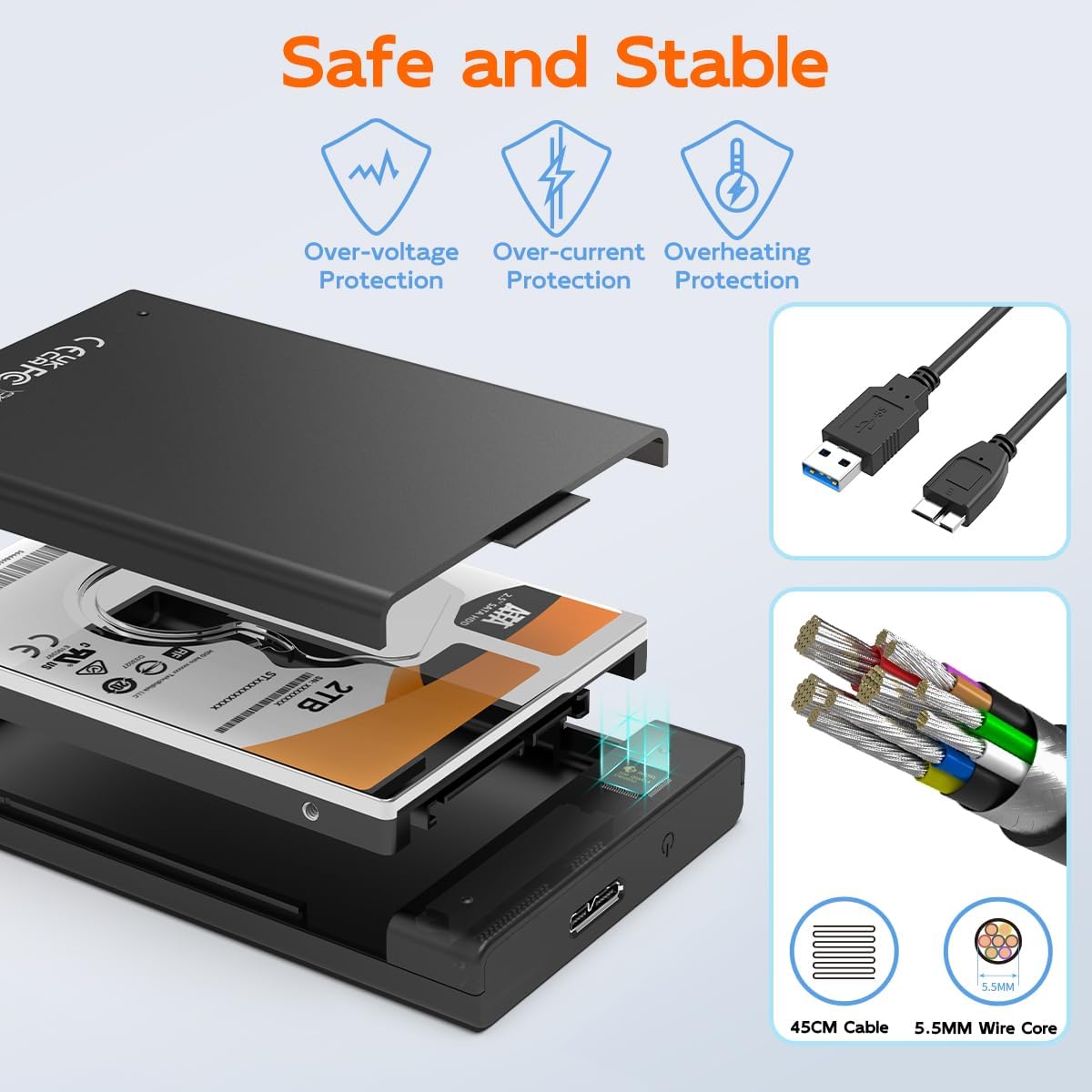
Image: The internal design of the enclosure, emphasizing safety features and the quality of the included USB cable.
Видеоруководство по установке
Video: This official product video demonstrates the tool-free installation of a 2.5-inch SATA drive into the MAIWO enclosure, showcasinг его особенности и простота использования.
5. Инструкция по эксплуатации
Once your drive is installed and the enclosure is connected to your computer, it will be recognized as an external storage device.
Передача данных
The enclosure utilizes a USB 3.0 interface, offering data transfer speeds up to 5Gbps. It is backwards compatible with USB 2.0 and USB 1.1 ports. Support for the UASP (USB Attached SCSI Protocol) further enhances transfer rates, especially with compatible operating systems and hardware.
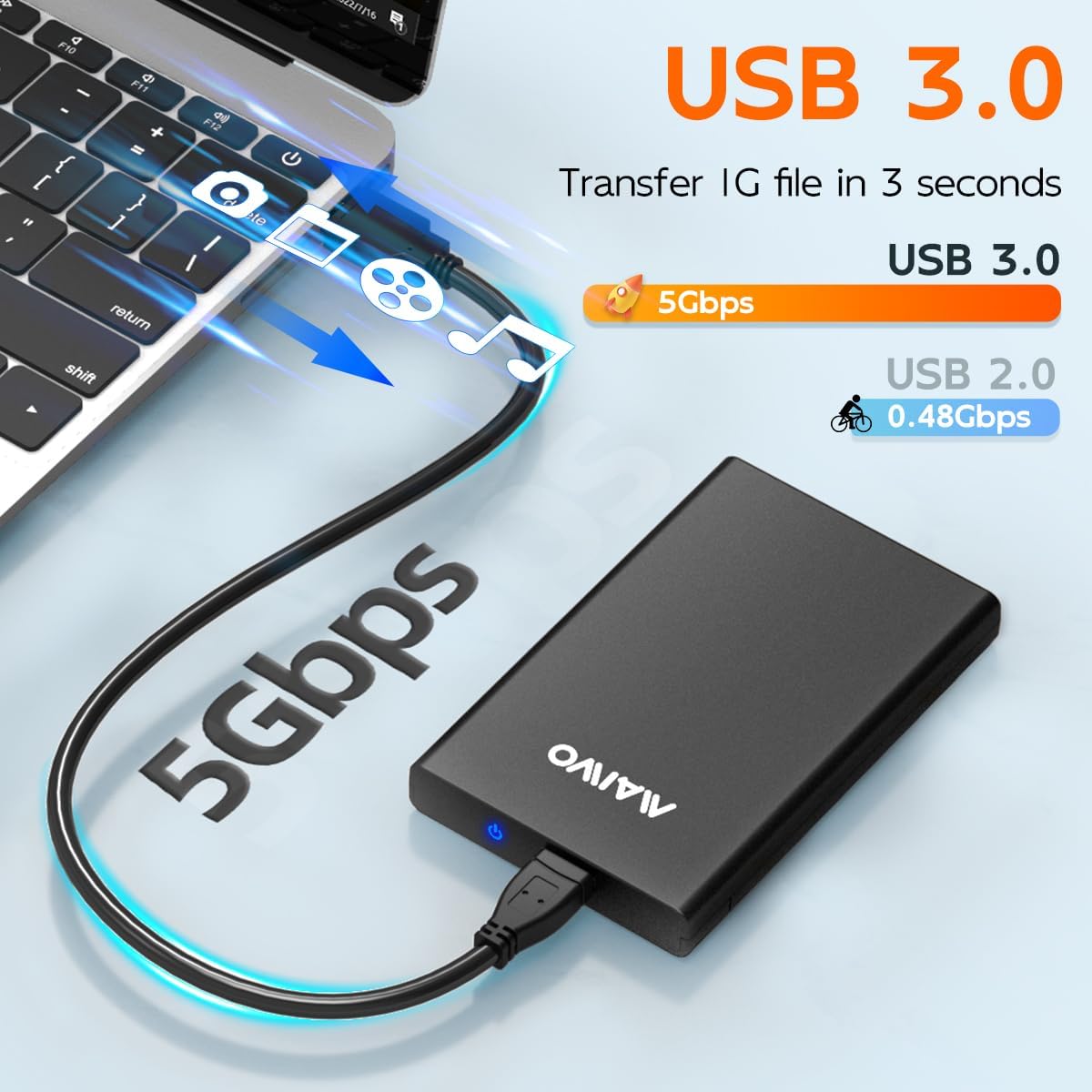
Image: This image highlights the high-speed data transfer capabilities of the USB 3.0 interface.
Светодиодный индикатор
A blue LED indicator on the enclosure provides status updates. It blinks during read or write operations, clearly indicating when the disk is active. This allows you to monitor the working state of your drive.
Intelligent Sleep Function
To prevent disk loss and conserve energy, the enclosure is designed with an intelligent sleep function. If there is no operation for more than 10 minutes, the system will automatically enter sleep mode.
6. Совместимость
The MAIWO K2568 enclosure is designed for broad compatibility:
- Совместимость с дисками: Supports 2.5-inch SATA I/II/III HDD and SSD with a thickness of 7mm or 9.5mm. Note: Not compatible with 3.5-inch SATA drives or IDE (parallel) drives.
- Совместимость системы: Works with Windows 11/10/8.1/8/7/Vista/XP, MacOS, Linux, and HarmonyOS.
- Совместимость с устройством: Can be used with PCs, laptops, MacBooks, Xbox, PS5/PS4/PS3, Smart TVs, routers, and phones (if they support OTG functionality).

Image: A visual guide detailing the types of 2.5-inch SATA drives supported by the enclosure and explicitly stating incompatibility with 3.5-inch SATA and IDE drives.
7. Техническое обслуживание
To ensure the longevity and optimal performance of your MAIWO K2568 enclosure and the installed drive, consider the following maintenance tips:
- Обращаться с осторожностью: Избегайте падений и сильных ударов, которым подвергается корпус.
- Содержать в чистоте: Regularly wipe the exterior with a soft, dry cloth. Avoid using liquid cleaners.
- Правильное отключение: Перед физическим отсоединением USB-кабеля всегда безопасно извлекайте накопитель из операционной системы, чтобы предотвратить повреждение данных.
- Хранилище: Когда бокс не используется, храните его в прохладном, сухом месте, вдали от прямых солнечных лучей и экстремальных температур.
8. Поиск Неисправностей
If you encounter issues with your MAIWO K2568 enclosure, please refer to the following common solutions:
- Диск не обнаружен:
- Ensure the drive is correctly seated within the enclosure.
- Попробуйте подключить корпус к другому USB-порту на вашем компьютере.
- Если возможно, попробуйте использовать другой USB-кабель.
- Verify that the drive itself is functional by testing it in another enclosure or directly connecting it to a system if possible.
- Для новых дисков убедитесь, что они инициализированы и отформатированы в разделе «Управление дисками» (Windows) или «Дисковая утилита» (macOS) вашей операционной системы.
- Низкая скорость передачи данных:
- Убедитесь, что ваш компьютер подключен к порту USB 3.0. Использование портов USB 2.0 приведет к снижению скорости передачи данных.
- Verify that your operating system and hardware support UASP for optimal performance.
- Проверьте состояние USB-кабеля; поврежденный кабель может повлиять на скорость.
- Корпус произвольно отключается:
- Убедитесь, что USB-кабель надежно подключен с обоих концов.
- Попробуйте использовать другой USB-порт или кабель.
- Disable USB selective suspend settings in your computer's power options (Windows) if applicable.
9. Гарантия и поддержка
Информация о гарантии
The MAIWO K2568 2.5 inch SATA HDD SSD Enclosure comes with a Гарантия один год Гарантия действует с даты покупки. Данная гарантия распространяется на производственные дефекты и неисправности, возникшие при нормальной эксплуатации. Она не распространяется на повреждения, вызванные неправильным использованием, несчастными случаями, несанкционированными модификациями или стихийными бедствиями.
Поддержка клиентов
For technical assistance, troubleshooting, or warranty claims, please contact MAIWO customer support through the official MAIWO website or your retailer's support channels. Please have your product model number (K2568) and proof of purchase ready when contacting support.