Введение
This manual provides detailed instructions for the setup, operation, maintenance, and troubleshooting of your NiPoGi AK1 PRO Mini PC. The AK1 PRO is a compact desktop computer powered by an 11th Generation Intel Celeron N5105 processor, designed for efficient daily tasks, multimedia playback, and business applications. It features 12GB DDR4 RAM, a 256GB M.2 SSD, 4K UHD video output, dual display support, Dual Band WiFi, and Bluetooth 4.2.
Что в коробке?
Пожалуйста, проверьте содержимое вашей посылки по прибытии. Стандартная посылка включает в себя:
- 1 x NiPoGi AK1 PRO Mini PC (12GB RAM, 256GB ROM)
- 1 x адаптер питания для ЕС
- 1 х HDMI-кабель
- 1 x VESA Bracket with Screws
- 1 х Руководство пользователя
Продукт болееview
The NiPoGi AK1 PRO Mini PC is designed with various ports for connectivity and expansion. Familiarize yourself with the layout below.
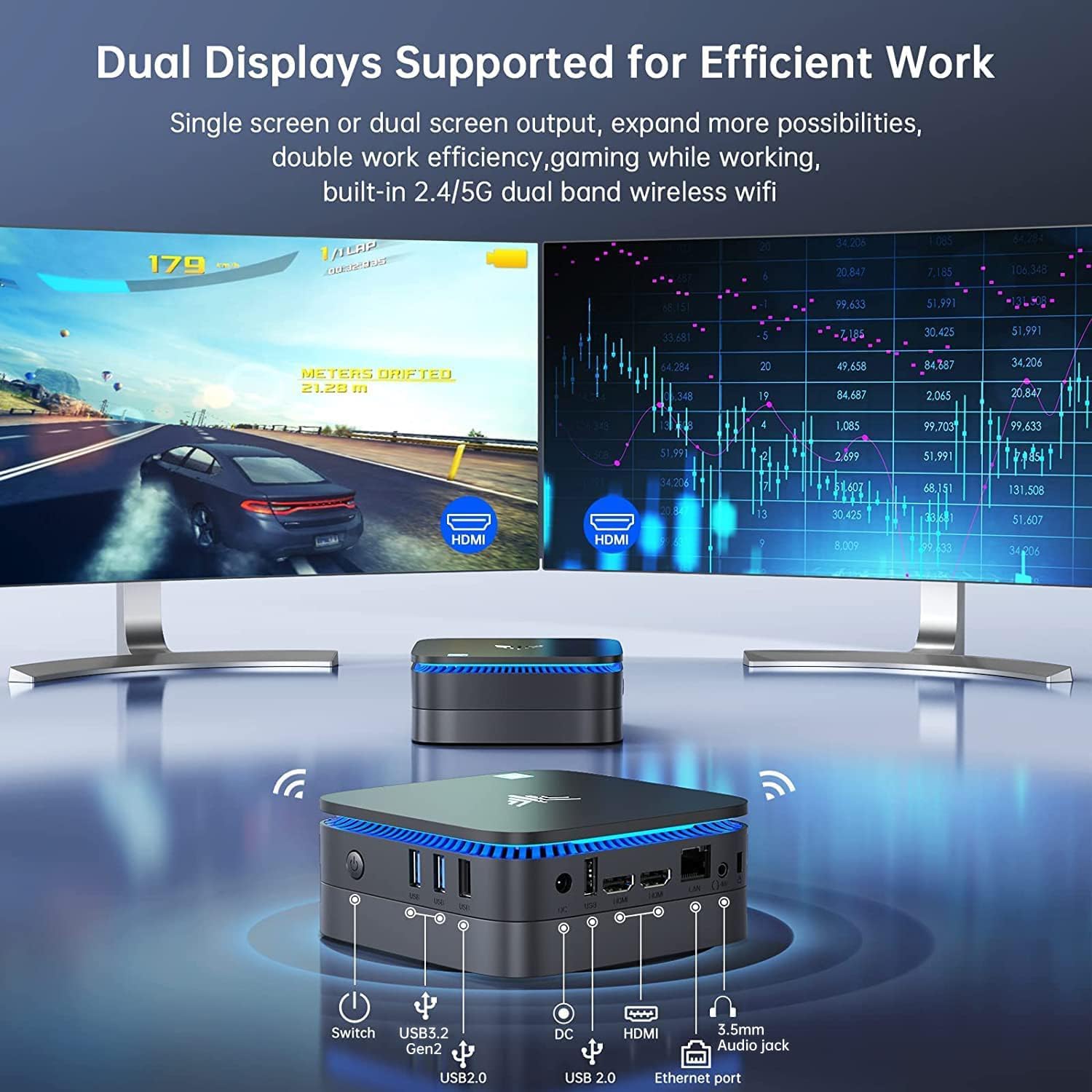
Изображение: Передние и задние view of the NiPoGi AK1 PRO Mini PC, highlighting its various ports and compact design. The front features the power button and USB ports, while the rear includes HDMI, Ethernet, and additional USB ports.
Расположение портов:
- Передний: Power Button, 2 x USB 3.0 ports, 2 x USB 2.0 ports
- Задний: DC Power Input, 2 x HDMI ports, 1 x RJ45 Gigabit Ethernet port, 1 x 3.5mm Audio Jack
Основные характеристики:
- Процессор: 11th Gen Intel Celeron N5105 Quad-Core (up to 2.9 GHz)
- Графика: Intel UHD Graphics, supporting 4K UHD (4096x2160@60Hz)
- Память: 12 ГБ оперативной памяти DDR4
- Хранилище: 256GB M.2 SSD (expandable with 2.5-inch SSD/HDD up to 2TB)
- Связь: Dual Band 2.4GHz+5GHz WiFi, Gigabit Ethernet, Bluetooth 4.2
- Вывод на дисплей: Dual HDMI for dual screen setup
- Операционная система: Предустановленная ОС
Руководство по настройке
Follow these steps to set up your NiPoGi AK1 PRO Mini PC for the first time.
- Подключение к дисплею: Use the provided HDMI cable to connect the Mini PC to your monitor or TV. The AK1 PRO supports dual displays, so you can connect two monitors via the two HDMI ports.
- Подключите периферийные устройства: Подключите USB-клавиатуру и мышь к имеющимся USB-портам.
- Подключение к электросети: Connect the EU power adapter to the DC input port on the Mini PC, then plug the adapter into a power outlet.
- Включение питания: Press the power button located on the front of the Mini PC. The device will boot up, and the blue light will illuminate.
- Первоначальная настройка ОС: Follow the on-screen instructions to complete the operating system setup, including language, region, and network configuration.
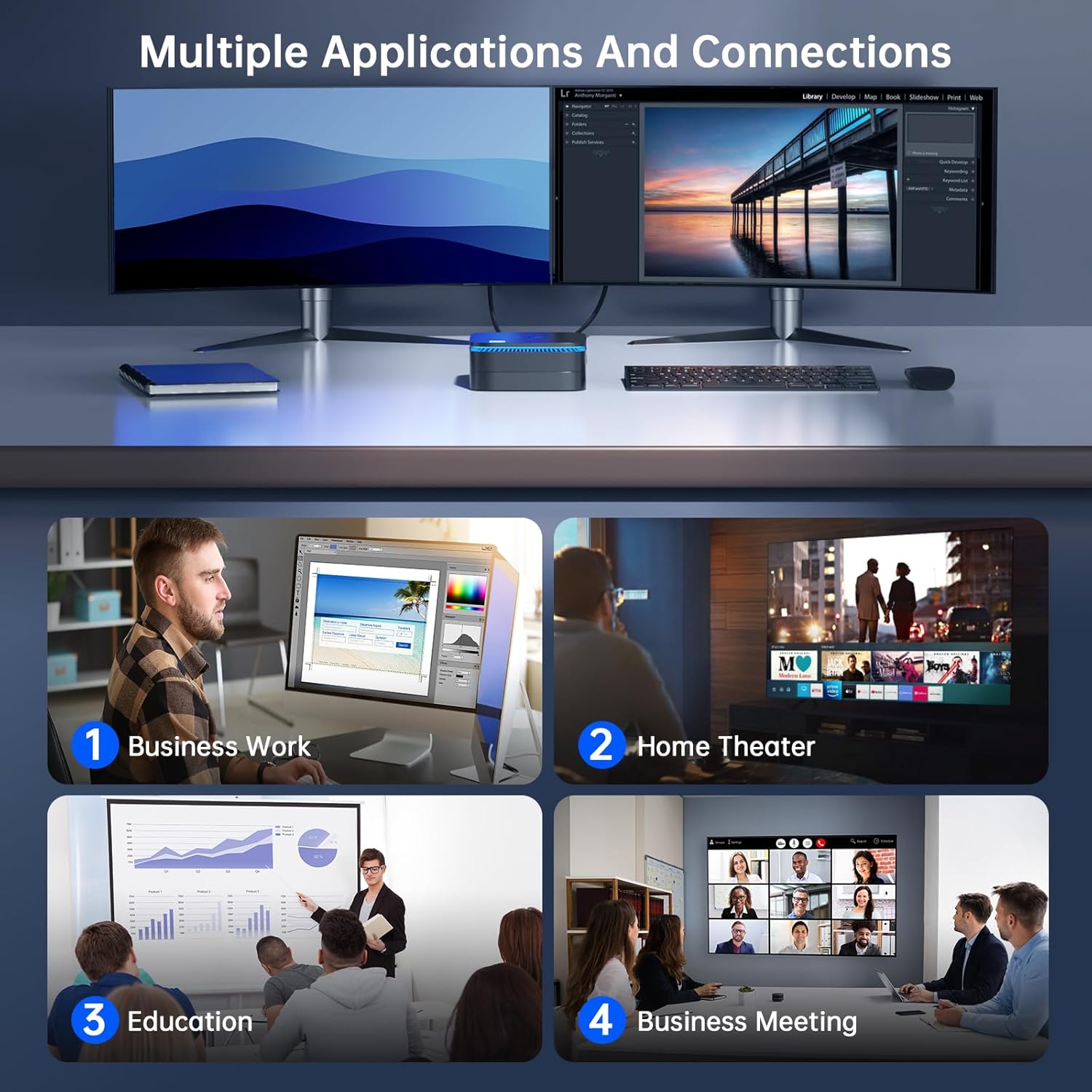
Изображение: The NiPoGi AK1 PRO Mini PC demonstrating multiple applications and connections, including business work, home theater, education, and business meetings, showcasinг его универсальность.
Инструкция по эксплуатации
Основная операция:
- Включение/выключение питания: Press the front power button to turn the PC on. To turn off, use the operating system's shutdown function or press and hold the power button for a few seconds for a forced shutdown (not recommended for regular use).
- Перезапуск: Воспользуйтесь функцией перезагрузки операционной системы.
- Спящий режим: The PC can enter sleep mode to save power. Wake it up by moving the mouse or pressing a key on the keyboard.
4K UHD Video Playback:
The integrated Intel UHD Graphics supports 4K UHD resolution (4096x2160@60Hz), providing a clear visual experience for movies, streaming, and presentations.

Изображение: A person enjoying 4K HD video playback on a large display, powered by the NiPoGi AK1 PRO Mini PC, highlighting its multimedia capabilities and wireless Bluetooth support.
Конфигурация с двумя дисплеями:
Connect two monitors to the two HDMI ports for an extended desktop experience. This can enhance productivity for work or provide a more immersive entertainment setup. Configure display settings within your operating system.
Расширение хранилища
The NiPoGi AK1 PRO Mini PC comes with a 256GB M.2 SSD. For additional storage, you can install a 2.5-inch SSD or HDD (not included) in the removable base, supporting up to 2TB.
Этапы установки:
- Убедитесь, что мини-ПК выключен и отсоединен от адаптера питания.
- Осторожно откройте нижнюю крышку мини-ПК.
- Insert your 2.5-inch SSD/HDD into the designated slot in the removable base.
- Secure the drive with screws if necessary (check the base for mounting points).
- Прикрепите нижнюю крышку обратно.
- After powering on, you may need to initialize and format the new drive through your operating system's disk management tools.

Изображение: A visual tutorial demonstrating how to install a 2.5-inch SSD or HDD into the NiPoGi AK1 PRO Mini PC by opening the bottom cover and inserting the drive into the expansion bay.
Установка крепления VESA
The included VESA bracket allows you to mount the Mini PC to the back of a compatible monitor or TV, saving desk space and creating an all-in-one computing solution.
Этапы установки:
- Attach the VESA bracket to the back of your monitor using the provided screws. Ensure your monitor has standard VESA mounting holes.
- Slide the NiPoGi AK1 PRO Mini PC onto the VESA bracket until it clicks securely into place.
- Connect all necessary cables (power, HDMI, peripherals) to the Mini PC.

Изображение: The NiPoGi AK1 PRO Mini PC shown mounted on the rear of a computer monitor using a VESA bracket, illustrating how it can transform into an all-in-one computer and save desk space.
Обслуживание
Правильное обслуживание гарантирует долговечность и оптимальную производительность вашего мини-ПК.
- Уборка: Регулярно протирайте корпус мини-ПК мягкой сухой тканью. Используйте сжатый воздух для удаления пыли из вентиляционных отверстий, чтобы предотвратить перегрев.
- Обновления программного обеспечения: Регулярно обновляйте операционную систему и драйверы для обеспечения безопасности и производительности.
- Условия окружающей среды: Эксплуатируйте мини-ПК в хорошо проветриваемом помещении, вдали от прямых солнечных лучей, чрезмерного тепла и влаги.
- Управление энергопотреблением: Use the provided power adapter. Avoid frequent abrupt power cuts.
Поиск неисправностей
If you encounter issues with your Mini PC, refer to the following common troubleshooting steps.
- Нет питания:
- Убедитесь, что адаптер питания надежно подключен как к мини-ПК, так и к работающей розетке.
- Проверьте работоспособность розетки, подключив к ней другое устройство.
- Нет дисплея:
- Убедитесь, что кабель HDMI надежно подключен как к мини-ПК, так и к монитору.
- Убедитесь, что монитор включен и настроен на правильный источник входного сигнала (HDMI 1, HDMI 2 и т. д.).
- Попробуйте использовать другой HDMI-кабель или монитор, если он доступен.
- Нет подключения к Интернету (Wi-Fi/Ethernet):
- For Wi-Fi, ensure the Wi-Fi adapter is enabled in the operating system and you are connected to the correct network with the correct password.
- For Ethernet, ensure the Ethernet cable is securely connected to both the Mini PC and your router/modem. Check router status.
- Перезагрузите маршрутизатор/модем и мини-ПК.
- Низкая производительность:
- Закройте ненужные приложения, работающие в фоновом режиме.
- Убедитесь, что на вашем основном диске достаточно свободного места.
- Проверьте наличие и установите все ожидающие обновления операционной системы.
- Monitor CPU and RAM usage through Task Manager (Windows) to identify resource-intensive processes.
Технические характеристики
Detailed technical specifications for the NiPoGi AK1 PRO Mini PC.
| Особенность | Деталь |
|---|---|
| Бренд | НиПоГи |
| Модельный ряд | AK1PRO N5105/12GB RAM+256GB ROM |
| Процессор | Intel Celeron N5105 (11th Gen, Quad-Core, up to 2.9 GHz) |
| Графический сопроцессор | Intel UHD-графика |
| БАРАН | 12 ГБ DDR4 |
| Хранилище | 256GB M.2 SSD (Expandable with 2.5" SSD/HDD up to 2TB) |
| Операционная система | OS |
| Связность | Dual Band Wi-Fi (802.11a/b/g/n/ac), Bluetooth 4.2, Gigabit Ethernet |
| USB-порты | 2 х USB 3.0, 2 х USB 2.0 |
| HDMI-порты | 2 (supports dual display, 4K UHD resolution) |
| Аудио | 1 х 3.5 мм аудиоразъем |
| Размеры | 12.8 x 12.8 x 5.15 см (прибл. 5.04 x 5.04 x 2.05 дюйма) |
| Масса | 274 грамм |
| Цвет | Черный |
Гарантия и поддержка
NiPoGi provides comprehensive support and warranty services for your Mini PC.
Связаться со службой поддержки:
- Amazon Orders: Log in to Amazon, go to "Your Account", then "Your Orders", and select "Ask Product Question" for assistance.
- Поддержка по электронной почте: support@inipogi.com
- Поддержка по телефону: +44 808 175 2348 (понедельник-пятница, 9:00-17:00 по восточному стандартному времени)
NiPoGi offers maintenance points for exchange or repair of your mini PC during the warranty period. Please retain your proof of purchase for warranty claims.

Изображение: Information regarding NiPoGi's "All-Around Protection" plan, including contact methods for support via Amazon, email, and phone, and details about maintenance services.