
1. Введение
Thank you for choosing the VOYEE WE-07 Wired Game Controller. This manual provides detailed instructions for setting up, operating, and maintaining your controller. The WE-07 is designed for a responsive and immersive gaming experience on both PC and PlayStation 3 platforms.

Image: The VOYEE WE-07 wired game controller, featuring a black and red design with prominent VOYEE branding and illuminated rumble effects, indicating its dual shock capabilities.
2. Особенности продукта
- Проводное подключение: Equipped with a 1.8-meter (5.9ft) USB cable for a stable connection and comfortable gaming distance.
- Двойная ударная вибрация: Built-in dual motion motors provide varied intensity feedback for an authentic gaming experience.
- Эргономичный дизайн: Features a special matte layer for a comfortable grip during extended gaming sessions.
- Широкая совместимость: Supports Windows 7/8/8.1/10/11 PC games (DInput and XInput modes) and is fully compatible with Sony PlayStation 3 consoles.

Image: An illustration highlighting the internal dual shock rumble motor within the VOYEE WE-07 controller, emphasizing its vibration feedback capability.
3. Схема контроллера
Familiarize yourself with the buttons and controls of your VOYEE WE-07 controller:

Image: A detailed diagram of the VOYEE WE-07 controller, labeling all buttons and joysticks, including R1/R2/L1/L2 buttons, LED indicators, SELECT, START, HOME, D-Pad, Left/Right Joysticks, and A/B/X/Y buttons.
- Левый джойстик: Для направленного движения.
- Правый джойстик: Для управления камерой или наведения.
- Крестовина: Клавиатура управления для точного ввода.
- Кнопки действий (A, B, X, Y): Для внутриигровых действий.
- Наплечные пуговицы (L1, R1): Кнопки сверху.
- Кнопки-триггеры (L2, R2): Аналоговые триггеры, расположенные снизу.
- Кнопка ВЫБОР: Typically for menu navigation or specific game functions.
- Кнопка Пуск: Typically for pausing or starting games.
- HOME/P3 Button: For accessing system menus or PlayStation 3 home screen.
- Светодиодные индикаторы (1-4): Show player number or connection status.
4. Инструкции по настройке
Connecting your VOYEE WE-07 controller is a straightforward process:
4.1. Connecting to a PC (Windows 7/8/8.1/10/11)
- Найдите свободный порт USB на вашем компьютере.
- Plug the USB connector of the VOYEE WE-07 controller into the USB port.
- Your computer will automatically detect and install the necessary drivers. This may take a few moments.
- Once installed, the controller will be ready for use. You may need to configure the controller settings within your game or platform (e.g., Steam) for optimal performance.
The controller supports both DInput (DirectInput) and XInput modes. Most modern PC games use XInput, which is automatically recognized. For older games, DInput might be used.
4.2. Connecting to a PlayStation 3 (PS3)
- Убедитесь, что ваша консоль PS3 включена.
- Plug the USB connector of the VOYEE WE-07 controller into an available USB port on your PS3.
- The PS3 will recognize the controller. The LED indicators on the controller will light up to show the assigned player number.
- The controller is now ready for use with your PlayStation 3 games.

Image: A close-up of the VOYEE WE-07 controller's USB cable connecting to a device, illustrating the wired connection process.
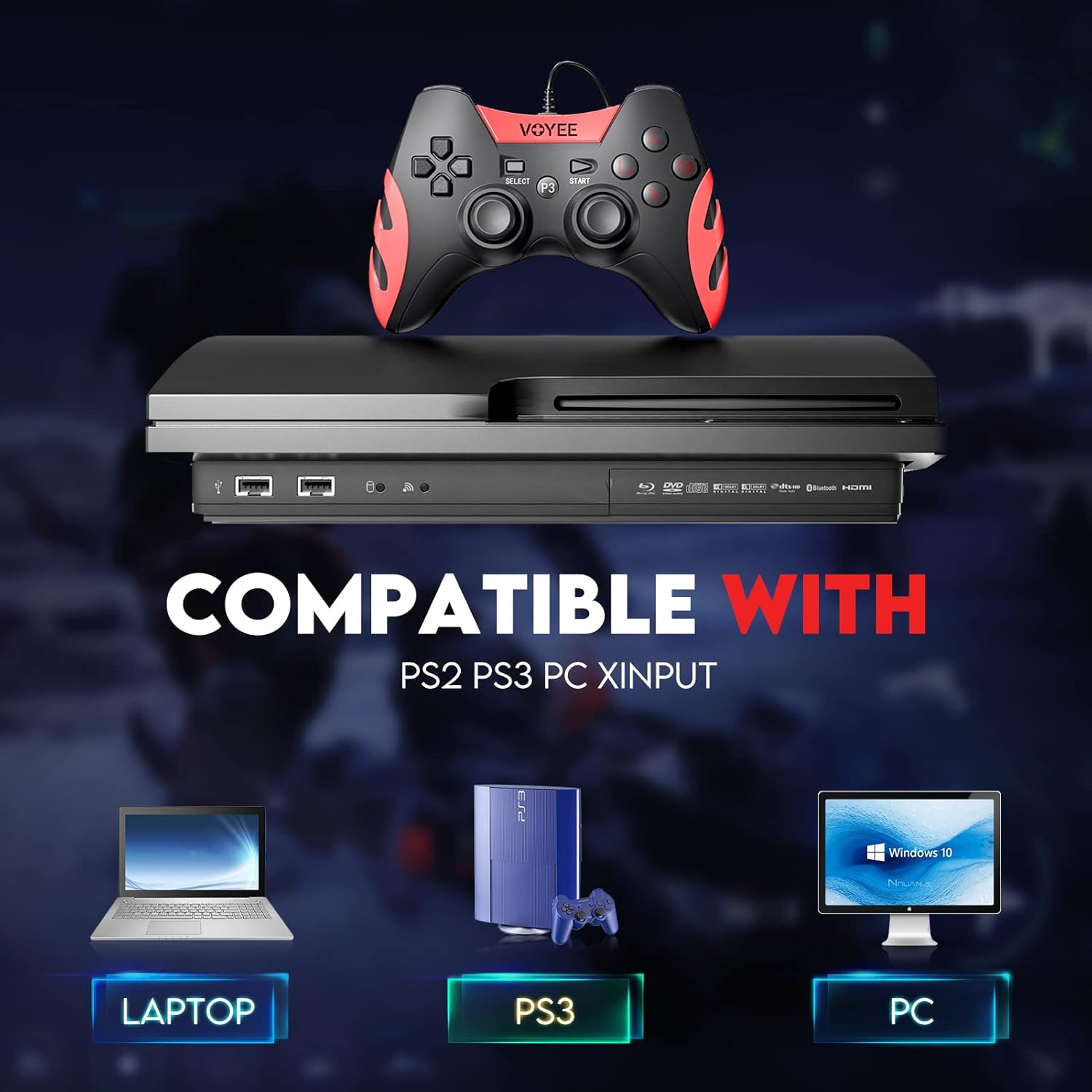
Image: A graphic demonstrating the VOYEE WE-07 controller's compatibility with various platforms, including laptops, PlayStation 3 consoles, and desktop PCs, highlighting its versatility.
5. Инструкция по эксплуатации
Once connected, the VOYEE WE-07 controller functions similarly to standard gamepads. Here are some general operating tips:
- Управление игрой: Use the joysticks and D-Pad for movement and navigation. The action buttons (A, B, X, Y) and shoulder/trigger buttons (L1, R1, L2, R2) perform in-game actions as defined by the specific game.
- Вибрационная обратная связь: The dual shock motors will provide tactile feedback during gameplay, enhancing immersion. This feature is automatically enabled when supported by the game.
- HOME/P3 Button: Press this button to access the system menu on PS3 or to bring up the game overlay on PC (depending on the game or platform).
- Эргономика: The controller's matte finish and ergonomic design are intended for comfortable use during long gaming sessions.
6. Поиск Неисправностей
If you encounter issues with your VOYEE WE-07 controller, please refer to the following common solutions:
| Проблема | Решение |
|---|---|
| Controller not recognized by PC/PS3. |
|
| Вибрационная обратная связь не работает. |
|
| Кнопки и джойстики не реагируют. |
|
7. Техническое обслуживание
To ensure the longevity and optimal performance of your VOYEE WE-07 controller, follow these maintenance guidelines:
- Уборка: Протрите поверхность контроллера мягкой сухой тканью. Для удаления стойких загрязнений слегка потрите.ampСмочите ткань водой. Избегайте использования едких химикатов или абразивных чистящих средств.
- Хранилище: Храните контроллер в прохладном, сухом месте, вдали от прямых солнечных лучей и экстремальных температур. Избегайте размещения на контроллере тяжелых предметов.
- Уход за кабелем: Do not sharply bend or pull the USB cable. Always grasp the plug when disconnecting, not the cable itself.
- Избегайте капель: Оберегайте контроллер от падений и ударов, которые могут повредить внутренние компоненты.
8. Технические характеристики
| Модель | WE-07 |
| Бренд | ВУАЙИ |
| Связность | Проводной USB-кабель |
| Длина кабеля | 1.8 5.9 метров (XNUMX XNUMX футов) |
| Совместимые устройства | PC (Windows 7/8/8.1/10/11), PlayStation 3 |
| Тип контроллера | Gamepad, Joystick (DInput & XInput) |
| Дополнительные возможности | Dual Shock Vibration, Ergonomic Design, Matte Finish |
| Количество кнопок | 17 |
9. Гарантия и поддержка
VOYEE provides a Гарантия 365 дней for the WE-07 wired gamepad controller from the date of purchase. This warranty covers manufacturing defects under normal use.
If you encounter any problems or have questions regarding your VOYEE WE-07 controller, please do not hesitate to contact our customer service team via e-mail. Our friendly customer service is available to assist you.
For support, please visit the official VOYEE webДля получения контактной информации посетите веб-сайт или обратитесь к документации по покупке.