
1. Продукт закончилсяview
The Keenso Universal Auto OBD2 + GPS Car HUD Head-up Display is designed to project essential driving information directly onto your windshield, enhancing driving safety by keeping your eyes on the road. This device supports both OBD2 and GPS systems, offering a wide range of data display options and alarm functions.

Figure 1: Keenso HUD Head-up Display showing various data points.
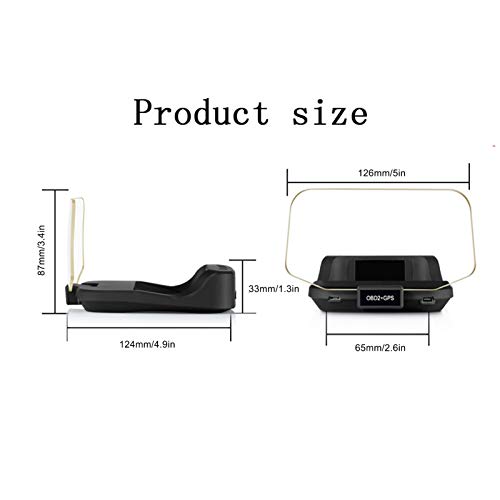
Figure 2: Product dimensions of the Keenso HUD unit.
2. Особенности продукта
- Большой цветной экран: Provides clear reflective reading for convenient use.
- Комплексное отображение данных: Отображает скорость автомобиля, температуру воды, объем.tage, fuel consumption, rotational speed, single mileage, total mileage accumulation, driving time, driving direction, satellite quantity, altitude, system time, intake pressure, oil temperature, air-fuel ratio, turbine pressure, intake air pressure, acceleration test, brake test, clear fault codes, and data stream reading.
- Multi-functional Alarms: Includes overspeed alarm, high water temperature alarm, low pressure alarm, variable speed alarm, and engine failure alarm.
- Повышенная безопасность дорожного движения: Designed to reduce the possibility of traffic accidents by keeping critical information in the driver's line of sight.
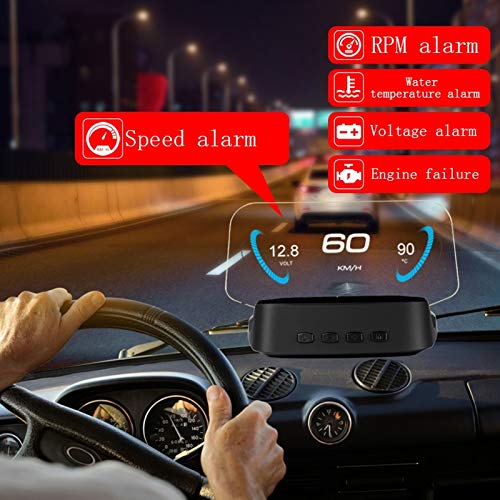
Figure 3: HUD displaying speed and various alarm indicators during driving.
3. Содержимое упаковки
Полный комплект включает в себя следующие предметы:
- 1 x Display Unit
- 1 x OBD Line
- 1 x Car Power Cable (Cigarette Lighter)
- 1 х Руководство по эксплуатации
- 1 х Ткань для протирки
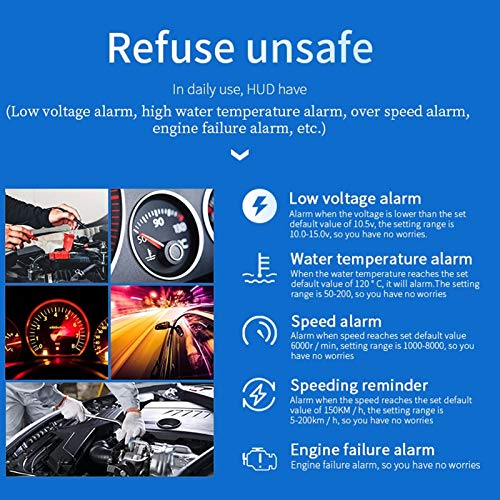
Рисунок 4: Болееview of alarm functions including low voltage, water temperature, speed, and engine failure.
4. Настройка и установка
- Подключите кабель OBD: Plug the provided OBD cable into your car's OBD interface. This connection enables the HUD to access vehicle data.
- Подключите USB-кабель: Connect the USB end of the car power cable to the HUD unit and the other end (cigarette lighter plug) into your car's cigarette lighter interface. This provides power to the unit.
- Navigation Setup (Optional): To use navigation features, download the WiiYii APP software on your smartphone. Establish a Bluetooth connection between the HUD and your smartphone. Navigation information will then be displayed synchronously through the APP.
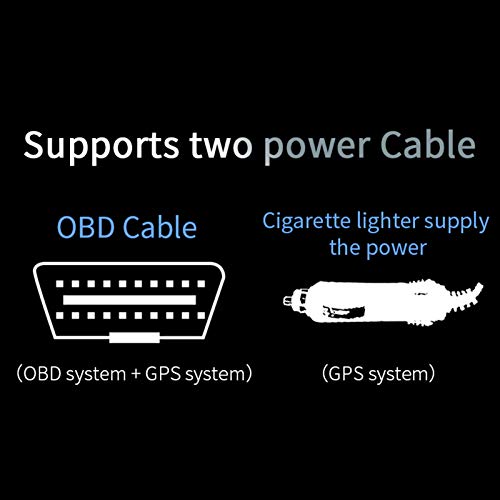
Figure 5: Power connection options for the HUD unit (OBD and cigarette lighter).

Figure 6: Steps for mobile device interconnection and navigation setup.
5. Инструкция по эксплуатации
5.1 OBD Mode Functions
When connected via the OBD cable, the HUD can display a wide array of vehicle data:
- Скорость автомобиля
- Температура воды
- Томtage
- Расход топлива
- Скорость вращения (об/мин)
- Единичный пробег
- Total mileage accumulation
- Время в пути
- Направление движения
- Satellite quantity
- Высота
- Системное время
- Давление на входе
- Температура масла
- Соотношение воздух-топливо
- Давление турбины
- Давление воздуха на впуске
- Тест ускорения
- Проверка тормозов
- Очистить коды неисправностей
- Чтение потока данных
5.2 функций будильника
The HUD provides critical alerts to ensure safe driving:
- Сигнализация превышения скорости: Alerts when vehicle speed exceeds a preset limit.
- Rotational Speed Alarm: Alerts when engine RPM exceeds a preset limit.
- Сигнализация о высокой температуре воды: Оповещения, если температура охлаждающей жидкости двигателя становится слишком высокой.
- Низкая громкостьtage Тревога: Alerts if the vehicle's electrical system voltagе падает ниже безопасного уровня.
- Сигнал тревоги о неисправности двигателя: Уведомляет об обнаруженных проблемах с двигателем.
5.3 Функции режима GPS
When operating in GPS mode (typically via the car power cable/cigarette lighter connection), the HUD can display:
- Скорость автомобиля
- Время в пути
- Спутниковое время
- Высота
- Количество спутников
- Направление движения
- Единичный пробег
- Томtage
- Тест ускорения
- Проверка тормозов
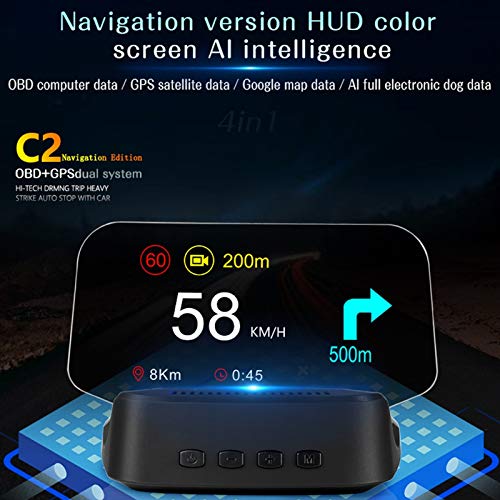
Figure 7: Navigation display on the HUD unit, showing speed and directional guidance.
6. Поиск Неисправностей
- Unit Does Not Automatically Shut Down: If the HUD unit does not automatically shut down with the vehicle, access the setting menu. Select the 'sleep voltage' option and adjust its value slightly higher. This can resolve issues with the unit remaining on after the car is turned off.
- Неточное скорочтение: If the displayed speed does not match your vehicle's speedometer or GPS, navigate to the speed adjustment settings within the HUD menu. Adjust the percentage value to calibrate the speed reading for accuracy.
- Проблемы совместимости: This unit is designed for vehicles complying with OBD II standards. If you receive a message indicating incompatibility, your vehicle may not fully support the OBD II protocol required for this device.
- Syncing Issues with Smartphone (for Navigation): Ensure Bluetooth is enabled on both the HUD and your smartphone. Verify that the WiiYii APP is correctly installed and running. Restarting both devices and attempting to reconnect may resolve connection problems.
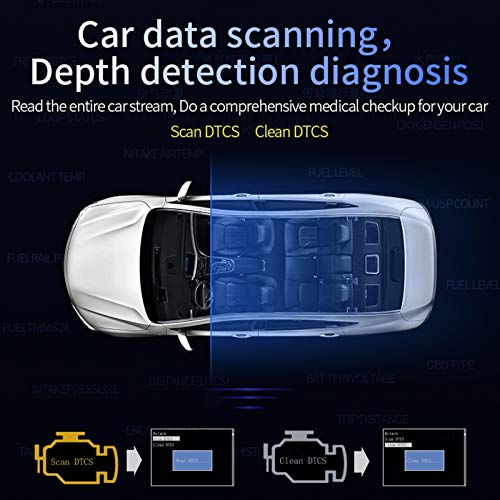
Figure 8: Car data scanning and diagnostic process, including scanning and clearing DTCs.
7. Технические характеристики
| Спецификация | Деталь |
|---|---|
| Тип товара | Auto OBD2 + HUD |
| Материал | АБС+ПК |
| Приспособление | Vehicles complying with OBD II standards |
| Размеры упаковки | 8.35 x 5.71 x 2.09 дюйма |
| Вес товара | 14 унции |
| Производитель | Кинсо |
8. Гарантия и поддержка
For warranty information or technical support, please refer to the contact details provided with your purchase documentation or visit the official Keenso website. Ensure you have your product model and purchase date available when contacting support.
Примечание: Please allow 1-3mm difference due to manual measurement.