
Pigtronix GDR
Pigtronix Gamma Drive Overdrive Pedal
Руководство пользователя
Введение
The Pigtronix Gamma Drive is a versatile overdrive pedal designed to deliver a wide range of tones, from subtle boosts to aggressive, all-out grind. Its intuitive controls allow musicians to sculpt their sound with precision, making it an essential tool for any guitarist seeking dynamic and expressive overdrive.

Рисунок 1: Передняя часть view of the Pigtronix Gamma Drive Overdrive Pedal. This image displays the pedal's blue casing, the four control knobs (Volume, Gain, Treble, Bass), the footswitch, and the DC 9V power input label.
Основные характеристики
- Overdrive Pedal with Treble Bass Controls
- Wide range of gain from subtle boost to heavy distortion
- Компактная и прочная конструкция
- True bypass switching for signal integrity
Содержимое упаковки
При открытии упаковки убедитесь, что в наличии имеются все следующие предметы:
- Pigtronix Gamma Drive Overdrive Pedal
- Руководство пользователя (этот документ)
- Соединительный кабель
Руководство по настройке
Follow these steps to properly set up your Pigtronix Gamma Drive pedal:
1. Подключение питания
Connect a standard 9V DC power supply (not included) to the "DC 9V" input jack on the top of the pedal. Ensure the power supply is center-negative and provides at least 10mA of current.
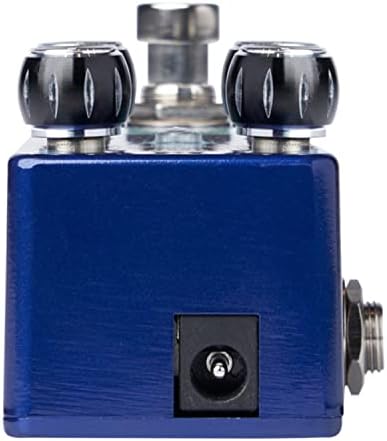
Figure 2: Close-up of the DC 9V power input jack located on the top side of the pedal.
2 Подключение прибора
Подключите свой инструмент (например, гитару) к входному разъему на правой стороне педали с помощью стандартного инструментального кабеля 1/4 дюйма.
3. Ampболее жизнерадостное соединение
Подключите разъем OUTPUT на левой стороне педали к ampВход усилителя подключается с помощью другого стандартного инструментального кабеля 1/4 дюйма.
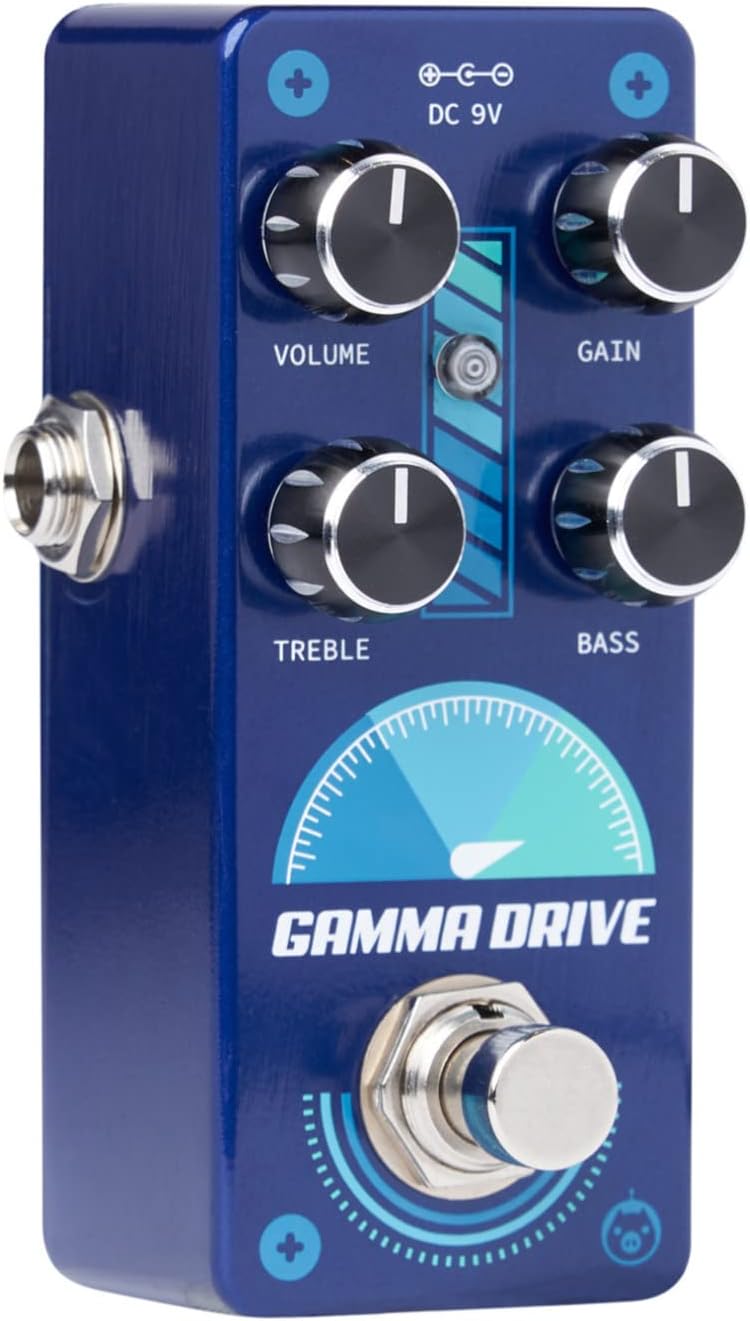
Рисунок 3: Наклонный view illustrating the input jack (right side) and output jack (left side) for instrument and ampболее жизненные связи.
Операция
The Pigtronix Gamma Drive features four primary control knobs and a footswitch for intuitive sound shaping.
Контролируетview
Рисунок 4: Передняя часть view of the pedal showing the layout of the control knobs.
- ОБЪЕМ: Controls the overall output level of the pedal. Turn clockwise to increase the volume.
- ПРИРОСТ: Adjusts the amount of overdrive and distortion. Higher settings produce more saturated and aggressive tones.
- ВЫСОКИЕ: Shapes the high-frequency content of your tone. Turn clockwise for brighter sounds, counter-clockwise for warmer tones.
- БАС: Controls the low-frequency content. Turn clockwise to add more bass, counter-clockwise to reduce it.
Использование ножного переключателя
The large footswitch at the bottom of the pedal engages or bypasses the effect. When the effect is active, the LED indicator above the footswitch will illuminate. When bypassed, your signal passes through the pedal unaffected (true bypass).
Техническое обслуживание и уход
- Уборка: Для очистки поверхности педали используйте мягкую сухую ткань. Избегайте использования абразивных чистящих средств и растворителей.
- Хранилище: Храните педаль в прохладном, сухом месте, вдали от прямых солнечных лучей и экстремальных температур.
- Власть: Always use a regulated 9V DC power supply with the correct polarity (center-negative) to prevent damage.
- Соединения: Ensure all cables are securely connected before use. Disconnect cables when not in use to prevent accidental damage.
Поиск неисправностей
| Проблема | Возможная причина | Решение |
|---|---|---|
| Нет звука при нажатии на педаль. | Incorrect cable connections; Power supply issue; Pedal not engaged. | Check all input/output cables; Ensure 9V DC power supply is connected and functional; Press footswitch to engage pedal (LED should light up). |
| Слабый или искаженный звук. | Low power; Incorrect gain/volume settings. | Проверьте объем источника питанияtage and current; Adjust GAIN and VOLUME knobs to desired levels. |
| Нежелательный шум или гул. | Ground loop; Faulty cables; Interference from other electronics. | Use isolated power supply; Try different cables; Move pedal away from power transformers or fluorescent lights. |
Технические характеристики
| Спецификация | Ценить |
|---|---|
| Вес товара | 9 унции |
| Размеры продукта | 8.4 x 6.3 x 4.7 дюйма |
| Номер модели | ГДР |
| Цвет | Light Blue, Black |
| аппаратный интерфейс | HP-HSC |
| Формат сигнала | Аналоговый |
| Источник питания | Battery Powered (Note: Typically refers to ability to use battery, but 9V DC adapter is standard for pedals) |
| Томtage | 9 Вольта постоянного тока |
| Ampярость | 10 миллиamps (minimum required) |
Гарантия и поддержка
For detailed warranty information, product registration, and technical support, please visit the official Pigtronix webили обратитесь в службу поддержки клиентов. Сохраните чек о покупке для предъявления гарантийных претензий.
Официально Webсайт: www.pigtronix.com
Ask a question about this manual
Ask about setup, troubleshooting, compatibility, parts, safety, or missing instructions. Manuals+ will review the question and use this page’s manual context to help answer it.