
MARKLIFE P50
MARKLIFE Label Maker Machine User Manual
Model: P50 | Brand: MARKLIFE
Продукт болееview
The MARKLIFE P50 Label Maker is a mini portable Bluetooth thermal label printer designed for various labeling needs in homes, offices, and small businesses. It utilizes thermal printing technology, eliminating the need for ink or toner, and supports black and white printing.
Ключевые особенности включают в себя:
- Широкое применение: Supports label widths from 0.59'' to 2.24'', suitable for address, clothing, price, cable, jewelry, and ingredient labels.
- Беспроводные и портативные: Lightweight design with Bluetooth 4.0 connectivity for convenient, smooth, and fast printing from smartphones (Android & iOS) within 33 feet.
- Smart Printing Features: Offers voice and image recognition, barcode generation from scans, PDF batch printing, and the ability to print photos on labels. USB connection and online software are available for Windows PC.
- Долговечные этикетки: Labels are designed to be tear-proof, watertight, and oil-proof, ensuring longevity.
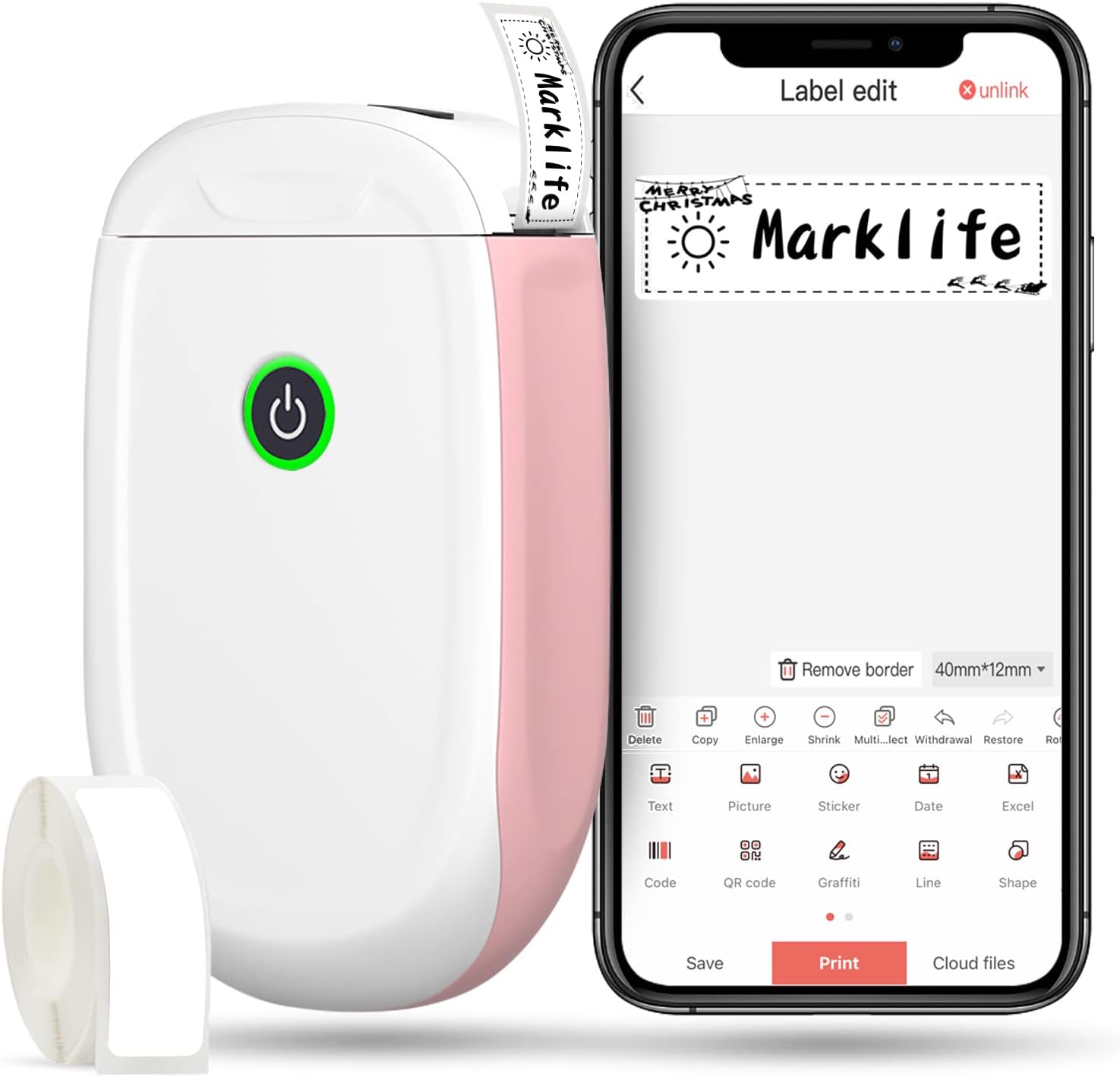
Figure 1: MARKLIFE P50 Label Maker and companion app.
Руководство по настройке
Follow these steps to set up your MARKLIFE P50 Label Maker:
- Load Label Paper: Open the cover and insert the label roll with the printing side facing up. Close the cover securely.
- Загрузите приложение: Искать "Marklife" in your smartphone's app store (available for Android and iOS) and install it.
- Включите Bluetooth: Включите Bluetooth на вашем смартфоне.
- Подключиться к устройству: Open the Marklife app, turn on the labeler, and connect to the device via Bluetooth. The device name will typically start with "P11" or "P50".

Figure 2: Quick setup guide for the Marklife P50.
Video 1: Demonstrates the setup and basic usage of the Marklife P11 (similar to P50) label maker, including loading paper, connecting via Bluetooth, and printing a label.
Инструкция по эксплуатации
После подключения вы можете начать создавать и печатать этикетки:
- Choose a Template: In the Marklife app, select from various pre-designed templates or start a new blank label.
- Edit Label Content: Double-click on the label area to input text. You can customize font, size, alignment, and add elements like images, icons, dates, or barcodes.
- Предварительноview и распечатать: Перед печатью предварительноview your label to ensure it looks as desired. Then, tap the "Print" button to send the design to the label maker.
- Расширенные возможности:
- Штрих-код/QR-код: Generate barcodes or QR codes directly from the app. Exampштрихкод: 46745875478655
- Image Recognition (OCR): Use your phone's camera as an OCR scanner within the app to convert text from images into editable label content.
- Пакетная печать: Print multiple labels from a PDF or a list for efficiency.
- Настройка: Access over 600 combinations of templates, 9 languages, 600+ symbols, 27+ frames, and 15+ fonts.

Figure 3: Customize your own labels with various design elements.

Figure 4: Many designing items available in the app.
Обслуживание
To ensure the longevity and optimal performance of your MARKLIFE P50 Label Maker, follow these maintenance guidelines:
- Уборка: Regularly wipe the exterior of the device with a soft, dry cloth. For the print head, use a cotton swab lightly dampened with rubbing alcohol, ensuring the device is off and disconnected from power. Allow it to dry completely before use.
- Хранилище: Храните этикеточный принтер в прохладном, сухом месте, вдали от прямых солнечных лучей и экстремальных температур.
- Уход за рулоном этикеток: Неиспользованные рулоны этикеток следует хранить в оригинальной упаковке, чтобы защитить их от пыли и влаги.
- Уход батареи: Для оптимального срока службы батареи регулярно заряжайте устройство, даже если оно не используется часто. Избегайте полной разрядки батареи в течение длительного времени.

Figure 5: Thermal printing technology requires no ink, simplifying maintenance.

Figure 6: Labels are designed for durability and resistance to water and oil.
Поиск неисправностей
If you encounter issues with your MARKLIFE P50 Label Maker, try the following solutions:
| Проблема | Возможная причина | Решение |
|---|---|---|
| Устройство не включается. | Низкий заряд батареи. | Зарядите устройство с помощью прилагаемого USB-кабеля. |
| Невозможно подключиться через Bluetooth. | Bluetooth is off on phone/device, or device is out of range. | Ensure Bluetooth is enabled on your phone and the label maker is within 33 feet. Restart both devices. |
| Низкое качество печати или пустые этикетки. | Incorrect label paper loading, dirty print head, or low battery. | Re-load label paper correctly. Clean the print head. Charge the device. |
| Приложение вылетает или зависает. | Software glitch or outdated app version. | Restart the app. Check for app updates in your app store. Reinstall the app if necessary. |
| Этикетки подаются неправильно. | Paper jam or incorrect paper type. | Open the cover and clear any jammed paper. Ensure you are using compatible Marklife label rolls. |
Технические характеристики
| Особенность | Деталь |
|---|---|
| Название модели | Р50 |
| Бренд | МАРКЛАЙФ |
| Технология печати | Термальный |
| Технология связи | Bluetooth |
| Вывод на принтер | Monochrome (Black ink) |
| Максимальная скорость печати (монохромная) | 30 частей на миллион |
| Максимальный размер носителя | 3 x 5 дюйма |
| Диапазон ширины этикетки | 0.59'' - 2.24'' |
| Вес товара | 9.6 унции (272 граммов) |
| Размеры продукта | 3.14 x 5.5 x 1.18 дюйма (прибл. 7.5 x 13.6 x 2.8 см) |
| Совместимые устройства | Android & iOS mobile devices, Windows PC (via USB) |
| Включенные компоненты | Label Maker, Label Tape |
Приложения
The MARKLIFE P50 Label Maker is versatile and can be used in various scenarios:
- Домашняя организация: Labeling spice jars, storage containers, baby items, and personal belongings.
- Офисное использование: Организация files, marking cables, labeling office tools, and creating name tags. Бывшийampштрихкод: 6953124066961
- Малый бизнес: Creating price tags, product labels, barcode labels, and shipping labels for retail, clothing, and jewelry.
- Личное использование: Labeling gifts, creating custom stickers, and marking food expiration dates.
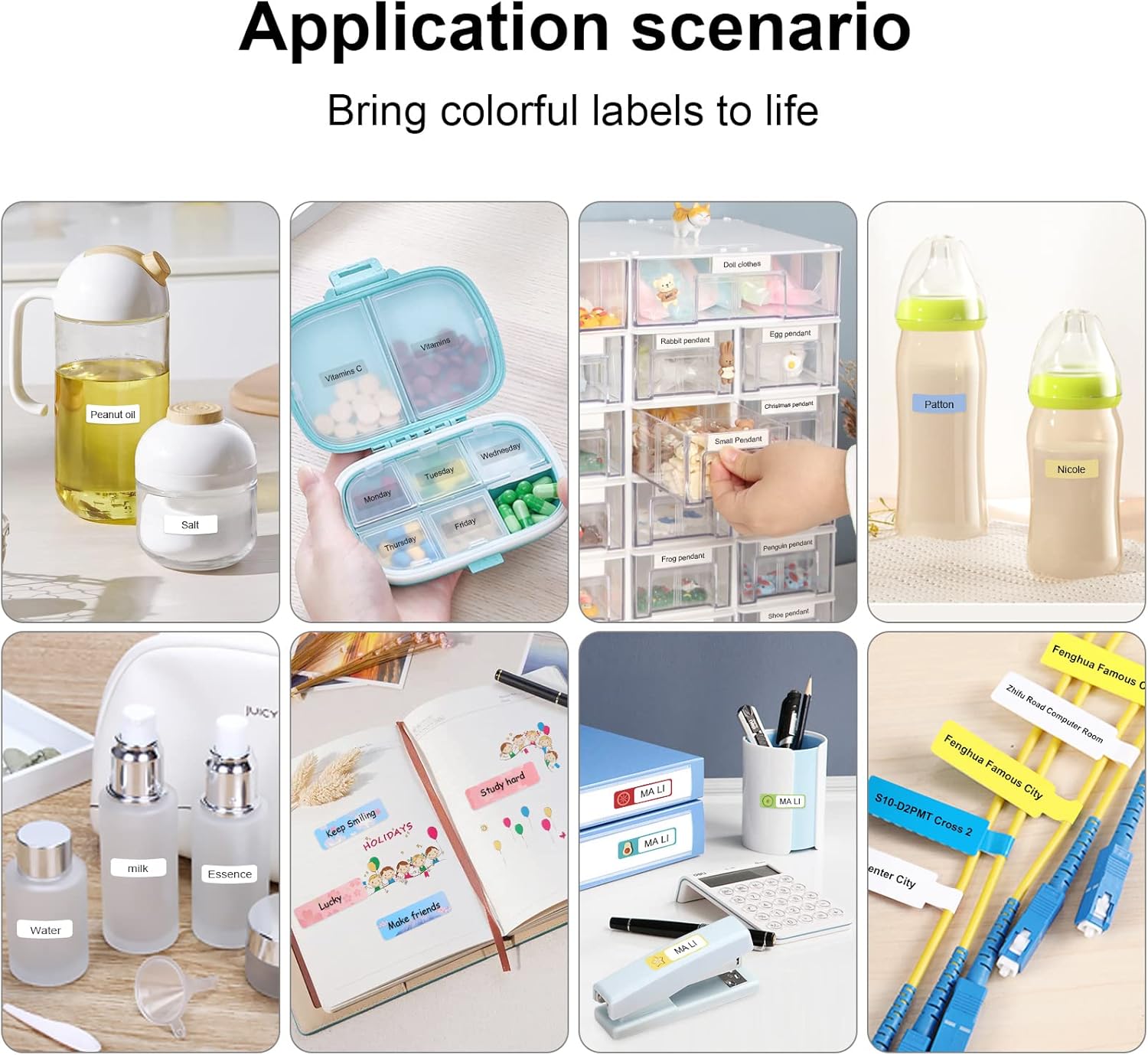
Figure 7: Diverse application scenarios for home and personal use.
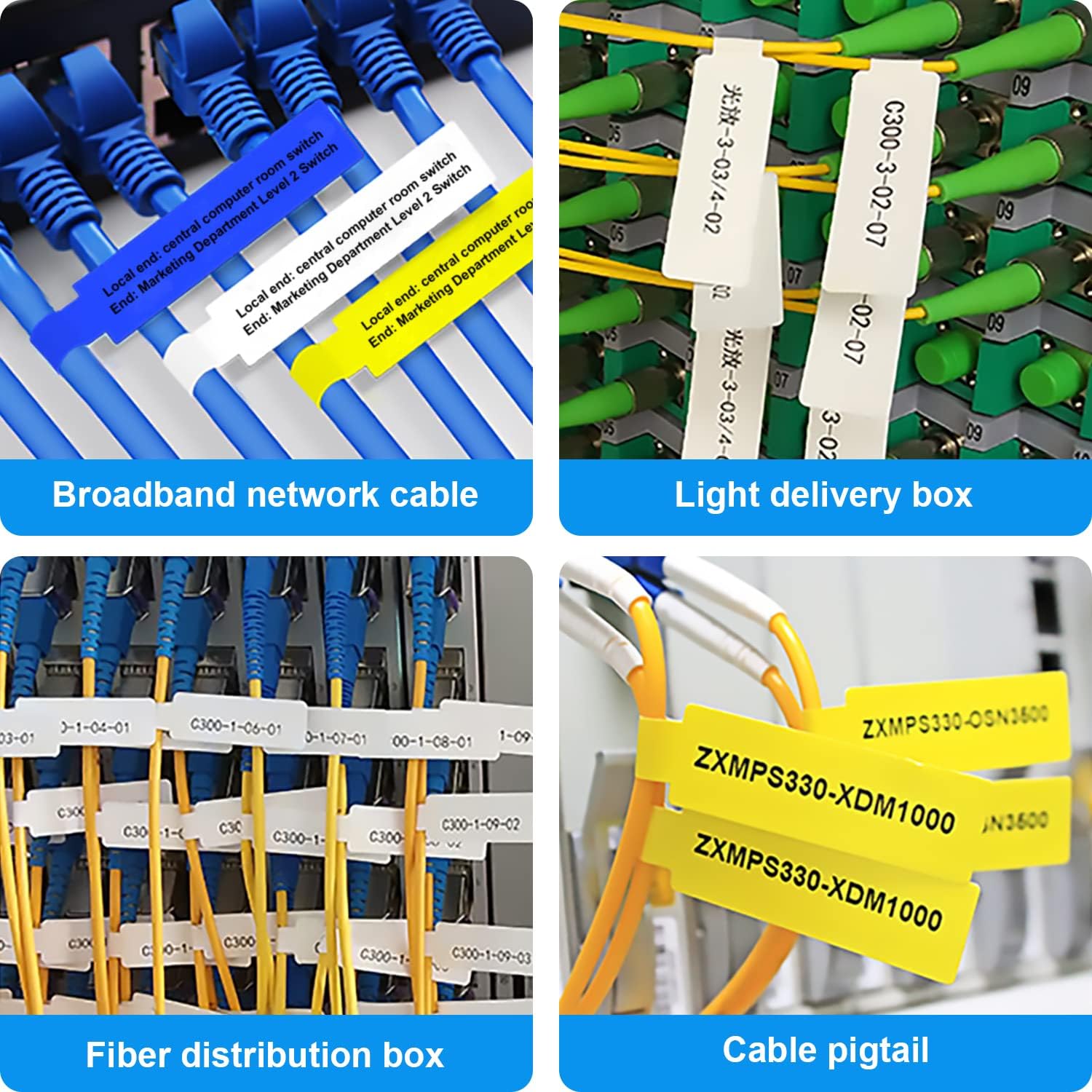
Figure 8: Labeling solutions for various types of cables and wiring.

Figure 9: Practical applications for office organization.

Figure 10: Creative uses for gift labeling.
Гарантия и поддержка
MARKLIFE products are designed for reliability and performance. For specific warranty information and support, please refer to the warranty card included with your product or visit the official MARKLIFE website. For common inquiries, please consult the troubleshooting section of this manual or the FAQ section within the Marklife app.
You can also visit the official MARKLIFE store on Amazon for more information and product updates: MARKLIFE Store.
Ask a question about this manual
Ask about setup, troubleshooting, compatibility, parts, safety, or missing instructions. Manuals+ will review the question and use this page’s manual context to help answer it.