
GoolRC S80
Руководство пользователя радиоуправляемого дрона GoolRC S80
Модель: S80
1. Меры предосторожности
Before operating the GoolRC S80 RC Drone, please read and understand all safety instructions. Failure to follow these instructions may result in injury or damage to the product.
- Всегда управляйте дроном на открытой местности, вдали от людей, животных, зданий и линий электропередач.
- Не запускайте дрон при сильном ветре или неблагоприятных погодных условиях.
- Перед каждым полетом убедитесь, что батарея дрона полностью заряжена, а батарейки в пульте дистанционного управления новые.
- Держите пальцы и свободную одежду подальше от вращающихся винтов.
- This product is not a toy. Adult supervision is recommended for users under 14 years of age.
- Не пытайтесь модифицировать или разбирать дрон или его компоненты.
- Соблюдайте все местные правила и законы, касающиеся эксплуатации дронов.
2. Содержимое упаковки
Проверьте наличие всех предметов в упаковке:
- 1 x радиоуправляемый дрон GoolRC S80
- 1 х пульт дистанционного управления
- 2 x Drone Batteries (3.7V 2000mAh)
- 1 х USB-кабель для зарядки
- 2 запасных пропеллера
- 4 x Protection Rings
- 1 х Отвертка
- 1 х Руководство пользователя
- 1 х сумка для хранения

Image: All components included in the GoolRC S80 drone package.
3. Продукт закончилсяview
The GoolRC S80 is a foldable RC drone equipped with dual cameras for aerial photography and FPV flight. It features a compact design for portability and various intelligent flight modes.

Image: The GoolRC S80 drone in its unfolded state, alongside its remote controller.
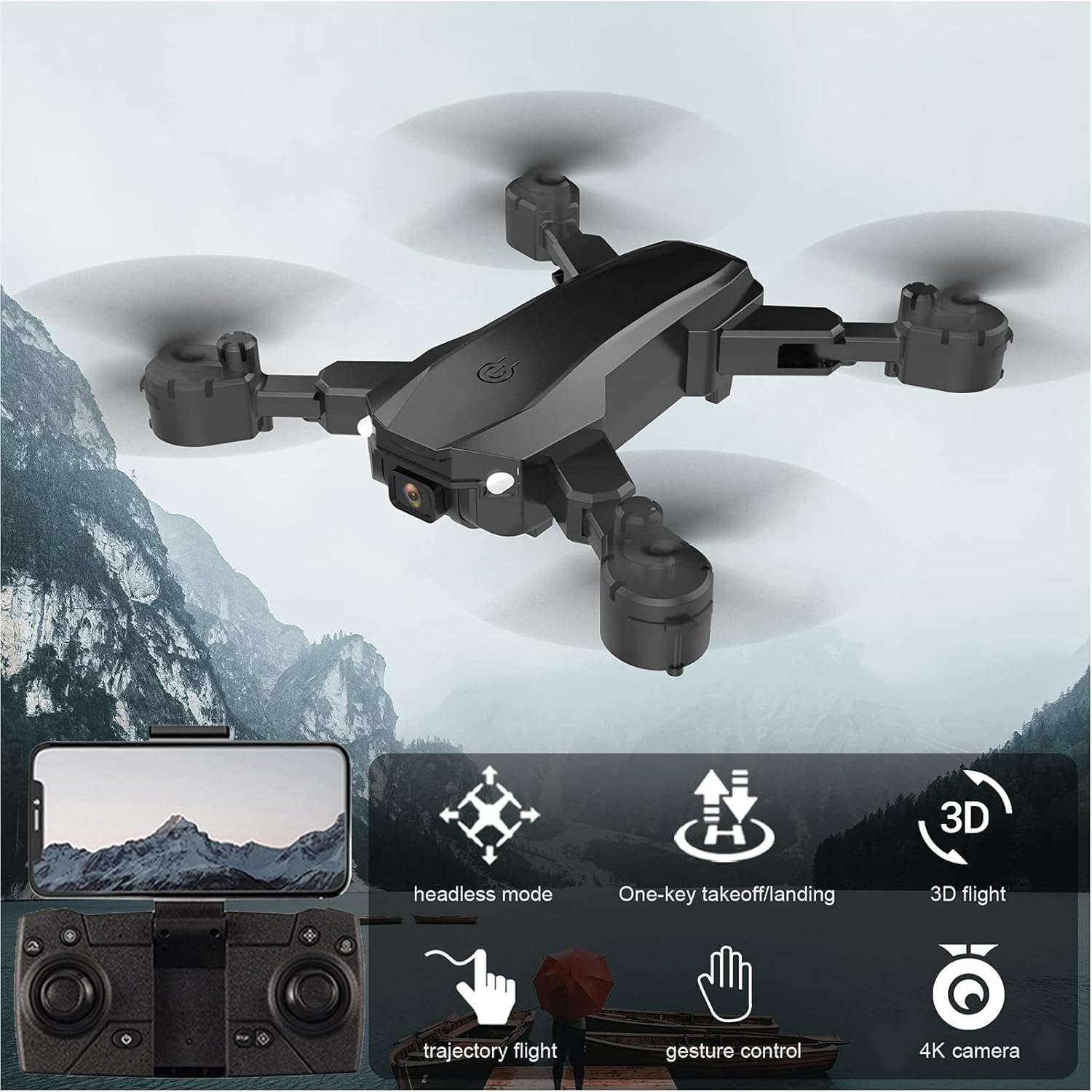
Image: Visual representation of the GoolRC S80 drone highlighting its key features.
4 Установка и зарядка аккумулятора
4.1 Аккумулятор дрона
- Убедитесь, что дрон выключен.
- Найдите батарейный отсек на нижней стороне дрона.
- Insert the 3.7V 2000mAh drone battery into the compartment, ensuring it clicks into place securely.
- To charge, connect the drone battery to the USB charging cable. Connect the USB cable to a 5V/1A USB power adapter (not included).
- Индикатор зарядки покажет состояние зарядки. Время зарядки составляет приблизительно 60 минут.
- Не оставляйте аккумуляторы заряжаться без присмотра.
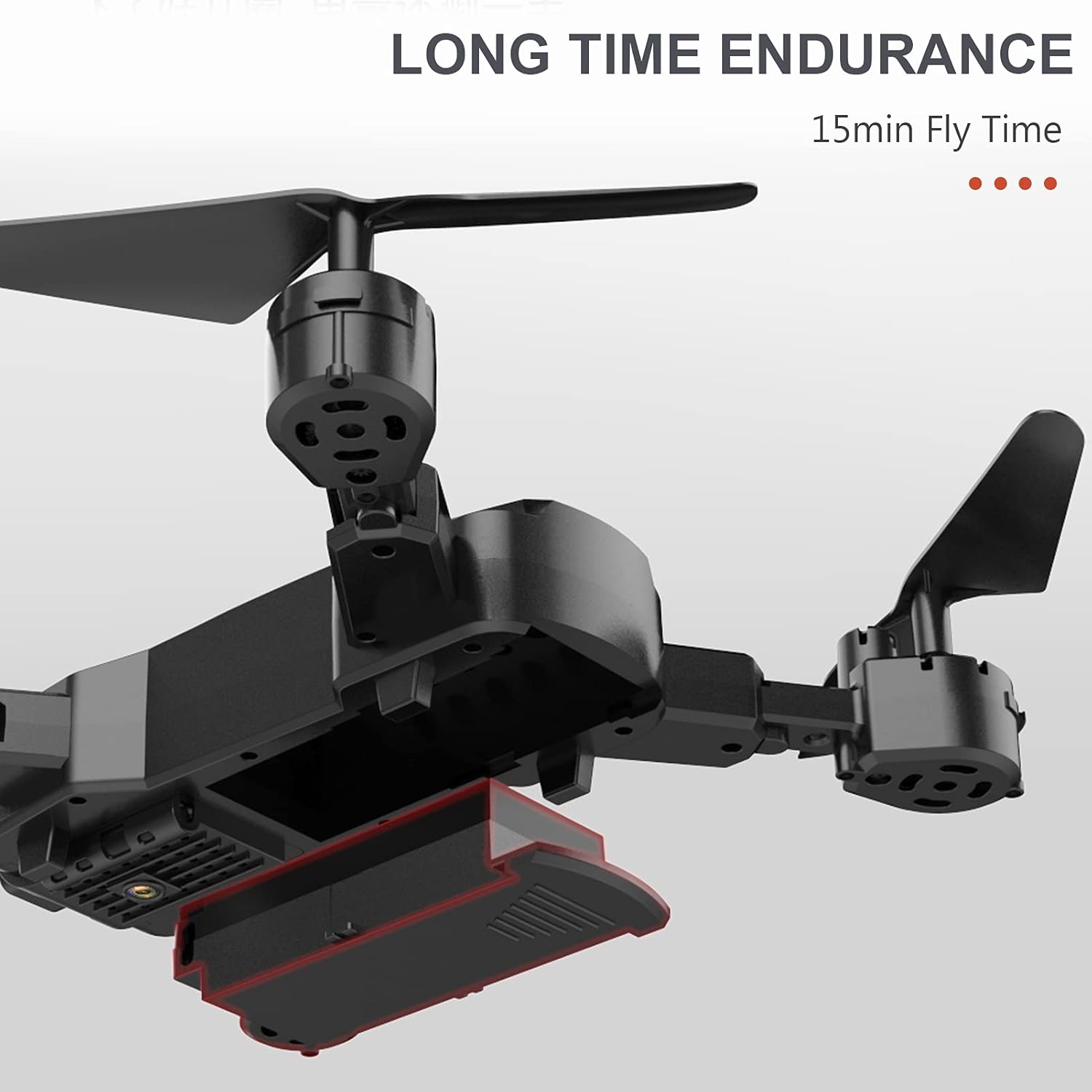
Image: The drone's battery compartment and the battery being inserted.
4.2 Батарейки для пульта дистанционного управления
- Откройте крышку батарейного отсека на задней панели пульта дистанционного управления.
- Вставьте 3 батарейки типа АА (не входят в комплект) в отсек, соблюдая полярность (+/-).
- Плотно закройте крышку батарейного отсека.
5. Remote Controller Setup and Pairing
- Установите дрон на ровную ровную поверхность.
- Включите дрон. Индикаторы начнут мигать.
- Включите пульт дистанционного управления.
- Push the left joystick (throttle) all the way up, then all the way down. The drone lights will stop flashing and remain solid, indicating successful pairing.
6. Drone Calibration
Before the first flight and after any crash, it is recommended to calibrate the drone's gyroscope for stable flight.
- After successful pairing, place the drone on a flat, level surface.
- Push both joysticks on the remote controller to the bottom-right corner simultaneously for a few seconds.
- The drone's indicator lights will flash rapidly and then become solid, indicating successful calibration.
7. Основные полетные операции
7.1 One-Key Takeoff / Landing
- After pairing and calibration, press the One-Key Takeoff button (usually indicated by an upward arrow icon) on the remote controller. The drone will automatically ascend and hover at a certain altitude.
- To land, press the One-Key Landing button (usually indicated by a downward arrow icon). The drone will slowly descend and land automatically.
7.2 Удержание высоты
The drone features an auto-hover function that maintains a steady altitude, making it easier to control and capture stable photos/videos.

Image: The drone maintaining a fixed height using its intelligent air pressure system.
7.3 Безголовый режим
В безголовом режиме ориентация дрона определяется относительно пилота, независимо от фактического направления движения дрона вперед. Это упрощает управление для начинающих.
- Для включения/выключения режима без монитора нажмите кнопку Headless Mode на пульте дистанционного управления.
- When activated, the drone will respond to joystick movements based on your perspective.
8. Расширенные возможности полета
8.1 Траектория полета
Using the companion app on your smartphone, you can draw a flight path on the screen, and the drone will automatically follow the designated route.
- Download and install the GoolRC S80 app on your smartphone.
- Подключите свой смартфон к сети Wi-Fi дрона.
- In the app, select the Trajectory Flight mode and draw your desired path.
8.2 3D-переворотов
Perform exciting 360-degree flips with a single button press.
- Fly the drone to a sufficient height (at least 3 meters).
- Press the 3D Flip button (refer to remote controller diagram in the full manual).
- Для выполнения трюка немедленно переместите правый джойстик в нужном направлении (вперед, назад, влево или вправо).

Изображение: Дрон выполняет трёхмерный переворот.
8.3 Управление жестами
The drone can recognize specific hand gestures to take photos or record videos.
- Ensure the drone's camera is facing you.
- Perform the designated gesture (e.g., 'V' sign for photo, open palm for video) within the camera's view.
- The drone will automatically capture the photo or start/stop video recording.
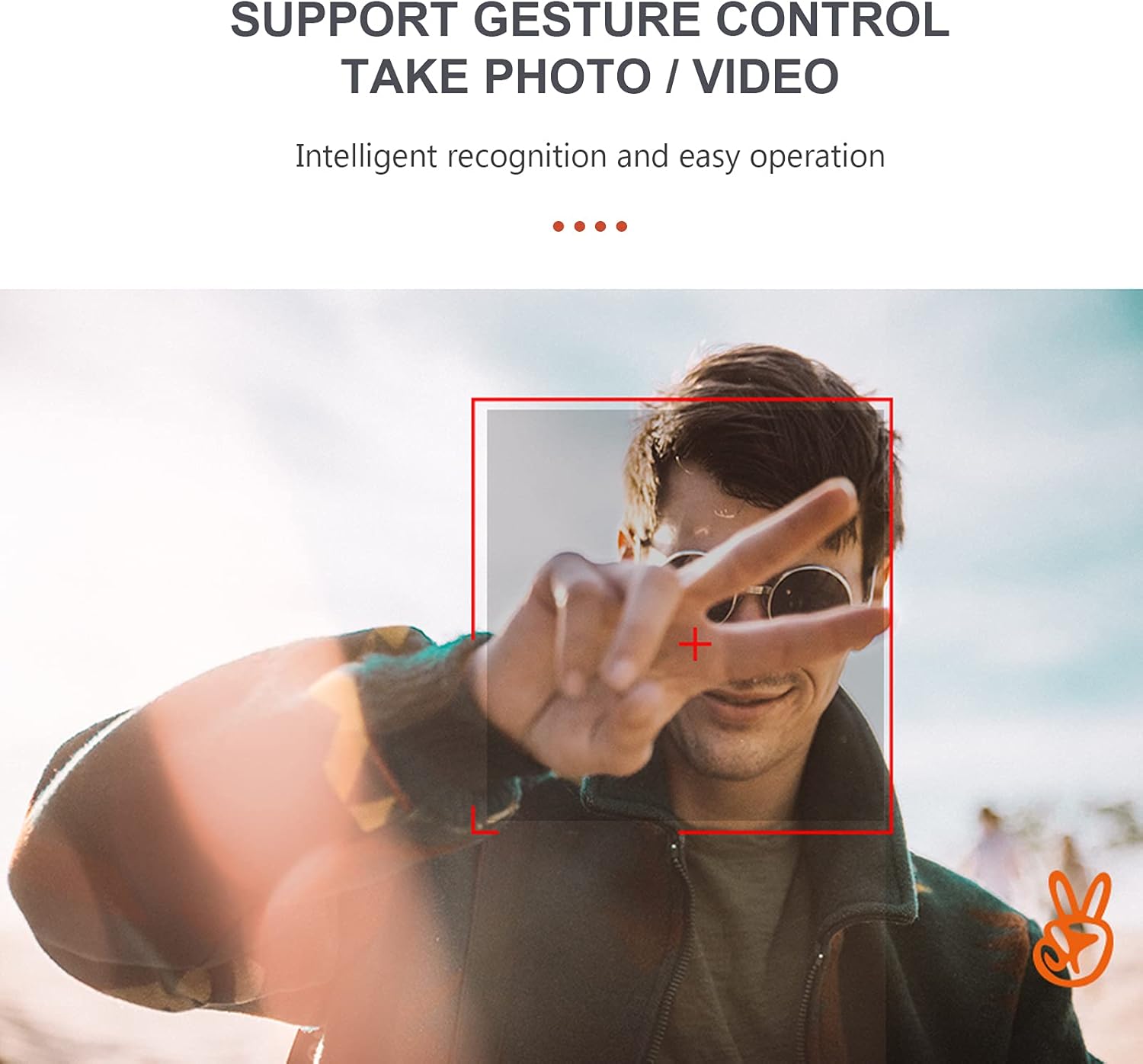
Image: A user performing a gesture to control the drone's camera.
Регулировка скорости 8.4
The drone offers multiple speed settings to suit different flying environments and skill levels.
- Press the speed adjustment button on the remote controller to cycle through low, medium, and high speeds.
- Higher speeds are recommended for outdoor flight in calm conditions.
9. Работа камеры
The GoolRC S80 drone is equipped with a 4K front camera and a bottom camera for versatile aerial photography and videography.
- Фотографировать: While flying, press the Photo button on the remote controller or use the gesture control feature.
- Запись видео: Press the Video button on the remote controller to start recording. Press again to stop. Alternatively, use gesture control.
- FPV (вид от первого лица) View): Connect your smartphone to the drone's Wi-Fi network and open the companion app to view live video feed from the drone's camera.
- Captured media is typically saved to your smartphone via the app or to an onboard storage (if applicable, refer to app instructions).

Image: Details on the resolution capabilities of the drone's front and bottom cameras.
10. Техническое обслуживание
- Замена пропеллера: If propellers are damaged, use the included screwdriver to replace them with spare propellers. Ensure correct orientation (A and B propellers).
- Уборка: Use a soft, dry cloth to clean the drone body and camera lens. Do not use harsh chemicals.
- Хранилище: Store the drone and remote controller in a cool, dry place, away from direct sunlight. Remove batteries from the remote controller if storing for extended periods.
- Protection Rings: Install the protection rings before flight to prevent damage to propellers and for safer indoor flying.
11. Поиск Неисправностей
| Проблема | Возможная причина | Решение |
|---|---|---|
| Дрон не реагирует на пульт дистанционного управления. | Not paired; Low remote controller battery; Drone battery low. | Повторно выполните сопряжение дрона и пульта дистанционного управления; замените батарейки в пульте; зарядите аккумулятор дрона. |
| Дрон летает нестабильно или дрейфует. | Gyroscope not calibrated; Damaged propeller; Uneven surface during takeoff. | Calibrate the gyroscope; Replace damaged propellers; Take off from a flat surface. |
| Camera not taking photos/videos or FPV not working. | App not connected to drone Wi-Fi; Insufficient light for gesture control; App error. | Ensure Wi-Fi connection; Check lighting for gestures; Restart app and drone. |
| Короткое время полета. | Battery not fully charged; Old battery; Aggressive flying. | Полностью зарядите аккумулятор; подумайте о замене старых батарей; летайте более экономно. |
12. Технические характеристики
| Особенность | Деталь |
|---|---|
| Модель | С80 |
| Материал | АБС |
| Тип двигателя | Коллекторный двигатель |
| Частота | 2.4ГГц |
| Время зарядки | Приблизительно 60 минут |
| Время полета | Приблизительно 15 минут |
| Расстояние дистанционного управления | Прибл. 100 метров |
| Разрешение фотоснимка фронтальной камеры | 4096 * 3072 (4К) |
| Разрешение видео фронтальной камеры | 1280*720 |
| Разрешение нижней камеры | 640*480 |
| Расстояние передачи изображения | Прибл. 40 метров |
| Drone Battery | Аккумулятор 3.7 В 2000 мАч (в комплекте) |
| Батарея для пульта дистанционного управления | 3* AA battery (Not Included) |
| Размер дрона (в разложенном виде) | 17 х 17.4 см |
| Размер дрона (в сложенном виде) | 11.3 х 13.8 х 3.1 см |

Image: Detailed dimensions of the GoolRC S80 drone.
13. Гарантия и поддержка
If you encounter any problems with your GoolRC S80 RC Drone, please contact our store in time. We are committed to providing a satisfactory solution to any issues you may experience.
For further assistance, please refer to the contact information provided with your purchase or visit the official GoolRC webсайт.