
NETGEAR EAX12-100NAS
NETGEAR WiFi 6 Mesh Range Extender (EAX12) User Manual
Model: EAX12-100NAS
Введение
The NETGEAR WiFi 6 Mesh Range Extender (EAX12) is designed to expand your existing WiFi network coverage, creating a seamless mesh network throughout your home or office. It is compatible with both current and previous generation routers, providing enhanced speed and capacity for multiple devices.
Основные характеристики:
- Extends WiFi coverage by up to 1,200 sq. ft., supporting over 15 devices.
- Utilizes AX1600 speed WiFi 6 technology for speeds up to 1.6Gbps, ideal for streaming, gaming, and video conferencing.
- Maintains your existing network name (SSID) for seamless roaming.
- Compatible with any wireless router or cable modem router, optimized for WiFi 6.
- Features a 1 Gigabit Ethernet port for wired device connections.
- Easy setup via the Nighthawk app or WPS button.
- Discreet wall-plug design.
Настраивать
Setting up your NETGEAR EAX12 Extender is a straightforward process, typically completed within minutes using the Nighthawk app or the WPS button.
Recommended Setup Method (Nighthawk App):
- Plug the EAX12 Extender into an electrical outlet. Ensure it is positioned approximately halfway between your existing router and the area where you need improved WiFi coverage.
- Download the NETGEAR Nighthawk app from your mobile device's app store.
- Open the Nighthawk app and follow the on-screen instructions to detect and configure your extender. The app will guide you through connecting to your existing WiFi network and setting up the extended network.
- The app will also check for and prompt you to install any available firmware updates, ensuring optimal performance and security.

Figure 1: Nighthawk App Interface for Extender Management.
Alternative Setup Method (WPS Button):
- Plug the EAX12 Extender into an electrical outlet.
- Press the WPS (Wi-Fi Protected Setup) button on your EAX12 Extender.
- Within two minutes, press the WPS button on your existing WiFi router. The extender will automatically connect to your router and extend the network.
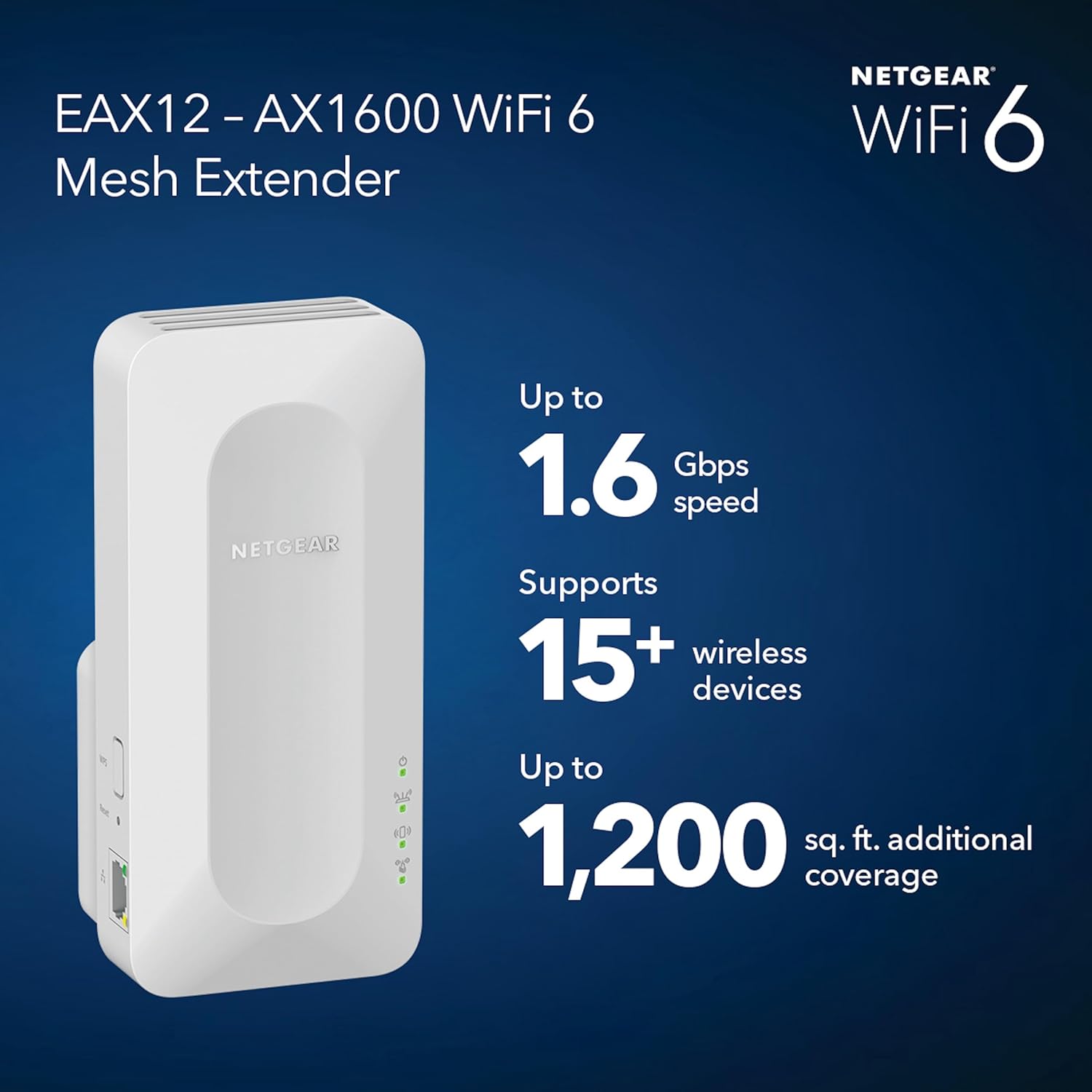
Figure 2: NETGEAR EAX12 Extender plugged into a power outlet.
Эксплуатация расширителя
Once set up, the NETGEAR EAX12 Extender operates automatically to provide extended WiFi coverage. It creates a mesh network that uses the same network name (SSID) as your main router, allowing your devices to seamlessly roam between the router and the extender without interruption.
Бесшовный роуминг:
The EAX12 supports Smart Roaming, meaning your devices will automatically connect to the strongest available WiFi signal as you move around your home. This eliminates dead zones and ensures a consistent, high-speed connection.

Figure 3: Seamless Roaming with the EAX12 Extender.
Использование портов Ethernet:
The extender includes one Gigabit Ethernet port. You can use this port to connect a wired device, such as a gaming console, smart TV, or desktop computer, directly to the extender for a stable and high-speed internet connection.
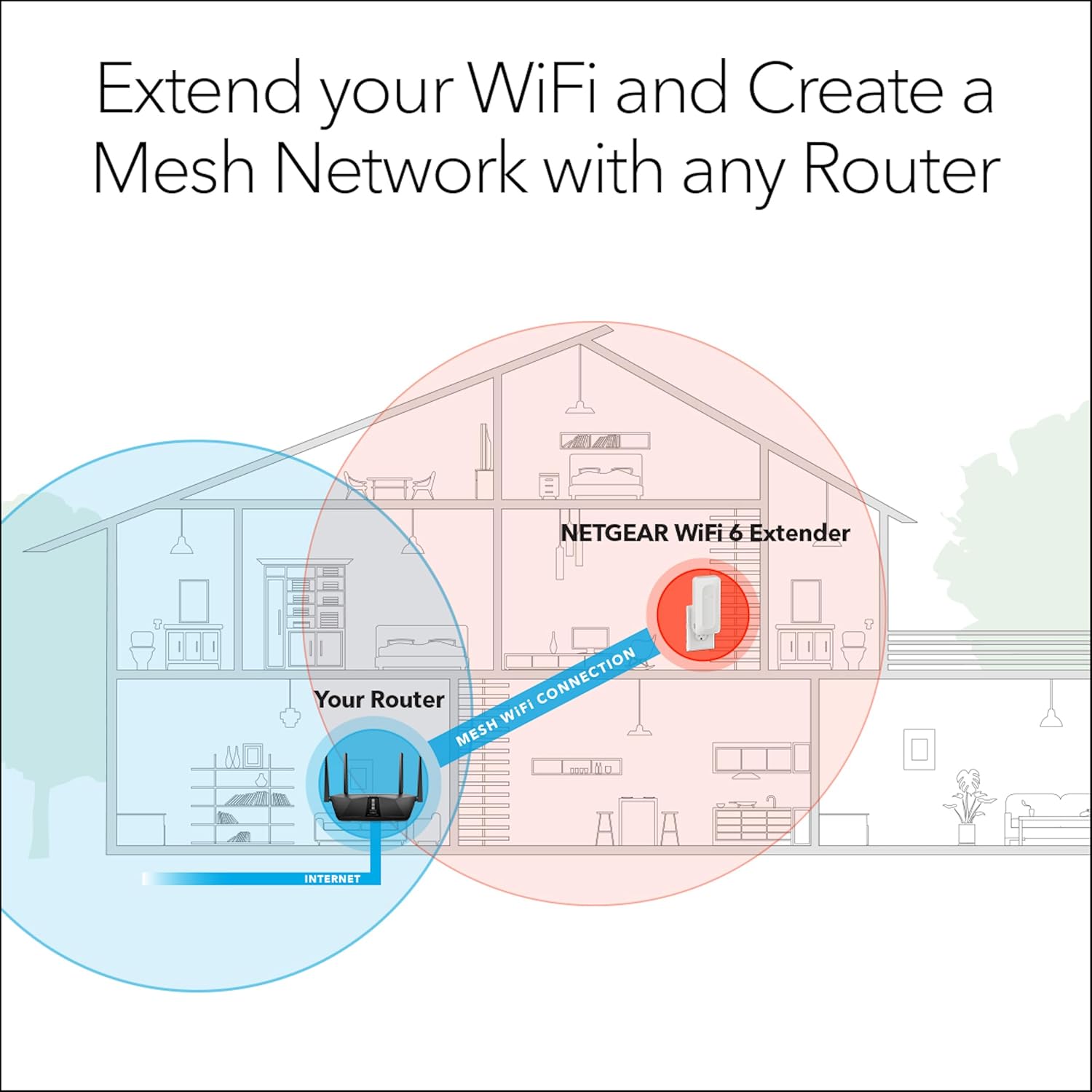
Figure 4: Mesh WiFi Connection Diagram.
Обслуживание
To ensure the longevity and optimal performance of your NETGEAR EAX12 Extender, regular maintenance is recommended.
- Обновления прошивки: Regularly check for and install firmware updates through the Nighthawk app. Updates often include performance improvements, security enhancements, and bug fixes.
- Размещение: Ensure the extender is placed in a well-ventilated area, away from direct sunlight, heat sources, and obstructions that could block the WiFi signal.
- Уборка: Periodically clean the exterior of the extender with a soft, dry cloth. Avoid using liquid cleaners or aerosols.
- Цикл питания: If you experience intermittent connectivity issues, try power cycling the extender by unplugging it from the outlet for 10 seconds and then plugging it back in.
Поиск неисправностей
If you encounter issues with your NETGEAR EAX12 Extender, refer to the following common troubleshooting steps:
- Нет соединения с интернетом:
- Убедитесь, что ваш основной маршрутизатор подключен к интернету.
- Ensure the extender is within range of your main router. Relocate it closer if necessary.
- Check the LED indicators on the extender. Refer to the quick start guide for LED status meanings.
- Плохой уровень сигнала:
- Adjust the extender's position. It should be placed roughly halfway between your router and the area needing coverage.
- Minimize physical obstructions (thick walls, large metal objects) between the extender and your devices.
- Cannot Connect to Extender Network:
- Перезагрузите как маршрутизатор, так и расширитель сигнала.
- Ensure you are selecting the correct extended network name (SSID), which is typically the same as your main router's SSID.
- If using the Nighthawk app, ensure your mobile device is connected to the extender's initial setup network (NETGEAR_EXT) before configuration.
- Сброс настроек расширителя: If issues persist, you may need to perform a factory reset. Locate the Reset button (often a small pinhole) on the extender, press and hold it for about 5-10 seconds until the LEDs flash, then release. This will revert the extender to its factory default settings, requiring re-setup.
Технические характеристики
| Особенность | Деталь |
|---|---|
| Номер модели | EAX12-100NAS |
| Тип беспроводной связи | 802.11ax (Wi-Fi 6) |
| Скорость передачи данных | Up to 1.6 Gigabits Per Second (AX1600) |
| Класс диапазона частот | Двухдиапазонный |
| Ethernet-порты | 1 гигабитный Ethernet-порт |
| Coverage Extension | До 1,200 кв. футов. |
| Поддержка устройств | Connects up to 15+ devices |
| Безопасность | Безопасность WPA3 |
| Размеры (ДxШxВ) | 7 x 5 x 4 дюйма |
| Вес товара | 14.4 унции |
Гарантия и поддержка
The NETGEAR WiFi 6 Mesh Range Extender (EAX12) is backed by a 1-year limited hardware warranty. For detailed warranty information, please refer to the documentation included with your product or visit the official NETGEAR support webсайт.
Расширенные планы защиты:
Optional extended protection plans may be available for purchase to provide additional coverage beyond the standard warranty period. These plans typically offer:
- Двухлетний план защиты
- Двухлетний план защиты
- Полная защита (распространяется на несколько соответствующих покупок)
For specific pricing and terms of these protection plans, please check the product's purchase page or contact your retailer.
Служба поддержки клиентов:
For technical assistance, product registration, or to access additional resources, you can:
- Use the NETGEAR Nighthawk app for in-app support and diagnostics.
- Посетите официальную страницу поддержки NETGEAR. webсайт с ответами на часто задаваемые вопросы, руководствами по устранению неполадок и вариантами связи.
- Refer to the "Quick start guide" included in the product packaging for initial setup and basic information.
Связанные документы - EAX12-100NAS
 |
Краткое руководство пользователя для расширителя Mesh-сети WiFi NETGEAR AC1750 EX6250 Quick start guide for setting up the NETGEAR AC1750 Dual Band WiFi Mesh Extender (Model EX6250) using the Nighthawk app or WPS. Learn about LED indicators, placement, and connecting devices. |
 |
NETGEAR WiFi Mesh Extender Quick Start Guide Quick start guide for setting up and using NETGEAR WiFi Mesh Extenders, including app instructions, device overviewа также нормативной информации. |
 |
Краткое руководство пользователя и обзор расширителя Mesh-сети WiFi от NETGEAR.view В этом документе представлено краткое руководство по настройке расширителей Mesh-сети Wi-Fi NETGEAR, включая установку приложения, подключение устройства и общую инструкцию.view Информация о функциях, устранении неполадок и нормативных требованиях. |
 |
Руководство пользователя маршрутизатора NETGEAR RAX5 4-Stream AX1600 WiFi 6 This user manual provides comprehensive instructions for setting up, configuring, and managing the NETGEAR RAX5 4-Stream AX1600 WiFi 6 Router. Learn about hardware setup, network configuration, security settings, troubleshooting, and more to optimize your home network experience. |
 |
NETGEAR Nighthawk EAX15 AX1800 WiFi 6 Mesh Extender Quick Start Guide A quick start guide for the NETGEAR Nighthawk EAX15 AX1800 WiFi 6 Mesh Extender, covering app installation, WiFi connection, device overview, устранение неполадок и ресурсы поддержки. |
 |
Краткое руководство пользователя для двухдиапазонного WiFi Mesh-расширителя NETGEAR AC1750 EX6250v2 Quick start guide for the NETGEAR AC1750 Dual Band WiFi Mesh Extender (Model EX6250v2). Learn about LED indicators, setup using the Nighthawk app or WPS, optimal placement, connecting devices, and FCC compliance information. |