
1. Введение
Thank you for choosing the Cecotec ForceClima 7450 Touch Connected Portable Air Conditioner. This manual provides essential information for the safe and efficient operation, maintenance, and troubleshooting of your new appliance. Please read it thoroughly before use and keep it for future reference.

Figure 1.1: Cecotec ForceClima 7450 Touch Connected Portable Air Conditioner
The ForceClima 7450 Touch Connected is designed to provide effective cooling, ventilation, and dehumidification for spaces up to 15 m². It features a powerful 7000 BTU cooling capacity, a user-friendly touch control panel, a remote control, and Wi-Fi connectivity for convenient operation via your smartphone.
2. Инструкции по технике безопасности
Чтобы снизить риск возгорания, поражения электрическим током или травм при использовании кондиционера, соблюдайте следующие основные меры предосторожности:
- Всегда подключайте устройство к заземленной розетке с соответствующим напряжением.tagе (230 Вольт).
- Не эксплуатируйте кондиционер с поврежденным шнуром или вилкой.
- Обеспечьте достаточную вентиляцию вокруг устройства. Не блокируйте входные и выходные отверстия для воздуха.
- Не вставляйте пальцы или посторонние предметы в воздухозаборники/воздухозаборники.
- Keep the unit away from water and other liquids. Do not use it in bathrooms or very humid environments.
- Перед чисткой или выполнением любого технического обслуживания отключайте прибор от сети.
- Не пытайтесь ремонтировать или модифицировать устройство самостоятельно. Для ремонта обратитесь к квалифицированному специалисту.
- Ensure the exhaust hose is properly installed to expel hot air outside.
- Следите за детьми, чтобы они не играли с прибором.
3. Содержимое упаковки
Carefully unpack your air conditioner and check that all items are present and in good condition:
- Cecotec ForceClima 7450 Touch Connected Portable Air Conditioner Unit
- Дистанционное управление
- Выхлопной шланг
- Комплект для уплотнения окон
- Дренажный шланг
- Руководство пользователя
4. Особенности продукта
The Cecotec ForceClima 7450 Touch Connected offers a range of features for optimal comfort:
- Мощность охлаждения: 7000 BTU, suitable for rooms up to 15 m².
- Власть: 790 Вт.
- Параметры управления: Intuitive touch control panel, remote control, and Wi-Fi connectivity via smartphone app.
- Отображать: Clear LED screen showing current settings.
- Режимы работы:
- Режим охлаждения: For effective temperature reduction.
- Режим вентилятора: Обеспечивает циркуляцию воздуха без охлаждения.
- Режим осушения: Удаляет до 20 литров влаги в день, улучшая качество воздуха.
- Ночной режим: Operates quietly for undisturbed sleep.
- Скорость вентилятора: Two adjustable speeds (Low and High).
- Функция таймера: Programmable for up to 24 hours.
- Портативность: Оснащён колёсами для удобного перемещения.
5. Настройка
Чтобы настроить мобильный кондиционер, выполните следующие действия:
5.1 Размещение устройства
Place the air conditioner on a flat, stable surface, ensuring there is at least 30 cm of clear space around the unit for proper airflow. Position it near a window or opening for exhaust hose installation.
5.2 Installing the Exhaust Hose
- Подсоедините один конец выпускного шланга к воздуховыпускному отверстию на задней панели устройства.
- Удлините выхлопной шланг и подсоедините к другому концу адаптер для стеклоподъемника.
- Open the window and install the window sealing kit. Secure the window adapter into the opening of the sealing kit to ensure hot air is expelled outside and warm air does not re-enter the room.
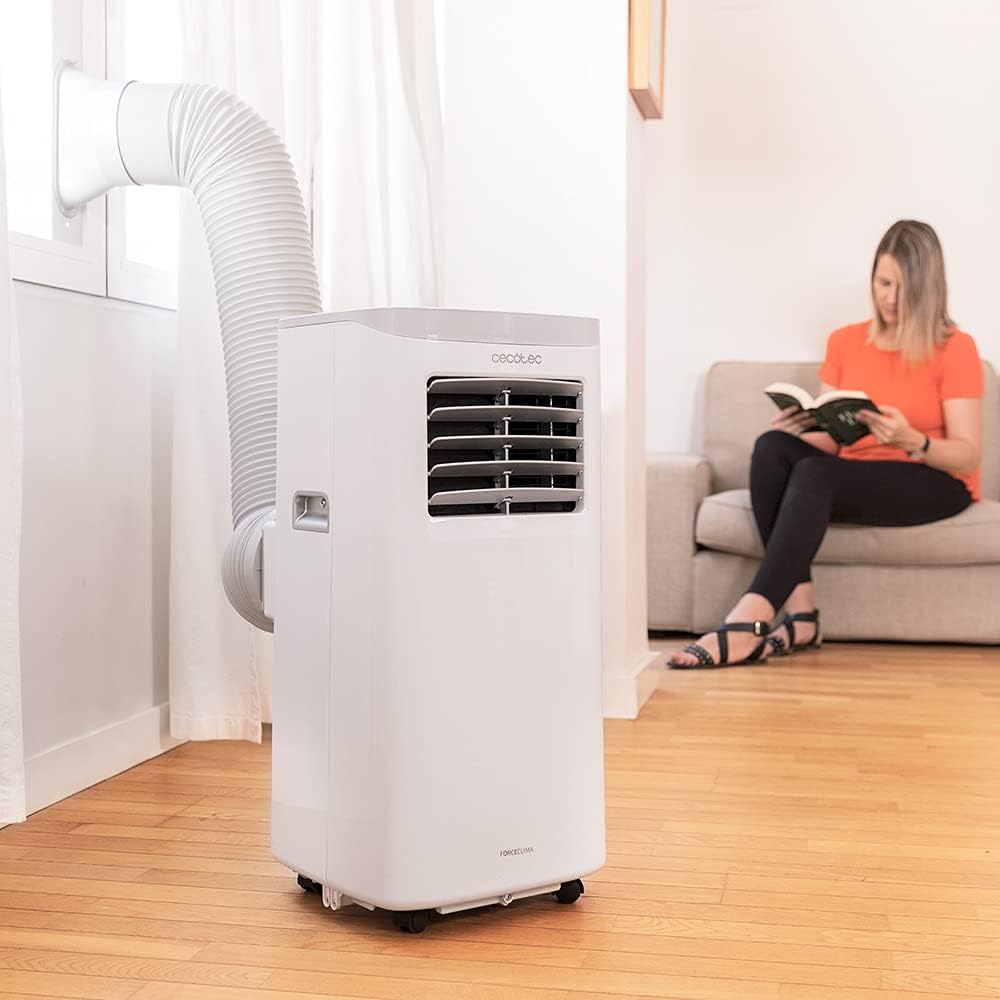
Figure 5.1: Proper installation of the exhaust hose in a window
5.3 Подключение питания
Plug the power cord into a standard 230V grounded electrical outlet. Ensure the outlet is suitable for the appliance's power requirements.
6. Инструкция по эксплуатации
Your Cecotec ForceClima 7450 Touch Connected can be operated using the touch control panel, the remote control, or the dedicated smartphone app.
6.1 Эксплуатация панели управления

Рисунок 6.1: Сенсорная панель управления

Figure 6.2: Interacting with the Control Panel
- Кнопка питания: Нажмите, чтобы включить или выключить устройство.
- Кнопка режима: Cycle through Cooling, Fan, Dehumidification, and Night modes. The selected mode will be indicated on the LED display.
- Кнопки регулировки температуры (вверх/вниз): Adjust the desired temperature in Cooling mode.
- Кнопка скорости вентилятора: Toggle between Low and High fan speeds.
- Кнопка таймера: Установите таймер автоматического отключения (до 24 часов).
6.2 Дистанционное управление
The remote control allows you to operate all functions of the air conditioner from a distance. Ensure there are no obstructions between the remote control and the unit's receiver.
- Кнопки на пульте ДУ соответствуют функциям на панели управления.
- Insert 2x AAA batteries (not included) into the remote control before first use.
6.3 Wi-Fi Control (Smartphone App)
The Cecotec ForceClima 7450 Touch Connected can be controlled remotely via a smartphone app. This allows you to manage settings from anywhere with an internet connection.
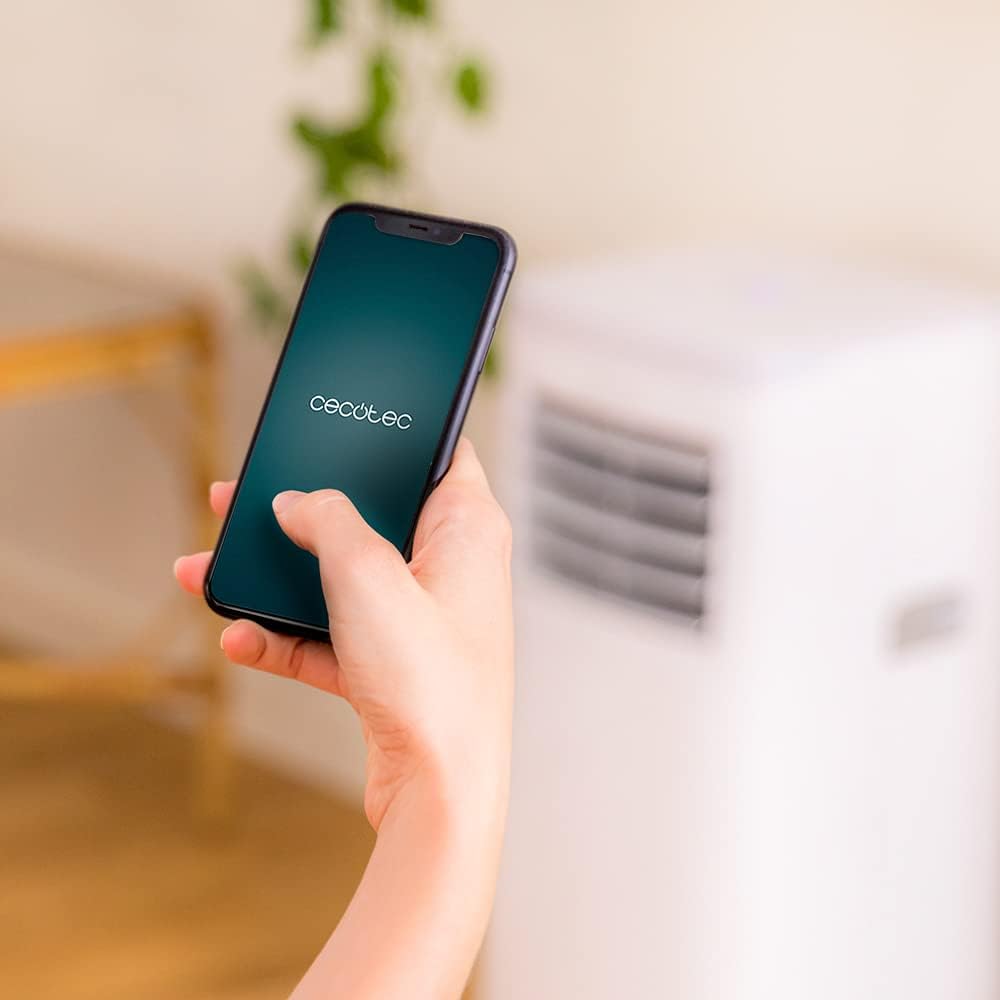
Figure 6.3: Controlling the unit via the Cecotec App
- Download the official Cecotec app from your smartphone's app store (iOS or Android).
- Зарегистрируйте учетную запись или войдите в систему.
- Follow the in-app instructions to add your ForceClima 7450 Touch Connected unit. This typically involves putting the unit into pairing mode and connecting it to your home Wi-Fi network.
- Once connected, you can control all functions, including power, mode, temperature, fan speed, and timer, directly from your smartphone.
7. Техническое обслуживание
Регулярное техническое обслуживание обеспечивает оптимальную производительность и продлевает срок службы вашего кондиционера.
7.1 Очистка воздушного фильтра
Воздушный фильтр следует чистить каждые две недели или чаще, в зависимости от интенсивности использования и качества воздуха. Загрязненный фильтр может снизить эффективность охлаждения и поток воздуха.
- Отключите кондиционер от розетки.
- Locate and remove the air filter from the back or side of the unit (refer to the diagram in your quick start guide if unsure).
- Clean the filter using a vacuum cleaner to remove dust. For stubborn dirt, wash it gently with lukewarm water and a mild detergent.
- Перед установкой фильтра в устройство дайте ему полностью высохнуть. Не подвергайте его воздействию прямых солнечных лучей.
7.2 Слив скопившейся воды
During cooling and dehumidification, water will accumulate inside the unit. The unit has an internal water tank, but for continuous operation or high humidity, manual drainage may be required.
- When the internal tank is full, the unit may stop operating and display an indicator.
- Отключите устройство от сети.
- Place a shallow pan or bucket under the drainage outlet at the bottom rear of the unit.
- Снимите сливную пробку и дайте всей воде стечь.
- For continuous drainage, attach the provided drainage hose to the outlet and direct it to a floor drain or suitable container.
- После слива воды плотно закройте сливную пробку.
7.3 Очистка внешней поверхности устройства
Протрите внешнюю поверхность устройства мягкой тряпкой.amp Ткань. Не используйте агрессивные химикаты, абразивные чистящие средства или растворители, так как они могут повредить поверхность.
8. Поиск Неисправностей
Прежде чем обращаться в службу поддержки клиентов, ознакомьтесь со следующими распространенными проблемами и решениями:
| Проблема | Возможная причина | Решение |
|---|---|---|
| Устройство не включается. | Нет питания; Шнур питания не подключен; Полный резервуар для воды | Check power supply; Plug in power cord; Drain water tank |
| Устройство не охлаждается эффективно. | Dirty air filter; Exhaust hose not properly installed; Room too large; Doors/windows open | Clean air filter; Ensure proper hose installation; Close doors/windows; Check room size (max 15 m²) |
| Аппарат шумный | Unit not on a flat surface; Obstruction in fan; Normal operating sound (65 dB) | Place on flat surface; Check for obstructions; Note that some noise is normal for portable ACs |
| Не удается подключиться к Wi-Fi | Неверный пароль от Wi-Fi; роутер расположен слишком далеко; проблемы с приложением. | Verify password; Move unit closer to router; Restart app/unit; Consult app's troubleshooting guide |
| Утечка воды | Drain plug loose; Drainage hose not properly connected | Secure drain plug; Ensure drainage hose is tightly connected |
9. Технические характеристики
| Особенность | Спецификация |
|---|---|
| Номер модели | 05957 |
| Мощность охлаждения | 7000 БТЕ |
| Потребляемая мощность | 790 Вт |
| Томtage | 230 Вольт |
| Уровень шума | 65 дБ |
| Зона покрытия | Около 15 м² |
| Емкость осушения | До 20 литров/день |
| Размеры (Д x Ш x В) | 30.5 х 32.8 х 67.8 см |
| Масса | 20 кг |
10. Гарантия и поддержка
Cecotec products are manufactured to high-quality standards. This product is covered by a manufacturer's warranty against defects in materials and workmanship from the date of purchase. Please retain your proof of purchase for warranty claims.
For technical support, spare parts, or warranty service, please contact Cecotec customer service through their official website or the contact information provided in your product's packaging. Do not attempt to repair the unit yourself, as this may void the warranty.