
1. Введение
The Symcode MJ-X8DA is a versatile 2D Wireless Bluetooth Barcode Scanner designed for efficient data capture. Featuring a durable aluminum alloy metal casing, this scanner offers three connectivity options: Bluetooth, 2.4G Wireless via USB adapter, and wired USB 2.0. It is compatible with various operating systems and software, making it suitable for diverse business applications. This manual provides essential information for setting up, operating, and maintaining your scanner.
2. Содержимое упаковки
Upon opening your Symcode MJ-X8DA package, please verify that all the following items are included:
- Symcode MJ-X8DA Barcode Scanner
- Charging Cord (USB Cable)
- Wireless Dongle (USB Adapter)
- Ремешок на руку
- Руководство пользователя (этот документ)

3. Особенности продукта
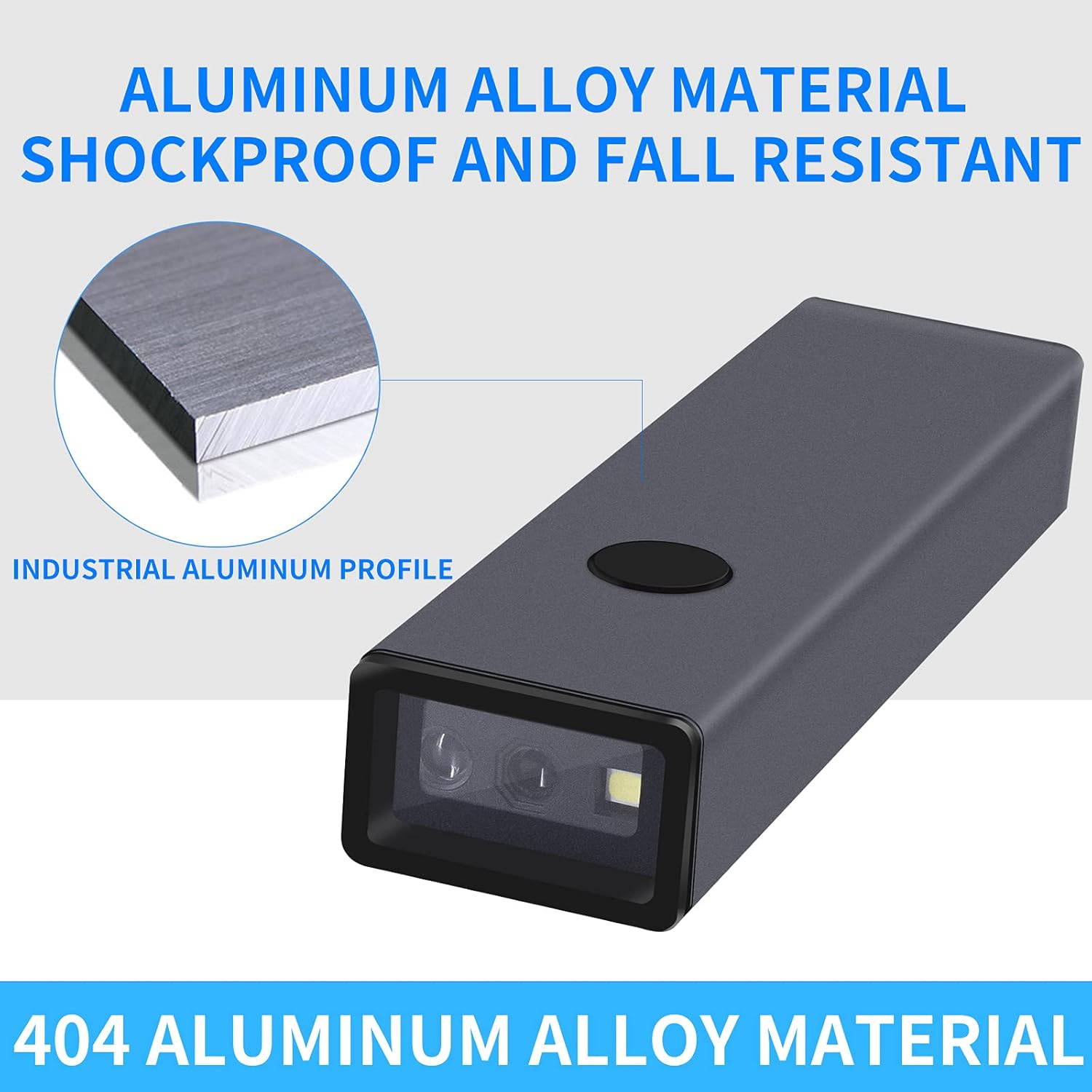
- Прочная конструкция: Features an aluminum alloy metal casing for enhanced durability and drop resistance.
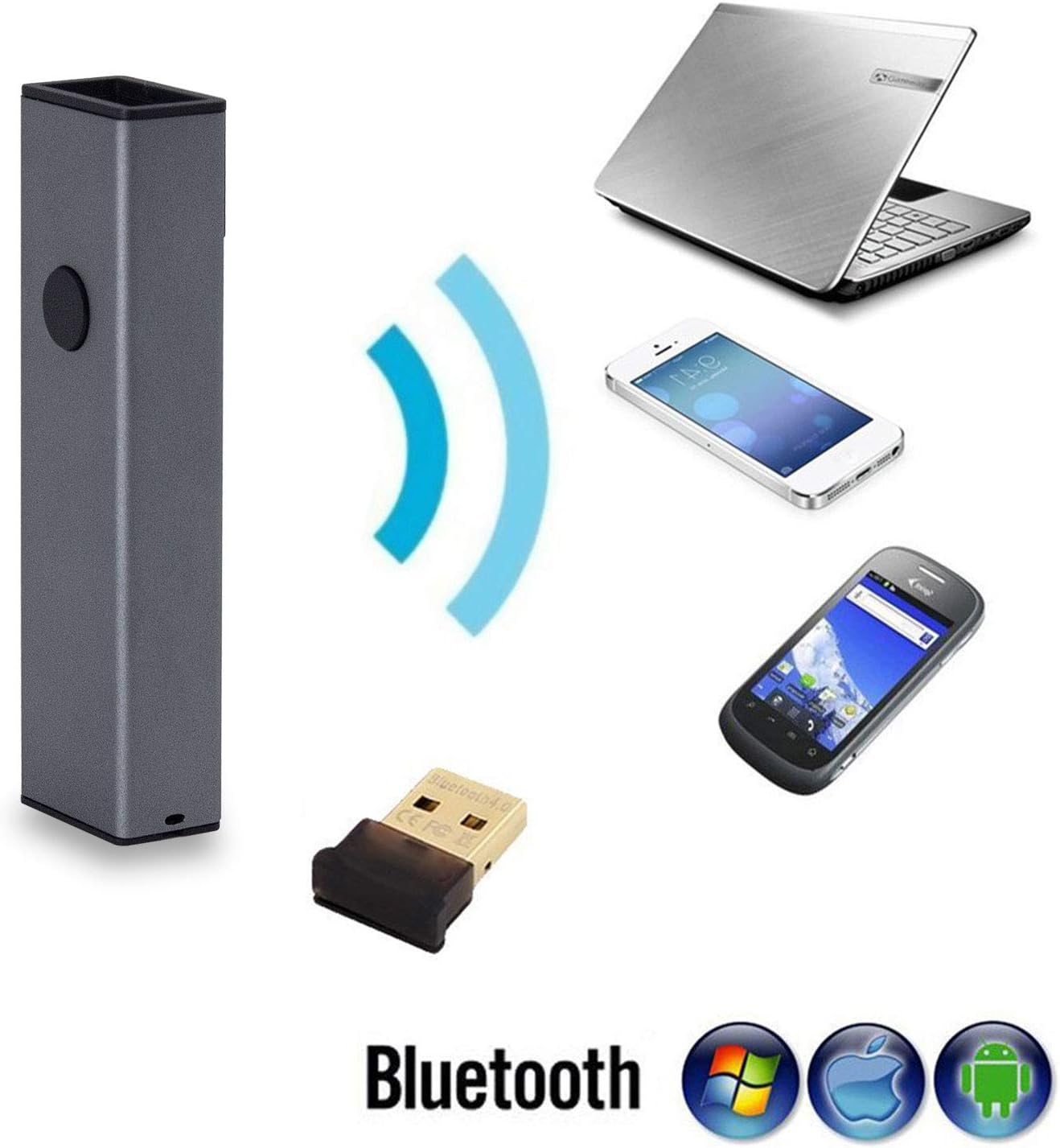
- Возможность подключения 3-в-1: Supports Bluetooth, 2.4G Wireless (via USB adapter), and wired USB 2.0 connections.
- Широкая совместимость: Works with Windows XP/7/8/10, Mac OS, Windows Mobile, Android OS, and iOS devices. Compatible with software like Quickbook, Word, Excel, and Novell.
- Усовершенствованный CMOS-сенсор: Equipped with a CMOS sensor for efficient capture of 1D and 2D barcodes from labels, paper, and digital displays (mobile phones, computers).
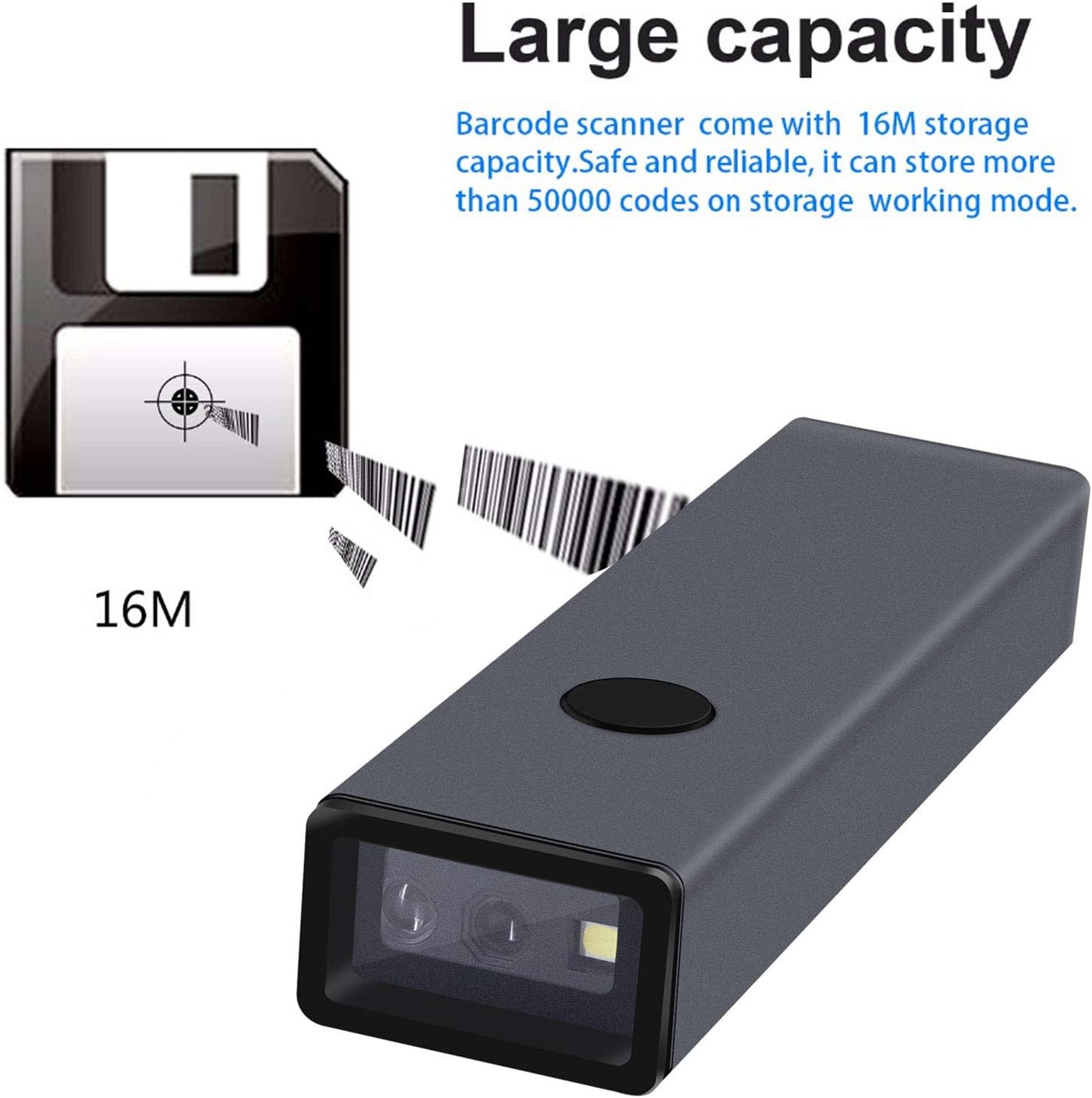
- Большой объем памяти: Internal memory can store up to 10,000 codes in storage mode before uploading.
- Суперспособность декодирования: Capable of decoding blurring or incomplete 1D and 2D barcodes rapidly.
- Настраиваемые параметры: Offers over 180 configuration options, including adding prefixes/suffixes, deleting characters, and integrating keyboard keys/combinations.
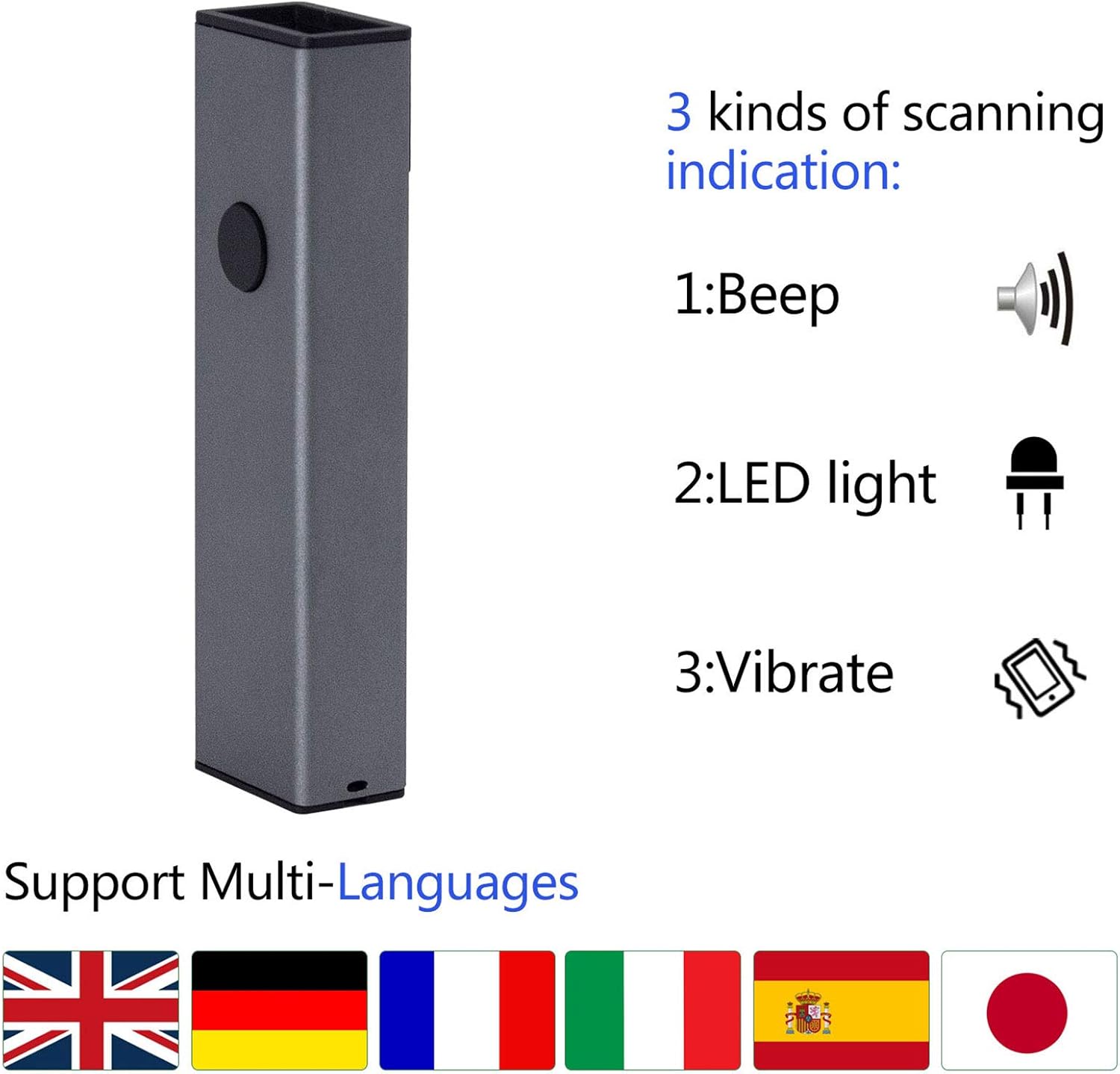
- Scanning Indications: Provides feedback through beep sounds, LED light, and vibration.
4. Настройка
The MJ-X8DA scanner offers flexible connectivity options to suit your operational needs.
4.1 Проводное соединение
To use the scanner in wired mode, connect it directly to your computer using the provided USB cable. The cable serves both for charging and data transmission. The scanner will function as a keyboard input device, and no additional drivers are typically required.
4.2 Беспроводное соединение 2.4G
For 2.4G wireless operation, plug the included USB wireless dongle into an available USB port on your computer. The scanner will automatically connect to the dongle. This mode offers a transmission distance of approximately 150m (492ft) in open spaces and 30m (98ft) indoors.
4.3 Bluetooth-соединение
Для подключения через Bluetooth:
- Ensure the scanner is powered on and in Bluetooth pairing mode (refer to the specific barcode in the full user manual to activate Bluetooth pairing mode).
- On your host device (laptop, PC, mobile phone, tablet), enable Bluetooth and search for available devices.
- Select the Symcode scanner from the list of found devices to pair.
- Once paired, the scanner will function wirelessly.
Bluetooth transmission distance is approximately 50m (164ft) in open spaces and 15m (49ft) indoors.

5. Режимы работы
The Symcode MJ-X8DA scanner supports different operating modes to manage scanned data.
5.1 Режим мгновенной загрузки
In this mode, scanned barcodes are immediately transmitted to the connected device (computer, phone, tablet) as keyboard input. This is the default mode and is suitable for real-time data entry.
5.2 Режим хранения
When operating in storage mode, the scanner saves all scanned barcodes internally. This is useful when working out of range of a host device. The scanner can store up to 10,000 codes. To upload the stored data, connect the scanner to a compatible device and scan the appropriate 'Upload Data' configuration barcode from the full user manual.
6. Barcode Symbologies Supported
The MJ-X8DA scanner is capable of decoding a wide array of 1D and 2D barcode types:
6.1 1D Barcodes
- UPC/EAN (including with Supplemental)
- Code 39 (including Full ASCII, Trioptic Code 39)
- Code 128 (including Full ASCII, extended ASCII support)
- Кодабар
- Вперемешку 2 из 5
- Дискрет 2 из 5
- Код 93
- МСИ
- Код 11
- Варианты RSS
- китайский 2 из 5
6.2 2D Barcodes
- PDF417
- QR-код
- Матрица данных
- ацтекский
- Максикод
Note: Stacked PDF417 on ID Cards/Driver's Licenses are not supported.

7. Параметры конфигурации
The scanner offers extensive customization through configuration barcodes found in the comprehensive user manual. These options allow you to tailor the scanner's output to specific requirements.
- Префикс и суффикс: Добавьте пользовательские символы до или после отсканированных данных.
- Character Deletion: Remove a specified number of characters from the beginning or end of a scanned barcode. For example, you can configure it to omit the first 9 digits of certain tracking numbers.
- Keyboard Keys/Combinations: Integrate specific keyboard functions or combinations into the scanning operation.
For detailed instructions on how to apply these configurations, please refer to the dedicated section in the complete user manual that accompanies your product.
8. Техническое обслуживание
Proper maintenance ensures the longevity and optimal performance of your Symcode MJ-X8DA scanner.
- Уборка: Для очистки внешней поверхности сканера используйте мягкую сухую ткань. Для очистки окна сканера используйте салфетку для чистки объектива, чтобы избежать царапин. Не используйте абразивные чистящие средства или растворители.
- Зарядка аккумулятора: The scanner has a battery life of approximately 30 hours of continuous operation. A full charge takes about 2.5 hours. Charge the device using the provided USB cable connected to a compatible power source (DC5V±0.25v).
- Хранилище: Когда сканер не используется, храните его в прохладном, сухом месте, вдали от прямых солнечных лучей и экстремальных температур.
- Обновления прошивки: Periodically check the Symcode official webПосетите этот сайт, чтобы узнать о доступных обновлениях прошивки и убедиться, что ваш сканер обладает новейшими функциями и улучшенной производительностью.
9. Поиск Неисправностей
If you encounter issues with your Symcode MJ-X8DA scanner, refer to the following common troubleshooting steps:
9.1 Сканер не подключается
- Wired: Убедитесь, что USB-кабель надежно подключен как к сканеру, так и к компьютеру. Попробуйте другой USB-порт или кабель.
- Беспроводная связь 2.4G: Verify the USB dongle is properly inserted into the computer. Ensure the scanner is within range of the dongle.
- Bluetooth: Confirm Bluetooth is enabled on your host device and the scanner is in pairing mode. Delete previous pairings on your device and re-attempt pairing. Ensure the scanner is within Bluetooth range.
9.2 Штрихкоды не сканируются
- Уровень заряда батареи: Check if the scanner's battery is sufficiently charged.
- Тип штрих-кода: Ensure the barcode symbology is supported by the scanner (refer to Section 6).
- Качество штрих-кода: Scan a clear, undamaged barcode. Blurry or incomplete barcodes may be difficult to read.
- Расстояние сканирования: Отрегулируйте расстояние между сканером и штрих-кодом.
- Конфигурация: If specific barcode types are not scanning, you may need to enable them using configuration barcodes from the full user manual.
9.3 Некорректный вывод данных
- Конфигурация: Review your scanner's configuration settings (e.g., prefix/suffix, character deletion) using the full user manual. Incorrect settings can alter the output.
- Раскладка клавиатуры: Ensure your computer's keyboard layout matches the scanner's configured output if you are experiencing character discrepancies.
For more complex issues or specific error codes, consult the detailed troubleshooting section in the complete user manual or contact Symcode customer support.
10. Технические характеристики
| Особенность | Спецификация |
|---|---|
| Модель | MJ-X8DA |
| Vol входtage | DC5В±0.25В |
| Текущая работа | 25 мА |
| Текущий (мгновенный) | 95 мА |
| Скорость декодирования | 100 раз / сек |
| Wireless Range (2.4G, Open Space) | 40m (131ft) - Note: Product description states 150m/492ft, using 40m from specs. |
| Wireless Range (Bluetooth, Open Space) | 50 м (164 футов) |
| Время зарядки | 2.5 часов |
| Срок службы батареи | 30 часов |
| Тип батареи | 1 литий-ионный аккумулятор (входит в комплект) |
| Вес товара | 4.6 унции |
| Размеры упаковки | 5.71 x 2.91 x 2.05 дюйма |
| Технология связи | Bluetooth, USB Cable, 2.4G Wireless |
| Тип датчика | КМОП |
11. Гарантия и поддержка
Symcode products are designed for reliability and performance. For any questions, technical assistance, or warranty inquiries, please contact Symcode customer support through their official channels. Refer to the packaging or the Symcode webсайт для получения самой актуальной контактной информации.