
Введение
Thank you for choosing the Symcode MJ-9200DA-S 2D Wireless Barcode Scanner. This manual provides detailed instructions for setting up, operating, maintaining, and troubleshooting your device. Please read this manual thoroughly before use to ensure optimal performance and longevity of your scanner.

Описание изображения: The main product image displays the Symcode MJ-9200DA-S 2D Wireless Barcode Scanner, its accompanying stand, a USB cable, and a wireless USB dongle. The scanner is black, ergonomically designed, and the stand provides a stable base for hands-free operation.
1. Настройка и подключение
The Symcode MJ-9200DA-S scanner offers versatile 2-in-1 connectivity, supporting both 2.4 GHz wireless and USB wired connections. It is designed for plug-and-play operation, requiring no driver installation.
1.1 Содержимое упаковки
Прежде чем продолжить, пожалуйста, убедитесь, что все предметы находятся в посылке:

Описание изображения: This image displays the individual components included with the Symcode MJ-9200DA-S scanner: the barcode scanner unit, a dedicated stand, a USB cable, a wireless USB dongle, and the user manual (brochure).
- Symcode MJ-9200DA-S Barcode Scanner
- Сканер Стенд
- USB-кабель
- Беспроводной USB-адаптер 2.4G
- Руководство пользователя
1.2 Режимы подключения
The scanner supports two primary connection methods:

Описание изображения: This image illustrates the two connection options for the scanner: Wireless Mode (2.4G Connection) using a USB dongle, and Wired Mode (USB Connection) using a USB cable, both connecting to a laptop.
- Беспроводной режим 2.4 ГГц:
- Insert the 2.4G wireless USB dongle into an available USB port on your computer (PC, laptop, POS machine, etc.).
- The scanner will automatically pair with the dongle. A successful connection is indicated by a specific sound or LED indicator (refer to the scanner's LED status guide in the full manual).
- Проводной режим USB:
- Подключите сканер к компьютеру с помощью прилагаемого USB-кабеля.
- The scanner will function as a standard USB HID keyboard device.
The scanner is compatible with Windows, Mac, Android, and Linux operating systems. No additional drivers are required for basic functionality.
2. Инструкция по эксплуатации
2.1 Режимы сканирования
The MJ-9200DA-S scanner supports multiple scanning modes to suit various operational needs:
- Сканирование триггера: Нажмите кнопку запуска, чтобы активировать сканирующий луч и считать штрихкод.
- Auto-Sensing Scan: Сканер автоматически распознает штрихкод в пределах своего поля зрения. view и сканирует его, не требуя нажатия на курок.
- Непрерывное сканирование: The scan beam remains active, continuously scanning barcodes as they are presented.
Refer to the full user manual or contact support for instructions on how to switch between these scanning modes.
2.2 Barcode Decoding Capability
This 2D barcode scanner is capable of reading a wide range of 1D and 2D barcodes, whether printed on labels or displayed on screens. It can even decode damaged or blurred barcodes.

Описание изображения: This image demonstrates the scanner's ability to decode various 1D and 2D barcodes, including QR Code, Data Matrix, PDF417, as well as damaged and blurred linear barcodes. It also highlights a scanning angle of up to 80 degrees.
Поддерживаемые одномерные штрихкоды:
- EAN, UPC, Code39, Code93, Code128, UCC/EAN 128, Codabar, Interleaved 2 of 5, ITF-6, BNF-14, ISS, ISSN, MSI-Plessey, GS1 Databar, GS1 Composite, Code 11, Industrial 25, Standard 25, Plessey, Matrix 2 of 5.
Поддерживаемые одномерные штрихкоды:
- QR Code, Data Matrix, PDF417, Aztec, Maxicode, HanxinCode.
2.3 Data Uploading Modes
The scanner offers two methods for uploading scanned data to your connected device:

Описание изображения: This image illustrates the two data uploading modes: Instant Upload Mode, where data is sent immediately after scanning, and Storage Mode, where up to 50,000 barcodes can be stored internally before being uploaded to a device.
- Режим мгновенной загрузки: Barcode data is synchronously uploaded to your device immediately after scanning. This is suitable for real-time data entry.
- Режим хранения: The scanner can store up to 50,000 barcodes in its internal 16MB memory. This mode is ideal for situations where real-time connection is not available. Data can be uploaded to your device later when needed.
2.4 Программируемые функции
The Symcode scanner supports various programmable settings to customize its behavior:
- Uppercase/Lowercase settings
- Регулировка громкости
- Настройка терминатора
- Prefix or Suffix addition
- Character addition or masking
These settings are typically configured by scanning specific programming barcodes found in the comprehensive user manual.
3. Техническое обслуживание
3.1 Информация об аккумуляторе
The scanner is equipped with a high-capacity Lithium-ion battery for extended operation.

Описание изображения: This image highlights the scanner's internal battery, indicating a capacity of 1800mAh and the ability to perform approximately 50,000 scans on a full charge.
- Емкость аккумулятора: 1800 мАч
- Время непрерывной работы: 8-10 часов
- Время в режиме ожидания: 15 дней
- Время зарядки: 3.5-4 часов
To charge the scanner, connect it to a USB power source using the provided USB cable.
3.2 Очистка и долговечность
Для обеспечения оптимальной производительности поддерживайте чистоту сканирующего окна сканера. Для протирки поверхности используйте мягкую сухую безворсовую ткань. Избегайте использования абразивных чистящих средств или растворителей.
The scanner features a sturdy, anti-shock construction with anti-drop silicone, designed to withstand drops from up to 5 feet (approximately 1.5 meters) onto concrete.
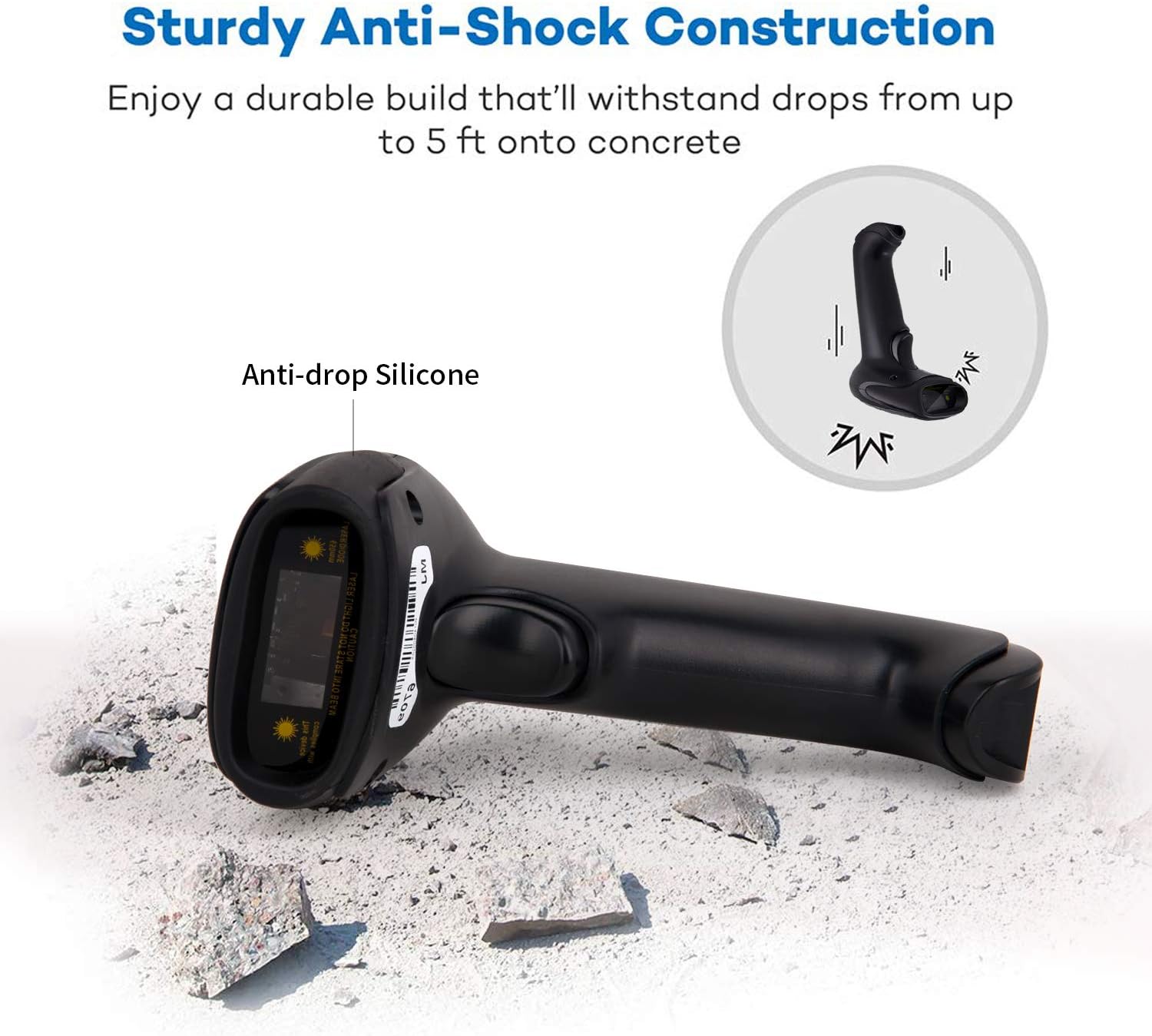
Описание изображения: This image illustrates the robust design of the scanner, highlighting its anti-drop silicone casing and its ability to withstand impacts from a height of up to 5 feet onto concrete.
4. Поиск Неисправностей
If you encounter issues with your Symcode MJ-9200DA-S scanner, please refer to the following common problems and solutions:
- Сканер не подключается:
- Ensure the USB dongle is securely inserted or the USB cable is properly connected.
- Verify that the scanner is powered on and has sufficient battery charge.
- Попробуйте подключиться к другому USB-порту на вашем компьютере.
- For wireless mode, ensure the scanner is within range of the dongle.
- Сканер не считывает штрихкоды:
- Ensure the barcode is clean, undamaged, and within the scanner's optimal reading distance and angle.
- Check if the correct scanning mode (trigger, auto-sensing, continuous) is selected.
- Clean the scanner's reading window with a soft, dry cloth.
- Убедитесь, что сканер поддерживает данный тип штрихкода (см. раздел 2.2).
- If experiencing issues with specific 2D codes like Data Matrix, ensure the code is clear and well-printed. If problems persist, contact support.
- Данные на компьютер не выводятся:
- Confirm the scanner is successfully connected to your device (indicated by LED or sound).
- Убедитесь, что целевое приложение (например, Блокнот, Word, POS-программа) активно и готово к приему ввода.
- Check if the scanner is in "Storage Mode" and needs to be switched to "Instant Upload Mode" or have its stored data uploaded.
- Аккумулятор не заряжается:
- Убедитесь, что USB-кабель правильно подключен как к сканеру, так и к исправному источнику питания USB.
- Попробуйте другой USB-кабель или адаптер питания.
For further assistance, please refer to the "Support and Warranty" section.
5. Технические характеристики
| Особенность | Деталь |
|---|---|
| Бренд | символический код |
| Номер модели | MJ-9200DA-S |
| Технология связи | 2.4G Wireless (via USB dongle), USB Wired |
| Совместимость с операционными системами | Windows, Mac, Android, Linux |
| Типы штрихкодов (1D) | EAN, UPC, Code39, Code93, Code128, UCC/EAN 128, Codabar, Interleaved 2 of 5, ITF-6, BNF-14, ISS, ISSN, MSI-Plessey, GS1 Databar, GS1 Composite, Code 11, Industrial 25, Standard 25, Plessey, Matrix 2 of 5 |
| Типы штрихкодов (2D) | QR Code, Data Matrix, PDF417, Aztec, Maxicode, HanxinCode |
| Тип батареи | Литий-ионный |
| Емкость аккумулятора | 1800 мАч |
| Время непрерывной работы | 8-10 часа |
| Время в режиме ожидания | 15 дней |
| Время зарядки | 3.5-4 часа |
| Устойчивость к падениям | Up to 5 feet (approx. 1.5 meters) onto concrete |
| Внутреннее хранилище | 16 МБ (до 100 000 штрихкодов) |
| СКП | 719986641137 |
| Сертификаты | CE |
6. Поддержка и гарантия
6.1 Информация о гарантии
The Symcode MJ-9200DA-S barcode scanner comes with a Гарантия 180 дней from the date of purchase. During this period, if the scanner is damaged due to manufacturing defects, we guarantee an exchange for a new replacement unit or a full refund. This warranty does not cover damage caused by misuse, accidents, or unauthorized modifications.
6.2 Поддержка клиентов
For any questions, technical assistance, or warranty claims, please contact Symcode customer support. When contacting support, please have your model number (MJ-9200DA-S) and purchase details ready.
If you are unsure how to change scanning modes or configure specific settings, our support team can provide guidance.
Контактная информация: Please refer to the contact details provided in your product packaging or on the official Symcode webсайт.