
1. Введение
This manual provides detailed instructions for the installation, operation, and maintenance of your Overmax Camspot 3.7 Full HD Wireless Indoor Camera. Please read this manual thoroughly before using the product to ensure proper function and safety. Keep this manual for future reference.
2. Содержимое упаковки
Убедитесь, что в упаковке присутствуют все компоненты:
- Overmax Camspot 3.7 Wireless Indoor Camera
- Кабель питания с адаптером
- Mounting Kit (screws, wall plugs, bracket)
- Руководство пользователя (этот документ)
3. Продукт закончилсяview
Familiarize yourself with the camera's components and interfaces.
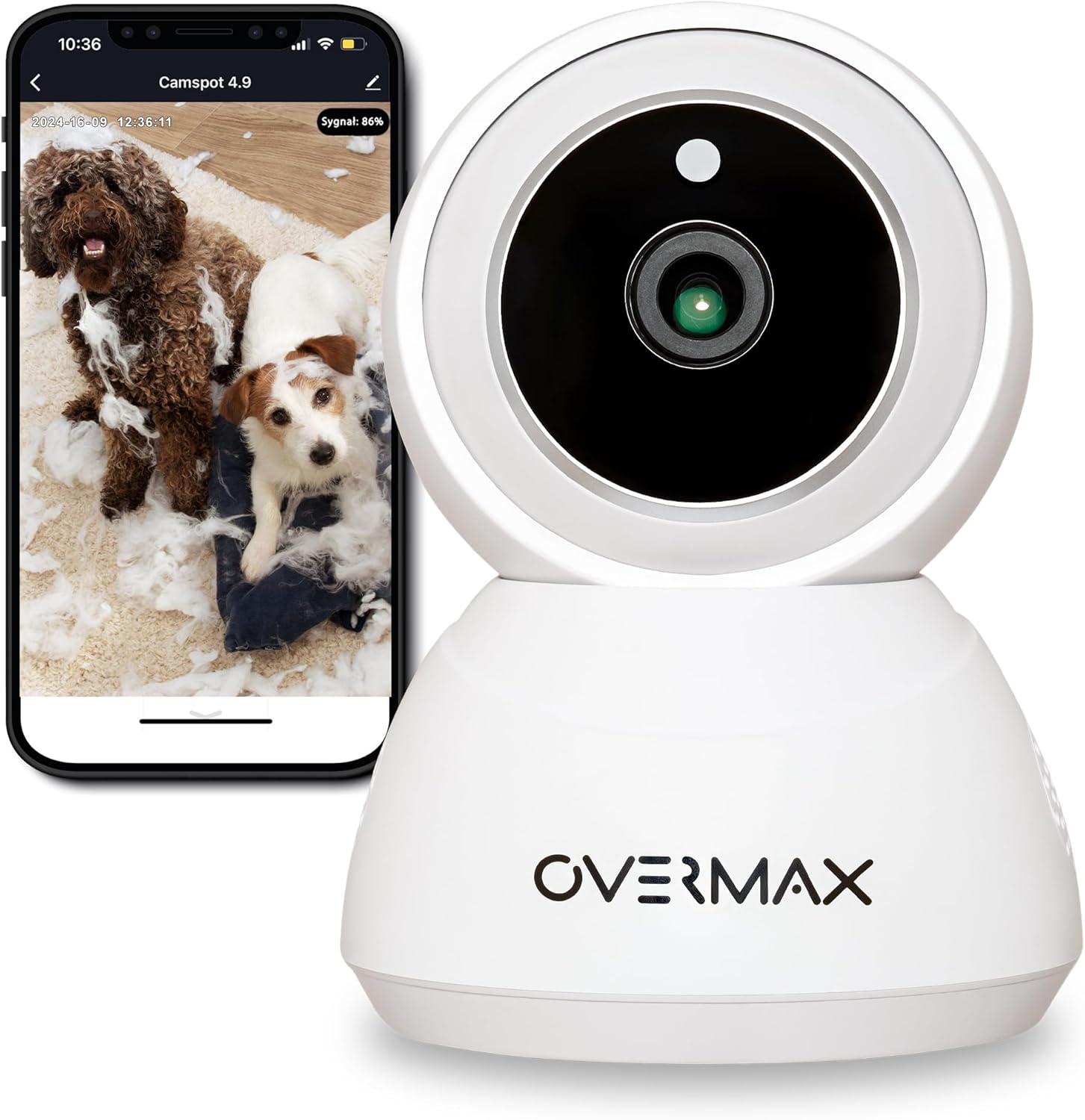
Рисунок 3.1: Передняя часть view of the Overmax Camspot 3.7 camera with a smartphone showing the live video feed.

Рисунок 3.2: Сторона view of the Overmax Camspot 3.7 camera, showing its dome shape and speaker grille.

Рисунок 3.3: Сзади view of the camera, highlighting the LAN port, Reset button, and DC 5V power input.

Рисунок 3.4: View of the camera with the microSD card slot visible, located beneath the lens assembly.
4. Настройка
4.1 Физическая установка
The Camspot 3.7 can be placed on a flat surface or mounted to a wall or ceiling.
- Выберите местоположение: Выберите место, которое обеспечивает желаемый viewугол наклона и находится в зоне действия вашей сети Wi-Fi или Ethernet-соединения.
- Монтаж (опционально):
- Прикрепите монтажный кронштейн к нужной поверхности с помощью прилагаемых винтов и дюбелей.
- Secure the camera to the mounting bracket. Ensure it is firmly attached.

Figure 4.1: The Overmax Camspot 3.7 camera shown mounted on a wall bracket, illustrating a typical installation.
4.2 Установка приложения и создание учетной записи
The Overmax Control app is required to operate the camera.
- Загрузите приложение: Искать "Overmax Control" in your smartphone's app store (iOS or Android) and download it.
- Зарегистрироваться: Откройте приложение и следуйте инструкциям на экране, чтобы создать новую учетную запись пользователя.

Figure 4.2: The Overmax Camspot 3.7 camera alongside a smartphone displaying the 'CONTROL' app logo, indicating the required application for setup and operation.
4.3 Power On and Network Connection
- Включение питания: Connect the power cable to the camera's DC 5V port and plug the adapter into a power outlet. The camera will power on and initiate its startup sequence.
- Подключение к сети:
- Wi-Fi: Следуйте инструкциям в приложении, чтобы подключить камеру к сети Wi-Fi 2.4 ГГц.
- Ethernet (опционально): Connect an Ethernet cable from your router to the camera's LAN port for a wired connection.
4.4 Сопряжение камеры
Once the camera is powered on and the app is installed, proceed with pairing:
- Добавить устройство: In the Overmax Control app, tap the "Add Device" or "+" icon.
- Выберите тип камеры: Choose the appropriate camera model (Camspot 3.7).
- Отсканируйте QR-код: The app will prompt you to scan a QR code. Position your smartphone's screen with the QR code approximately 15-20 cm in front of the camera lens. The camera will emit a sound upon successful scanning.
- Полная установка: Follow any remaining on-screen prompts in the app to finalize the pairing process.

Figure 4.3: The Overmax Camspot 3.7 camera positioned to scan a QR code displayed on a smartphone, a common method for device pairing.
5. Инструкция по эксплуатации
5.1 Прямой эфир View
Access the live video feed from your camera through the Overmax Control app. This allows real-time monitoring of the camera's surroundings.
5.2 Управление панорамированием/наклоном
The Camspot 3.7 features motorized pan and tilt capabilities.
- Горизонтальное вращение: 355 градусов
- Вертикальное вращение: 120 градусов
Use the directional controls within the Overmax Control app to adjust the camera's viewугол удаленно.

Figure 5.1: Diagram illustrating the camera's extensive pan (355°) and tilt (120°) rotation range.
5.3 Двусторонняя аудиосвязь
The camera is equipped with a microphone and speaker, enabling two-way communication. You can listen to the camera's environment and speak through the camera using the app.
5.4 Обнаружение движения и автоматическое слежение
The camera can detect moving objects and automatically track their movement within its field of view. Configure motion detection sensitivity and alerts in the app settings.
5.5 Ночное видение
The Camspot 3.7 features infrared technology for clear viewing in low-light or complete darkness, with a night vision range of up to 10 meters. The camera automatically switches to night mode when ambient light is insufficient.
5.6 Запись и хранение
The camera supports two primary storage methods for video recordings:
- Карта MicroSD: Insert a microSD card (up to 128GB, not included) into the designated slot for local storage. This allows for continuous recording for up to 3 weeks.
- Облачное хранилище: The camera supports real-time cloud storage for recordings. Refer to the app for subscription details and options.
5.7 Интеграция с умным домом
The Camspot 3.7 is compatible with Google Home and Amazon Alexa. Follow the instructions within the respective smart home apps to integrate your camera for voice control and automation.
5.8 Baby Monitor Function
Utilize the camera's features, including two-way audio and night vision, to monitor an infant. The app provides a comprehensive interface for this purpose.

Figure 5.2: The Overmax Camspot 3.7 camera shown with a smartphone displaying the app's control interface, including options for screenshot, speaking, recording, cloud storage, and direction control.
6. Техническое обслуживание
- Уборка: Для чистки объектива и корпуса камеры используйте мягкую сухую ткань. Не используйте едкие химикаты или абразивные чистящие средства.
- Обновления прошивки: Regularly check the Overmax Control app for available firmware updates to ensure optimal performance and security.
- Управление хранилищем: Периодически пересматриватьview and manage recordings on your microSD card or cloud storage to free up space if needed.
7. Поиск Неисправностей
- Камера не подключается к Wi-Fi:
- Убедитесь, что ваша сеть Wi-Fi работает в диапазоне 2.4 ГГц. Камера не поддерживает сети 5 ГГц.
- Проверьте правильность пароля Wi-Fi.
- Переместите камеру ближе к маршрутизатору.
- Перезагрузите камеру и маршрутизатор.
- Нет живой View:
- Verify internet connection on your smartphone and the camera.
- Check if the camera is powered on and connected to the network.
- Перезапустите приложение.
- Обнаружение движения не работает:
- Убедитесь, что обнаружение движения включено в настройках приложения.
- Отрегулируйте настройки чувствительности.
- Проверьте камеру на наличие препятствий. view.
- Запись на карту microSD не ведётся:
- Убедитесь, что карта microSD вставлена правильно.
- Отформатируйте карту microSD через приложение.
- Check if the card is full or corrupted.
- Камера не отвечает:
- Press and hold the Reset button (located at the back) for approximately 5-10 seconds to factory reset the camera. You will need to re-pair it after a reset.
8. Технические характеристики
| Особенность | Спецификация |
|---|---|
| Название модели | Overmax Camspot 3.7 |
| Разрешение видео | Full HD (1080p) |
| Линза | 3.6 мм |
| Кадров в секунду (FPS) | 25-30 |
| Сжатие видео | H.264 |
| Горизонтальное вращение | 355° |
| Вертикальное вращение | 120° |
| Диапазон ночного видения | До 10 метров (инфракрасное излучение) |
| Поддержка карт MicroSD | До 128 ГБ |
| Связность | Wi-Fi (2.4GHz), Ethernet |
| Поддерживаемые системы | Windows XP/7/8/10, Android, iOS, Mac |
| Двусторонняя аудиосвязь | Yes (Microphone, 1W Speaker) |
| Обнаружение движения | Yes (Automatic Detector) |
| Источник питания | 12 Volts, 1 Watt |
| Размеры (Д x Ш x В) | 8.5 х 8.2 х 10.5 см |
| Масса | 180 грамм |
| Материал | Металл |
| Цвет | Белый |
9. Гарантия и поддержка
Overmax products are covered by a manufacturer's warranty. For specific warranty terms and conditions, please refer to the warranty card included in your package or visit the official Overmax webсайт.
For technical support, troubleshooting assistance, or any product-related inquiries, please contact Overmax customer service through the contact information provided on the official website or within the Overmax Control application.