
1. Введение
Thank you for choosing the Symcode 2.4 GHz Wireless Laser Barcode Scanner. This device is designed for efficient and reliable barcode scanning, offering both wireless and wired connectivity options. This manual provides detailed instructions for setup, operation, and maintenance to ensure optimal performance.

Рисунок 1: Symcode 2.4 GHz Wireless Laser Barcode Scanner. This image displays the Symcode 2.4 GHz Wireless Laser Barcode Scanner in black, along with its accompanying USB wireless dongle and USB charging cable. The scanner features a comfortable grip and a laser scanning window.
2. Содержимое упаковки
Пожалуйста, проверьте наличие всех предметов в вашей посылке:
- 1 x Symcode Laser Barcode Scanner
- 1 x 2.4 GHz Wireless USB Dongle
- 1 x USB-кабель для зарядки/передачи данных
3. Особенности продукта
- Возможность подключения 2-в-1: Supports both 2.4 GHz wireless and USB wired connections.
- Подключи и работай: Для большинства операционных систем установка драйверов не требуется.
- Широкая совместимость: Works with Windows, Mac, Android, and Linux systems, connecting to PCs, laptops, and POS machines via a USB port.
- Большое расстояние передачи: Up to 15-30 meters indoors (with obstacles) and 30-100 meters outdoors (open environment).
- Два режима загрузки: Instant Upload and Offline Storage modes.
- Программируемые функции: Customizable settings for uppercase/lowercase, volume, terminator, prefix/suffix, and character addition/masking.
- High Decoding Capability: Reads various 1D barcodes.
- Надежная батарея: Емкость 1800 мАч обеспечивает длительное время работы.
4. Настройка
4.1 Проводное подключение (USB)
- Подключите USB-кабель к порту сканера.
- Подключите другой конец USB-кабеля к свободному USB-порту вашего компьютера.
- The scanner will be recognized automatically by your operating system. It is ready for use once the connection is established.
4.2 Wireless Connection (2.4 GHz)
- Insert the 2.4 GHz wireless USB dongle into an available USB port on your computer.
- Компьютер автоматически установит необходимые драйверы.
- Turn on the barcode scanner by pressing the trigger. The scanner will automatically pair with the dongle.
- После сопряжения сканер готов к беспроводной работе.

Рисунок 2: Mini USB Receiver. This image highlights the compact mini USB receiver, emphasizing its plug-and-play functionality for easy connection to laptops and PCs. It also indicates the ability to store up to 100,000 barcodes.
5. Инструкция по эксплуатации
5.1 Режимы сканирования
Сканер поддерживает два основных режима сканирования:
- Режим триггера: Press the trigger to activate the laser and scan a barcode. Release the trigger to deactivate.
- Непрерывный режим: The laser remains active, continuously scanning barcodes without needing to press the trigger for each scan.
To switch between scanning modes, specific setting barcodes are required. If these are not provided in your physical manual, please contact Symcode customer support for assistance.
5.2 Режимы загрузки данных
Сканер предлагает два способа загрузки отсканированных данных:
- Instant Upload Mode (Normal Mode): Data is transmitted to your computer immediately after each successful scan. This is the default mode.
- Автономный режим хранения: Scanned barcodes are stored in the scanner's internal memory. You can then upload all stored data to your computer at a later time by scanning a specific setting barcode. The scanner can store up to 100,000 barcodes.

Рисунок 3: Two Upload Modes. This image illustrates the two data upload modes: Instant Upload Mode, where data is synchronously transferred to the computer after each scan, and Offline Storage Mode, where barcodes are stored internally in the scanner for later upload.
5.3 Возможности декодирования
The Symcode MJ-2030-B scanner is capable of reading various 1D barcode types, including but not limited to:
- UPC/EAN (including add-on code)
- Code 128, UCC/EAN128
- Code 39, Code 39 Full ASCII
- Код 93
- Кодабар
- Вперемешку 2 из 5
- МСИ
- Код 11
- ISBN, ISSN, China Postage
5.4 Программируемые функции
The scanner offers several programmable options to customize its behavior:
- Uppercase/Lowercase Settings: Adjust how scanned data appears.
- Регулировка громкости: Control the sound level of the buzzer.
- Настройки Терминатора: Configure the character appended to scanned data (e.g., Enter, Tab).
- Настройка префикса/суффикса: Добавьте пользовательские символы до или после данных отсканированного штрихкода.
- Add/Hide Characters: Modify specific characters within the scanned data.
These settings are typically configured by scanning specific programming barcodes found in the full user manual or provided by customer support.

Рисунок 4: Prefix and Suffix Customization. This image shows how the scanner supports adding custom prefixes or suffixes to scanned barcode data, allowing for flexible data formatting.
5.5 Поддержка нескольких языков
The scanner supports various keyboard layouts and languages, including English (US & UK), German, French, Italian, Spanish, and Japanese, to ensure correct data input in different regions.
6. Техническое обслуживание
6.1 Информация об аккумуляторе
The scanner is equipped with a built-in 1800mAh Lithium-ion battery. To ensure optimal battery life and performance:
- Непрерывная работа: Approximately 8 to 10 hours.
- Время в режиме ожидания: До 15 дней.
- Время зарядки: Approximately 3.5 to 4 hours for a full charge using the provided USB cable.
- Recharge the battery when the low battery indicator is active or when performance degrades.
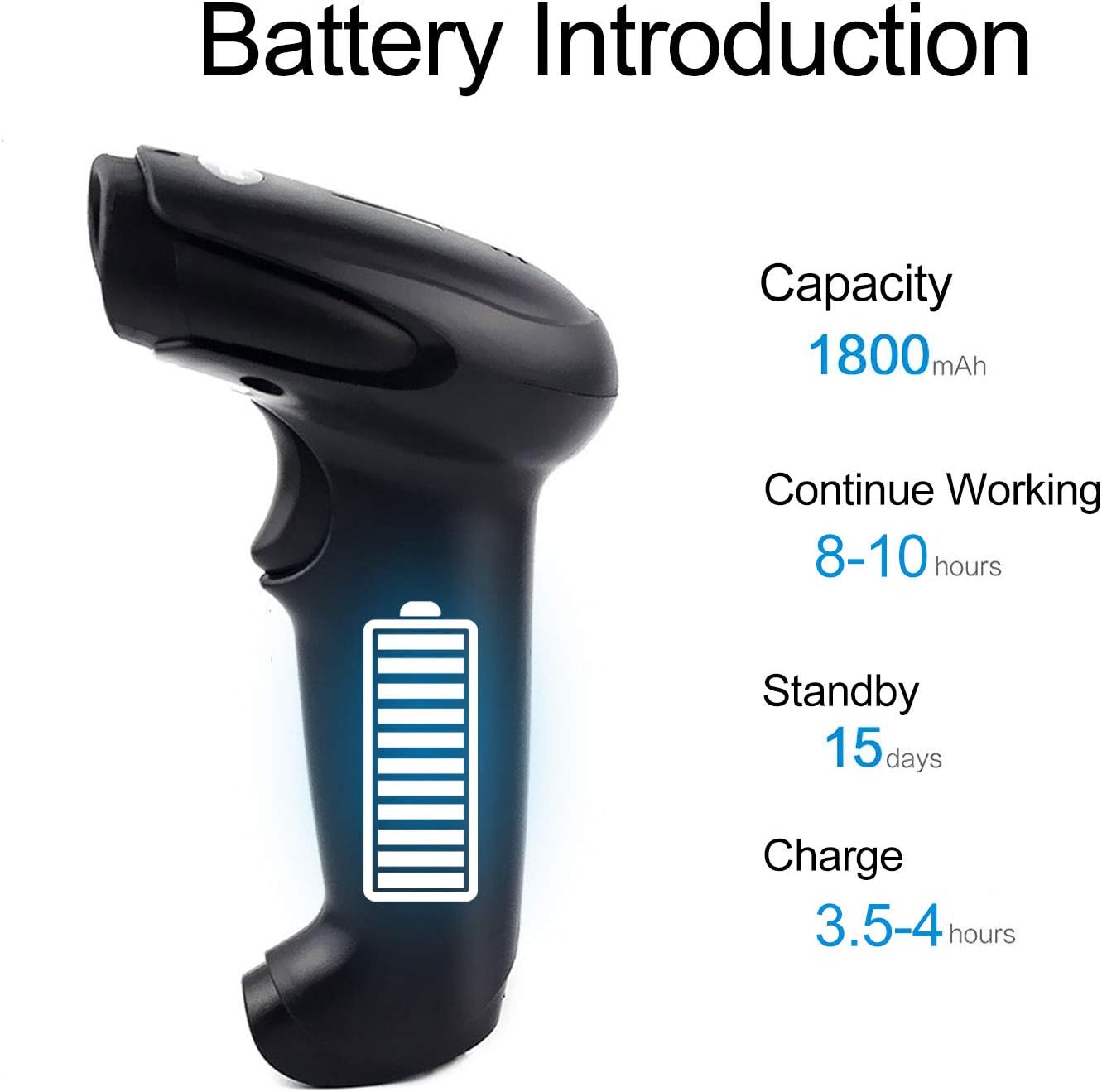
Рисунок 5: Battery Specifications. This image provides details about the scanner's battery, including its 1800mAh capacity, 8-10 hours of continuous working time, 15 days of standby time, and 3.5-4 hours charging time.
6.2 Очистка
To clean the scanner, use a soft, dry cloth. Do not use abrasive cleaners or solvents, as these can damage the device. Keep the scanning window clean for accurate performance.
7. Поиск Неисправностей
- Сканер не подключается: Ensure the USB cable is securely connected or the wireless dongle is properly inserted. For wireless, ensure the scanner is charged and within range.
- Сканер не считывает штрихкоды: Ensure the barcode is not damaged or smudged. Check that the laser is active and properly aimed. Verify the scanner is in the correct scanning mode.
- Data not appearing on computer: Confirm the scanner is connected and in Instant Upload Mode. Check if the cursor is active in a text field on your computer.
- Difficulty changing settings: Specific setting barcodes are required for configuration. If these are missing from your manual, contact customer support for the correct codes.
- Короткое время автономной работы: Убедитесь, что сканер полностью заряжен. По возможности сократите время непрерывного сканирования.
8. Технические характеристики
8.1 Технические параметры
| Особенность | Спецификация |
|---|---|
| Источник света | 650 nm (visible laser) |
| Процессор | 32-битный ARM-процессор |
| Скорость сканирования | 200 lines/sec |
| Глубина сканирования | 2.5 мм - 600 мм |
| Ширина сканирования | 18 см |
| Контрастность печати | 20% минимум |
| Коэффициент ошибок | 1 / 5 миллион |
| Разрешение | 3 мм |
| Индикаторы | Звуковой сигнал, светодиодная подсветка |
| Trigger Life | 3 миллиона раз |
| Лазерная жизнь | 100,000 часа |
8.2 Параметры беспроводной связи
| Особенность | Спецификация |
|---|---|
| Дальность передачи (в помещении) | 15-30 meters (with obstacles) |
| Дальность передачи (на открытом воздухе) | 30-100 meters (open environment) |
| Режим работы | Normal Mode (Instant Upload), Storage Mode (Offline) |

Рисунок 6: Long Transmission Distance. This image demonstrates the wireless transmission capabilities of the scanner, showing an indoor range of 10-50 meters with obstacles and an outdoor range of up to 100 meters in open areas.
8.3 Технические характеристики аккумулятора
| Особенность | Спецификация |
|---|---|
| Емкость | 1800 мАч |
| Непрерывное рабочее время | 8-10 часа |
| Время в режиме ожидания | 15 дней |
| Время зарядки | 3.5-4 часа |
8.4 Параметры окружающей среды
| Параметр | Ценить |
|---|---|
| Рабочая температура | от 0 °С до 40 °С |
| Температура хранения | -40 °C до 60 °C |
| Влажность | 5% - 95% (без конденсации) |
| Окружающий свет | Макс. 50,000 XNUMX люкс |
| Электростатический разряд | Air discharge 15 kV, Contact discharge 8 kV |

Рисунок 7: Product Dimensions. This image provides the physical dimensions of the Symcode barcode scanner, indicating its length, width, and height in both inches and centimeters for precise measurement.
9. Гарантия и поддержка
This Symcode barcode scanner comes with a Гарантия 180 дней с даты покупки. Данная гарантия распространяется на производственные дефекты и неисправности при нормальном использовании. Сохраните чек о покупке для предъявления гарантийных претензий.
For technical support, specific setting barcodes, or warranty inquiries, please contact your seller or Symcode customer service. Refer to the contact information provided with your purchase or visit the official Symcode webсайт.