
1. Введение
Thank you for choosing the Sharkoon CA300T ATX PC Case. This full tower case is designed for high-performance gaming systems, offering extensive compatibility, efficient cooling, and advanced cable management features. This manual provides essential information for the proper setup, operation, and maintenance of your new PC case.
2. Информация по технике безопасности
- Перед установкой или извлечением любых компонентов из корпуса ПК всегда отключайте блок питания от розетки.
- Handle components with care to avoid damage from electrostatic discharge. Consider using an anti-static wrist strap.
- Храните мелкие детали и упаковочные материалы в недоступном для детей месте.
- Avoid placing the PC case in direct sunlight, near heat sources, or in environments with high humidity.
- Do not attempt to modify the case structure, as this may void your warranty and cause damage.
3. Содержимое упаковки
Пожалуйста, проверьте содержимое упаковки, чтобы убедиться в наличии всех предметов:
- Корпус Sharkoon CA300T ATX для ПК
- Accessory box (screws, cable ties, standoffs, etc.)
- RGB lighting controller (if applicable)
- Руководство по эксплуатации (данный документ)
4. Продукт закончилсяview и особенности
The Sharkoon CA300T is a premium full tower ATX PC case designed for enthusiasts. It features a modern design with robust construction, tempered glass panels, and advanced cooling options.
Основные характеристики:
- Full Tower Design: Ample space for high-end components and custom liquid cooling solutions.
- Панели из закаленного стекла: Side panels made of tempered glass for a clear view внутренних компонентов.
- RGB-подсветка: Integrated RGB lighting for customizable aesthetics.
- Оптимизированный поток воздуха: Includes three 120mm fans and supports multiple radiators for superior cooling.
- Расширенные возможности организации кабельной инфраструктуры: Features an openable cable pocket/channel and ample routing options for a clean build.
- Пылевые фильтры: Three-layer top plate with a dust filter to maintain system cleanliness.
- Широкие возможности подключения: Front panel includes 2x USB 3.0 ports and additional USB ports.
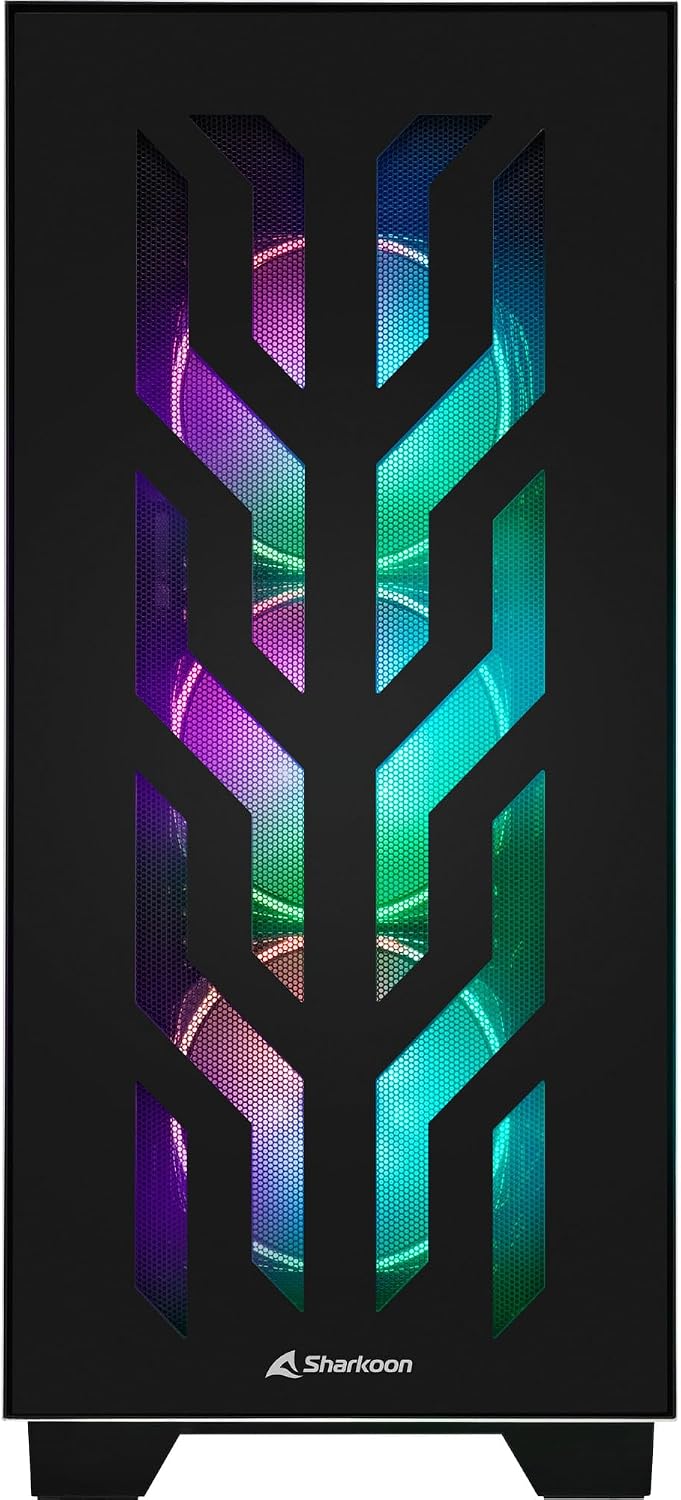
Рисунок 4.1: Передняя часть view of the Sharkoon CA300T PC case, showcasing the illuminated RGB fans behind the mesh panel.
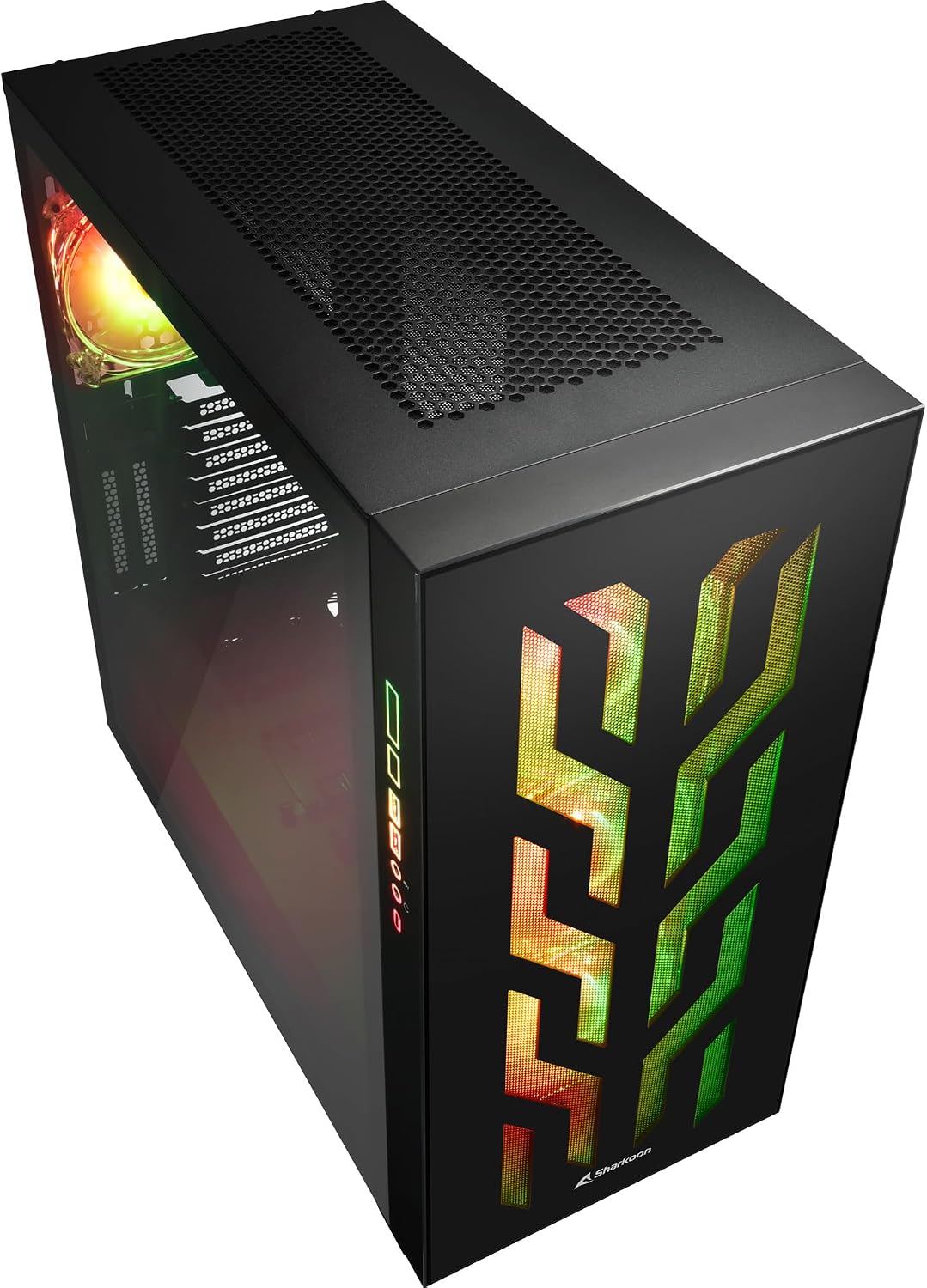
Рисунок 4.2: Наклонный view of the Sharkoon CA300T PC case, showing the tempered glass side panel and the vibrant RGB lighting from the interior.
5. Настройка
5.1 Распаковка
- Аккуратно извлеките корпус ПК из упаковки.
- Inspect the case for any signs of damage during transit. Contact your retailer if any damage is found.
- Locate the accessory box inside the case, which contains screws and other installation hardware.
5.2 Снятие боковых панелей
The Sharkoon CA300T features tempered glass side panels for easy access to components.
- Locate the two screws on the rear of the case securing the side panel.
- Открутите эти два винта.
- Gently pull the panel upwards and away from the case to remove it. Repeat for the other side if necessary.

Рисунок 5.1: Интерьер view of the Sharkoon CA300T PC case, showing the main compartment with the left tempered glass panel removed, ready for component installation.

Рисунок 5.2: Интерьер view of the Sharkoon CA300T PC case with the left side panel completely removed, exposing the motherboard tray and various mounting points.
5.3 Установка материнской платы
- Install the necessary standoffs onto the motherboard tray according to your ATX motherboard's screw holes.
- Carefully place your ATX motherboard onto the standoffs, aligning the screw holes.
- Закрепите материнскую плату прилагаемыми винтами.
5.4 Установка блока питания (БП)
The CA300T supports bottom-mounted power supplies.
- Вставьте блок питания в предназначенный для него отсек в нижней задней части корпуса.
- Secure the PSU to the case with screws from the rear.
5.5 Установка привода
The case provides internal bays for 3.5-inch and 2.5-inch drives.
- Locate the drive cages or mounting points for your 3.5-inch or 2.5-inch drives.
- Mount your drives using the appropriate screws or tool-less mechanisms.
5.6 Установка видеокарты и платы расширения
The case offers multiple expansion slots and supports vertical GPU mounting.
- Снимите заглушки с необходимых слотов расширения с задней панели корпуса.
- Вставьте графическую карту или другие платы расширения в слоты PCIe на материнской плате.
- Secure the cards with screws. For vertical GPU mounting, an additional riser cable (not included) is required.
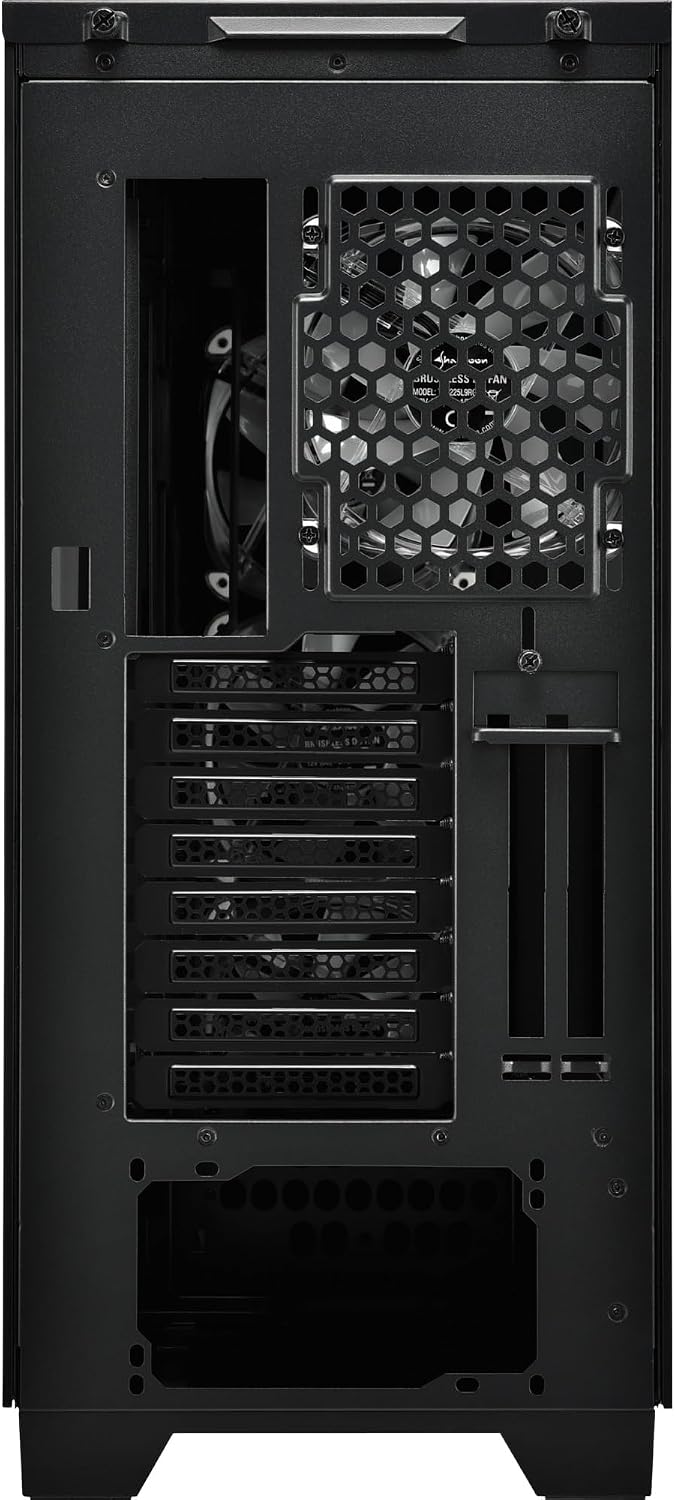
Рисунок 5.3: Сзади view of the Sharkoon CA300T PC case, illustrating the expansion slots, rear fan mount, and PSU opening.
5.7 Управление кабелями
Utilize the cable routing channels and tie-down points behind the motherboard tray to organize cables for improved airflow and aesthetics.

Рисунок 5.4: Задняя часть салона view of the Sharkoon CA300T PC case, highlighting the dedicated cable management area behind the motherboard tray.
6. Операционная
6.1 Включение/выключение питания
After all components are installed and cables are connected, press the power button on the front panel to turn on your system. Press it again to turn off, or use your operating system's shutdown function.
6.2 Управление RGB-подсветкой
The integrated RGB lighting can be controlled via the dedicated RGB controller (if included) or through compatible motherboard software, depending on how the RGB components are connected. Refer to your motherboard manual for software control options.
7. Техническое обслуживание
7.1 Очистка пылевых фильтров
The Sharkoon CA300T features a three-layer top plate with a dust filter. Regularly clean all dust filters to maintain optimal airflow and cooling performance.
- Выключите и отсоедините компьютер от сети.
- Carefully remove the dust filters (e.g., from the top, front, and bottom).
- Clean the filters using compressed air or by gently washing them with water. Ensure they are completely dry before reinstallation.
7.2 Общий уход
- Протрите внешнюю поверхность корпуса мягкой тряпкой.amp ткань. Избегайте абразивных чистящих средств.
- Убедитесь, что все кабели надежно подключены и не препятствуют циркуляции воздуха.
8. Поиск Неисправностей
Если у вас возникли проблемы со сборкой вашего ПК, рассмотрите следующие распространенные шаги по устранению неполадок:
- Нет питания: Ensure the power supply is properly connected to the wall outlet and the motherboard. Check all power cables (24-pin, CPU, GPU).
- Вентиляторы не вращаются: Verify that all fan headers are correctly connected to the motherboard or fan controller. Check BIOS settings for fan control.
- Нет дисплея: Confirm that your monitor is connected to the graphics card (not the motherboard's integrated graphics, unless intended). Reseat the graphics card and RAM modules.
- RGB-подсветка не работает: Check RGB cable connections to the motherboard or controller. Ensure any necessary software is installed and configured.
- Перегрев: Ensure all fans are spinning correctly and dust filters are clean. Verify proper thermal paste application on the CPU cooler.
For more complex issues, consult the manuals for your individual components (motherboard, GPU, PSU) or seek professional assistance.
9. Технические характеристики
| Особенность | Спецификация |
|---|---|
| Бренд | Шаркун |
| Название модели | CA300T |
| Тип корпуса | Полный башня |
| Совместимость с материнской платой | АТХ |
| Рекомендуемое использование | Игровой |
| Цвет | Черный |
| Материал | Металл |
| Power Supply Mount Type | Нижнее крепление |
| Метод охлаждения | Воздух |
| Размер вентилятора | 120 мм |
| Количество болельщиков | 3 |
| Total Expansion Slots | 4 |
| Общее количество портов USB 3.0 | 2 |
| Общее количество портов USB | 3 |
| Особые возможности | RGB Lighting, Openable Cable Pocket, Three-layer Top Plate with Dust Filter |
| HDD Bay Size | 3.5 дюйма |
| Number of Internal Bays | 4 |
| Совместимые устройства | ATX Motherboards, 3.5-inch Hard Drives |
| Светлый цвет | РГБ |
| Вес товара | 14.7 Килограмма |
10. Гарантия
The Sharkoon CA300T PC Case comes with a 2-летняя гарантия производителя. Please retain your proof of purchase for warranty claims. The warranty covers defects in materials and workmanship under normal use. It does not cover damage caused by misuse, accidents, unauthorized modifications, or improper installation.
11 Поддержка
For technical support, warranty inquiries, or further assistance, please visit the official Sharkoon website or contact their customer service department. You may find contact information and FAQs on their support pages.
Официально Webсайт: www.sharkoon.com