
1. Введение
The rockspace AC2100 Dual Band WiFi Range Extender is designed to expand your existing WiFi network coverage, eliminate dead zones, and provide a stable, high-speed internet connection throughout your home or office. This device supports both 2.4 GHz and 5 GHz bands, offering versatile connectivity options for various devices.
Что в коробке:
- 1 x rockspace AC2100 WiFi Extender
- 1 х Краткое руководство пользователя

Figure 1: rockspace AC2100 WiFi Range Extender
2. Инструкции по настройке
The rockspace AC2100 WiFi Range Extender offers two primary methods for setup: WPS (Wi-Fi Protected Setup) and Web Настройка браузера.
2.1. Настройка WPS (рекомендуется для быстрой настройки)
- Подключить: Plug the extender into an electrical outlet in the same room as your WiFi router.
- Дождитесь появления индикатора питания: Wait until the Power LED on the extender turns solid blue.
- Нажмите WPS на маршрутизаторе: Press the WPS button on your main WiFi router.
- Нажмите WPS на расширителе: Within 2 minutes, press the WPS button on the rockspace extender.
- Обратите внимание на светодиодный индикатор сигнала: The Signal LED on the extender will start blinking. Once it turns solid blue, the connection is successful.
- Переместить расширитель: Unplug the extender and move it to a location halfway between your router and the WiFi dead zone. Ensure the Signal LED remains solid blue for optimal performance.

Figure 2: Easy setup using the WPS button
2.2. Web Настройка браузера
- Подключить: Plug the extender into an electrical outlet in the same room as your WiFi router.
- Подключитесь к Wi-Fi расширителя: On your computer or mobile device, connect to the WiFi network named "rockspace_EXT" or "rockspace_EXT_5G". Do not enter any password.
- Открыть Web Браузер: Откройте web браузер (например, Chrome, Firefox) и введите re.rockspace.local or 192.168.0.254 в адресную строку.
- Авторизоваться: При появлении соответствующего запроса создайте новый пароль для входа.
- Выберите режим: Choose "Repeater Mode" or "Access Point Mode" based on your needs.
- Выберите сеть: Select your existing WiFi network (SSID) from the list and enter its password.
- Подтвердите настройки: Follow the on-screen instructions to complete the setup. The extender's WiFi name will typically be your original network name with "_EXT" appended.
- Переместить расширитель: Unplug the extender and move it to a suitable location. Ensure the Signal LED is solid blue for a good connection.
3. Режимы работы
The rockspace AC2100 WiFi Range Extender supports two main operating modes:
3.1. Режим ретранслятора (по умолчанию)
В режиме ретранслятора расширитель беспроводным способом подключается к вашему существующему маршрутизатору и amplifies its signal, extending coverage to areas with weak or no signal. This is ideal for eliminating WiFi dead zones.
3.2 Режим точки доступа (AP)
In AP Mode, the extender connects to your router via an Ethernet cable and broadcasts a new wireless network. This is ideal for converting a wired network into a wireless one or for providing a dedicated wireless access point in a specific area.

Figure 3: Extender operating in Repeater and Access Point modes
4.Основные характеристики
- Двухдиапазонное подключение: Supports both 2.4 GHz (up to 300 Mbps) and 5 GHz (up to 1734 Mbps) bands for a combined speed of up to 2100 Mbps, optimizing WiFi network transmission.
- Расширенное покрытие: Boosts WiFi signal to wider coverage areas, up to 1292 sq.ft, effectively eliminating WiFi dead zones.
- Smart Signal Switch (4T4R MU-MIMO): Equipped with high-quality PCB dual-band antennas and 4T4R MU-MIMO technology, the repeater automatically selects the high-quality channel for stable, reliable, and fast internet. It switches to networks with stronger signals to keep devices connected even when moving.
- Сильное проникновение через стену: Works effectively with optical routers for strong signal penetration on the 5 GHz band, suitable for multi-storey houses or large bungalows.
- Порт Gigabit Ethernet: Features a full Gigabit port for high-speed wired connections, allowing you to connect devices like smart TVs, gaming consoles, or Blu-ray players directly for enhanced speeds. Supports IPv6 protocol for smooth HD streaming and gaming.
- Универсальная совместимость: Compatible with any wireless WiFi Router, Gateway, or Access Point. Extends WiFi signal to various devices including mobile phones, PCs, and smart home devices.
- Visual Signal Lights: Blue indicates a good connection, while red indicates a weak connection, guiding you to find the perfect location for installation.
- Регулируемые антенны: The upper antennas can rotate by 270 degrees, and the lower ones by 180 degrees, allowing for optimized signal direction.
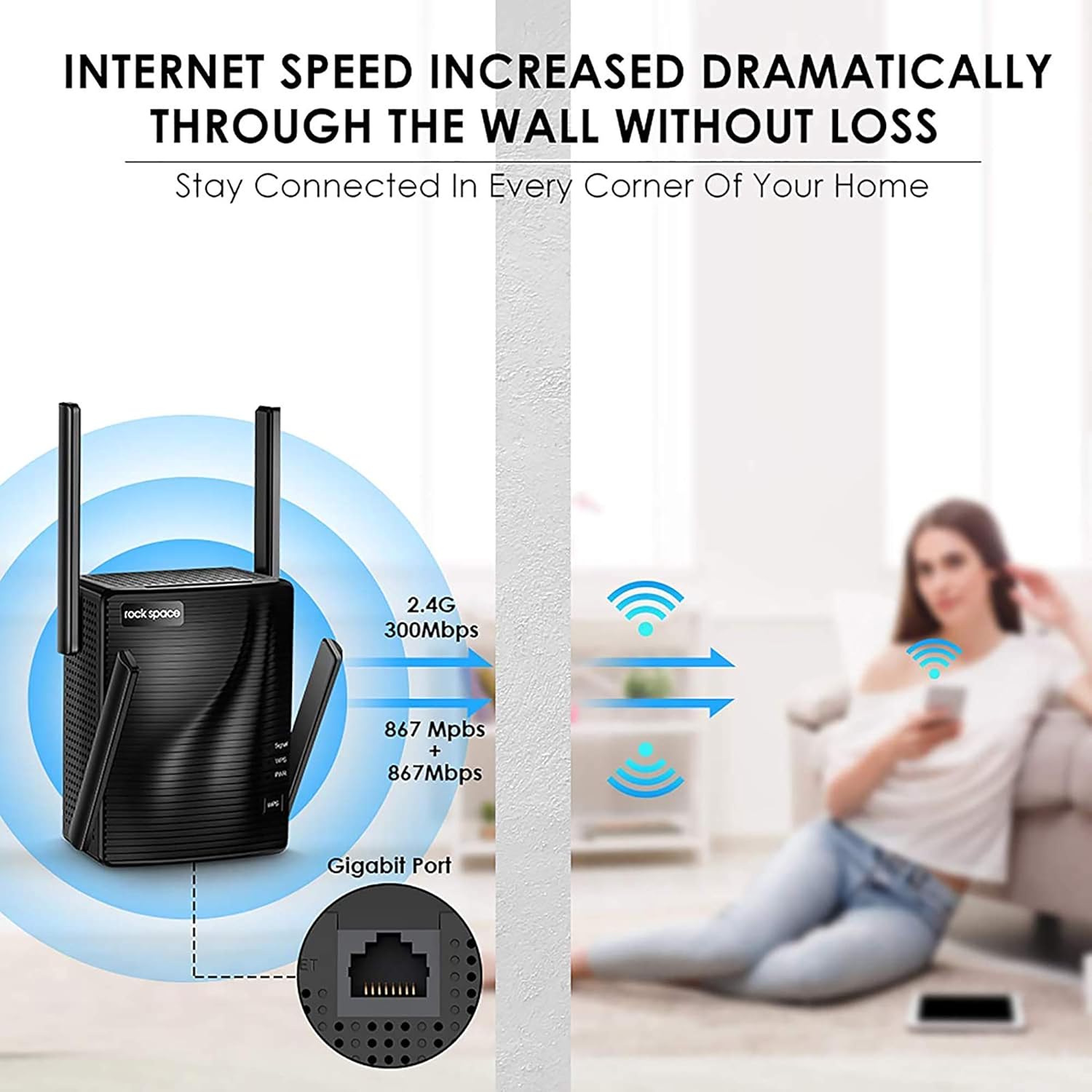
Figure 4: Enhanced internet speed and wall penetration

Figure 5: 4T4R MU-MIMO technology for ultimate Wi-Fi signal
5. Техническое обслуживание
- Оптимальное размещение: For best performance, place the extender in an open area, away from obstructions like large metal objects, thick walls, or other electronic devices that may cause interference.
- Регулярная уборка: Keep the device clean and free from dust to ensure proper ventilation and prevent overheating.
- Обновления прошивки: Periodically check the rockspace official webна сайте доступные обновления прошивки для обеспечения оптимальной производительности и безопасности.
- Сброс настроек расширителя: If you experience persistent issues or wish to reconfigure the extender, you can perform a factory reset. Locate the Reset button (usually a small pinhole) on the device. Use a paperclip or a thin object to press and hold the button for about 8-10 seconds until the LEDs flash. The extender will then reboot with factory default settings.
6. Поиск Неисправностей
- После установки отсутствует доступ к интернету:
- Check the Signal LED: If it's red, the extender is too far from the router. Relocate it closer.
- Verify Router Password: Ensure you entered the correct WiFi password during setup.
- Restart Devices: Restart your router, extender, and connected devices.
- Слабый сигнал или частые отключения:
- Relocate Extender: Move the extender closer to your router or to a more central location.
- Adjust Antennas: Orient the external antennas for better signal reception.
- Check for Interference: Avoid placing the extender near large electronic appliances (microwaves, refrigerators) or metal objects.
- Невозможно получить доступ Web Страница управления:
- Verify Connection: Ensure your device is connected to the extender's WiFi network (e.g., "rockspace_EXT").
- Clear Browser Cache: Clear your web кэш и файлы cookie браузера или попробуйте другой браузер.
- Reset Extender: Perform a factory reset if the issue persists.
7. Технические характеристики
| Особенность | Деталь |
|---|---|
| Бренд | рокспейс |
| Номер модели | RSD0617 |
| Тип беспроводной связи | 802.11a/b/g/n |
| Скорость передачи данных | 2100 мегабит в секунду |
| Класс диапазона частот | Двухдиапазонный (2.4 ГГц и 5 ГГц) |
| Зона покрытия | До 1292 кв. Футов |
| Ethernet-порт | Гигабитный Ethernet-порт |
| Антенны | 4 High Performance External Antennas |
| Размеры (ДxШxВ) | 4.6 x 4.25 x 5.8 дюйма |
| Масса | 13.1 унции |
8. Важная информация
8.1. Информация по технике безопасности
Please be careful when using electricity. Always ensure the device is plugged into a suitable power outlet and avoid overloading circuits.
8.2. Правовая оговорка
Please note that the Wi-Fi extender only extends the Wi-Fi coverage; it cannot boost the speed of your original router or maintain the exact same speed as the original router.
9. Гарантия и поддержка
For warranty information, technical support, or further assistance, please refer to the contact details provided in your product packaging or visit the official rockspace webсайт. Сохраните чек о покупке на случай гарантийных претензий.
Телефон технической поддержки: +1-833-816-6558 (EST: 9:00-17:00 / PDT: 06:00-14:00 Monday to Friday)
Электронная почта: техническая поддержка@rockspace.cc
Webсайт: www.rockspace.cc