
Введение
Thank you for choosing the JBL Tune 225 TWS Wireless In-Ear Headphones. This manual provides essential information for setting up, operating, and maintaining your device. Please read it carefully to ensure optimal performance and longevity of your headphones.
Что в коробке?
Your JBL Tune 225 TWS package includes the following items:
- JBL Tune 225 TWS Wireless In-Ear Headphones (Left and Right earbuds)
- Компактный зарядный футляр
- Зарядный кабель USB-C

Image: JBL Tune 225 TWS earbuds and their charging case, showing the components included in the package.
Настраивать
1. Зарядка наушников и кейса
Before first use, fully charge both the earbuds and the charging case. Connect the provided USB-C cable to the charging case and a power source. The LED indicators on the case will show the charging status. A full charge typically takes approximately 2 hours.
- Срок службы батареи зарядного футляра: Up to 20 hours capacity, providing an average of 25 hours of combined playtime with the earbuds.
- Срок службы батареи наушников: До 5 часов на одном заряде.

Image: JBL Tune 225 TWS earbuds placed inside their open charging case, showing the LED battery indicators.
2. Сопряжение по Bluetooth
- Откройте зарядный кейс. Наушники автоматически перейдут в режим сопряжения.
- На вашем устройстве (смартфоне, планшете и т. д.) перейдите в настройки Bluetooth.
- Select "JBL Tune 225 TWS" from the list of available devices.
- После подключения вы услышите звуковое подтверждение, а светодиод на наушниках покажет успешное соединение.
The JBL Tune 225 TWS uses Bluetooth version 5.0 for a stable connection up to 10 meters (33 feet).
Работа с наушниками
Сенсорное управление
The JBL Tune 225 TWS features touch controls on each earbud for managing audio playback and calls.
| Действие | Левый наушник | Правый наушник |
|---|---|---|
| Воспроизведение/Пауза | Н/Д | Одно нажатие |
| Следующий трек | Двойное нажатие | Н/Д |
| Предыдущий трек | Тройной тап | Н/Д |
| Ответить/Завершить вызов | Одно нажатие | Одно нажатие |
| Отклонить вызов | Нажать и удерживать (2 с) | Нажать и удерживать (2 с) |
| Активировать голосовой помощник | Н/Д | Двойное нажатие |
Note: Volume control is not directly available on the earbuds and must be adjusted via your connected device.
Использование одного или двух наушников
The JBL Tune 225 TWS allows for flexible use of either a single earbud or both earbuds simultaneously. Simply remove one or both from the charging case, and they will automatically connect to your paired device. If you place one earbud back into the case, the other will continue to play.

Изображение: Крупный план view of the left and right JBL Tune 225 TWS earbuds, highlighting their individual design.
Обслуживание
Уборка
Regular cleaning helps maintain sound quality and hygiene. Use a soft, dry, lint-free cloth to wipe the earbuds and charging case. Do not use harsh chemicals or abrasive materials. For earbud grilles, gently use a dry cotton swab to remove any debris.
Хранилище
When not in use, always store the earbuds in their charging case to protect them and keep them charged. Store the case in a cool, dry place, away from extreme temperatures and direct sunlight.
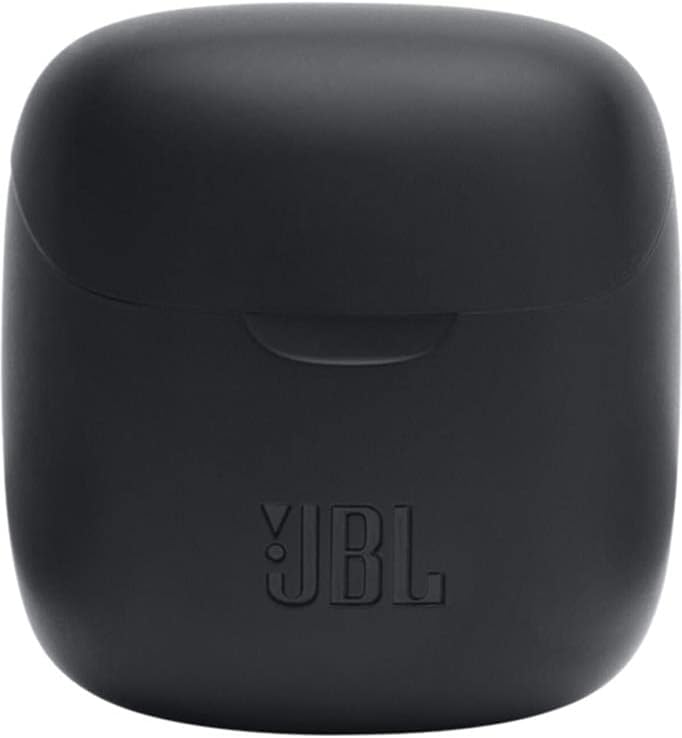
Image: The closed charging case for the JBL Tune 225 TWS, ready for storage or transport.
Поиск неисправностей
- Нет звука/Проблемы с подключением: Ensure both earbuds are charged. Place them back in the case, close it, then reopen to re-initiate pairing. Check your device's Bluetooth settings to ensure "JBL Tune 225 TWS" is connected. Try forgetting the device and re-pairing.
- Один наушник не работает: Ensure both earbuds are charged. Try placing both back in the case, closing it, and then taking them out again. Sometimes a simple reset by placing them in the case can resolve this.
- Проблемы с зарядкой: Ensure the USB-C cable is securely connected to both the case and the power source. Check if the charging port is clean and free of debris. Try a different USB-C cable or power adapter.
- Низкая громкость: Adjust the volume on your connected device. Ensure the earbuds are properly seated in your ears.
Технические характеристики
| Особенность | Деталь |
|---|---|
| Бренд | JBL |
| Название модели | Тюнинг 225TWS |
| Номер модели | Тюнинг 225TWS |
| Цвет | Черный |
| Расположение ушей | Внутриканальные наушники |
| Форм-фактор | Внутриканальные наушники |
| Сопротивление | 32 Ом |
| Тип драйвера | Динамический драйвер |
| Размер драйвера | 12.5 мм |
| Диапазон частот | 20 Гц - 20 000 Гц |
| Чувствительность | 105 дБ |
| Технология связи | Беспроводная связь (Bluetooth) |
| Версия Bluetooth | 5.0 |
| Диапазон Bluetooth | 10 метра |
| Метод контроля | Трогать |
| Срок службы батареи наушников | 5 часов |
| Зарядный футляр Срок службы батареи | До 20 часов (дополнительно) |
| Total Combined Playtime | До 25 часов |
| Время зарядки | 2 часов |
| Уровень водонепроницаемости | Водостойкий |
| Вес продукта | 57 грамм |
| Вес зарядного кейса | 100 грамм |
| СКП | 050036374019 |
Гарантия и поддержка
Информацию о гарантии и технической поддержке можно получить на официальном сайте JBL. website or contact your local JBL authorized dealer. Keep your proof of purchase for warranty claims.
Цифровая копия руководства пользователя доступна для загрузки: JBL Tune 225 TWS User Manual (PDF)