
SONGMICS ULGS131K101S
SONGMICS BELLAH Collection TV Stand
Model: ULGS131K101S
Введение
Thank you for choosing the SONGMICS BELLAH Collection TV Stand. This manual provides essential information for the safe assembly, operation, and maintenance of your new media console. Please read these instructions carefully before beginning assembly and retain them for future reference.
Информация по безопасности
- Always follow assembly instructions precisely. Do not skip steps or use unauthorized parts.
- Перед установкой предметов на подставку убедитесь, что все соединения надежно закреплены.
- Do not overload the stand. Refer to the "Specifications" section for weight capacities.
- Install the anti-tip kit to prevent accidental tipping, especially in households with children or pets.
- Keep electrical components (LED strip, charging ports) away from water and moisture.
- Не позволяйте детям залезать на подставку для телевизора или играть с ней.
Включенные компоненты
Перед сборкой убедитесь, что все перечисленные ниже детали присутствуют и не повреждены. Если какие-либо детали отсутствуют или повреждены, обратитесь в службу поддержки клиентов.
- 1 x TV Stand (main structure)
- 1 комплект принадлежностей (винты, разъемы и т. д.)
- 1 x Комплект защиты от опрокидывания
- 1 x Руководство по эксплуатации (этот документ)
- Required assembly tool (usually an Allen wrench)
Настройка и сборка
Assembly is designed to be straightforward. Follow the numbered steps in the provided accessory kit instructions. An Allen wrench is typically included for assembly.
Шаг 1: Распакуйте и определите комплектацию
Carefully unpack all components and lay them out on a clean, soft surface to prevent scratches. Identify each part using the labels or diagrams in the separate assembly guide.
Шаг 2: Соберите раму
Begin by connecting the steel frame components as instructed. Ensure all screws are tightened securely but do not overtighten.
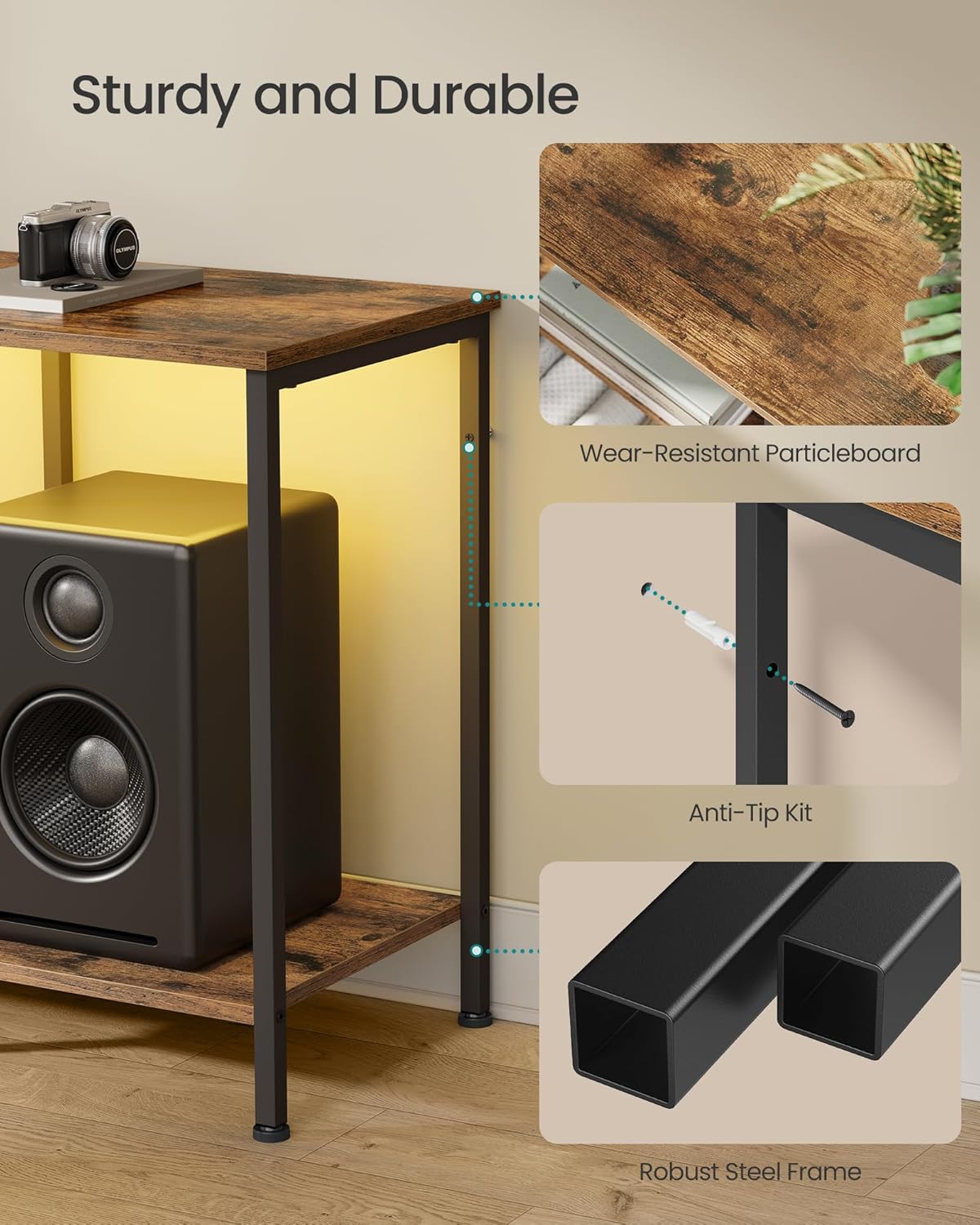
Image: Detail of the robust steel frame construction and anti-tip kit attachment point.
Step 3: Attach Shelves and Drawer Components
Install the particleboard top and lower shelves. Assemble the drawer using the MDF-reinforced components and polyester gabardine fabric. Ensure the drawer slides smoothly.

Image: Detail of the drawer construction, featuring a rustic brown front and fabric sides.
Шаг 4: Установите комплект защиты от опрокидывания.
For safety, attach the anti-tip kit to the back of the TV stand and secure it to a wall stud. This prevents the stand from tipping over, especially important for stability with a television mounted on top.

Image: Illustration of the anti-tip kit installation process.
Шаг 5: Отрегулируйте выравнивающие ножки.
The TV stand is equipped with adjustable feet. Turn the feet clockwise or counter-clockwise to level the stand on uneven floors, ensuring maximum stability.

Image: Adjustable feet for leveling the TV stand on uneven surfaces.
Инструкция по эксплуатации
Светодиодное окружающее освещение
The TV console features an integrated LED strip for ambient lighting. This can be controlled via a physical button on the unit or through a dedicated smartphone application.
- Кнопочное управление: Use the button to cycle through preset colors and modes.
- Управление приложениями: Download the companion app (refer to the separate LED instruction sheet for QR code or app name). The app allows access to over 60,000 colors, brightness adjustment, setting timers, and syncing lights with music or microphone input.

Image: The TV stand with its LED ambient lighting, illustrating both app and manual control options.

Изображение: подробное view of the smartphone application interface for controlling the LED lighting features.
Integrated Charging Ports
The entertainment center includes built-in charging capabilities to keep your devices powered.
- 2 розетки переменного тока (250 В/15 А)
- 1 порт USB-A (5 В/2 А)
- 1 порт USB-C (5 В/2 А)
Connect your TV, game consoles, phones, and other devices directly to these ports for convenient power access.

Image: Integrated charging panel with AC outlets, USB-A, and USB-C ports for convenient device charging.
Использование хранилища
The TV stand offers versatile storage options:
- Открытые полки: Ideal for organizing and displaying streaming players, game consoles, DVD players, and decorative items.
- Ящик: Provides enclosed space for remotes, accessories, cables, and other small items to maintain a tidy appearance. The drawer is MDF-reinforced for rigidity.

Image: Comparison showing the effectiveness of the TV stand's storage in organizing media components.
Обслуживание
Чтобы ваша подставка для телевизора прослужила долго и сохранила свой внешний вид, следуйте этим простым рекомендациям по уходу:
- Уборка: Протрите поверхности сухой мягкой тканью. Для удаления стойких пятен слегка протрите поверхность.amp cloth followed by a dry one can be used. Avoid harsh chemicals or abrasive cleaners.
- Разливы: Immediately wipe up any liquid spills to prevent damage to the particleboard and MDF surfaces.
- Уход за ящиком: The fabric drawer can be spot cleaned with a mild detergent and damp Ткань. Дать полностью высохнуть на воздухе.
- Инспекции: Периодически проверяйте затяжку всех винтов и соединений. При необходимости подтяните.

Image: Demonstrating how to clean the TV stand surface with a dry cloth.
Поиск неисправностей
Если у вас возникли проблемы с подставкой для телевизора, воспользуйтесь следующими распространенными решениями:
- Стенд шатается: Ensure all assembly screws are tightened. Adjust the leveling feet on the bottom of the stand to compensate for uneven flooring.
- Светодиодные фонари не работают: Check if the power adapter is securely plugged into both the stand and a working wall outlet. If using app control, ensure Bluetooth is enabled on your device and the app is correctly paired.
- Порты зарядки не работают: Verify the main power cord for the stand is plugged into a live outlet. Test with different devices and cables to rule out device-specific issues.
- Drawer Sticks or Doesn't Close: Check for any obstructions within the drawer compartment. Ensure the drawer is assembled correctly and not overloaded.
For issues not covered here, please contact SONGMICS customer support.
Технические характеристики
| Особенность | Деталь |
|---|---|
| Номер модели | ULGS131K101S |
| Цвет | Коричневый деревенский |
| Размеры (Д x Ш x В) | 13.8 x 61.8 x 23.6 дюйма (35 x 157 x 60 см) |
| Вес товара | 28.6 фунта (13 кг) |
| Материал | MDF (Medium Density Fiberboard), Particleboard, Steel, Polyester Gabardine |
| Максимальная грузоподъемность (верхняя поверхность) | 88 фунта (40 кг) |
| Максимальная грузоподъемность (на каждой полке) | 66 фунта (30 кг) |
| Максимальная грузоподъемность (ящик) | 17.6 фунта (8 кг) |
| Совместимость размеров телевизора | До 70 дюймов |
| Порты для зарядки | 2 x AC Outlets (250V/15A), 1 x USB-A (5V/2A), 1 x USB-C (5V/2A) |
| Требуется сборка | Да |

Image: Detailed dimensions and weight capacity diagram for the TV stand.

Image: The TV stand accommodating a television, highlighting its compatibility with TVs up to 70 inches.
Гарантия и поддержка
SONGMICS products are designed for quality and durability. For specific warranty details, please refer to the documentation included with your purchase or visit the official SONGMICS webсайт.
If you require assistance with assembly, have questions about product features, or need to report a missing/damaged part, please contact SONGMICS customer support. Have your model number (ULGS131K101S) and purchase information ready when contacting support.
Контактная информация: Please refer to the contact details provided on the packaging or the official SONGMICS webсайт для получения самых актуальных каналов поддержки.
Связанные документы - ULGS131K101S
 |
VASAGLE LTV096 TV Stand Assembly Instructions Comprehensive assembly guide for the VASAGLE LTV096 TV Stand, featuring a parts list, hardware details, step-by-step instructions, load capacity information, and safety warnings. Designed for easy setup and optimal viewинж. |
 |
Инструкция по сборке и руководство пользователя подставки для телевизора VASAGLE LTV304 Comprehensive assembly instructions and user guide for the VASAGLE LTV304 TV Stand. Includes parts list, hardware, step-by-step assembly, safety warnings, and usage notes for your entertainment center. |
 |
VASAGLE LTV43 TV Stand Assembly Instructions & User Manual Comprehensive assembly instructions and user guide for the VASAGLE LTV43 TV Stand, featuring detailed steps, safety warnings, and care instructions. Learn how to assemble your media console. |
 |
VASAGLE LTV097 TV Stand / Media Console Assembly Instructions Comprehensive assembly instructions for the VASAGLE LTV097 TV Stand/Media Console. This guide provides step-by-step instructions, parts list, hardware details, and safety warnings to ensure proper setup and use of your furniture. |
 |
TV Stand N710P397467P: Assembly Instructions for Modern Entertainment Center Comprehensive assembly instructions for the 76-inch Modern Minimal Glass-doors TV Stand (N710P397467P). This wood-grain entertainment center features storage cabinets and serves as a TV media console for living rooms and bedrooms. |
 |
Инструкция по сборке тумбы под телевизор Ebern Designs | Руководство по созданию современного развлекательного центра Подробная инструкция по сборке тумбы под телевизор Ebern Designs. Это руководство содержит пошаговые инструкции, список деталей, перечень крепежных элементов, информацию по технике безопасности и советы по устранению неполадок при сборке вашего современного развлекательного центра. |
Ask a question about this manual
Ask about setup, troubleshooting, compatibility, parts, safety, or missing instructions. Manuals+ will review the question and use this page’s manual context to help answer it.