
ТоЛуЛу Webкулачок
ToLuLu 1080P HD Webcam Руководство пользователя
Модель: Webкулачок
1. Введение
Thank you for choosing the ToLuLu 1080P HD Webcam. This manual provides detailed instructions for the proper setup, operation, and maintenance of your webcam. Designed for professional-quality video calls, recording, conferencing, and gaming, this webcam delivers crisp images and clear video at 30 frames per second. It features automatic light correction, HDR technology, and a built-in noise-reduction microphone to ensure optimal performance in various lighting conditions.
2. Что в коробке
- ToLuLu 1080P HD Webкулачок
- Руководство пользователя
- Обложка конфиденциальности
- треногой
3. Продукт закончилсяview
The ToLuLu 1080P HD Webcam is equipped with a full HD glass lens and an integrated digital stereo microphone. It features a flexible clip for mounting on various displays and a standard tripod thread for the included tripod stand. A privacy cover is also provided for enhanced security.

Image 3.1: ToLuLu 1080P Webcam with included privacy cover and tripod.

Изображение 3.2: Webcam with privacy cover and tripod stand. The privacy cover can be closed when the webкулачок не используется.
4. Инструкции по настройке
- Монтаж Webкамера:
The webcam features an adjustable universal clip. You can place it securely on top of your laptop screen, desktop monitor, or any flat surface. For alternative placement, attach the webcam to the included tripod stand using the standard tripod thread at the bottom of the clip. - Подключение к компьютеру:
Подключите USB-кабель от webcam to an available USB port on your computer (laptop, desktop, Mac, PC). The webcam is designed for plug-and-play functionality, meaning no additional drivers are typically required for most operating systems. - Первоначальное признание:
Ваш компьютер должен автоматически обнаружить и установить webcam. A notification may appear indicating that the device is ready for use. - Конфигурация программного обеспечения:
Open your preferred video conferencing or streaming application (e.g., Zoom, Skype, OBS, YouTube, Facetime). Navigate to the video and audio settings within the application and select the "ToLuLu Webcam" as your video input device and its integrated microphone as your audio input device.

Image 4.1: Connecting the webcam via USB for plug-and-play setup.
5. Инструкция по эксплуатации
- Качество видео: The 1080P Full HD glass lens delivers clear video at 30 frames per second. The webcam features automatic light correction and HDR technology, which adjusts color and brightness for natural lighting, even in dim or poorly backlit environments.
- Качество звука: The built-in digital stereo microphone includes automatic noise reduction, ensuring your voice is captured clearly from up to 10 feet away.
- Широкоэкранный View: The fixed-focus lens provides a 110-degree wide-angle view, suitable for individual use or group video conferencing.
- Покрытие конфиденциальности: Use the included privacy cover to physically block the camera lens when not in use. This protects your privacy and prevents unauthorized access to your video feed.

Image 5.1: Comparison illustrating the clarity of the 1080P Full HD webкулачок.

Изображение 5.2: web110-градусный широкоугольный объектив камеры view, suitable for multiple participants.
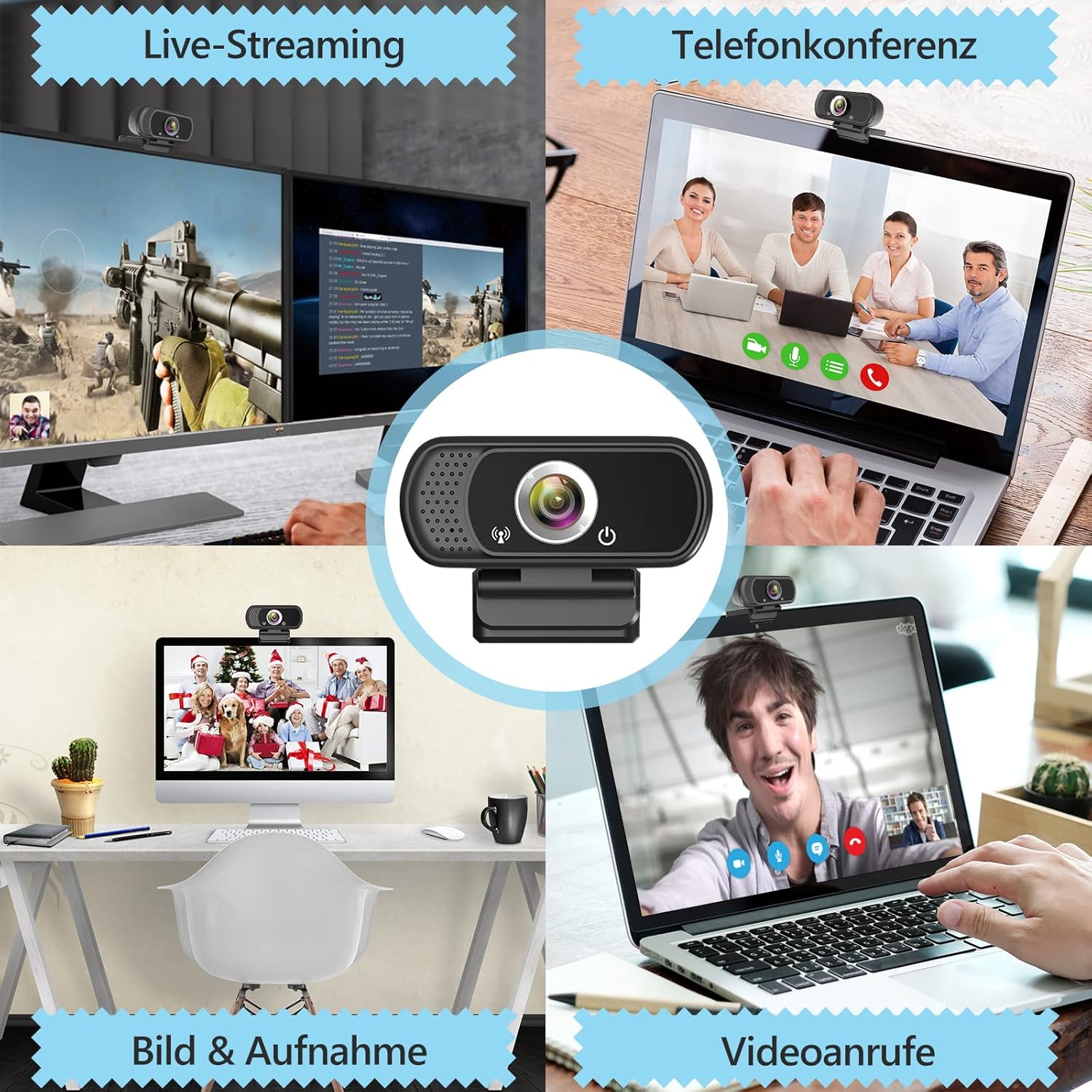
Изображение 5.3: Примерampлес из webcam use in live streaming, teleconferencing, and video calls.
6. Совместимость
The ToLuLu 1080P HD Webcam offers broad compatibility with various operating systems and applications:
- Операционные системы: Windows 2000, XP, 7, 8, 10 and above; macOS 10.6 and above; Chrome OS 29.0.1547 or above; Android V5.0 or above; Smart TV.
- Аппаратные платформы: Mac, PC, Laptops, Desktops, Smart TVs.
- Совместимые приложения: Skype, OBS, YouTube, Facebook, Twitch, Facetime, Zoom, Xbox One, Hangouts, and more.

Изображение 6.1: webcam is compatible with multiple operating systems and popular communication platforms.
7. Техническое обслуживание
- Очистка объектива: Для бережного протирания используйте мягкую безворсовую ткань, специально предназначенную для оптических линз. webcam lens. Avoid abrasive materials or harsh chemicals, which can scratch or damage the lens.
- Генеральная уборка: Протрите корпус webкамера с мягким, дamp cloth. Ensure no moisture enters the device.
- Хранилище: Когда не используется, храните webХраните камеру в чистом, сухом месте. Используйте защитную крышку для объектива, чтобы защитить его от пыли и царапин.
- Уход за кабелем: Не допускайте чрезмерного сгибания или скручивания USB-кабеля, чтобы предотвратить внутренние повреждения.
8. Поиск Неисправностей
| Проблема | Возможная причина | Решение |
|---|---|---|
| Webcam not detected / No image | USB connection issue, driver conflict, or incorrect software selection. |
|
| Низкое качество изображения (размытое, темное, зернистое). | Insufficient lighting, dirty lens, or software settings. |
|
| Microphone not working / Poor audio quality | Microphone not selected, system audio settings, or environmental noise. |
|
| Intermittent connection issues | Loose USB connection, USB port power issues, or system resource conflicts. |
|
9. Технические характеристики
| Особенность | Деталь |
|---|---|
| Разрешение видеозахвата | 1080p Full HD (1920 x 1080) at 30fps |
| Тип объектива | Full HD Glass Lens, Fixed Focus |
| Поле View | 110 Degrees Widescreen |
| Микрофон | Built-in Digital Stereo Microphone with Automatic Noise Reduction |
| Коррекция света | Automatic Light Correction, HDR Technology |
| Связность | USB Plug & Play (1.8m / 6 feet USB cable) |
| Монтаж | Adjustable Universal Clip, Tripod Ready |
| Операционные системы | Windows 2000/XP/7/8/10+, macOS, Chrome OS, Android, Smart TV |
| Размеры (ДxШxВ) | 3.8 x 3.1 x 2.5 дюйма |
| Вес товара | 6.3 унции |
10. Гарантия и поддержка
ToLuLu is committed to providing quality products and customer satisfaction.
- Политика возврата: This product is eligible for return within 30 days for an exchange or refund, subject to the retailer's return policy.
- Техническая поддержка: ToLuLu offers lifetime professional technical team support for this product.
For further assistance or inquiries, please refer to the contact information provided with your purchase or visit the official ToLuLu support channels.
Ask a question about this manual
Ask about setup, troubleshooting, compatibility, parts, safety, or missing instructions. Manuals+ will review the question and use this page’s manual context to help answer it.