
Lorex W463AQD-E
Руководство пользователя для внутренней Wi-Fi камеры видеонаблюдения Lorex 2K с двумя объективами W463AQD-E
Model: W463AQD-E
1. Введение
This manual provides detailed instructions for the installation, configuration, and operation of your Lorex 2K Dual Lens Indoor Wi-Fi Security Camera, model W463AQD-E. Please read this manual thoroughly before using the product to ensure proper functionality and safety. Keep this manual for future reference.

Image 1.1: Lorex 2K Dual Lens Indoor Wi-Fi Security Camera with its retail packaging.
2. Содержимое упаковки
Verify that all items listed below are included in your package. If any items are missing or damaged, please contact Lorex customer support.
- 1 × 2K Dual-Lens Indoor Pan-Tilt Camera
- 1 × 32GB MicroSD Card (pre-installed)
- 1 × 6.5 ft (2 m) Power Cable
- 1 × монтажный кронштейн
- 3 × анкера и винты
- 1 × Адаптер питания
3. Продукт закончилсяview
Familiarize yourself with the components and features of your Lorex security camera.
3.1 Компоненты камеры

Изображение 3.1: Спереди view of the camera, showing the dual lenses and call button.

Изображение 3.2: вид сбоку view of the camera, highlighting its dome shape.

Изображение 3.3: Вид сзади view of the camera, showing the power input and reset button.

Image 3.4: Bottom label displaying model number W463AQD-E and other regulatory information.
3.2 Основные характеристики
- Видео 2K Quad HD: Записывает четкое и детальное видео.tage.
- Конструкция с двумя линзами: Обеспечивает расширенные возможности наблюдения.
- 360° Pan-Tilt: Дистанционная настройка камеры viewing angle to cover a full 360-degree area.
- Автоматическое отслеживание: Automatically follows detected movement within its field of view.
- Smart Person & Pet Detection: Differentiates between human and pet activity to reduce false alerts.
- ИК ночного видения: Provides clear video in low-light conditions up to 33 feet.
- Двусторонний разговор: Allows for real-time communication through the camera's built-in microphone and speaker.
- Quick Call Button: Enables visitors to initiate a call to your connected device.
- Гибкое хранилище: Supports local storage via an included 32GB MicroSD card and optional cloud storage or Lorex Fusion recorders.
- Режим конфиденциальности: Physically hides the camera lens for enhanced privacy when needed.
- Wi-Fi-подключение: Connects to your home network wirelessly (2.4GHz).
4. Настройка
4.1 Первоначальная настройка и подключение приложения
- Включение питания: Подключите адаптер питания к камере и вставьте его в розетку. Камера включится и начнет процесс запуска.
- Download Lorex Home App: Download the Lorex Home app from the App Store (iOS) or Google Play Store (Android) on your smartphone or tablet.
- Зарегистрироваться: Open the Lorex Home app and follow the on-screen instructions to create a new account or log in to an existing one.
- Добавить устройство: Tap the '+' icon in the app to add a new device. Scan the QR code located on the bottom of your camera or on its packaging.
- Подключитесь к Wi-Fi: Follow the app's prompts to connect the camera to your 2.4GHz Wi-Fi network. Ensure your mobile device is connected to the same Wi-Fi network during setup.
- Полная установка: Once connected, follow the remaining steps in the app to name your camera and finalize the setup process.

Image 4.1: The Lorex Home application interface for managing camera feeds.
4.2 Установка камеры
The camera can be placed on a flat surface or mounted to a ceiling or wall using the included mounting bracket.
- Выберите место: Select a suitable indoor location with a clear view and within range of your Wi-Fi network.
- Марк Хоулс: Place the mounting bracket at the desired location and mark the screw holes with a pencil.
- Отверстия для сверления: Drill pilot holes at the marked spots. If mounting on drywall, insert the included anchors.
- Надежный кронштейн: Align the mounting bracket with the holes and secure it using the provided screws.
- Прикрепить камеру: Twist the camera onto the mounting bracket until it clicks securely into place.
5. Операция
5.1 Прямой эфир View и элементы управления
Доступ в прямом эфире view of your camera through the Lorex Home app. From the live view screen, you can control various camera functions.
- Панорамирование и наклон: Use the directional controls in the app to remotely adjust the camera's horizontal (pan) and vertical (tilt) angles.
- Цифровой зум: Pinch to zoom in or out on the live video feed.
- Двойной объектив View: The app may offer options to switch between or combine views from the dual lenses.

Image 5.1: Camera shown with a smartphone displaying the dual lens live view в приложении Lorex Home.
5.2 Two-Way Talk and Call Button
The camera features two-way audio for communication and a physical call button.
- Двусторонний разговор: В прямом эфире viewНажмите значок микрофона, чтобы говорить через динамик камеры. Нажмите ещё раз, чтобы завершить.
- Кнопка вызова: A person near the camera can press the physical call button on the camera to initiate a call to your connected mobile device.

Image 5.2: Demonstrating two-way talk functionality via the Lorex Home app.

Image 5.3: A user pressing the quick call button on the camera.
5.3 Обнаружение движения и оповещения
The camera uses smart detection to identify important events.
- Интеллектуальное обнаружение: The camera can detect and differentiate between people and pets, sending specific alerts to your phone.
- Автоматическое отслеживание: When motion is detected, the camera can automatically pan and tilt to follow the subject.
- Настройка: Adjust motion detection zones and sensitivity settings within the Lorex Home app to minimize unwanted alerts.

Image 5.4: Auto-tracking feature following a baby's movement.

Изображение 5.5: Еще один view of the auto-tracking feature in action.

Image 5.6: Smart motion detection alerting to a person's presence.

Image 5.7: Pet detection and auto-tracking following a dog.
5.4 Night Vision and Smart Lighting
The camera provides clear surveillance even in low-light conditions.
- ИК ночного видения: Infrared LEDs provide black and white video up to 33 feet in complete darkness.
- Интеллектуальное охранное освещение: The camera features integrated lighting that can be configured to activate upon motion detection or on a schedule.

Image 5.8: Comparison of daytime and IR night vision footage спящего младенца.

Image 5.9: Clear night vision image of a baby sleeping.

Image 5.10: The camera's smart security lighting feature in action.
5.5 Запись и хранение
Your camera offers multiple options for storing recorded video footage.
- Локальное хранилище: A 32GB MicroSD card is pre-installed for local recording. This ensures your footage is stored directly on the device.
- Облачное хранилище: Optional cloud storage plans are available for off-site backup of your recordings. Refer to the Lorex Home app for details.
- Lorex Fusion Recorders: The camera is compatible with Lorex Fusion recorders for integrated system storage.

Image 5.11: The included 32GB MicroSD card for private and secure local storage.
5.6 Режим конфиденциальности
Activate Privacy Mode to physically conceal the camera lens when surveillance is not desired.
- Активация: Privacy Mode can be activated through the Lorex Home app. When active, the camera lens will rotate downwards, blocking its view.
- Деактивация: Deactivate Privacy Mode via the app to resume normal operation.
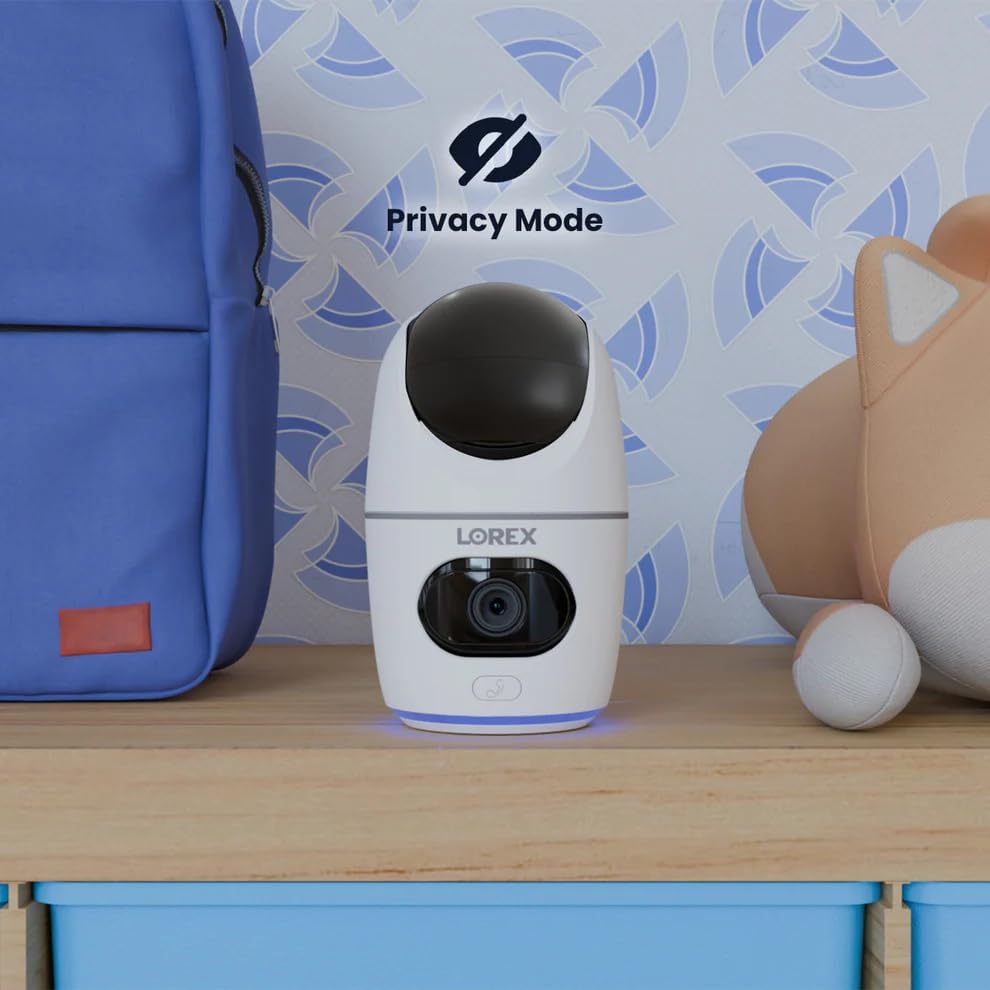
Image 5.12: The camera in Privacy Mode, with the lens retracted.
6. Техническое обслуживание
- Уборка: Для чистки объектива и корпуса камеры используйте мягкую сухую ткань. Избегайте использования абразивных чистящих средств и растворителей.
- Обновления прошивки: Regularly check the Lorex Home app for available firmware updates to ensure optimal performance and security.
- Карта MicroSD: Periodically check the status of the MicroSD card in the app. If the card is full and continuous recording is enabled, older footagФайл будет перезаписан. Сделайте резервную копию важных файлов.tagе по мере необходимости.
- Источник питания: Ensure the camera is connected to a stable power source. Avoid using third-party power adapters that are not specified for this device.
7. Поиск Неисправностей
| Проблема | Решение |
|---|---|
| Камера отключена или находится в автономном режиме. |
|
| Невозможно подключиться к Wi-Fi. |
|
| No video or poor video quality. |
|
| Motion alerts are too frequent or not received. |
|
8. Технические характеристики
| Особенность | Деталь |
|---|---|
| Номер модели | W463AQD-E |
| Разрешение видео | 2K (1440p) |
| Эффективное разрешение неподвижного изображения | 4 МП |
| Viewугол наклона | 360 Degrees (Pan-Tilt), 135 Degrees (Field of View) |
| Диапазон ночного видения | 33 Feet (IR Night Vision) |
| Связность | Wi-Fi (2.4 ГГц) |
| Хранилище | 32GB MicroSD Card (included), supports up to 256GB, Cloud Storage (optional), Lorex Fusion compatible |
| Аудио | Двусторонняя связь (встроенный микрофон и динамик) |
| Обнаружение | Smart Person & Pet Detection, Auto-Tracking |
| Источник питания | Corded Electric (5V=2A) |
| Размеры (Д x Ш x В) | 5 x 6 x 5 дюйма |
| Вес товара | 15.2 унции |
| Использование внутри и снаружи помещений | Только в помещении |
| Включенные компоненты | Camera, 32GB MicroSD Card, Power Cable, Mounting Bracket, Power Adapter |
9. Гарантия и поддержка
For warranty information, technical support, or additional resources, please visit the official Lorex webсайте или обратитесь в их отдел обслуживания клиентов.
- Lorex Webсайт: www.lorex.com
- Служба поддержки клиентов: Refer to the Lorex website for contact details and support hours.
Для получения обновлений и поддержки рекомендуется зарегистрировать продукт.
Ask a question about this manual
Ask about setup, troubleshooting, compatibility, parts, safety, or missing instructions. Manuals+ will review the question and use this page’s manual context to help answer it.