
1. Введение
This manual provides comprehensive instructions for the Microsoft Surface Laptop 3, Model VGY-00001. Designed for productivity and portability, this device features a 13.5-inch touchscreen, Intel Core i5 processor, 8GB RAM, and a 128GB Solid State Drive. Please read this manual thoroughly to ensure proper setup, operation, and maintenance of your device.
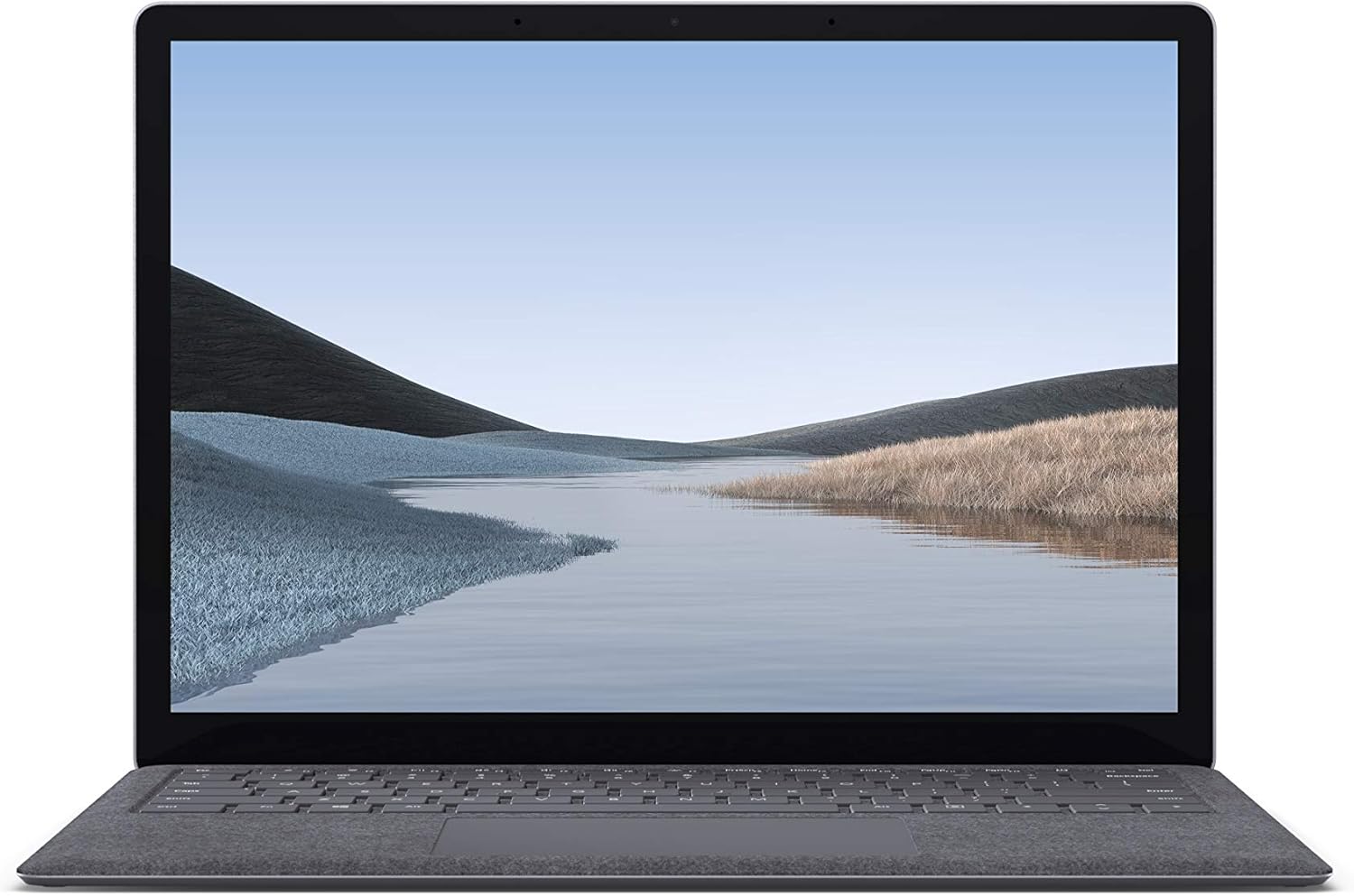
Изображение 1.1: Спереди view of the Microsoft Surface Laptop 3 with its display active.
The Surface Laptop 3 offers a clean, elegant design, weighing approximately 2.79 pounds, making it easy to carry. It features improved speed and performance with its 10th Gen Intel Core processors, offering up to two times faster performance than previous models. Connectivity options include USB-C and USB-A ports for connecting to displays, docking stations, and accessories. The device provides up to 11.5 hours of battery life and supports fast charging, reaching up to 80% in about one hour.
2. Что в коробке
Upon unboxing your Microsoft Surface Laptop 3, verify that all the following items are present:
- Microsoft Surface Laptop 3 (Model VGY-00001)
- Краткое руководство (QSG)
- Power Supply (AC adapter)
3. Настройка
3.1 Первоначальное включение питания
- Подключите питание: Plug the power supply into a wall outlet and connect the magnetic Surface Connect port to your laptop. The LED indicator on the connector will light up when properly connected.
- Включение питания: Open the laptop lid or press the power button located on the keyboard.
- Настройка Windows: Следуйте инструкциям на экране, чтобы завершить настройку Windows 10 Home. Это включает в себя выбор региона, подключение к сети Wi-Fi и создание учетной записи пользователя.
- Windows Hello: Configure Windows Hello for secure and fast login using facial recognition.
3.2 Подключение периферийных устройств
Ваш Surface Laptop 3 оснащен различными портами для подключения внешних устройств:
- Порт USB-C: Для передачи данных, вывода видеосигнала и зарядки совместимых устройств.
- Порт USB-A: For connecting traditional USB devices like mice, keyboards, and external storage.
- Разъем для наушников 3.5 мм: Для вывода звука на наушники или внешние динамики.
- Порт подключения поверхности: For the power supply and compatible Surface docking stations.

Изображение 3.1: вид сбоку view illustrating the available ports on the Surface Laptop 3.
4. Эксплуатация ноутбука Surface 3
4.1 Дисплей и сенсорный экран
The 13.5-inch PixelSense touchscreen display offers a resolution of 2256 x 1504 pixels. It supports multi-touch gestures and is compatible with the Surface Pen (sold separately) for writing and drawing directly on the screen.
4.2 Клавиатура и сенсорная панель
The full-size ergonomic keyboard features backlighting for comfortable typing in various lighting conditions. The large precision touchpad supports multi-finger gestures for navigation and control.
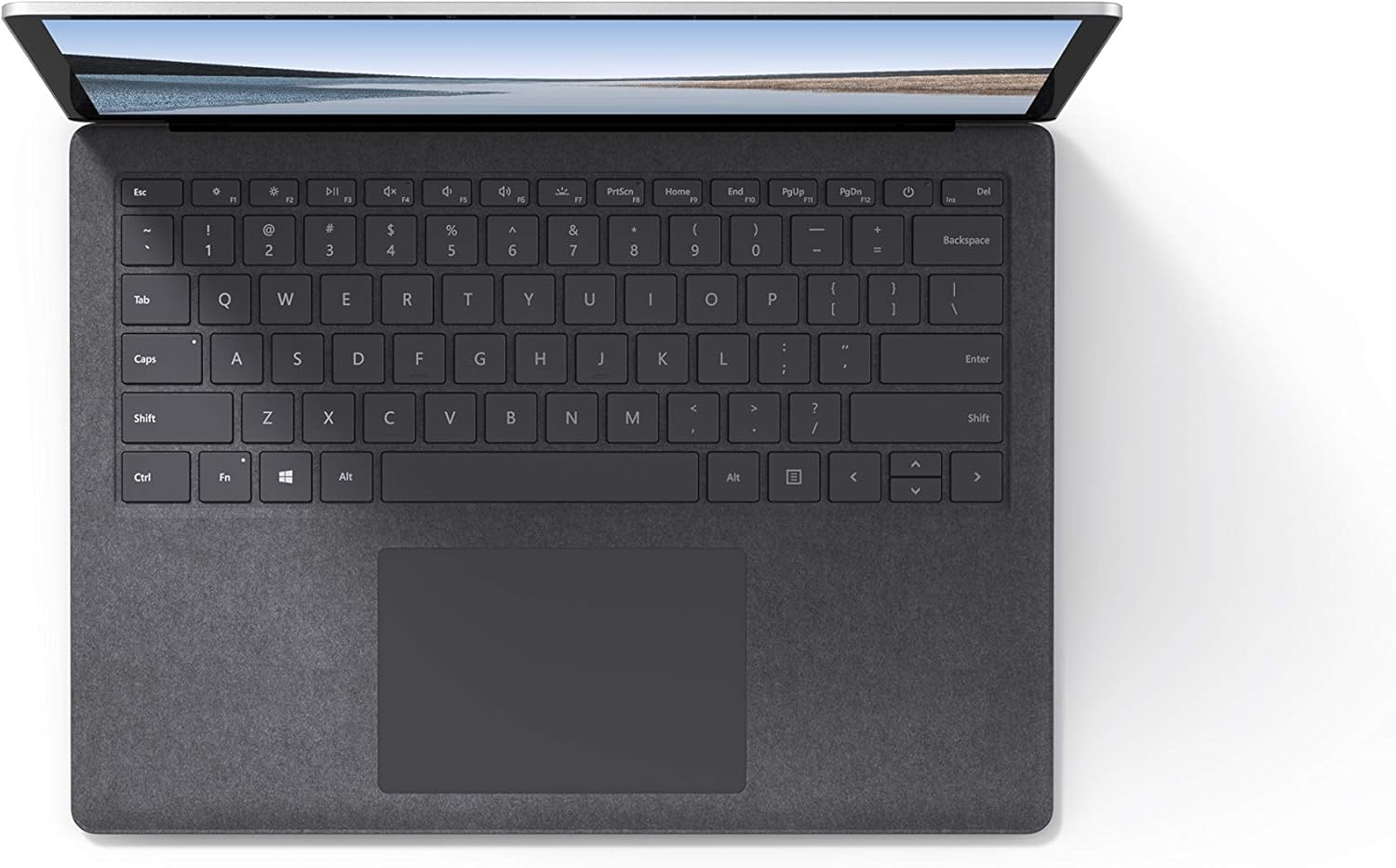
Изображение 4.1: Сверху вниз view области клавиатуры и тачпада.
4.3 Аудио и камера
The laptop is equipped with Omnisonic Speakers with Dolby Audio Premium for clear sound. Dual far-field Studio Mics enhance voice clarity for calls and recordings. A front-facing 720p HD camera supports video conferencing and Windows Hello facial authentication.
4.4. Беспроводное подключение
The Surface Laptop 3 supports Wi-Fi 6 (802.11ax) for fast and reliable internet access, and Bluetooth 5.0 for connecting wireless accessories.
Видео 4.1: Официальное видеошоу Microsoftasing the Surface Laptop 3's features and design.
5. Техническое обслуживание
5.1 Очистка устройства
- Используйте мягкую безворсовую ткань dampened with water or an approved screen cleaner to clean the display.
- Для очистки клавиатуры и корпуса используйте мягкую сухую ткань. Избегайте использования агрессивных химикатов и абразивных материалов.
- Не допускайте попадания в порты пыли и мусора.
5.2 Обновления программного обеспечения
Регулярно проверяйте наличие обновлений Windows и устанавливайте их, чтобы обеспечить оптимальную производительность, безопасность и доступ к новейшим функциям. Перейти к Настройки > Обновление и безопасность > Центр обновления Windows.
5.3 Уход за аккумулятором
- Избегайте экстремальных температур.
- For optimal battery longevity, avoid consistently discharging the battery to 0% or keeping it at 100% for extended periods.
- Используйте только прилагаемый блок питания.
6. Поиск Неисправностей
6.1 Проблемы с питанием
- Устройство не включается: Ensure the power supply is securely connected and the outlet is functional. Try a forced shutdown by holding the power button for 30 seconds, then release and press again briefly to restart.
- Аккумулятор не заряжается: Verify the Surface Connect cable is properly attached. Check for any damage to the cable or port.
6.2 Проблемы с производительностью
- Низкая производительность: Close unnecessary applications. Check Task Manager for resource-intensive processes. Ensure Windows is up to date.
- Перегрев: Ensure ventilation vents are not blocked. Avoid using the laptop on soft surfaces that can obstruct airflow.
6.3 Проблемы с подключением
- Wi-Fi не подключается: Restart your router and the laptop. Check Wi-Fi settings and ensure the correct network is selected and password entered.
- Устройство Bluetooth не подключается: Убедитесь, что Bluetooth-устройство находится в режиме сопряжения и находится в зоне действия. Проверьте настройки Bluetooth на ноутбуке.
7. Технические характеристики
| Особенность | Деталь |
|---|---|
| Бренд | Майкрософт |
| Название модели | Ноутбук Surface 3 |
| Номер модели | VGY-00001 |
| Размер экрана | 13.5 дюйма |
| Разрешение | 2256 x 1504 пикселей |
| Модель ЦП | Intel Core i5 (10-го поколения) |
| Скорость процессора | 1.2 ГГц (до 3.7 ГГц с функцией Turbo Boost) |
| Установленный размер оперативной памяти | 8 ГБ LPDDR4 |
| Размер жесткого диска | SSD-накопитель 128 ГБ |
| Операционная система | Windows 10 Home (Free Upgrade to Windows 11 when available) |
| Графический сопроцессор | Intel Iris Plus |
| Технология связи | 1 x USB-C, 1 x USB-A, 3.5 mm headphone jack, 1 x Surface Connect port |
| Беспроводные технологии | Wi-Fi 6 (802.11ax), Bluetooth 5.0 |
| Срок службы батареи | До 11.5 часов |
| Вес товара | 2.79 фунта |
| Габариты (Д x Ш x Толщина) | 8.8 дюйма (Д) x 12.1 дюйма (Ш) x 0.57 дюйма (Т) |
| Камера | Front-facing 720p HD camera with Windows Hello face authentication |
| Аудио | Omnisonic Speakers with Dolby Audio Premium, Dual far-field Studio Mics |
8. Гарантия и поддержка
8.1 Гарантия на продукт
The Microsoft Surface Laptop 3 (Model VGY-00001) comes with a 1-летняя ограниченная гарантия производителяДанная гарантия распространяется на дефекты материалов и изготовления при нормальной эксплуатации. Для получения подробной информации ознакомьтесь с гарантийной документацией, прилагаемой к вашему продукту, или посетите официальную службу поддержки Microsoft. webсайт.
8.2 Поддержка клиентов
For technical assistance, troubleshooting, or warranty claims, please contact Microsoft Support. You can find contact information and additional resources on the official Microsoft Surface support website. Keep your proof of purchase and product serial number readily available when contacting support.
Онлайн поддержка: Посещать support.microsoft.com/surface для получения ответов на часто задаваемые вопросы, загрузки драйверов и программного обеспечения.