
1. Продукт закончилсяview
The Nexus Max 20 is a versatile personal massager designed for targeted stimulation. It features a main unit and a removable, rechargeable, and waterproof vibrating ball, offering multiple usage options. The device is controlled wirelessly via a remote control and offers 20 distinct vibration functions. Constructed from high-quality, hypoallergenic silicone, the Max 20 provides a smooth and comfortable experience.
This manual provides essential information for the safe and effective use, maintenance, and care of your Nexus Max 20.
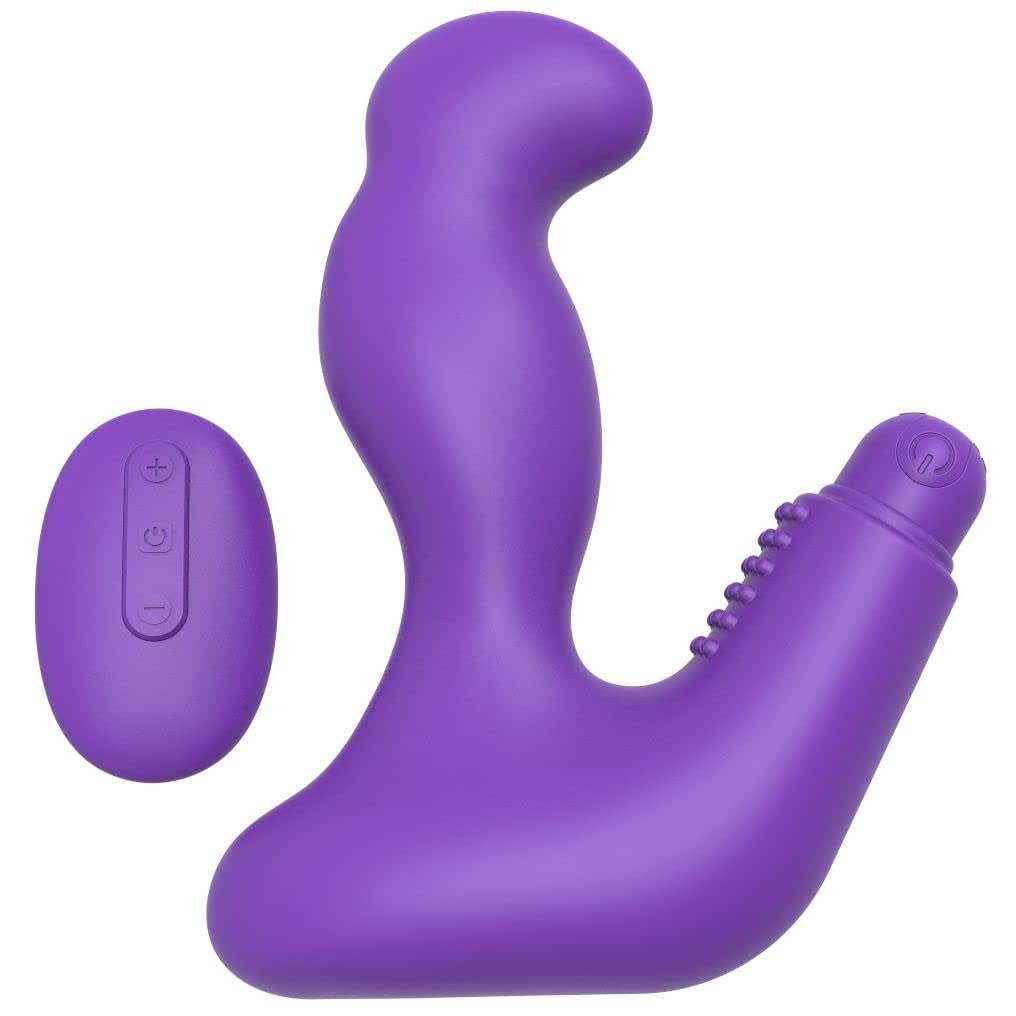
Image 1.1: The Nexus Max 20 main unit and its accompanying remote control.
2. Информация по технике безопасности
- Перед первым использованием внимательно ознакомьтесь со всеми инструкциями и сохраните их для дальнейшего использования.
- Этот продукт предназначен только для использования взрослыми.
- Не используйте изделие, если оно выглядит поврежденным или имеет дефекты.
- Немедленно прекратите использование, если вы почувствуете дискомфорт или боль.
- Clean the product thoroughly before and after each use as described in the Maintenance section.
- Use only water-based lubricants with this product. Oil-based lubricants can damage silicone.
- Хранить в недоступном для детей месте.
- Не пытайтесь разбирать или модифицировать изделие. Это приведет к аннулированию гарантии.
3. Содержимое упаковки
Проверьте наличие всех предметов в упаковке:
- 1 x Nexus Max 20 Main Unit
- 1 x Removable Vibrating Ball (rechargeable)
- 1 беспроводной пульт дистанционного управления
- 1 x USB Charging Cable (for vibrating ball)
- 1 x Руководство пользователя (этот документ)

Image 3.1: The Nexus Max 20 packaging, illustrating the components included.
4. Настройка и первое использование
4.1. Charging the Vibrating Ball
- Locate the charging port on the removable vibrating ball. This is typically a small, discreet port.
- Connect the supplied USB charging cable to the vibrating ball and to a USB power source (e.g., computer, USB wall adapter).
- The indicator light on the vibrating ball will illuminate or flash during charging.
- Charge for approximately 2-3 hours for a full charge before first use. The indicator light will change or turn off when fully charged.
- После завершения зарядки отсоедините зарядный кабель.
4.2. Inserting the Vibrating Ball into the Main Unit
The vibrating ball can be inserted into the designated cavity of the main unit for integrated vibration. Ensure the ball is fully charged before insertion.
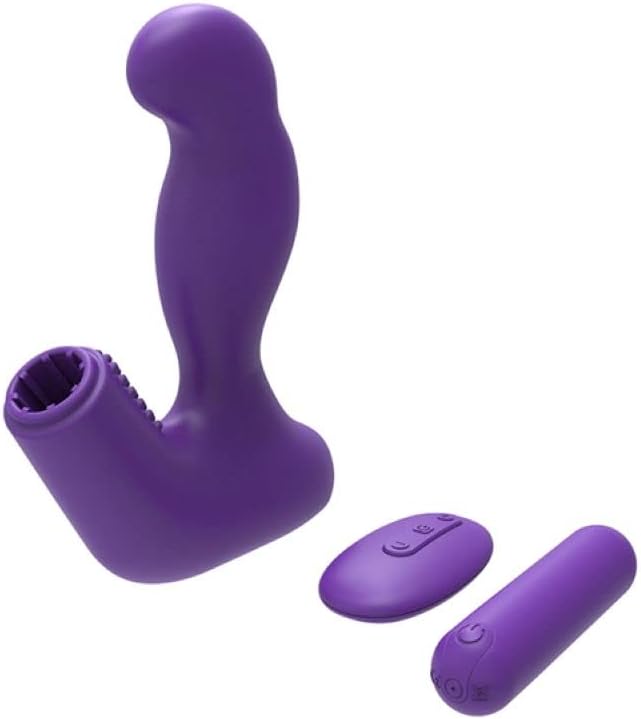
Image 4.1: The Nexus Max 20 main unit with the vibrating ball detached, illustrating its modular design.
4.3. Первоначальная очистка
Before first use, clean the product thoroughly according to the "Maintenance and Care" section.
5. Инструкция по эксплуатации
5.1. Включение и выключение
- Vibrating Ball: Press and hold the power button on the vibrating ball for 2-3 seconds to turn it on or off.
- Дистанционное управление: The remote control typically activates when a button is pressed and enters standby when inactive.
5.2. Использование пульта дистанционного управления
The Nexus Max 20 features a wireless remote control for convenient operation. Ensure the vibrating ball is powered on to receive commands from the remote.
- Кнопка питания: Press and hold the power button on the remote to turn the vibrating ball on or off. A short press may cycle through modes.
- Функциональная/режимная кнопка: Press the function button (often indicated by a wave or pattern icon) to cycle through the 20 different vibration patterns and intensities.
- Кнопки интенсивности (+/-): Use the plus (+) and minus (-) buttons to adjust the vibration intensity within a selected pattern, if applicable.
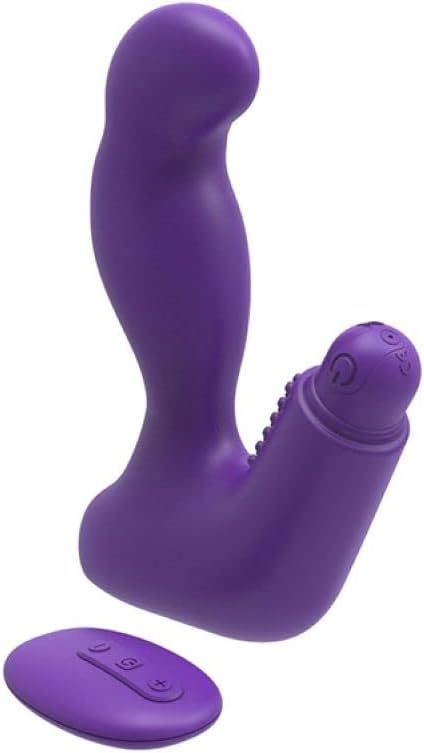
Image 5.1: The remote control for the Nexus Max 20, showing its operational buttons.
5.3. Usage Options
The modular design of the Max 20 allows for three distinct usage options:
- Main Unit with Vibrating Ball: Insert the vibrating ball into the main unit for combined stimulation.
- Main Unit without Vibration: Use the main unit alone for non-vibrating stimulation.
- Vibrating Ball Alone: Use the removable vibrating ball independently for targeted vibration.
6. Техническое обслуживание и уход
6.1. Уборка
- Clean the product thoroughly before and after each use.
- Промойте теплой водой с использованием мягкого, безопасного для игрушек мыла или специального средства для чистки игрушек.
- Тщательно промойте чистой водой.
- Промокните насухо безворсовой тканью или дайте полностью высохнуть на воздухе перед хранением.
- Не используйте чистящие средства, содержащие спирт, нефтепродукты или ацетон, так как они могут повредить силиконовый материал.
6.2. Хранение
- Store the Nexus Max 20 in a clean, dry, and cool place, away from direct sunlight and extreme temperatures.
- Avoid storing with other silicone products or materials that may react with silicone.
7. Поиск Неисправностей
| Проблема | Возможная причина | Решение |
|---|---|---|
| Устройство не включается. | Батарея разряжена. | Charge the vibrating ball fully using the provided USB cable. |
| Пульт дистанционного управления не работает. | Vibrating ball is not powered on or out of range. | Ensure the vibrating ball is turned on. Bring the remote closer to the device. |
| Вибрации слабые. | Low battery or low intensity setting. | Recharge the vibrating ball. Increase intensity using the remote control. |
| Product feels sticky or damaged. | Incompatible lubricant or cleaning agent used. | Only use water-based lubricants. Refer to the cleaning instructions. Discontinue use if damage persists. |
8. Технические характеристики
- Номер модели: MX2002
- Материал: High-quality Silicone, ABS
- Цвет: Фиолетовый
- Функции: 20 режимов вибрации
- Источник питания: Rechargeable (vibrating ball), Remote control (battery type not specified, typically button cell)
- Водостойкость: Водонепроницаемый
- Размеры продукта (Д x Ш x В): Приблизительно 19 х 19 х 5 см
- Вес продукта: Примерно 300 грамма
9. Гарантия и поддержка
Nexus products are manufactured to high-quality standards. For specific warranty information, please refer to the documentation included with your purchase or visit the official Nexus website. If you encounter any issues not covered in this manual, please contact Nexus customer support for assistance.
For further inquiries or support, please visit: www.nexus-toys.com