
1. Введение
This manual provides detailed instructions for the safe and effective use of the Sperry Instruments DM6410 8 Function Digital Multimeter. This device is designed for measuring AC/DC voltage, AC/DC current, resistance, continuity, diode, and battery testing (1.5V, 9V). It features a large LCD display, data hold function, and is built to industry standards for durability and safety.
2. Информация по технике безопасности
WARNING: To avoid electric shock or personal injury, read and understand all instructions before using this multimeter. Always adhere to local and national safety codes.
- Не применяйте больше номинального объема.tage, как указано на счетчике, между клеммами или между любой клеммой и заземлением.
- Будьте осторожны при работе с томомtagвыше 30 В переменного тока (среднеквадратичное значение), 42 В пикового значения или 60 В постоянного тока. Эти объемыtagпредставляют опасность поражения электрическим током.
- Перед изменением функций или диапазонов всегда отсоединяйте щупы от цепи.
- Ensure the test leads are in good condition, free from cracks or damaged insulation.
- Не пользуйтесь счетчиком, если он поврежден или корпус открыт.
- This meter is rated CAT III 600V. Adhere to these safety categories for appropriate measurement environments.
- Для обеспечения точности показаний замените батарею, как только загорится индикатор низкого заряда батареи.
3. Продукт закончилсяview
The Sperry Instruments DM6410 Digital Multimeter is a compact and robust tool for electrical measurements. Below are the key components and their functions.

Рисунок 3.1: Передний view of the DM6410 Multimeter with key features labeled, including the 2000-count LCD screen, SELECT and HOLD buttons, rotary switch, and input jacks. It highlights compliance with ETL listed to UL and CSA standards and CAT III 600V design.
- ЖК-дисплей: Large 2000-count digital display for clear readings.
- Поворотный переключатель: Используется для выбора желаемой функции измерения и диапазона.
- Кнопка ВЫБОР: Toggles between AC/DC functions or other sub-functions within a range.
- Кнопка УДЕРЖАТЬ: Замораживает текущие показания на дисплее.
- Входные разъемы: Terminals for connecting test leads (A, COM, mA µA VΩ).

Рисунок 3.2: The DM6410 Digital Multimeter shown alongside its red and black test leads, which are essential for making electrical measurements.
4. Настройка
4.1 Установка аккумулятора
The DM6410 multimeter requires two AAA batteries for operation. The unit includes an auto-off function to conserve battery life.
- Убедитесь, что мультиметр выключен.
- Найдите отсек для батареек на задней панели счетчика.
- С помощью отвертки открутите винт, фиксирующий крышку батарейного отсека.
- Вставьте две батарейки типа ААА, соблюдая полярность (+ и -).
- Установите на место крышку аккумуляторного отсека и закрепите ее винтом.
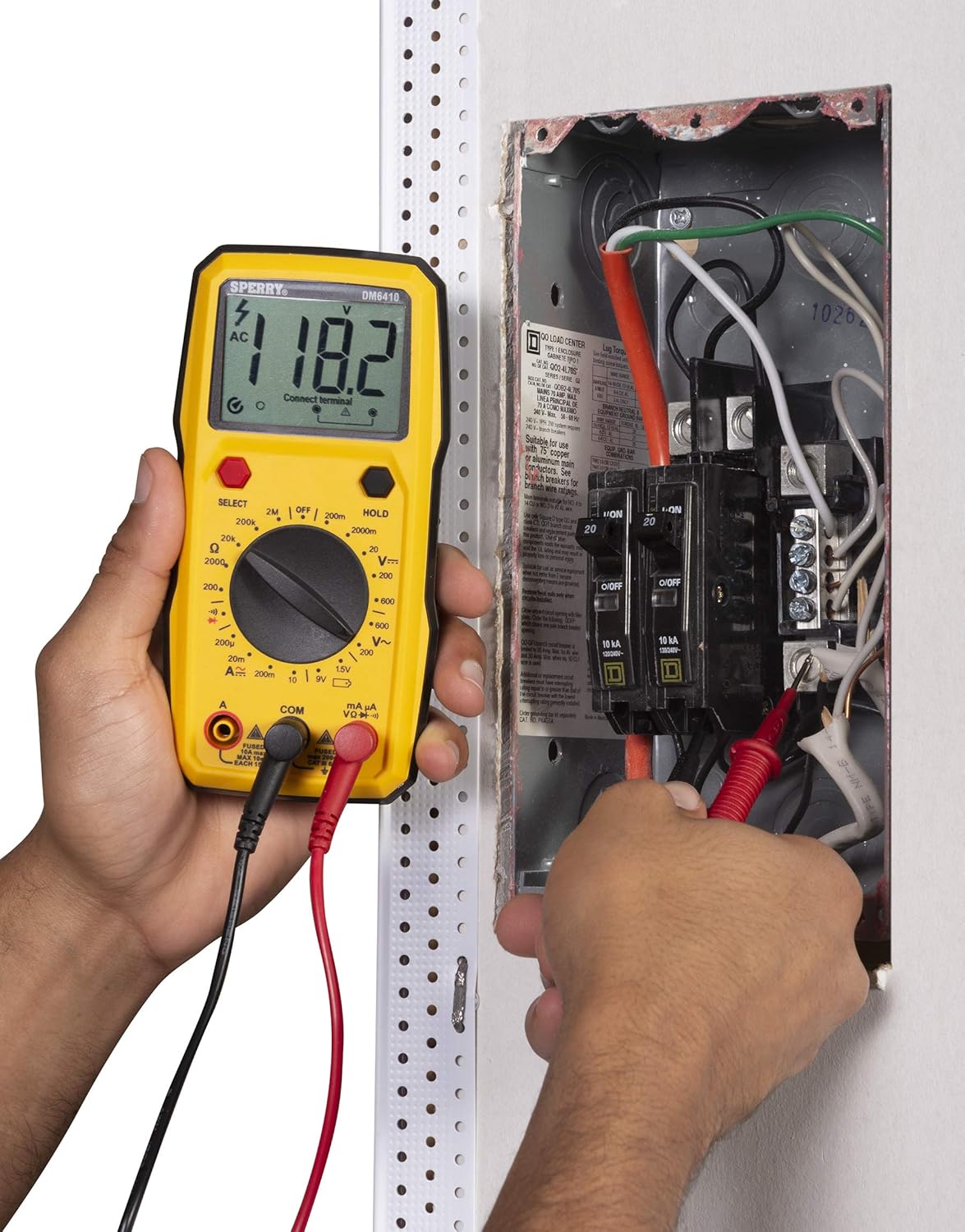
Рисунок 4.1: The rear of the DM6410 Multimeter, displaying the battery compartment cover and safety warnings. The compartment requires two 1.5V AAA batteries.
4.2 Подключение тестового провода
Правильное подключение измерительных проводов имеет решающее значение для точных и безопасных измерений.
- Вставьте черный тестовый щуп в общий входной разъем «COM».
- Для большинства объемовtage, resistance, continuity, and diode measurements, insert the red test lead into the 'VΩ' input jack.
- For current measurements (Amps), insert the red test lead into the 'A' or 'mA µA' input jack, depending on the expected current range.

Рисунок 4.2: The DM6410 Multimeter with the black test lead connected to the 'COM' jack and the red test lead connected to the 'VΩ' jack, ready for voltagе или измерения сопротивления.
5. Инструкция по эксплуатации
Follow these steps for various measurement functions.
5.1 Измерение AC/DC Voltage
- Connect the red test lead to the 'VΩ' jack and the black test lead to the 'COM' jack.
- Turn the rotary switch to the desired 'V~' (AC Voltage) or 'V--' (DC Voltage) range. If the voltage неизвестно, начните с самого высокого диапазона и уменьшайте по мере необходимости.
- Press the 'SELECT' button if you need to switch between AC and DC voltage within a combined range.
- Подключите измерительные щупы параллельно к измеряемой цепи или компоненту.
- Читать томtagзначение e на ЖК-дисплее.

Рисунок 5.1: A user measuring AC voltage from a standard wall outlet using the DM6410 multimeter. The display shows a reading of 118.1 AC volts.
5.2 Измерение сопротивления (Ом)
- Connect the red test lead to the 'VΩ' jack and the black test lead to the 'COM' jack.
- Turn the rotary switch to the desired 'Ω' (Resistance) range.
- Перед измерением сопротивления убедитесь, что цепь или компонент обесточены.
- Подключите тестовые щупы к компоненту.
- Прочтите значение сопротивления на ЖК-дисплее.
5.3 Проверка непрерывности
- Connect the red test lead to the 'VΩ' jack and the black test lead to the 'COM' jack.
- Turn the rotary switch to the continuity symbol (speaker icon).
- Убедитесь, что цепь обесточена.
- Connect the test probes across the circuit path. An audible tone indicates continuity (low resistance).
5.4 Проверка диодов
- Connect the red test lead to the 'VΩ' jack and the black test lead to the 'COM' jack.
- Turn the rotary switch to the diode symbol.
- Подключите красный щуп к аноду, а чёрный – к катоду диода. На дисплее отобразится прямая составляющая.tagпадение напряжения. Поменяйте местами щупы; на дисплее должно отображаться «OL» (разомкнутая цепь), что означает исправный диод.
5.5 Проверка батареи (1.5 В, 9 В)
- Connect the red test lead to the 'VΩ' jack and the black test lead to the 'COM' jack.
- Turn the rotary switch to the '1.5V' or '9V' battery test position.
- Подключите красный щуп к положительной клемме, а черный щуп — к отрицательной клемме батареи.
- Прочтите объем батареиtage на ЖК-дисплее.
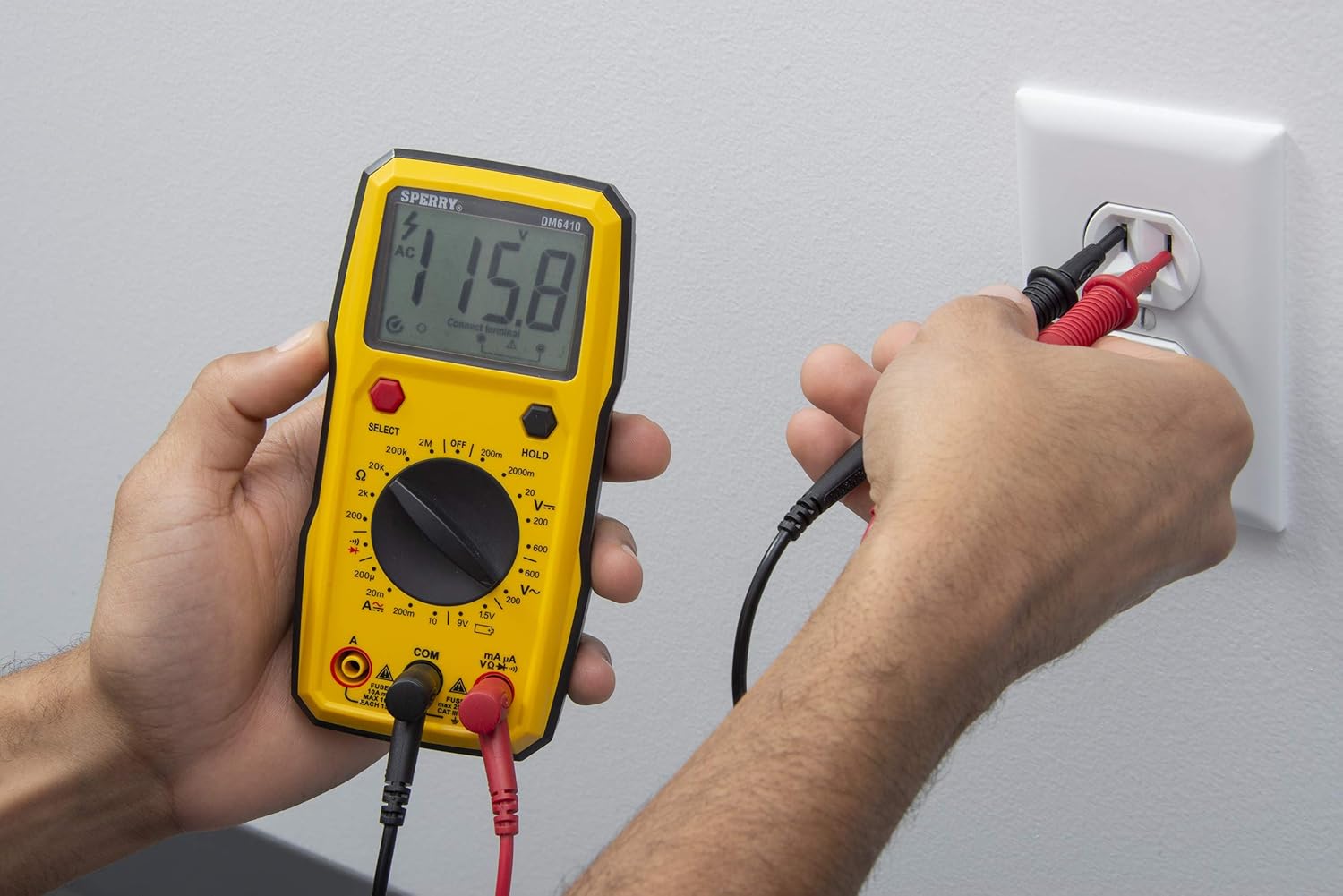
Рисунок 5.2: A user measuring the voltage of a AA battery with the DM6410 multimeter. The display shows a reading of 1.565 volts DC.
5.6 Функция хранения данных
To freeze the current reading on the display, press the 'HOLD' button. Press it again to release the hold and resume live readings.
6. Техническое обслуживание
6.1 Очистка
Протрите счетчик рекламойamp Используйте ткань и мягкое моющее средство. Не используйте абразивные материалы или растворители. Держите дисплей в чистоте и сухости.
6.2. Замена батареи
Refer to Section 4.1 for battery installation instructions. Replace batteries when the low battery indicator appears on the display to ensure accurate measurements.
6.3 Замена предохранителя
If the current measurement function fails, the fuse may need replacement. Only replace with fuses of the specified type and rating:
- For 'A' input: Fused 10A max, 10 sec EACH 15min.
- For 'mA µA' input: Fused max 200mA CAT II 600V.
WARNING: To prevent electric shock, remove test leads before opening the case or battery cover. Do not operate with the battery cover open.
7. Поиск Неисправностей
Если мультиметр работает некорректно, рассмотрите следующие распространенные проблемы:
- Нет дисплея: Проверьте установку батарей и убедитесь, что они не разряжены. При необходимости замените.
- Неправильные показания: Verify that the correct function and range are selected for the measurement. Ensure test leads are properly connected and in good condition. Check battery level.
- Ошибка измерения тока: Check the fuse for the current input jack being used. Replace if blown.
- Отображение «OL» (перегрузка): This indicates the measured value exceeds the selected range. Switch to a higher range or ensure the circuit is within the meter's capabilities.
Если проблемы не исчезнут, обратитесь в службу поддержки клиентов.
8. Технические характеристики
| Спецификация | Деталь |
|---|---|
| Бренд | СПЕРРИ |
| Номер модели | DM6410 |
| Тип измерения | Цифровой мультиметр |
| Функции | 8 Function / 28 Manual Range |
| Томtage Рейтинг | 600 В переменного тока / 1000 В постоянного тока |
| Рейтинг безопасности | CAT III 600V, cETLus, CE |
| Источник питания | 2 батарейки типа ААА (щелочные) |
| Отображать | ЖК-дисплей на 2000 отсчетов |
| Размеры (Д x Ш x В) | 2.9 x 1.75 x 3.8 дюйма |
| Вес товара | 13.1 унции |
| Материал | Пластик |
| СКП | 035632201143 |
9. Гарантия
The Sperry Instruments DM6410 Digital Multimeter comes with a limited warranty. For specific details regarding warranty coverage and duration, please refer to the warranty card included with your product or visit the official Sperry Instruments webсайт.
10 Поддержка
Для получения дополнительной помощи, технической поддержки или view additional product information, please visit the official Sperry Instruments webсайте или обратитесь в их отдел обслуживания клиентов.
You can find more information about Sperry products at: Sperry Instruments Store