
Важная информация по безопасности
Перед использованием данного изделия внимательно прочтите и усвойте все инструкции. Сохраните это руководство для дальнейшего использования.
- Опасность удушения: Keep cords out of reach of children. Never place the camera or cords within 3 feet (1 meter) of the crib or playpen. Secure cords to a wall or floor using clips to prevent entanglement.
- Опасность удушья: Этот продукт содержит мелкие детали. Храните в недоступном для детей месте.
- Перегрев: Не накрывайте монитор или камеру одеждой, одеялами или другими предметами. Обеспечьте надлежащую вентиляцию.
- Вода и влага: Не подвергайте изделие воздействию дождя или влаги. Не используйте вблизи воды (например, ванны, раковины).
- Источник питания: Используйте только прилагаемые адаптеры переменного тока. Использование других адаптеров может повредить устройство и аннулировать гарантию.
- Вмешательство: This product operates on a 2.4 GHz frequency. Keep away from other 2.4 GHz devices (e.g., Wi-Fi routers, microwaves) to avoid interference.
- Температура: Operate and store the product within the recommended temperature range (0°C to 40°C / 32°F to 104°F).
Содержимое упаковки
Проверьте наличие всех предметов в посылке:
- Родительский блок (монитор)
- Детский блок (камера)
- Адаптер питания для родительского блока
- Адаптер питания для детского блока
- Краткое справочное руководство

Image: All components included in the Dragon Touch DT40 baby monitor package, including the monitor, camera, two power adapters, and a quick reference guide.
Продукт болееview
Родительский блок (монитор)
The parent unit features a 4.3-inch color LCD screen for clear video monitoring. It includes controls for volume, brightness, menu navigation, two-way audio, and lullaby playback.
Детский блок (камера)
The baby unit is equipped with a camera that provides video and audio feedback. It includes infrared LEDs for automatic night vision, a temperature sensor, and a microphone for two-way communication. The camera can be manually adjusted for optimal viewуглы.

Image: The baby unit camera, illustrating its ability for manual rotation of 360 degrees horizontally and 60 degrees vertically for flexible positioning.
Настраивать
1. Зарядка родительского блока
- Connect the small end of the parent unit power adapter to the DC input port on the side of the parent unit.
- Другой конец адаптера подключите к стандартной электрической розетке.
- Charge the parent unit for at least 8 hours before first use to ensure optimal battery performance. The battery icon on the screen will indicate charging status.
2. Включение детского блока
- Connect the small end of the baby unit power adapter to the DC input port on the back of the baby unit.
- Plug the other end of the adapter into a standard electrical outlet. The baby unit will power on automatically.
3. Размещение камеры
Place the baby unit on a flat surface, such as a dresser or shelf, or mount it on a wall. Ensure it is at least 3 feet (1 meter) away from the baby's crib or playpen. Adjust the camera angle manually to get the best view вашего ребенка.

Image: An illustrative floor plan showing how multiple cameras can be strategically placed in different rooms for comprehensive monitoring.
4. Pairing (If Necessary)
The parent and baby units are pre-paired at the factory. If the connection is lost or you are adding additional cameras, follow these steps:
- На родительском блоке нажмите кнопку Меню кнопка.
- Перейдите к Камера значок и выберите Добавить камеру.
- Нажмите Пара button on the back of the baby unit within 10 seconds.
- The parent unit will display a confirmation message once pairing is successful.
Инструкция по эксплуатации
Включение/выключение питания
- Для включения родительского блока нажмите и удерживайте кнопку. Власть Нажимайте кнопку, пока не загорится экран.
- Чтобы выключить, нажмите и удерживайте Власть Нажимайте кнопку, пока экран не выключится.
- Детский блок автоматически включается при подключении к источнику питания.
Регулировка громкости
Используйте Увеличение громкости (+) и Звук тише (-) Кнопки на родительском блоке для регулировки громкости прослушивания.
Регулировка яркости
Access the menu on the parent unit and navigate to the Яркость setting to adjust the screen's illumination.
Двусторонняя аудиосвязь
Нажмите и удерживайте Разговаривать button on the parent unit to speak to your baby through the camera's speaker. Release the button to hear your baby again.

Image: A couple in a kitchen, with an inset showing a baby in a room and the monitor displaying the baby, illustrating the two-way talk audio feature.
Колыбельные
Нажмите Колыбельная button on the parent unit to play soothing melodies. Press again to cycle through available lullabies or turn them off.
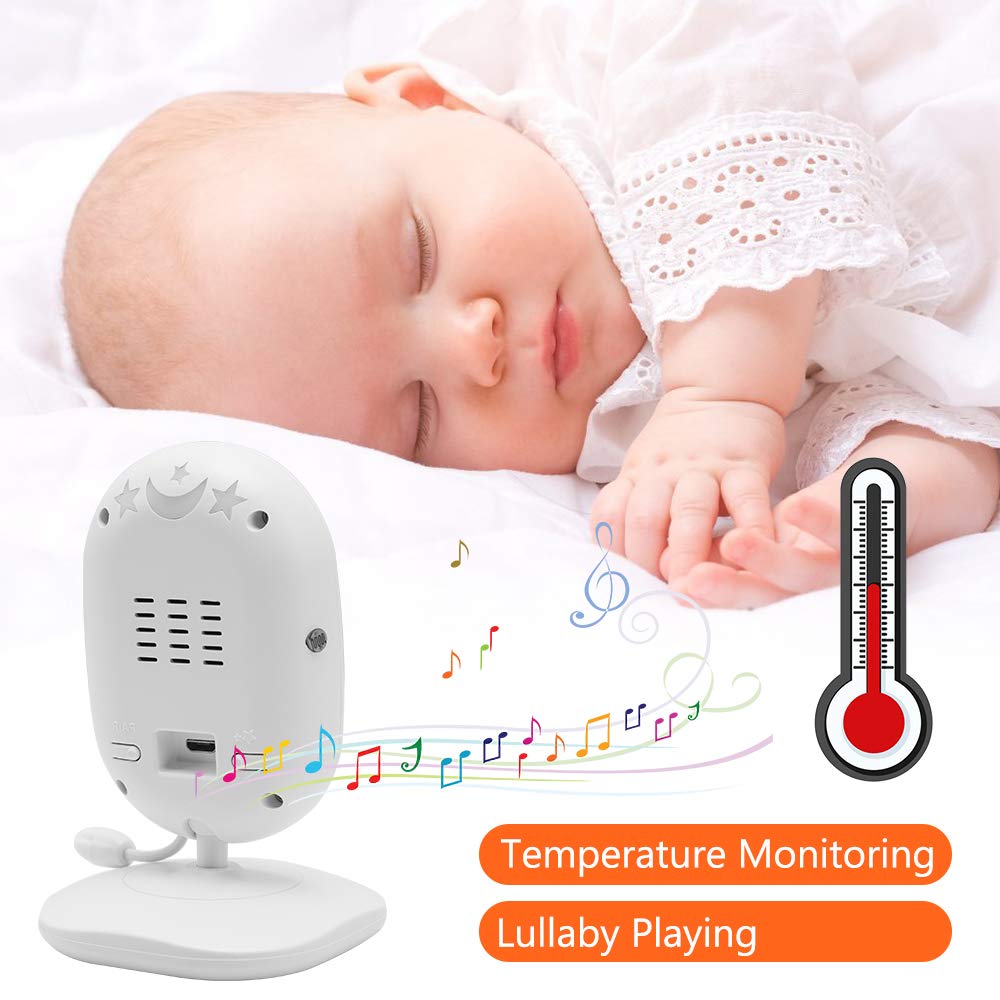
Image: A sleeping baby with the baby unit camera, musical notes, and a thermometer icon, highlighting the lullaby playing and temperature monitoring features.
Режим VOX (голосовая телефонная станция)
VOX mode conserves battery by turning off the screen when no sound is detected from the baby unit. The screen will automatically turn on when sound is detected.
- To activate/deactivate VOX mode, press the ГОКС button on the parent unit or navigate through the menu.
- You can adjust the VOX sensitivity level in the menu settings.

Image: A split image showing the monitor screen in VOX ON mode (screen off with sleeping baby) and VOX OFF mode (screen on with active baby), demonstrating the voice activation feature.
Ночное Видение
В условиях низкой освещенности детский блок автоматически активирует инфракрасное ночное видение, обеспечивая четкое черно-белое изображение на родительском блоке.

Image: A comparison of the monitor display in night vision (black and white, sleeping baby) and day vision (color, sleeping baby), highlighting the automatic night vision capability.
Мониторинг температуры
The baby unit's built-in temperature sensor monitors the room temperature and displays it on the parent unit's screen. You can set temperature alerts in the menu.
Мультикамеры View (Если применимо)
If you have multiple cameras paired, use the Сканировать button or navigate through the menu to switch between camera views or activate auto-scan mode.
Обслуживание
- Уборка: Use a soft, dry cloth to clean the surfaces of the parent and baby units. Do not use cleaning sprays or liquid cleaners.
- Уход батареи: To prolong battery life, fully charge the parent unit before first use. Avoid completely draining the battery frequently. If storing the unit for an extended period, charge it periodically.
- Хранилище: Храните продукт в прохладном, сухом месте, вдали от прямых солнечных лучей и экстремальных температур.
Поиск неисправностей
| Проблема | Возможная причина | Решение |
|---|---|---|
| На родительском блоке нет изображения/звука. | Parent unit is off or battery is low. Baby unit is not powered on. Units are out of range. | Ensure parent unit is charged and powered on. Verify baby unit is plugged in and powered. Move parent unit closer to baby unit. |
| Плохое качество изображения/звука | Interference from other devices. Units are too far apart. Obstructions between units. | Move units away from other 2.4 GHz devices. Reduce distance between units. Remove obstacles like thick walls. |
| Аккумулятор родительского блока быстро разряжается. | VOX mode is off. Screen brightness is too high. Battery degradation over time. | Activate VOX mode. Reduce screen brightness. Ensure initial full charge. Consider battery replacement if unit is old. |
| Невозможно подключить камеру | Pairing process not followed correctly. | Repeat pairing steps carefully, ensuring the pair button on the camera is pressed within the time limit. |
Технические характеристики
- Модель: ДТ40
- Размер экрана: 4.3 дюйма
- Технологии подключения: Беспроводная связь (2.4 ГГц FHSS)
- Разрешение видеозахвата: 720p
- Особые характеристики: Night Vision, Two-Way Audio, Temperature Monitoring, Lullabies, VOX Mode
- Потребляемая мощность: 5 Вольт
- Требуемые батареи: Yes (for Parent Unit)
- Тип крепления: Wall Mount (for Camera)
- Вес товара: Примерно 1.1 фунтов
- СКП: 818537028769
Гарантия и поддержка
Dragon Touch products come with a limited warranty. For detailed warranty information, technical support, or customer service inquiries, please refer to the warranty card included in your package or visit the official Dragon Touch website. Please have your model number (DT40) and purchase information ready when contacting support.