
XVIM US-D8-8AHD7-1T-205-3D
XVIM 8CH 1080P Wired Security Camera System User Manual
Model: US-D8-8AHD7-1T-205-3D | Brand: XVIM
Введение
This user manual provides comprehensive instructions for the installation, operation, and maintenance of your XVIM 8CH 1080P Wired Security Camera System. Please read this manual thoroughly before using the product to ensure proper setup and functionality. Keep this manual for future reference.
Что в коробке?
Убедитесь, что в упаковке присутствуют все компоненты:
- 8 х камер
- 1 x DVR
- 2 x 1-to-4 Splitter Cable
- 2 x Camera power supply
- 1 x DVR power supply
- 1 жесткий диск на 1 ТБ (предустановлен)
- 8 x 60ft BNC Cable
- 1 x USB-мышь
- 8 х Винта

Image: All components included in the XVIM 8CH 1080P Wired Security Camera System package.
Руководство по настройке
1. Первоначальное подключение оборудования
- Подключите камеры к видеорегистратору с помощью прилагаемых кабелей BNC. Обеспечьте надежное соединение как для видеосигнала, так и для питания.
- Connect the camera power supplies to the 1-to-4 splitter cables, then connect the splitter cables to the cameras.
- Connect the DVR power supply to the DVR.
- Подключите монитор к видеорегистратору, используя порт VGA или HDMI.
- Connect the USB mouse to the DVR for navigation.
- Для удалённого доступа подключите видеорегистратор к маршрутизатору с помощью кабеля Ethernet.

Изображение: подробное view of the DVR's rear panel with labeled ports for cameras, audio, video output, and network connection.

Image: Step-by-step connection diagram for the DVR, cameras, power supplies, and router.
2. Remote Access Setup (3 Easy Steps)
- Подключитесь к Интернету: Ensure your DVR is connected to your home router via an Ethernet cable.
- Загрузите бесплатное приложение: Искать "HoMeYe Pro" in your mobile device's app store (available for Android and iOS).
- Add Device ID & View: Open the "HoMeYe Pro" app, add your device ID (found on the DVR or packaging), and you can monitor your cameras anytime, anywhere via your mobile device.

Image: Visual guide for downloading the HoMeYe Pro app and setting up remote viewинж.
Инструкция по эксплуатации
Recording Modes & Storage
The H.265 security camera system includes a pre-installed 1TB hard drive for immediate recording. You can select from the following recording modes:
- Автоматический режим: Continuous recording based on a set schedule.
- Ручной режим: Запускайте и останавливайте запись вручную.
- Motion-Detection Mode: Запись запускается только при обнаружении движения, что позволяет экономить место на диске.
Записаноtagе может быть viewed or played back remotely via the exclusive HoMeYe Pro app at any time.
HD Image & Night Vision
The system is equipped with 8 x 1080P waterproof outdoor cameras, providing clear 1920x1080 resolution images during both day and night. The cameras feature a night vision range of up to 65 feet and a 75° viewing angle, ensuring comprehensive property protection.
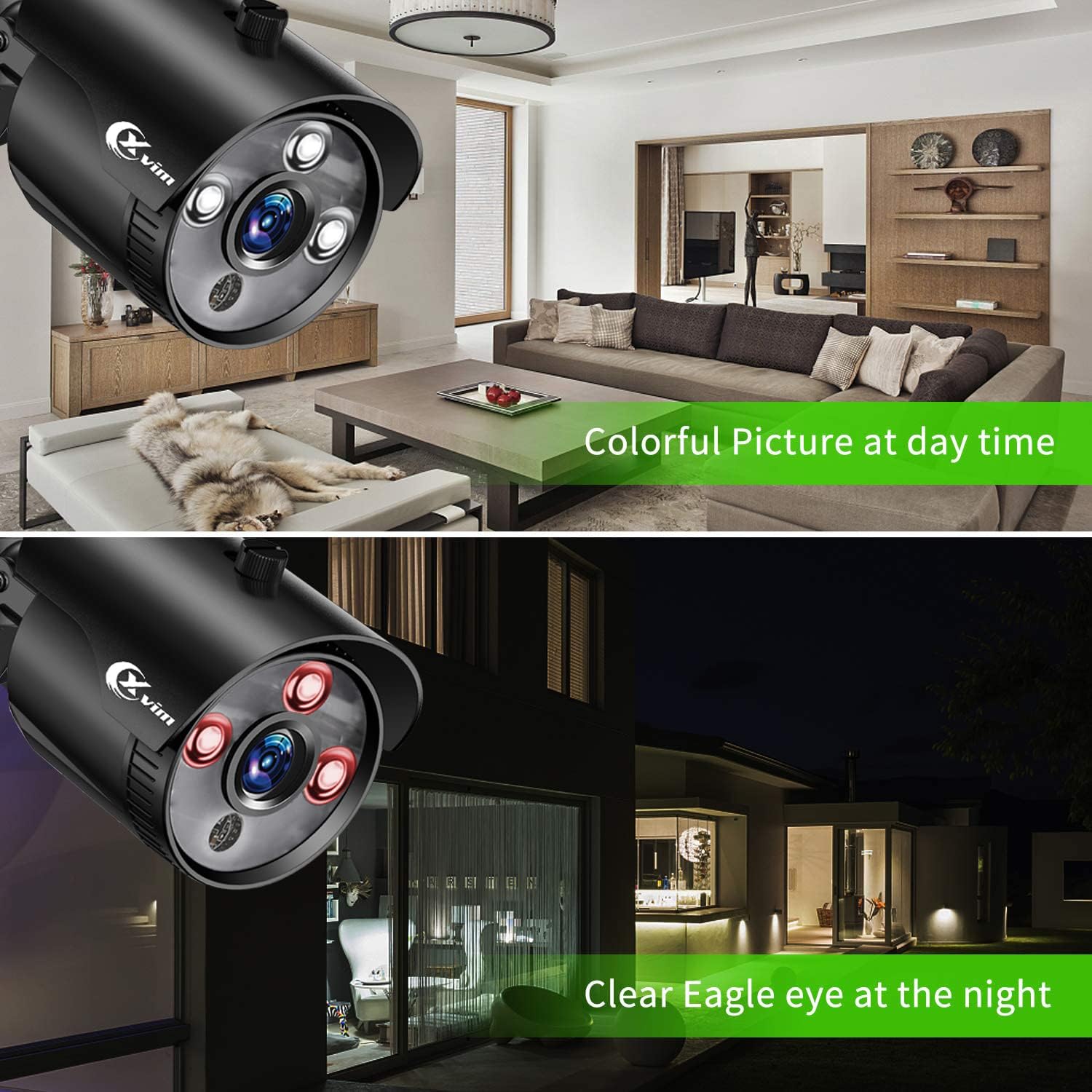
Image: Visual comparison demonstrating clear day vision and infrared night vision capabilities.
Precise Motion Detection & Timely Alerts
You can freely set specific motion-detection areas on the DVR to minimize false alarms. When motion is detected within these defined zones, the HoMeYe Pro app will send instant push notifications to your mobile device.

Изображение: Бывшийample of a motion detection alert received on a mobile phone.
Обслуживание
Camera Durability
The cameras are IP66-rated, ensuring they are waterproof and dust-proof. This robust protection allows them to withstand harsh weather conditions and operate stably in various outdoor environments such as courtyards and doorways, as well as indoor settings like warehouses and corridors.

Изображение: Бывшийamples of camera placement in indoor (kitchen, living room) and outdoor (doorway, courtyard) settings.
Поиск неисправностей
For common issues, please refer to the official Installation Manual (PDF) linked in the support section. Basic troubleshooting steps often include:
- Нет видеосигнала: Check all cable connections (BNC, power). Ensure cameras and DVR are powered on. Verify correct input selection on your monitor.
- Нет удаленного доступа: Confirm DVR is connected to the internet. Check network settings on the DVR and ensure the "HoMeYe Pro" app is correctly configured with the device ID.
- Проблемы с записью: Verify hard drive status. Check recording schedules and motion detection settings.
Технические характеристики
| Особенность | Деталь |
|---|---|
| Бренд | XVII |
| Технология связи | Проводной |
| Разрешение видеозахвата | 1080p |
| Специальная характеристика | High Efficiency Video Coding, Motion Sensor |
| Количество каналов | 8 |
| Емкость памяти | 1 ТБ |
| Цвет | Black 8-camera |
| Источник питания | AC |
| Размеры товара Д x Ш x В | 17.44 x 12.68 x 6.85 дюйма |
| Формат сигнала | Аналоговый |
| Технология слабого освещения | Ночное Видение |
| Диапазон ночного видения | 65 футов |
| Частота кадров | 15 кадров в секунду, 30 кадров в секунду |
| Режим записи | manual, motion detection |
| Технология оптических датчиков | КМОП |
| Общее количество портов USB | 1 |
| аппаратный интерфейс | Ethernet |
| Тип объектива | Зафиксированный |
| Видеовход | БНК |
| Viewугол наклона | 75 градусов |
| Производитель | XVII |
| СКП | 675234631926 |
| Вес товара | 12.82 фунта |
| ASIN | B07MZPV6BW |
| Номер модели товара | US-D8-8AHD7-1T-205-3D |
| Дата первой доступности | 21 января 2019 г. |
Гарантия и поддержка
For detailed warranty information and further support, please refer to the official Installation Manual (PDF) provided by XVIM. You can access it directly via the link below:
Загрузить руководство по установке (PDF)
For additional software downloads and resources, visit the XVIM download page: http://www.topslink.net/download/xvr.html
Ask a question about this manual
Ask about setup, troubleshooting, compatibility, parts, safety, or missing instructions. Manuals+ will review the question and use this page’s manual context to help answer it.