
1. Продукт закончилсяview
The Elecom M-FBL01DBXSBK is a 5-button wireless mouse designed for comfortable and quiet operation. It features a Blue LED sensor for versatile surface compatibility and a compact USB receiver.

Image 1.1: Elecom M-FBL01DBXSBK Wireless Mouse with its compact USB receiver.
2. Содержимое упаковки
- Elecom M-FBL01DBXSBK Wireless Mouse
- Беспроводной USB-приемник
- AA Alkaline Battery (for operation confirmation)
- Руководство пользователя (этот документ)
3. Инструкции по настройке
3.1. Установка аккумулятора
- Найдите крышку батарейного отсека на нижней стороне мыши.
- Чтобы открыть отсек, сдвиньте или поднимите крышку.
- Insert one AA alkaline battery, ensuring the positive (+) and negative (-) terminals align correctly with the markings inside the compartment.
- Плотно закройте крышку батарейного отсека.

Image 3.1: The underside of the mouse, indicating the battery compartment and power switch.
3.2. Подключение USB-приемника
- Remove the compact USB receiver from its storage slot on the underside of the mouse.
- Подключите USB-приемник к свободному порту USB-A на вашем компьютере.
- Ваш компьютер должен автоматически обнаружить и установить необходимые драйверы. Это может занять несколько минут.
3.3. Включение мыши
After installing the battery and connecting the receiver, locate the power switch on the underside of the mouse and slide it to the 'ON' position. The mouse is now ready for use.
3.4. OS Compatibility
The Elecom M-FBL01DBXSBK Wireless Mouse is compatible with:
- Windows 11, Windows 10, Windows RT8.1, Windows 8.1, Windows 7, Windows Vista
- macOS High Sierra 10.13 и новее
Ensure your operating system is updated to the latest version and any service packs are installed for optimal performance.
4. Управление мышью
4.1. Основные функции
The mouse features five buttons and a scroll wheel:
- Левая кнопка: Основная функция щелчка.
- Правая кнопка: Функция вторичного щелчка (контекстное меню).
- Колесо прокрутки: Прокручивает документы и web pages vertically. Can also be pressed for a middle-click function.
- Кнопка вперед: Перемещается вперед в web браузеры или file исследователи.
- Кнопка «Назад»: Перемещает назад в web браузеры или file исследователи.

Image 4.1: The five buttons of the Elecom M-FBL01DBXSBK mouse, including the scroll wheel.
4.2. Функция бесшумного щелчка
All five buttons incorporate a silent switch mechanism, significantly reducing clicking noise. This allows for quiet operation in various environments.

Image 4.2: The silent switch design minimizes operational noise.
4.3. Blue LED Sensor
The mouse is equipped with a Blue LED optical sensor, which provides accurate tracking on a variety of surfaces, including those with slight unevenness or dust. This enhances usability in diverse settings.

Image 4.3: The Blue LED sensor allows for comfortable use on various surfaces.
4.4. Беспроводная связь
The mouse utilizes a 2.4 GHz wireless band for stable communication. The effective radio distance is approximately 3 meters (9.8 feet) on magnetic surfaces (e.g., steel desks) and up to 10 meters (32.8 feet) on non-magnetic surfaces (e.g., wooden desks).
4.5. Индикатор заряда батареи
An integrated battery indicator light notifies you when the battery level is low, signaling that a replacement is needed.
4.6. Elecom Mouse Assistant Software
Button functions can be customized using the free downloadable Elecom Mouse Assistant software. This allows users to reassign functions to the mouse buttons for improved workflow efficiency.
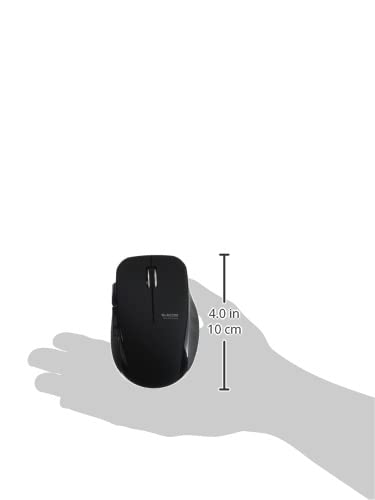
Image 4.4: The Elecom Mouse Assistant software enables button customization.
5. Техническое обслуживание
5.1. Замена батареи
When the battery indicator signals low power, replace the AA battery with a new AA alkaline, manganese, or NiMH battery. Follow the battery installation steps outlined in Section 3.1.
5.2. Уборка
To clean the mouse, gently wipe its surface with a soft, dry cloth. Avoid using harsh chemicals or abrasive materials, as these can damage the finish. Ensure no liquid enters the mouse.
5.3. Хранилище приемника
The USB receiver can be stored inside the mouse body when not in use or during transport. This helps prevent loss of the receiver.
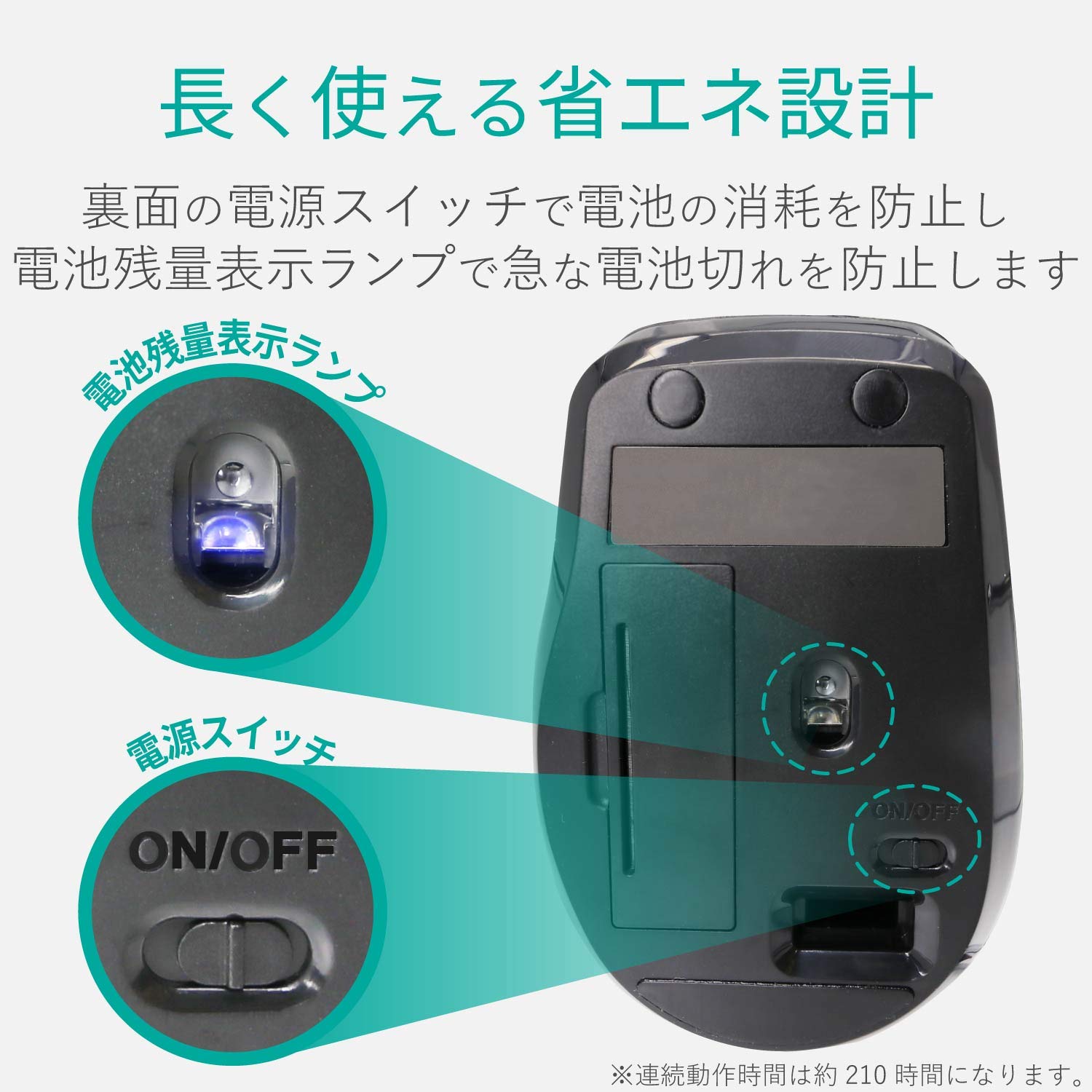
Image 5.1: The compact receiver can be stored within the mouse for convenience.
6. Поиск Неисправностей
- Мышь не отвечает:
- Check if the mouse is powered on (power switch on the underside).
- Убедитесь, что аккумулятор установлен правильно и не разряжен. При необходимости замените.
- Убедитесь, что USB-приемник надежно подключен к исправному USB-порту вашего компьютера. Попробуйте другой USB-порт.
- Перезагрузите компьютер.
- Хаотичное движение курсора:
- Очистите область оптического датчика на нижней стороне мыши.
- Убедитесь, что вы используете мышь на подходящей поверхности. Избегайте использования сильно отражающих или прозрачных поверхностей.
- Check for interference from other wireless devices. Move the mouse closer to the receiver.
- Кнопки работают некорректно:
- If using Elecom Mouse Assistant, ensure button assignments are correct.
- Reinstall the Elecom Mouse Assistant software if issues persist.
7. Технические характеристики
| Интерфейс | USB |
| Форма соединителя | USB-штекер |
| Совместимая ОС | Windows 11, 10, RT8.1, 8.1, 7, Vista; macOS High Sierra 10.13+ |
| Разрешение | 1600 счета |
| Метод связи | Метод GFSK |
| Радиочастота | Диапазон 2.4 ГГц |
| Радиодальность | Magnetic objects: 3m (9.8 ft); Non-magnetic objects: 10m (32.8 ft) |
| Метод чтения | Система оптических датчиков (синий светодиод) |
| Количество кнопок | 5 (включая кнопку колеса) |
| Количество колес | 1 |
| Хранение приемника | Да |
| Время непрерывной работы | Приблизительно 210 часов |
| Время в режиме ожидания | Прибл. 1666 дней |
| Расчетное время работы батареи | Прибл. 478 дней |
| Источник питания (основной блок) | 1 AA alkaline, manganese, or NiMH battery |
| Номинальный объемtage (Body) | 1.5В |
| Цвет | Черный |
| Вес (мышь) | Около 62 г (без батареи) |
| Внешние габариты (приемника) | 14.5 х 18.0 х 6.3 мм |
| Вес (приемника) | Приблизительно 2 г |
8. Гарантия и поддержка
8.1. Гарантийный срок
На этот продукт распространяется гарантия 6 месяцев с даты покупки.
8.2. Product Inquiries
For product inquiries or technical support, please contact the Elecom General Information Center:
- ТЕЛ: 0570-084-465
- ФАКС: 0570-050-012
- Время начала приема: 10:00 - 19:00 (круглосуточно)